Mass Delete Retweets
A retweet puts someone else's words on your profile, and they sit there long after you've forgotten reposting them. Redact loads your full Twitter/X history and removes retweets in bulk: wipe every single one, or use filters to narrow it down to a specific era, topic, or account. Your own tweets stay up, the originals stay up, and nothing comes down without you previewing it first.
Free for your last 30 days of tweets, replies, likes & bookmarks.
Available on
Plan
Things to delete *
Select what you want to delete
Why clear your retweets
Every retweet is an endorsement with your name on it
You wrote none of these posts, but they all sit right on your profile speaking for you. Years of reposts add up to a record of takes, accounts, and moments you've long since forgotten about.
Employers and background checkers read your feed
Recruiters, admissions offices, and background-check services read public profiles, and they don't separate what you wrote from what you boosted. Years of old reposts are part of your first impression before you ever get a first phone call.
What's acceptable changes fast
A repost that was a perfectly normal joke or take a few years ago can land very differently today. Your retweets get judged by today's standards, not the standards of the day you tapped them.
Data brokers are building a profile on you
Data brokers and ad networks scrape public social feeds and fold what they find into profiles they sell. Every old repost adds your interests, opinions, and habits to that file. Clearing them shrinks what's left to collect.
The author's reputation travels with the post
If an account you retweeted later turns controversial or gets suspended, your retweet still ties your name to it. You don't control the other half of that association, and the more years that pass, the bigger the risk becomes.
What this feature does
Remove retweets in bulk without touching your other content
Select Retweets as the content type and Redact loads every repost on your account, from last week back to the day you joined. Run it as a full un-retweet sweep, or narrow the batch by date range, keyword, hashtag, or media attribute so only the exact reposts you want gone are included.
Removing a retweet only takes the repost off your profile. The original author's post is untouched, your own tweets and replies are untouched, and no one gets a notification. Run a Preview first to see exactly what's on the chopping block before you commit.
- Retweets only
- Originals untouched
- No notifications
Try Redact for Twitter/X. Free for your last 30 days of tweets, replies, likes & bookmarks.
Things to delete *
Select what you want to delete
Filter before you delete
Clear every retweet, or only very specific ones
Leave the filters blank and Redact finds every retweet you've ever made and clears them. Or stack one or more filters to narrow the batch down for a precision cleanup.
Date range
Remove a whole era, or everything older than a cutoff date you choose.
Keyword or phrase
Remove reposts containing a specific word, a person's name, or an old employer.
Hashtag
Clear every repost tied to a campaign or moment you've moved on from.
Media attribute
Target only reposts carrying images, videos, or external links.
Engagement count
Only delete reposts whose like and retweet counts sit at or below the ceilings you set.
Preserve lists
Whitelist hashtags, phrases, and specific tweets so the reposts you value survive every run.
Run it your way
Preview, delete, hand-pick, or schedule
Preview
See every retweet the filters caught before a single one is removed.
Deletion
Clear the whole matching batch in one run, once you trust the filters.
Review and Delete
Walk the list of matches and remove reposts individually or in batches.
Schedule
Re-run the cleanup on a cadence so new retweets never pile back up.
Step-by-step guide
How to mass delete your retweets with Redact
The whole flow takes a few minutes. If you're clearing thousands of reposts, use the archive route in the content-types step so Redact reads them from your file instead of paging through your timeline.
- 1
Download Redact for free
Download for your device →Install Redact on your device. It runs on Windows, macOS, and Linux, plus iOS and Android.
- 2
Connect your Twitter/X account
Open Redact, choose Twitter/X, and link your account securely. Your credentials are sent straight to Twitter/X and never touch a Redact server.
- 3
Select Retweets as the content type
In the Twitter/X section, choose Retweets and leave the other content types unchecked so your own tweets, replies, and likes stay out of the batch. Then scope it, or leave the filters blank to queue every repost.
- Date range: clear reposts older than a date, or slice by year.
- Keywords and hashtags: match the text of the posts you boosted.
- Full sweep: leave the filters empty and set All Time to Now.
More than 1,000 retweets? Paging through a large Twitter/X timeline takes a long time. Request your Twitter archive, then import the .zip into Redact's desktop app so Redact reads the item list from the file instead. Twitter/X still limits how fast the deletions go out. Archive import is a Premium feature.
- 4
Preview the batch
Run a Preview to see exactly which reposts matched, and exclude any you want to keep. Add accounts or phrases to the preserve list so those reposts survive every future run too.
- 5
Start the deletion
Click Start Deletion and Redact works through the queue, un-retweeting each match and showing progress as it goes. Keep the app open until it finishes. To stay clean, save the setup as a Schedule and new reposts get cleared automatically.
Your retweets and login stay off our servers
Redact talks straight to Twitter/X from your computer or phone, so your posts and your login never pass through a Redact server. It uses the minimum access needed to carry out your deletions, and you can disconnect X at any time.
Try Redact for Free
We are frequently adding support to other social network services. You can receive direct updates from us in Redact's Discord Channel.

Frequently asked questions
Install Redact, connect your Twitter/X account, and select Retweets as the content type. Leave the filters blank to queue every repost you've ever made, or narrow the batch by date range, keyword, or hashtag. Preview the matches, then start the deletion.
No. Un-retweeting only removes the repost from your profile. The original author's post is completely unaffected, along with its likes, replies, and other retweets.
No. Twitter/X doesn't send notifications for un-retweets. The repost simply disappears from your profile, and the original author sees their retweet count drop by one with no name attached.
Yes. Redact treats retweets and quote tweets as separate content types. Select only Retweets and every quote tweet you've written stays on your profile, along with your tweets, replies, and likes.
Yes. Combine the Retweets content type with a date range. Use absolute dates for an exact window, or a relative range like older than two years that stays accurate on every scheduled run.
You can download Redact for free and start clearing recent reposts at no cost. Going further back through your full history and importing an archive both require a paid plan.
Yes, though paging through a large timeline is the slow part. For big accounts, request your Twitter archive and import the .zip into the desktop app, where Redact reads your reposts from the file rather than crawling your timeline. Twitter/X still limits how fast the deletions go out. Archive import is a Premium feature.
More Twitter/X features
Mass Delete Tweets and X Posts
Bulk delete your tweets, retweets, quote tweets, and replies. Wipe the whole timeline or filter by keyword, hashtag, date, media, or engagement first.
Mass Delete Tweets by Date Range
Clear a whole era of old tweets at once. Set exact dates or a relative window like older than two years, across tweets, replies, likes, and DMs.
Mass Delete Tweets by Hashtag
Bulk delete tweets by hashtag, one tag or many, with a preserve list for the tagged tweets you keep.
Mass Delete Tweets by Keyword
Bulk delete tweets by keyword or phrase, with preserve filters and a built-in offensive-content classifier.
Mass Delete Replies on Twitter/X
Bulk delete the replies you've left under other people's tweets, by date, keyword, or engagement. Your tweets stay untouched.
Filter Twitter/X Posts by Content Type and Media
Pick exactly which content types to remove, then narrow by media attribute. Delete only retweets, clear every quote tweet, or wipe just your video posts.
Mass Delete Twitter/X DMs
Bulk delete your Twitter/X DMs by date or recipient. Clears your side of every conversation. A premium feature.
Delete Your Grok Chat History
Wipe your Grok chat history in one pass, or search and pick the conversations that go. Starred chats and anything you preserve stay untouched.
Remove Twitter/X Bookmarks
Remove saved posts from your bookmarks in bulk, by keyword or post date, and keep any that mention words you pick.
Mass Delete Twitter/X Likes
Bulk unlike years of Twitter/X likes, all of them or filtered by date, keyword, hashtag, or engagement. Free to start.
Mass Unblock and Unmute Twitter/X Accounts
Bulk unblock and unmute Twitter/X accounts in one pass. Clear your whole block list and mute list, or just named handles, with a preserve list for the rest.
Mass Unfollow Twitter/X Accounts
Bulk unfollow the accounts you follow on Twitter/X, all at once or filtered by account type and follower count, with a preserve list for the handles you keep.
Bulk Delete via Twitter/X Data Export
Import your Twitter/X archive .zip into the desktop app to find tweets and likes without paging through your live timeline.
Bulk Delete Twitter/X Lists
Bulk delete the Twitter/X Lists you own, all at once or filtered by title, description, or member count. Deleting a list never unfollows anyone.
Delete Your Entire Twitter/X History
Wipe your whole Twitter/X account in one sweep, every content type at once, with a local archive saved to your computer first.
Twitter/X guides
See all
How to Delete All Your Tweets and X Posts at Once
X has no delete-all button. Bulk delete every tweet, reply, and repost, clear older posts with your X archive, and see what you can do for free.

How to import your Twitter data into Redact
Learn to request your Twitter Data Archive, and import it into Redact.dev for easy mass deletion.
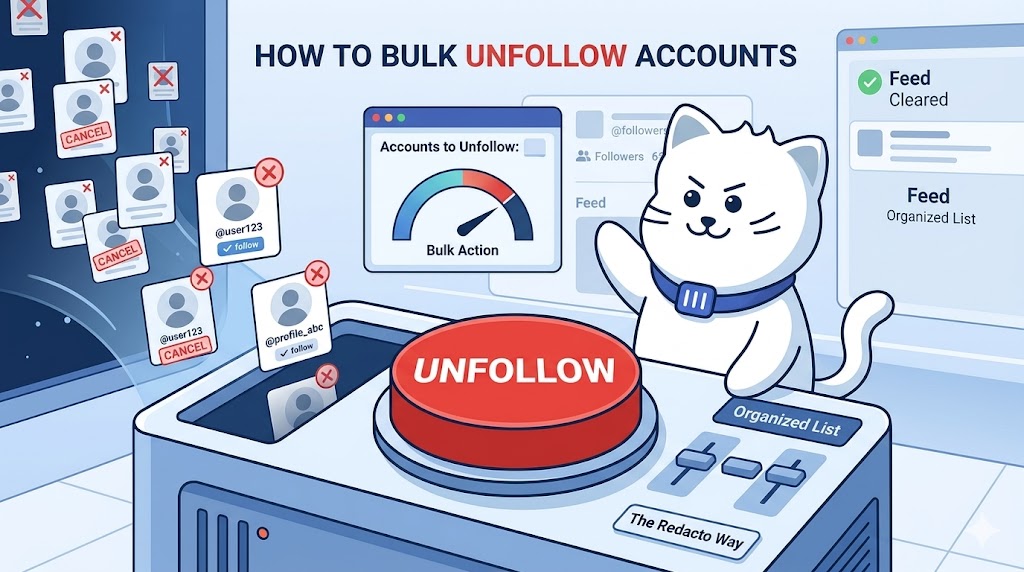
How to Bulk Unfollow Twitter/X Accounts
Learn how to reset your Twitter followers. This guide shows how to delete followers and unfollow everyone with Redact using preview and safe pacing.
Related services
See allBluesky
Delete your posts, reposts, replies and likes
- posts
- reposts
- likes
- replies
Nextdoor
Mass delete your Nextdoor posts and comments, with filters for date range and content keywords, plus a preserve list for the neighbourhood posts you want to keep.
- Posts
- comments
Threads
Delete your posts, reposts, replies, quotes and likes
- posts
- reposts
- likes
- replies
- quotes
Delete LinkedIn conversations, posts, comments, and reactions in bulk. You can also unfollow companies, groups, and people or leave groups.
- Conversations
- Posts
- Comments
- Reactions
- Follows
Mastodon
Delete your posts, reposts, favorites and replies
- posts
- reposts
- favorites
- replies
Tumblr
Remove unwanted content from your Tumblr page, from published and queued posts to likes, replies, and follows.
- Posts
- Queued Posts
- Likes
- Comments
- Follows