Mass Delete Tweets by Hashtag
Hashtags pin a tweet to a moment, whether it's a campaign, an event, or a trend that didn't age well. Redact lets you mass delete tweets by hashtag, so you can clear that moment out of your timeline without scrolling for it by hand.
Free for your last 30 days of tweets, retweets, replies, quotes, likes & bookmarks.
Available on
Plan
Hashtag Search
Delete posts containing these hashtags
What this feature does
Clear a tagged moment in one pass
Target a single hashtag, or chain several into one deletion pass when a topic spread across multiple tags. Combine hashtag filters with date ranges, keywords, and media filters to surgically clear a specific era while leaving the rest of your timeline untouched.
Review every match before you confirm, and archive the deleted tweets locally so you always have a copy.
- One tag
- Multiple tags
- Preserve list
Try Redact for Twitter/X. Free for your last 30 days of tweets, retweets, replies, quotes, likes & bookmarks.
Choose your categories of content.
Target the right tweets
One tag, many tags, or none
Target one hashtag or chain several, and stack other filters to clear an exact moment instead of your whole timeline.
Single hashtag
Target every tweet carrying one specific tag.
Combine with other filters
Stack hashtag filters with date ranges, keywords, and media filters to clear a specific moment.
Preserve list
Add hashtags to the preserve list and any tweet carrying them is excluded from the batch.
Try Redact for Free
We are frequently adding support to other social network services. You can receive direct updates from us in Redact's Discord Channel.

Frequently asked questions
In Redact, select Twitter/X and add the hashtag to your filter. Redact finds every tweet carrying that tag and queues it for deletion. Add more hashtags to widen the batch, or layer date and keyword filters to narrow it.
Yes. Add the hashtags you want to keep to the preserve list, and Redact excludes those tweets while still deleting everything else that matches your filters.
More Twitter/X features
Mass Delete Tweets and X Posts
Bulk delete your tweets, retweets, quote tweets, and replies. Wipe the whole timeline or filter by keyword, hashtag, date, media, or engagement first.
Mass Delete Tweets by Date Range
Clear a whole era of old tweets at once. Set exact dates or a relative window like older than two years, across tweets, replies, likes, and DMs.
Mass Delete Tweets by Keyword
Bulk delete tweets by keyword or phrase, with preserve filters and a built-in offensive-content classifier.
Mass Delete Replies on Twitter/X
Bulk delete the replies you've left under other people's tweets, by date, keyword, or engagement. Your tweets stay untouched.
Mass Delete Retweets on Twitter/X
Un-retweet your whole history in one pass, or filter by date, keyword, or hashtag first. Your own tweets and the originals stay untouched.
Filter Twitter/X Posts by Content Type and Media
Pick exactly which content types to remove, then narrow by media attribute. Delete only retweets, clear every quote tweet, or wipe just your video posts.
Mass Delete Twitter/X DMs
Bulk delete your Twitter/X DMs by date or recipient. Clears your side of every conversation. A premium feature.
Delete Your Grok Chat History
Wipe your Grok chat history in one pass, or search and pick the conversations that go. Starred chats and anything you preserve stay untouched.
Remove Twitter/X Bookmarks
Remove saved posts from your bookmarks in bulk, by keyword or post date, and keep any that mention words you pick.
Mass Delete Twitter/X Likes
Bulk unlike years of Twitter/X likes, all of them or filtered by date, keyword, hashtag, or engagement. Free to start.
Mass Unblock and Unmute Twitter/X Accounts
Bulk unblock and unmute Twitter/X accounts in one pass. Clear your whole block list and mute list, or just named handles, with a preserve list for the rest.
Mass Unfollow Twitter/X Accounts
Bulk unfollow the accounts you follow on Twitter/X, all at once or filtered by account type and follower count, with a preserve list for the handles you keep.
Bulk Delete via Twitter/X Data Export
Import your Twitter/X archive .zip into the desktop app to find tweets and likes without paging through your live timeline.
Bulk Delete Twitter/X Lists
Bulk delete the Twitter/X Lists you own, all at once or filtered by title, description, or member count. Deleting a list never unfollows anyone.
Delete Your Entire Twitter/X History
Wipe your whole Twitter/X account in one sweep, every content type at once, with a local archive saved to your computer first.
Delete by keyword on other platforms
Twitter/X guides
See all
Elon’s Transparency Report Confirms X is Being Massively Manipulated
X's H2 2024 transparency report logged over 181 million user reports plus 335 million spam and manipulation actions. The numbers raise moderation questions.
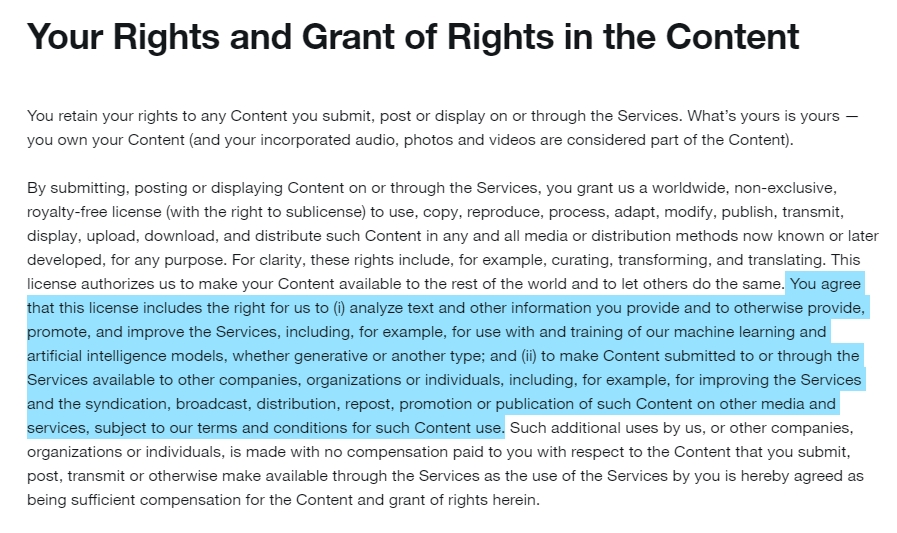
Did You Consent to Twitter/X Using Your Data to Train AI?
In this article, we break down recent changes to Twitter/X terms of service, regarding the use of user data for training machine learning models and more.

X is killing “twitter.com” Update your account settings to avoid lockout.
X is retiring twitter.com. See what changes and how to update your login, apps, and bookmarks now so you do not get locked out of your account.
Related services
See allBluesky
Delete your posts, reposts, replies and likes
- posts
- reposts
- likes
- replies
Nextdoor
Mass delete your Nextdoor posts and comments, with filters for date range and content keywords, plus a preserve list for the neighbourhood posts you want to keep.
- Posts
- comments
Threads
Delete your posts, reposts, replies, quotes and likes
- posts
- reposts
- likes
- replies
- quotes
Delete LinkedIn conversations, posts, comments, and reactions in bulk. You can also unfollow companies, groups, and people or leave groups.
- Conversations
- Posts
- Comments
- Reactions
- Follows
Mastodon
Delete your posts, reposts, favorites and replies
- posts
- reposts
- favorites
- replies
Tumblr
Remove unwanted content from your Tumblr page, from published and queued posts to likes, replies, and follows.
- Posts
- Queued Posts
- Likes
- Comments
- Follows