Mass Delete Your TikTok Videos
Your TikTok profile is a public record of every video you have ever posted, and TikTok only lets you delete your history one clip at a time. Redact clears them in bulk instead. Remove every video in one run, or filter by date range, view count, and public or private, so Redact deletes only the uploads you want gone. To keep a clip, switch the operation to revoke permissions. The clip stays up, while other people lose the right to reuse it.
Free for your last 30 days of videos, likes & saved videos.
Available on
Plan
Action *
Delete, or revoke sharing permissions
Privacy *
Public or private videos
Date Range
Only delete videos in this window
View Count
Filter by min and max views
Free to clear recent videos
Deleting videos from your last 30 days is free. Reaching further back into your history needs a paid plan.
Why clear your old videos?
Your old uploads are publicly speaking for you
Videos age worse than most content. The trends move on, the jokes expire, and the person in the clip stops being you, but the uploads stay public until you deal with them.
Old jokes and memes aren't hitting anymore
A video that rode a meme or trend five years ago lands very differently today. Anyone scrolling your profile sees the archive, not the era it actually belongs to.
Your face and voice are in every clip
Video exposes more than text ever could. Old uploads carry your face, your voice, your home, and your habits, and they sit on a public profile for anyone to study or download.
The flops drag the whole profile down
A feed of low-view uploads buries the posts that actually landed. The view-count filter lets you clear everything under a threshold you set and keep only the videos that performed.
One-at-a-time deletion doesn't scale
TikTok has no bulk-delete option. Clearing years of uploads by hand means opening each video, tapping through menus, and confirming, hundreds of times over. Redact runs the whole batch in a fraction of the time.
What this feature does
Delete everything, or only a little
Redact loads your TikTok uploads and queues the batch you define. Leave the filters open to clear your entire video history in one run. Or use filters to select a date range, a view count range, public uploads, or private uploads.
Turn on Protect Pinned Videos to exclude every video pinned to your profile. To keep a clip, switch the operation to revoke permissions. The video stays on your profile, while other people lose the right to reuse it. For either operation, Preview Mode shows the full list before Redact changes a video.
- Date range
- View count
- Public or private
- Pinned protected
- Revoke reuse
Try Redact for TikTok. Free for your last 30 days of videos, likes & saved videos.
Action *
Delete, or revoke sharing permissions
Privacy *
Public or private videos
Date Range
Only delete videos in this window
View Count
Filter by min and max views
Filter before you delete
Controls that shape the batch
Use them alone or stack them together. Every filter narrows the same batch, so precision compounds, and the preview shows what matched before anything is permanent.
Date range
Clear a specific window, or everything older than a date you pick.
View count
Set a minimum and maximum, so you can drop the flops and keep the hits, or remove an old viral clip that keeps resurfacing.
Public or private
Limit the sweep to your public uploads or to your private ones. The private-videos page walks through clearing only your hidden clips.
Protect Pinned Videos
One toggle and everything pinned to your profile survives the run, no matter what the other filters catch.
Delete or revoke permissions
Choose the operation for each run. You can delete the matched videos, or leave them up and revoke reuse of your content.
Run it your way
Preview first, delete once, or stay clean automatically
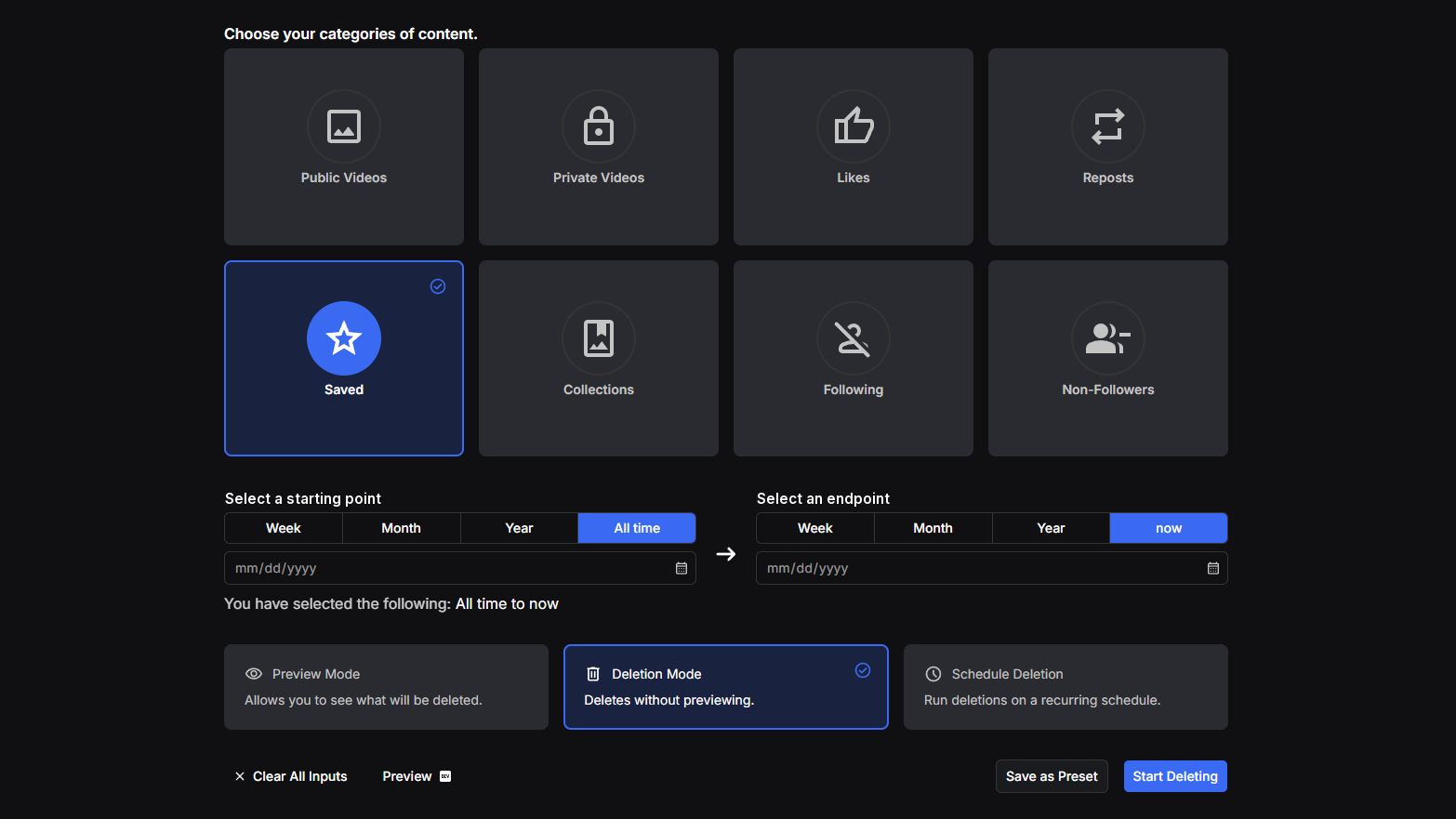
Preview Mode
See the exact list of videos your filters caught before anything is removed. Nothing is deleted during a preview.
Deletion Mode
Run the batch for real once the preview looks right, and Redact works through it from your device.
Schedule Deletion
Re-run the same cleanup on a recurring interval, from days to months, so new uploads never pile back up, or let Disappearing Mode clear videos once they age past your window. See the scheduling page for both, each on a paid plan.
Step-by-step guide
How to mass delete your TikTok videos with Redact
The whole flow takes a few minutes, and the preview shows you the batch before you commit.
- 1
Download Redact for free
Download for your device →Install Redact on your computer and create a free account. TikTok cleanups run in the desktop app on Windows, macOS, and Linux.
- 2
Connect your TikTok account
Open Redact, choose TikTok, and link your account securely. Your credentials are sent straight to TikTok and never touch a Redact server.
- 3
Choose Videos and set your filters
Select the Videos tab, then set the filters, or leave the filters open to select every video.
- Date range: only delete videos posted in the date range you set.
- View count: set a minimum and maximum view count.
- Privacy: limit the run to public or private uploads.
- Protect Pinned Videos: turn on the option to keep every video pinned to your profile.
- Operation: keep the delete option, or switch to revoke permissions to stop other people from reusing the video without removing it.
Good to know: You can clear videos from the last 30 days for free. You need a paid plan to clear older videos.
- 4
Run a preview
Start a preview and Redact shows exactly which videos the filters caught. Adjust the date, view count, and privacy until the list is right, then start the deletion for real.
- 5
Stay clean automatically
To keep the profile from filling back up, put the same cleanup on a recurring Schedule so it re-runs your exact filter setup on the interval you pick, from days to months. Or turn on Disappearing Mode so videos delete themselves once they age past your window. Both are paid-plan automation.
Your videos and login stay off our servers
Redact talks straight to TikTok from your own computer, so your videos and your login never pass through a Redact server. It uses the minimum access needed to carry out your deletions, and you can disconnect TikTok at any time.
Try Redact for Free
We are frequently adding support to other social network services. You can receive direct updates from us in Redact's Discord Channel.

Frequently asked questions
Yes. Leave the filters open and Redact queues every video on your account in a single pass. Run the preview first to see the full list, then start the deletion and Redact works through it from your device. For TikTok's own one-at-a-time delete, the private setting and how to restore a deleted video, see how to delete all your TikTok videos.
Yes. Switch the operation from delete to revoke permissions. Redact revokes reuse permission from every video selected for the run, while the videos stay on your profile.
Yes, as long as you toggle on Protect Pinned Videos. Anything pinned to your profile is excluded from the batch no matter what the other filters catch, so the videos that front your account stay put.
Yes. The view-count filter takes a minimum and a maximum, so you can clear everything under a threshold and keep the uploads that performed, or do the reverse and remove an old viral video that keeps coming back around.
The exact list of videos your filters matched, before anything is removed. Nothing is deleted during a preview, so you can adjust the date, view count, privacy, and pinned settings until the batch is exactly right.
Clearing videos from your last 30 days is free. Reaching further back into your history, and running recurring Schedule cleanups to keep the profile clean afterward, need a paid plan.
More TikTok features
Turn Off Duet and Stitch on TikTok
Switch off Duets, Stitches and stickers across a whole batch of videos in one run, while every clip stays up on your profile.
Delete All Liked Videos on TikTok
Clear every liked video in a single run or scope it by date range, with a preview pass before anything is permanent.
Delete All Private Videos on TikTok
Clear every private video in one sweep while your public uploads stay untouched, or flip the filter and do the reverse.
Delete All TikTok Reposts at Once
Bulk-remove the videos you've reposted, by date range or all at once, without touching the original creators' posts.
Remove All Saved Videos on TikTok
Unsave your whole Favorites list or just one date range of it, then clear every collection you've made in a separate Premium run.
Mass Unfollow Everyone on TikTok
Clear your whole TikTok following list, or keep your mutuals and drop only the accounts that don't follow you back.
Mass Remove Your TikTok Followers
Work through your whole TikTok followers list, bots and spam included, after previewing exactly who is on it, without touching anyone's videos.
Schedule TikTok Deletion or Make Videos Disappear Automatically
Recurring cleanups on your schedule, or a rolling age limit that keeps stale videos and likes off your profile.
Delete photos and videos on other platforms
TikTok guides
See all
How to Delete All Liked Videos on TikTok at Once
TikTok won't clear your liked videos for you. Unlike by hand, hide them, or clear every like at once with Redact, and see what the free plan covers.
How to Delete All TikTok Videos at Once (3 options)
TikTok won't delete your videos in bulk. Delete one in the app, hide it instead, or clear every upload at once with Redact, and see what's free.
How to Delete All Your Saved Videos on TikTok at Once
TikTok has no bulk unsave. See what Favorites holds, unsave a post or delete a collection by hand, and clear every saved video at once with Redact.
Related services
See allVimeo
Delete your videos
- videos
YouTube
Delete your YouTube comments, history, playlists, likes, and uploads
- Comments
- watch & search history
- playlists
- Watch Later
- +3 more
SoundCloud
Mass delete your SoundCloud tracks, likes, comments, and reposts, with filters for date range and keywords, plus a preserve list for the uploads you keep.
- Tracks
- likes
- comments
- reposts
DeviantArt
Remove comments, favorites, or even your own old art posts.
- Comments
- Favorites
- Posts
Mass unpin images and delete boards.
- Pins
- Boards
Gyazo
Delete your images
- images