Works on 39 services, from Discord to YouTube
Delete Your Snapchat Messages
Snapchat only lets you clear one message at a time: press and hold, delete, confirm, then do it again. Redact clears the chat messages you've sent in bulk. Connect once, pick the conversations to clean, and Redact works through them and deletes the messages you sent for you.
Free for your last 30 days of messages, photos, videos & saved snaps.
Available on
Plan
Why clear your sent messages
Snapchat isn't as temporary as it feels
Snaps are built to vanish, but chat messages are a different story. Saved messages, and messages in group chats, sit in your conversations long after you've forgotten them.
Saved messages don't disappear
Any chat message you or the other person saved stays pinned in the conversation indefinitely. It's the part of your history that outlives Snapchat's timers, and the part worth clearing.
Old messages resurface out of context
Anything you sent can be read again, screenshotted, or brought up years later. Removing it from your side is the cleanest way to limit where it can turn up.
Snapchat won't bulk-delete for you
Natively you can only delete one message at a time. Redact works through the conversations you pick and clears the messages you've sent inside them, so you're not pressing and holding your way through each one.
What this feature does
Clear the messages you've sent
Redact opens Snapchat Web, works through the conversations you pick, and deletes the messages you sent inside them. It only touches your own messages. The ones the other person sent are left alone, and the conversation thread itself stays in place. Clean your whole history or tick specific threads, and set a date range to scope the run.
- Your sent messages
- Conversations you pick
- By date range
- On-device
Try Redact for Snapchat. Free for your last 30 days of messages, photos, videos & saved snaps.
Run it your way
Preview, delete, or schedule
Preview Mode
See exactly which messages match before a single one is removed. Best for a first pass.
Deletion Mode
Remove every message that matches your date range once you're happy with the preview.
Schedule Deletion
Re-run the cleanup on a recurring schedule so your sent messages don't pile back up.
Step-by-step guide
How to delete your Snapchat messages with Redact
Sign in to Snapchat, pick the conversations to clean, and Redact clears the messages you've sent for you.
- 1
Download Redact for free
Download for your device →Install Redact on your computer. It runs on Windows, macOS, and Linux, and does the work locally on your own machine.
- 2
Sign in to Snapchat
Open Redact, choose Snapchat, and a browser window opens for you to log in to Snapchat Web. Redact keeps the session on your device. Your login goes straight to Snapchat and never touches a Redact server.
- 3
Pick your conversations and a date range
Hit Select All to clean your whole history, or tick just the conversations you want cleared. Then set a start date, an end date, or both to clear a specific window, or leave the range open to remove every message you've sent.
Good to know: clearing your last 30 days of messages is free. Going further back needs Premium.
- 4
Preview, then delete
Run Preview Mode to see exactly which of your messages will go, then switch to Deletion Mode to remove them.
- 5
Let Redact do the work
Redact works through the conversations you picked and deletes each matched message, showing progress as it goes. It's a browser-driven cleanup, so leave the app running until it finishes.
Your messages never leave your device
Redact drives Snapchat Web right on your own computer, the same way you would in a browser. It doesn't read, store, or upload your conversations, and you can disconnect Snapchat at any time.
Try Redact for Free
We are frequently adding support to other social network services. You can receive direct updates from us in Redact's Discord Channel.

Frequently asked questions
Install Redact, sign in to Snapchat, and pick the conversations to clean. Hit Select All for your whole history, or choose specific threads. Leave the date range open to clear every message you've sent, or set a window to target a subset, then run a Preview and start the deletion.
No. Redact only removes the messages you sent yourself. The messages other people sent are left in place, and the conversation thread itself stays on your list, just without your old messages in it.
When you delete a message you sent, Snapchat removes it from the chat and shows both people that a message was deleted. Anyone who already viewed or screenshotted it may still have their own copy.
Yes. Set a start date, an end date, or both to clear only the messages from a specific window, and leave the range open to remove everything you've sent.
Downloading Redact is free, and clearing your last 30 days of messages is free too. To delete messages older than 30 days, you'll need a paid plan.
More Snapchat features
Delete messages on other platforms
Snapchat guides
See all
How to Delete Your Snapchat Account (easy step by step guide)
Delete your Snapchat account on its accounts portal, from a computer or phone. It's deactivated for 30 days first. What to save and what stays after.
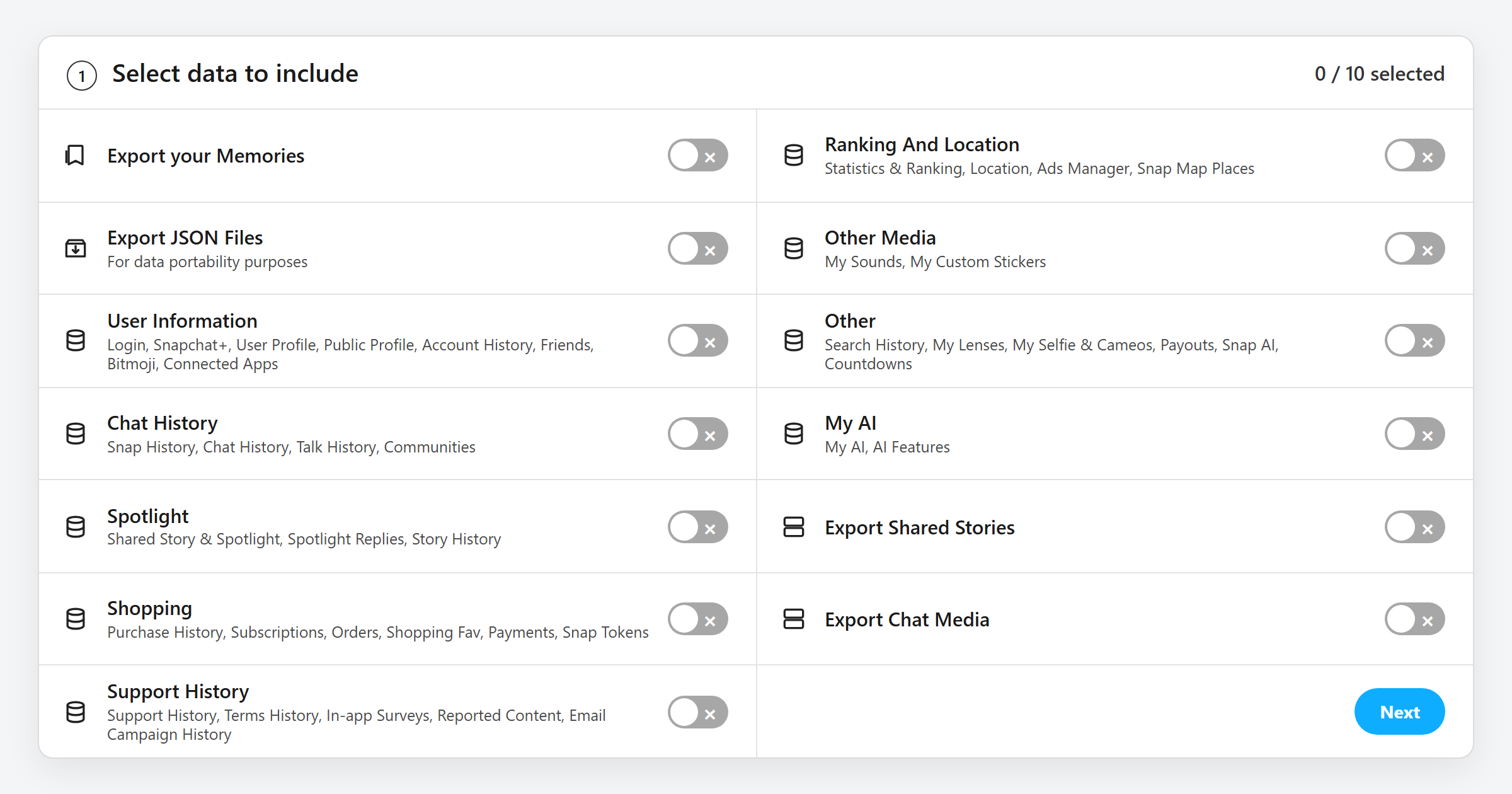
How to Download Your Snapchat Data (and What's in the File)
How to request your Snapchat data download from My Data, which switches to turn on, what every file in the ZIP holds, and how to open it.
Related services
See allDelete messages you sent in selected Messenger conversations, with filters for date, keyword, and attachment type.
- Sent messages
- images
- videos
- link embeds
Cleanse your cringe Discord history by either nuking it all, or choosing a specific server or direct message, then specifying keywords and date ranges.
- Messages in Servers
- Direct Messages
- Reactions
- Images
- Videos