Works on 39 services, from Discord to YouTube
Mass Delete Your Pinterest Comments
Pinterest is mostly pictures, so your comments are the one place your own words sit on it, attached to pins under your name. Redact gathers the comments your account has posted into one list, lets you narrow it by date or keyword, and deletes the ones you pick.
Free for your last 30 days of comments.
Available on
Plan
Why clear them
Your words, next to other people's pictures
They don't live on your boards
A comment stays on the pin where you left it. Clearing out your pins and boards leaves every one of your comments in place.
They read like you
A saved image says little about the person who saved it. A sentence you typed says a lot more, and it carries your name.
Old ones are easy to forget
A question about a lamp, a joke on a recipe, a note on a wedding idea from years ago. Nobody remembers all of them, which is why a list helps.
What a comments run does
One list of everything you've said
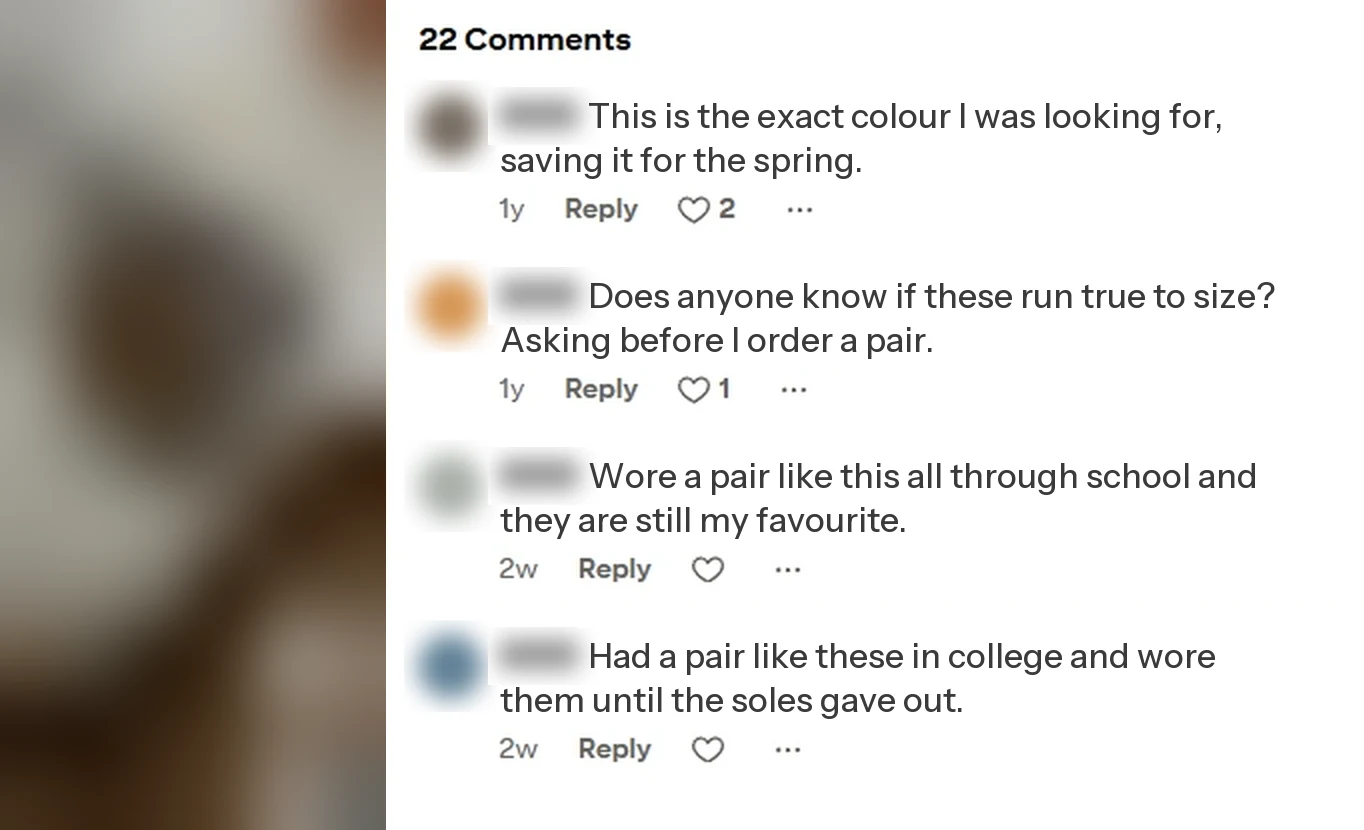
Pick the Comments tab and Redact reads the comments posted by your Pinterest account into a single list. Set a date range to keep the run to one stretch of time, add keywords to catch only the comments that mention them, or leave both empty to take everything. Only your own comments are listed. The pins they sit on, and whatever other people wrote, are left alone.
- Your comments only
- Date range
- Keywords
- Pins left alone
Try Redact for Pinterest. Free for your last 30 days of comments.
Date Range
Keywords to delete (optional)
Only delete comments that contain any of these words or phrases
Matches full words only.
Two filters
Narrow the list before anything is deleted
Date range
Keeps the run to comments written between two dates, or inside a preset like the last week, month, or year.
Keywords
Only comments containing one of your words or phrases are picked up. Matching is on whole words, so "art" won't catch "party".
Both, or neither
Use the two together to find, say, every comment that mentions a brand before a given year. Leave both empty and the run covers every comment you've posted.
How it runs
Look first, delete second
Preview Mode
Lists the comments your settings match and deletes nothing. Run it first.
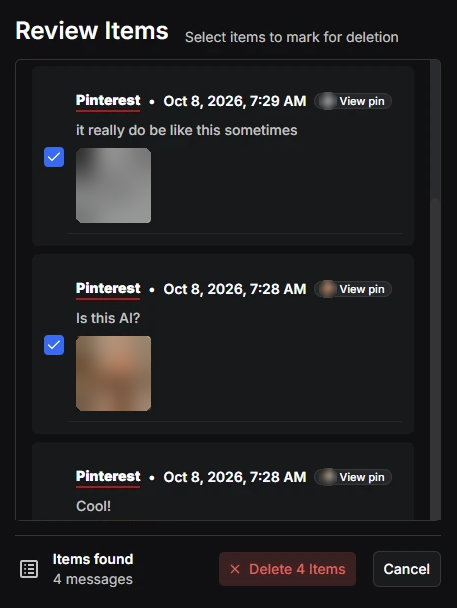
Review & Delete
Puts a checkbox beside each comment, so the ones worth keeping can stay.
Deletion Mode
Deletes every comment that matches, start to finish. A deleted comment can't be brought back.
Schedule Deletion
Repeats the run on a timetable you set, so new comments get cleared as they age. Scheduling is a Premium feature.
Step by step
How to delete your Pinterest comments in bulk
Five steps, and the first two only happen once.
- 1
Download Redact
Download for your device →Get the app from redact.dev/download. It's free to install on Windows, macOS, and Linux.
- 2
Log in to Pinterest
Choose Pinterest in Redact and log in. The login happens on your own device, between you and Pinterest.
- 3
Pick the Comments tab
Pinterest has four tabs in Redact, which are Boards, Pins, Comments, and Search History. Choose Comments.
- 4
Set a date range or keywords
Both are optional. Leave them empty to cover every comment you've posted.
Heads up: Comments from your last 30 days are free to delete. Older comments need Premium.
- 5
Preview, then delete
Run Preview Mode and read the list. If it's right, run Deletion Mode, or use Review & Delete to untick the comments you want to keep.
Your comments stay on your device
Redact reads and deletes your comments from the app on your own device. The text of your comments and your Pinterest login aren't sent to Redact's servers.
Try Redact for Free
We are frequently adding support to other social network services. You can receive direct updates from us in Redact's Discord Channel.

Frequently asked questions
Comments from your last 30 days are free to delete. Anything older needs Premium or higher, and so does scheduling a repeat run.
No. The pin stays exactly as it was. Only your comment is removed.
No. A comments run only lists comments posted by the account you're logged in to.
Yes. Add the word or phrase under Keywords to delete and only comments containing it are picked up. Matching is on whole words.
Yes. Review & Delete shows every matching comment with a checkbox. Untick the ones you want to keep before you start.
No. Deletion is permanent, so run Preview Mode first and read the list before you delete.
More Pinterest features
Mass Delete Your Pinterest Pins
Every pin at once, or filtered by board, keyword, and where the pin points.
Mass Delete Your Pinterest Boards
Boards culled by age, name, pin count, or followers, with collaborative and private ones excludable.
Delete Your Pinterest Search History
Recent searches cleared batch after batch until none are left.
Delete Your Entire Pinterest History
Every pin and board on the account, cleared in two passes, first save to last.
Delete comments and replies on other platforms
Pinterest guides
See all
How to Delete Multiple Pinterest Pins or All of Them at Once
Delete multiple Pinterest pins at once with Organize, one board at a time, or clear every pin you've saved in one run with Redact.
How to Mass Delete Pinterest Boards
Delete Pinterest Boards in bulk using Redact. Target content by date, keyword, repin count, and more. Use Redact.dev now.

How to Opt Out of AI Training on Pinterest
Find and clear the Pinterest Canvas training checkbox, what it covers and what it leaves alone. Walked and verified on a live account.
Related services
See allDelete your photos, albums, favorites, and galleries
- photos
- albums
- favorites
- galleries
Mass delete your SoundCloud tracks, likes, comments, and reposts, with filters for date range and keywords, plus a preserve list for the uploads you keep.
- Tracks
- likes
- comments
- reposts
Delete those old images & comments from Imgur still hanging around.
- Images
- Comments
Banish your cringe TikTok videos to the shadow realm.
- Videos
- Likes
- Reposts
- Saved videos
- Collections
- +2 more