Remove Your Discord Reactions
Reactions are the part of your Discord history that is easiest to forget and hardest to undo. Redact sweeps the channels and DMs you choose, finds every message you reacted to, and takes the emoji back one by one. Moderators can switch the target and clear every emoji, from every user, off every message in the channels and date range they picked.
Free for your last 30 days of reactions.
Available on
Plan
Reactions to Remove *
Whose reactions to remove from the selected channels
Last 30 days free, one year is the ceiling
Removing reactions from your last 30 days is free. Premium reaches further back, but a reaction run stops at one year on every plan. Message deletion has no such limit.
Why remove your reactions
Reactions are a public record you never agreed to keep
Deleting your messages does not touch reactions on messages that remain, especially other people's posts. Anyone scrolling back can still see exactly what you laughed at, agreed with, or piled onto.
They outlive the conversation
The joke has been forgotten, the argument is settled, and the server has moved on. Your emoji is still on the message, attributed to you, for as long as that message exists.
They remain after a message cleanup
A message wipe removes reactions attached to messages it deletes, but not the reactions you left on messages that remain. Your name stays on those reaction lists until you remove it separately.
Discord makes you undo them one at a time
There is no reaction history to open and no bulk control. Finding them means scrolling back through years of channels and hovering over messages one by one.
Moderators inherit other people's pile-ons
Discord can clear one message's reactions from that message's own menu, but a brigade rarely stops at one message. Redact clears every emoji from every user across all the messages in the channels and date range you pick, in a single run.
What this feature does
Sweep a channel's history and take your reactions back
Open the Delete Reactions tab, pick the servers and channels or the DMs to sweep, and choose whose reactions to remove. Redact reads back through each channel's history, queues every reaction that matches, and removes them one at a time. Each emoji on a message is its own item, so reacting to one message with three emoji gives you three things you can keep or remove independently.
- Servers & channels
- DMs & group DMs
- Your reactions
- Moderator clearing
Try Redact for Discord. Free for your last 30 days of reactions.
Preview
Reactions found in the selected channels
Choose the scope
Pick where to sweep and whose reactions to take
Reaction scanning reads raw channel history rather than Discord's search, so it takes a smaller set of controls than the other Discord modes. These are the ones that apply.
Servers and channels
Choose the exact channels to sweep. Forum channels can't be scanned, and voice and stage channels need you to be able to join them.
Direct messages
Sweep a one-to-one DM or a group DM instead of a server, and clear the reactions you left there.
Whose reactions
Remove only your own, or clear every reaction from every user on the messages in scope, in channels where you hold Manage Messages.
Date range
Set how far back to walk. Reaction runs reach back up to one year, and the date used is the message's own timestamp.
Run it your way
Four ways to run the removal
Preview
See every reaction the sweep found, with the channel it came from and the text of the message it sits on where that message has any, before anything is removed.
Deletion
Walk the selected channels and remove each matching reaction in one pass.
Review and Delete
Work through the matches batch by batch and keep any individual reaction you want to leave in place.
Schedule
Save the setup and re-run it on a cadence so new reactions do not build back up.
Step-by-step guide
How to remove your Discord reactions with Redact
Connect your account, pick the channels to sweep, and Redact takes your reactions back for you.
- 1
Download Redact for free
Download for your device →Install Redact on Windows, macOS, or Linux. Discord reaction removal is currently available in the desktop app.
- 2
Connect your Discord account
Open Redact, choose Discord, and link your account. Your login is sent straight to Discord and never touches a Redact server.
- 3
Switch to Advanced mode and open the Delete Reactions tab
Reactions have their own tab, and it only appears in Advanced mode, so switch out of Easy mode first. The tab is separate from the message deletion modes, and the keyword, message type, and mention filters do not appear on it, because Discord's search cannot find reactions and Redact has to read channel history directly instead.
- 4
Pick the channels to sweep
Select the servers and channels, or the DMs and group DMs, you want swept. Reaction scanning pages back through a channel's history rather than searching it, so a busy channel takes longer than a keyword search would. Start with the few channels you actually posted in.
- 5
Choose whose reactions to remove
Leave it on Only my reactions to take back your own. Switch to Everyone's reactions and the run stops being targeted: it clears every emoji, from every user, off every message it finds in your selected channels and date range. That mode needs the Manage Messages permission.
Good to know: there is no per-emoji or per-person filter, so run a Preview or use Review and Delete to spare anything you want left in place. Channels where you do not hold Manage Messages are skipped in that mode, and DMs never grant it.
- 6
Set your date range, then run it
Choose how far back to reach, up to one year. Run a Preview to check what was found, then switch on Deletion and keep the app open until it finishes.
Good to know: removing reactions from your last 30 days is free. Reaching further back needs Premium.
Your information never leaves your device
Redact connects to Discord from your own device, so your messages, reactions, and login never pass through a Redact server. It uses only the access needed to remove what you choose, and you can disconnect Discord the moment you are done.
Try Redact for Free
We are frequently adding support to other social network services. You can receive direct updates from us in Redact's Discord Channel.

Frequently asked questions
Install Redact, connect Discord, switch to Advanced mode, and open the Delete Reactions tab. The tab is Advanced-mode only, so you will not see it in Easy mode. Pick the servers and channels or the DMs to sweep, leave the target set to your own reactions, and set your date range. Run a Preview to see what was found, then switch on Deletion. Removing reactions from your last 30 days is free; reaching further back needs a premium subscription.
Only when the reaction is attached to a message you delete. Reactions you left on messages that remain, including other people's messages, stay in place. Removing those is a separate run in the Delete Reactions tab.
Up to one year. Reactions can't be found through Discord's search, so Redact has to page back through each channel's raw history to spot them, and that walk is capped at a year to keep a run from crawling a busy channel's entire lifetime. Message deletion has no such limit and reaches your full history on a premium plan.
Not on its own. The Everyone's reactions target is a bulk sweep, not a way to pick off one person: it clears every emoji, from every user, off every message Redact finds in the channels and date range you selected. It needs the Manage Messages permission on the channel, and channels where you don't hold it are skipped. There is no per-person or per-emoji filter, so run a Preview or use Review and Delete and drop anything you want left in place before you confirm.
No. The message stays exactly as it was, posted by whoever posted it. The Only my reactions target takes off just your emoji; the Everyone's reactions moderator target strips the message's whole reaction list. Either way the message text, attachments, and author are untouched.
Because Discord's search can filter by author, keyword, and content type but not by reactions. Message deletion asks Discord to find the matches; a reaction run has to read each selected channel's history page by page and check every message for matching reactions. Narrow the channel selection and the date range and it finishes much faster.
Not currently. A reaction run takes the channels you select, the date range, and whose reactions to target. There is no per-emoji filter, so it removes every reaction that matches your scope. Use Preview or Review and Delete to look through the matches and keep any you want to leave in place.
No. Discord's history endpoint doesn't serve forum channels, so they aren't offered in the reaction channel picker. Voice and stage channels are available only when you can join them, and any channel needs Read Message History for Redact to see it.
Each one is handled separately. A message you reacted to with three emoji shows up as three items in the queue, so you can remove all three or keep one and clear the rest from the Preview screen.
The message's timestamp. Discord doesn't record when a reaction was added, so a run covering the last 30 days finds your reactions on messages posted in the last 30 days, whenever you actually tapped the emoji.
More Discord features
Discord Plugin
Delete Discord messages from a button inside Discord itself, with Premium disappearing mode that keeps new messages from piling up.
Mass Delete Discord Messages
Bulk delete Discord messages, DMs, and group DMs, filtered by server, keyword, date, or content type.
Delete Chat & Private Messages by Date Range
Delete Discord messages before, after, or between dates, with absolute or relative windows.
Delete Specific Message Types
Isolate one Discord content type - images, videos, files, and more - and clear only that media.
Delete by Keyword
Delete only the Discord messages that contain the words or phrases you choose, with date and content-type filters.
Delete Discord Direct Messages in Bulk
Bulk delete the Discord DMs you've sent, by person, date, keyword, or content type. Deleting clears them from both sides.
Moderator Mode
Bulk delete other members' messages across servers you moderate, by user ID, keyword, date, or content type.
Quickly Delete Discord Chat & DM History
Wipe your whole Discord history at once: servers, channels, DMs, and group chats, with a local copy saved first.
Remove likes and reactions on other platforms
Discord guides
See all
Best Discord Bots that Automatically Delete Messages & Content
Discord bots that delete messages automatically, from AutoDelete to Undiscord and Purge. We list 13 picks for mass deletion and upkeep, Redact included.

What's the 'Use Data to Improve Discord' Setting? Is It AI? How to Shut It Off
What Discord's Use data to improve Discord setting does, whether it has anything to do with AI, and how to turn it off on desktop and mobile.
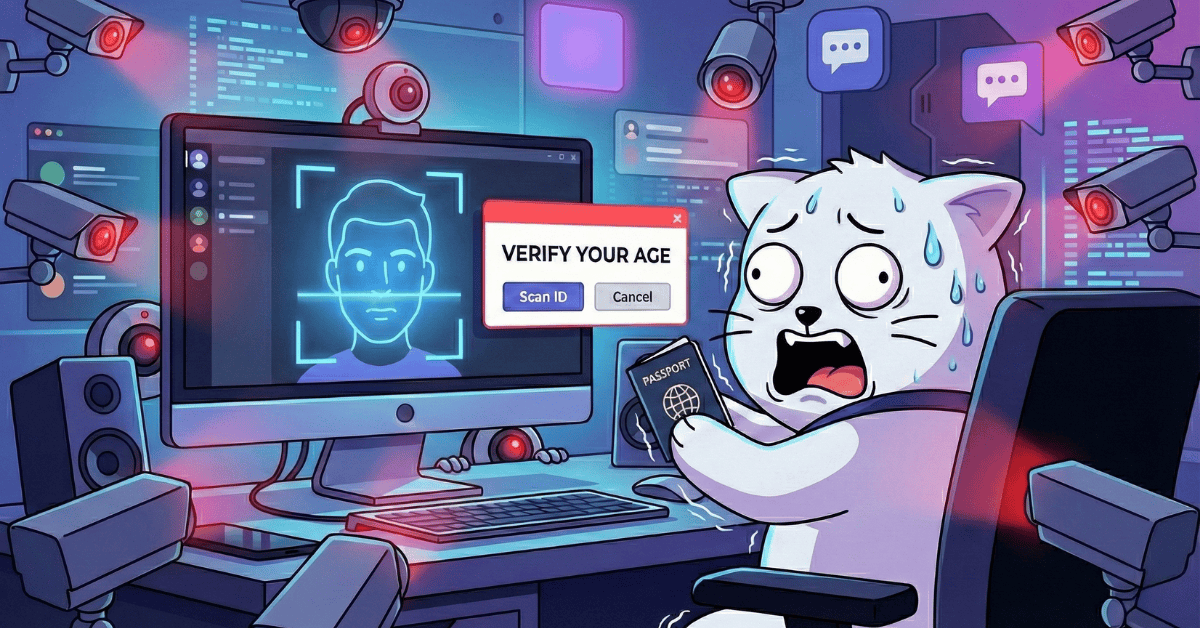
Discord Age Verification: What Discord Isn’t Telling You
Discord says most users won't need to verify their age. It doesn't dwell on the age inference model that profiles everyone's behavior, or what that model reads.
Related services
See allTelegram
Delete your messages from Telegram.
- Messages
Purge your E-mail inbox.
- Emails
Snapchat
Delete your chat messages, photos, videos and saved snaps from Snapchat.
- Messages
- Photos
- Videos
- Saved snaps
Slack
Rapidly comb through your history and remove your Slack messages.
- Messages
Facebook Messenger
Delete messages you sent in selected Messenger conversations, with filters for date, keyword, and attachment type.
- Sent messages
- images
- videos
- link embeds