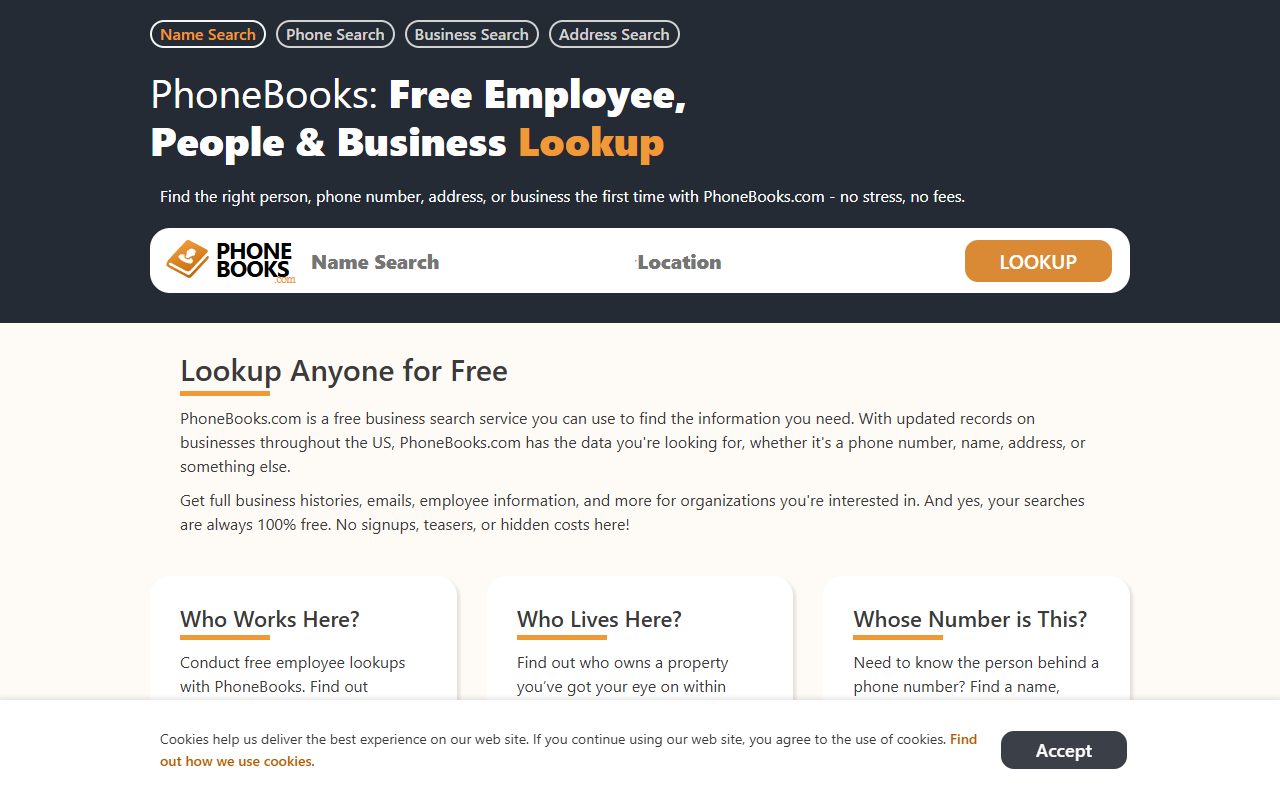
Removal runs through Do Not Sell My Personal Information in the footer. Because PhoneBooks indexes you four ways (by name, phone, address and employer), the check afterwards matters as much as the request. The operator's own filing says one request covers the record across all ten of its sites, while each site's own collection needs its own opt-out.
The full picture: See the PhoneBooks.com data broker profile for who operates it, the employee-lookup feature, and the nine sister sites.
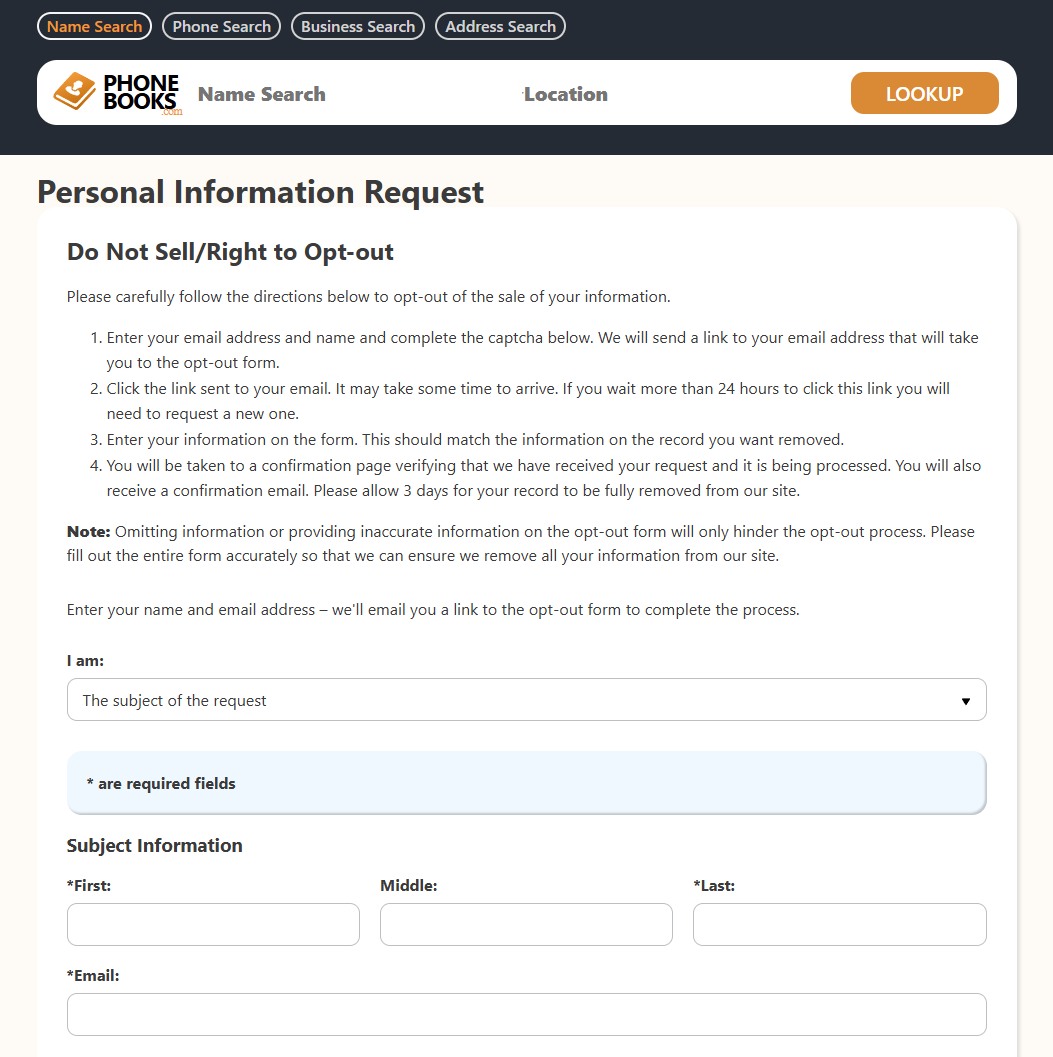
Go to phonebooks.com/opt-out and fill the form out. The page is titled Personal Information Request / Do Not Sell/Right to Opt-out - pick who you are under "I am:" (The subject of the request for yourself), then enter your first name, last name, and email address and complete the captcha. They email you a link to the actual opt-out form.
The page's own note: omitting or inaccurate information hinders the process - what you enter should match the record you want removed.
The request form - name, email, and captcha get you the emailed link.
02
Watch your email and confirm
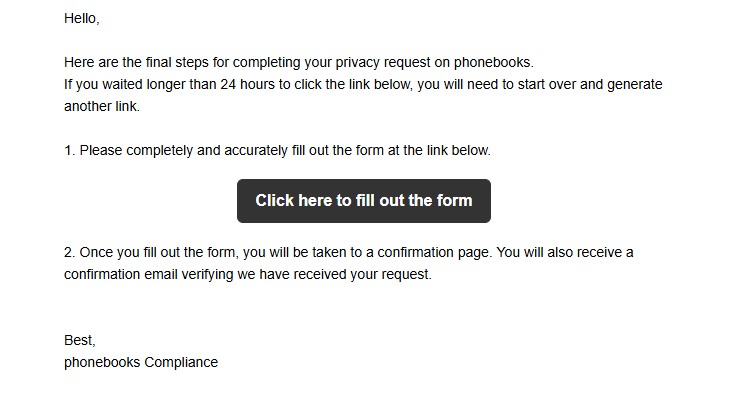
The email comes from phonebooks Compliance with a "Click here to fill out the form" button. Click it - and don't sit on it: the link expires after 24 hours, and past that you have to start over and generate a new one. The page also warns the email "may take some time to arrive", so check spam before assuming it failed.
The emailed link - it expires in 24 hours, so click it promptly.
03
Fill out the form at the link and submit
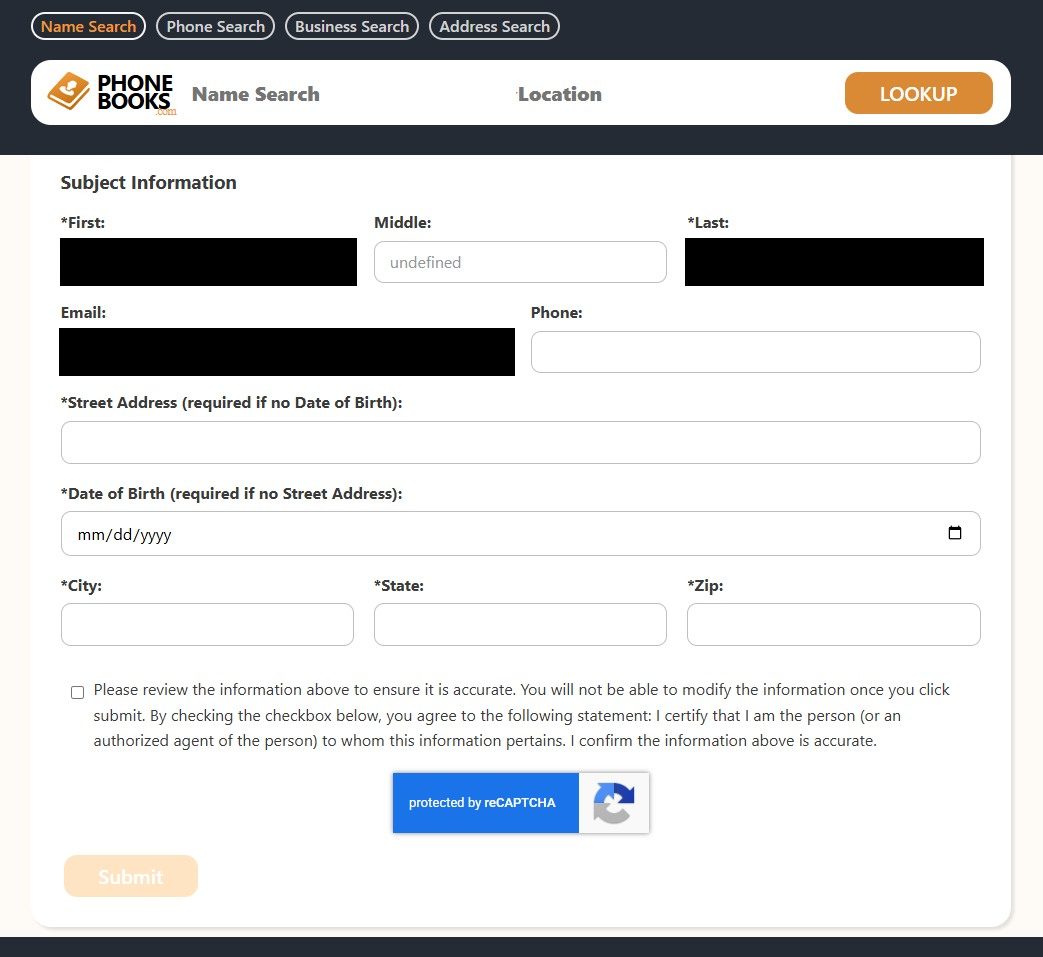
The link opens the full Subject Information form with your name and email carried over. You must provide either a street address or a date of birth (one of the two is required), plus city, state, and zip - match them to what the listing says rather than to your current details, because records are keyed to what they contain. Tick the accuracy-certification checkbox (you can't edit the submission afterwards), pass the reCAPTCHA, and hit Submit.
You'll land on a confirmation page and receive a confirmation email. The site's stated timeline: allow 3 days for the record to be fully removed.
The emailed form - address or date of birth, certify, captcha, Submit. Allow 3 days.
Give it a couple of days (the 2024 filing reports a one-day median response), then re-run all four searches you started with. A name search coming back empty doesn't prove the phone, address and employer views are clear, and on this site they're the whole point.
Then check the browsable indexes, meaning the business directory for your state and the phone directory under your number's leading digit. Those reach a listing without any search at all.
If it fails
Troubleshooting
Request denied. Across the ten sites, 207,021 of 1,204,017 opt-out requests were refused in 2024. Escalate by email to privacy@mtalley.zendesk.com, naming Mississippi Tornado Alley, LLC.
Name is gone but the employer lookup still finds you. Submit again against the business listing specifically, and say which view still returns you.
Listing returns weeks later. These sites rebuild from public records. Re-submit. There's no cap on how often you can ask.
The page won't load. The site sits behind bot protection that also blocks some real visitors. Try another browser or network before deciding the form is broken.
Stay off
Keep your record off
Employment and address data get re-imported on their own cycles, so a record can come back with only one field refreshed. Recheck quarterly, and after a job change or a move. Redact's data-broker scan watches the Mississippi Tornado Alley family and refiles when your details resurface.
Take yourself off data broker sites
Redact scans data broker sites from your device, finds where your details are listed, and submits the removal requests for you. If a broker relists you, it files again.