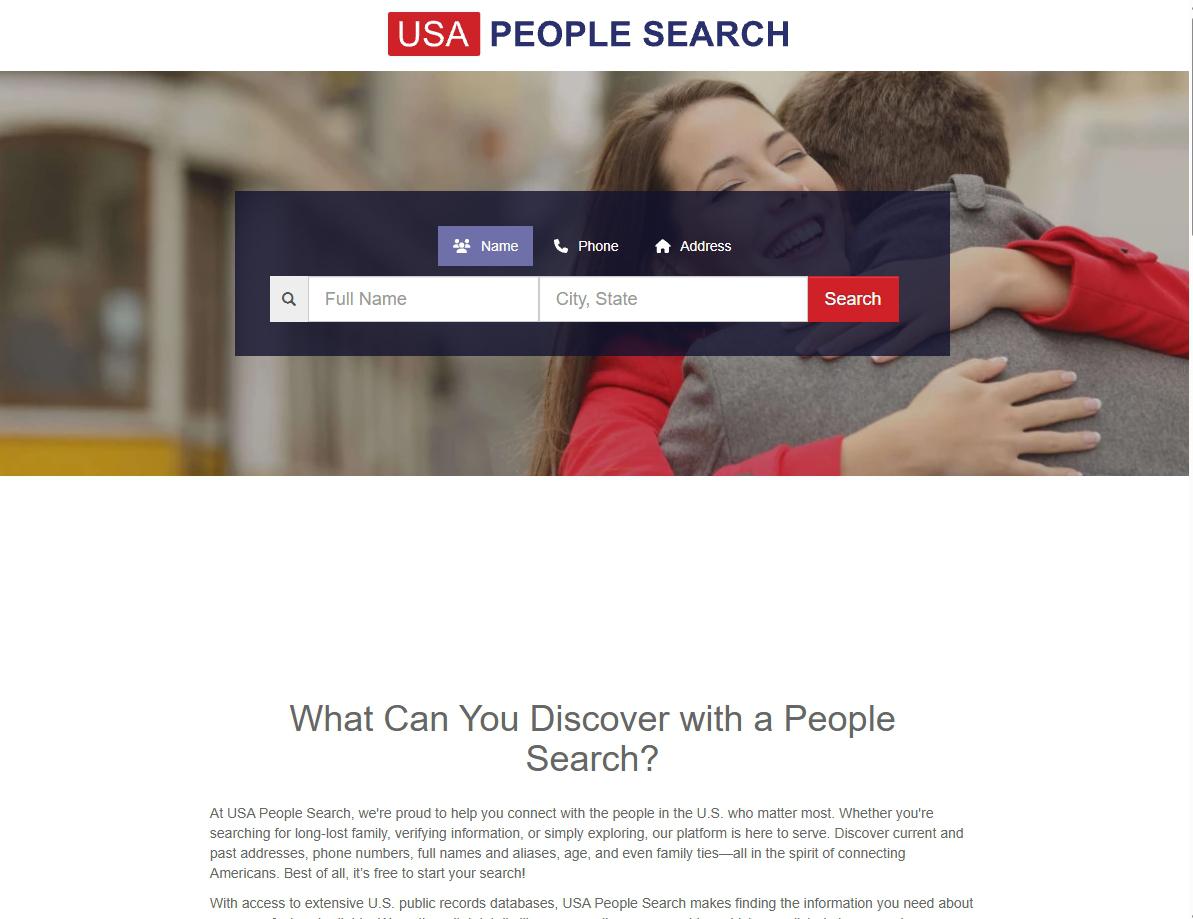
USA People Search's opt-out is a two-form process with email verification in the middle. We submit name + email + captcha at usa-people-search.com/removal, get an email from support@usa-people-search.com with a "Click here to fill out the form" button, click through to a second more-detailed form, fill in our info (name, email, phone, address, DOB if known) and submit. We have 24 hours between the first submission and clicking the email link - miss it and we have to restart. The site claims 3 days or less to process. Mississippi Tornado Alley's filing says one request covers the sale of personal information across its sites, but we haven't verified that a removal here clears the sister brands - run FastPeopleSearch, PeopleSearchNow, USPhoneBook and Advanced Background Checks individually.
Before you remove your data: See the USA People Search data broker profile for the Mississippi Tornado Alley LLC / Confi-Chek operator network (5 sister brands at the same Sacramento address) and the dual-CEO Weirich + Miller framing.
The 24-hour link expiry is a real trap. USA People Search's verification email contains a time-limited link that expires after 24 hours. If you submit the first form, then get distracted for a day, you'll have to start over from the beginning. Don't start step 1 unless you're prepared to follow through on step 3 within the day.
Plan on opting out at the sister brands too. USA People Search shares its underlying database with four other Mississippi Tornado Alley / Confi-Chek properties at the same Sacramento address. The operator's filing says one request covers the sale of personal information across its sites, but we haven't verified that a removal here reaches them. After you finish this removal flow, run the same kind of opt-out at FastPeopleSearch, PeopleSearchNow, USPhoneBook, and Advanced Background Checks. A sixth Weirich-linked property, FamilyTreeNow, also overlaps.
Prereqs
What you'll need before you start
3 things
An email inbox you can check within the next few hours. The verification link expires in 24 hours. We'd plan on completing the whole flow in one sitting if possible - submit the first form, check email, complete the second form. The site says some emails take time to arrive but in our testing it landed within a minute.
Your full legal name and current contact info ready. The second form asks for first / middle / last name, email, phone, full street address, city, state, and date of birth (DOB) if known. The more accurate and complete, the better the match against the listing being removed.
(Optional) Previous addresses if you've moved recently. USA People Search's listings often include current and previous addresses. If you want to make sure the old-address listing also gets suppressed, having the prior address ready helps - though you'll likely need a second submission for it.
The 3 steps
Submit form 1, click email link, submit form 2
~5-10 minutes total
01
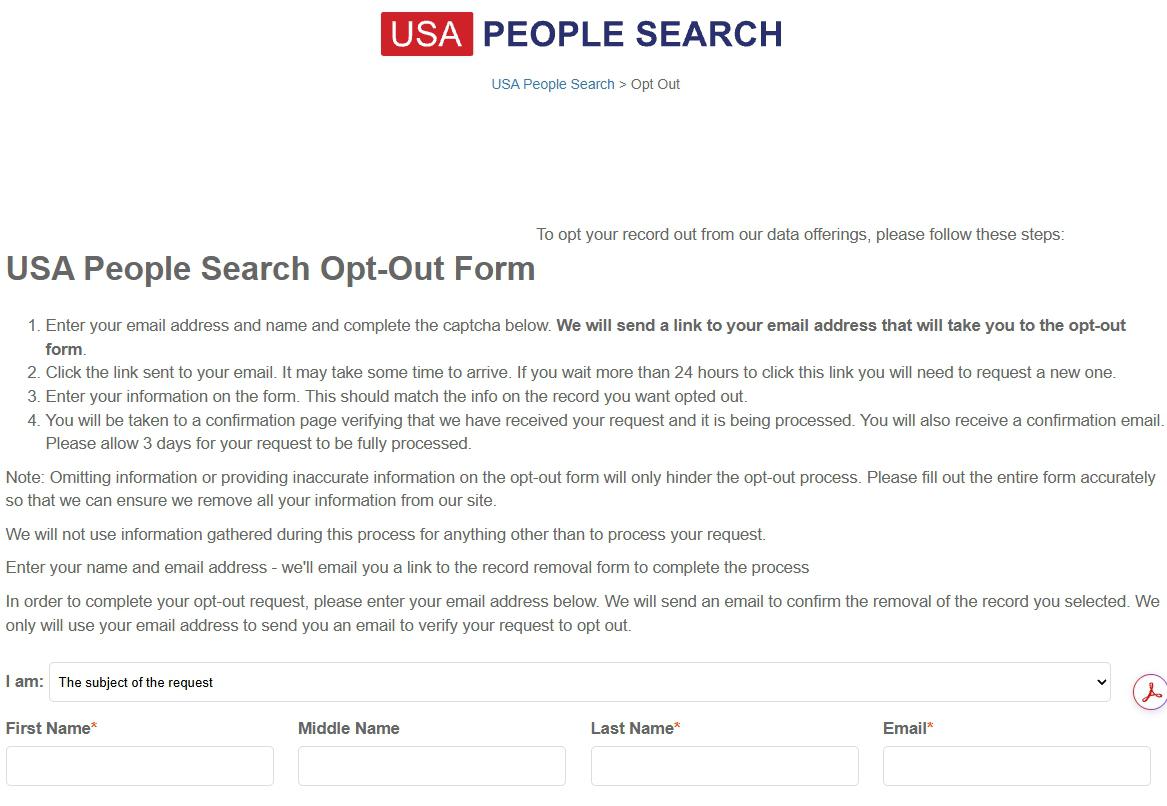
Submit the initial opt-out form at usa-people-search.com/removal
Open usa-people-search.com/removal. The page is titled "USA People Search Opt-Out Form" and explains the 4-stage process, which is submit name + email + captcha, get the email link, click it, fill out the detailed form, see the confirmation.
Fill in the required fields:
I am: dropdown - default is "The subject of the request" (use this for yourself; pick a different option if you're acting on behalf of someone else)
First Name *
Middle Name (optional)
Last Name *
Email * - use an inbox you can check within the next 24 hours
Complete the captcha below the visible crop and press Submit. The site sends a verification email to the address you submitted.
The initial form just needs your name and email. The detailed form comes in step 3 after email verification.
02
Open the email and click the "Click here to fill out the form" button
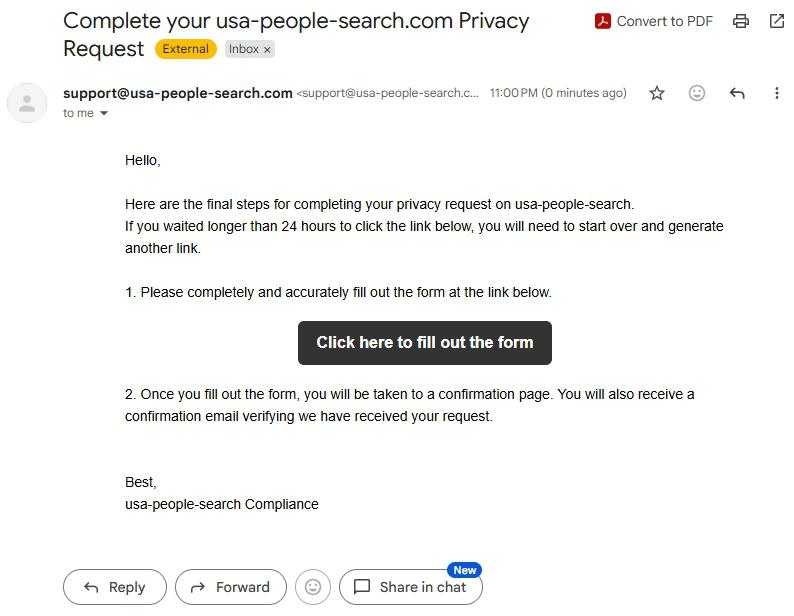
Check your inbox for an email from support@usa-people-search.com with the subject "Complete your usa-people-search.com Privacy Request". The email arrives within a minute in our testing but the site says it can take longer.
The body explains the final steps. The key element is a black "Click here to fill out the form" button in the middle of the message. Click it.
Remember the 24-hour deadline. If we click after 24 hours, the link won't work and we'll have to restart from step 1. The email itself warns: "If you waited longer than 24 hours to click the link below, you will need to start over and generate another link."
Click the black "Click here to fill out the form" button within 24 hours or the flow restarts.
03
Fill out the detailed form completely and submit
The email link takes us to a second, more detailed opt-out form. This is where USA People Search collects enough info to actually locate your record in the database and remove it. Fill in every applicable field:
First Name
Last Name
Email (should match the email you submitted in step 1)
Phone
DOB (date of birth) - optional but helps match accurately
Street (full street address)
City
State
The first page warned: "Omitting information or providing inaccurate information on the opt-out form will only hinder the opt-out process." Be thorough.
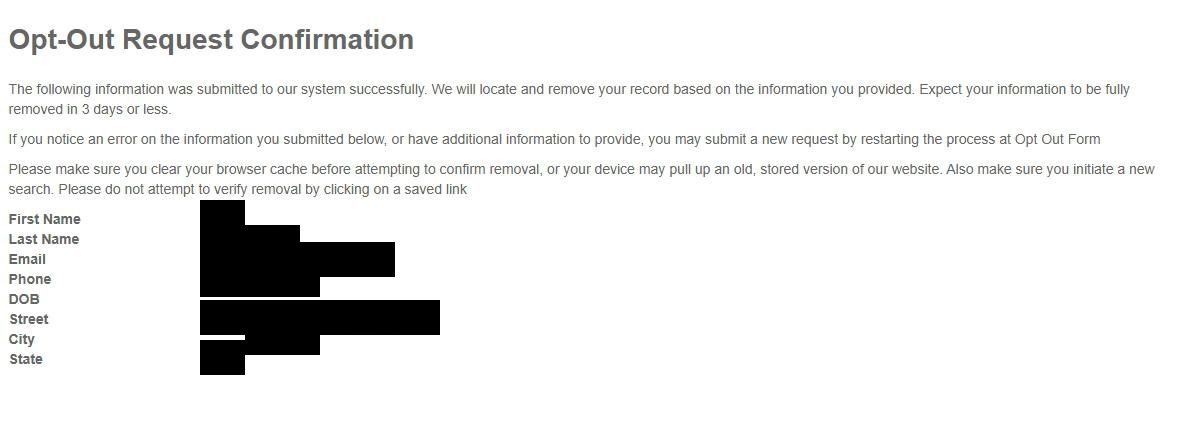
Press Submit. The site lands you on an "Opt-Out Request Confirmation" page that lists all the info you submitted and says "Expect your information to be fully removed in 3 days or less." A confirmation email also lands in your inbox. Save both.
After submit you land on this confirmation page listing everything you sent. Site claims 3 days or less to process.
Confirm it worked
Did it actually work?
3-day verification window
The on-page Opt-Out Request Confirmation in step 3 confirms the submission went through. The site lists every field you submitted on that page; cross-check it matches what you typed.
Expect a second confirmation email shortly after the submit (different from the verification email in step 2). This one confirms receipt and that processing is underway. Save both emails for your records.
After 3 days (the site's stated processing time), search for yourself on usa-people-search.com using name + city or phone. The confirmation page includes a specific instruction: "Please make sure you clear your browser cache before attempting to confirm removal, or your device may pull up an old, stored version of our website. Also make sure you initiate a new search. Please do not attempt to verify removal by clicking on a saved link." Take that seriously - the site's caching can make it look like your record is still there when it's been removed.
Verify in an incognito / private browser window for a clean check unaffected by local caching.
Verification email never arrives. Check spam / promotions for support@usa-people-search.com. If still nothing after 30 minutes, the captcha may have silently failed - go back to step 1 and re-submit.
You waited too long and the email link expired. Start over from step 1. There's no penalty for re-submitting; the site just generates a new verification email and you have a fresh 24 hours.
The second form rejects your submission. The first page warned about omitted / inaccurate info. Double-check every field is filled and spelled correctly. The DOB field is technically optional but providing it makes the match easier.
You're still showing up after 3 days. Clear your browser cache and search again in incognito mode (the confirmation page specifically warned about cache). If you still see your record, the request may not have been honored - re-submit via step 1 with any additional identifying info you can provide.
Your data shows up on a sister brand. That's expected. USA People Search shares its database with FastPeopleSearch, PeopleSearchNow, USPhoneBook, and Advanced Background Checks, and we haven't verified that one removal reaches the rest. Run the opt-out at each sister brand separately.
You don't hear back at all. Email support@usa-people-search.com referencing your submission date. If still no response, the BBB complaint path is available (the operator has 17 complaints / 3yr already on file - opt-out friction is a recurring theme). California residents can escalate to the CPPA given the parent entity Mississippi Tornado Alley, LLC operates out of Sacramento.
Stay off
Keep your data out of USA People Search (and the MTA / Confi-Chek family)
Re-listing is the norm
Hit all five sister brands plus FamilyTreeNow. The MTA / Confi-Chek family operates a shared database across FastPeopleSearch, PeopleSearchNow, USPhoneBook, Advanced Background Checks, and USA People Search. A related Weirich-linked property, FamilyTreeNow, overlaps. For full coverage across the network, plan on six separate opt-out submissions.
Re-run all opt-outs annually. The shared database refreshes from public records and broker partnerships. A successful opt-out today doesn't prevent a future re-ingest from re-listing you across the family.
California residents: use the central DROP platform at privacy.ca.gov/drop/, where one deletion request reaches every CPPA-registered broker. Consumers have been able to submit since January 1, 2026, but registered brokers were only required to start processing DROP deletions on August 1, 2026, and need only check the list every 45 days after that - so a request filed earlier in 2026 wasn't yet something this broker had to act on. Mississippi Tornado Alley, LLC / Confi-Chek, Inc. is the parent entity worth searching for; DROP coverage of specific brand-name subdomains may vary.
Address upstream public-records exposure where you can. Most of USA People Search's data comes from county recorders, court filings, state voter registrations, and downstream broker partnerships. If you qualify for a state's address-confidentiality program (CA's program for survivors, NJ's Daniel's Law for covered persons), enrolling suppresses the upstream source.
Clear browser cache when verifying. The site's own confirmation page specifically warned that cached old versions of the site can make a successful removal look like a failure. Always verify in incognito.
Take yourself off data broker sites
Redact scans data broker sites from your device, finds where your details are listed, and submits the removal requests for you. If a broker relists you, it files again.