How to Lock Down Your Privacy Settings on Pinterest
 Dan Saltman3 min read
- Last verified
- September 8, 2026
- Not working?
- Let us know
- Difficulty
- Easy
- Steps
- 4
- Time required
- 2 to 3 minutes
Direct link to your Pinterest privacy settings
Everything here sits on one page, with one Save button for the lot.
How to find the settings manually
Pinterest gathers its advertising controls onto one screen, which is better than most services manage. There are six of them though, every one ticked before you arrive, and they're worded closely enough that it's hard to tell which does what.
The AI training control is separate. None of the six below touches it, and it has its own guide.
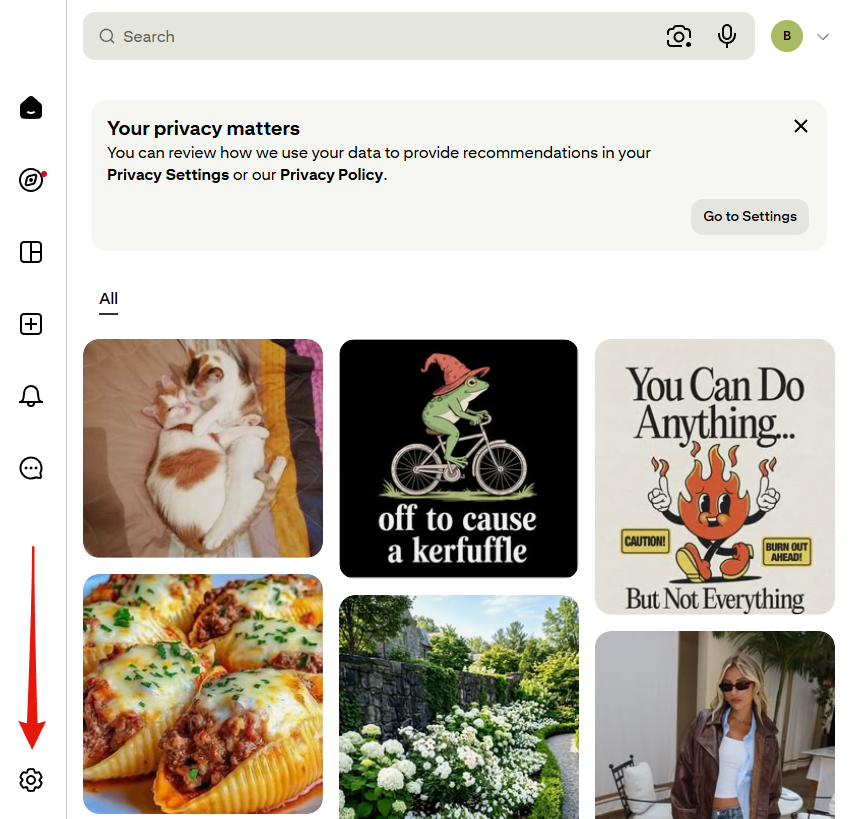
1. Open the settings menu
Look at the very bottom of the left rail for a gear icon, rather than the account menu at the top right. If a "Your privacy matters" banner is sitting at the top of your feed, its Go to Settings button lands in the same place.
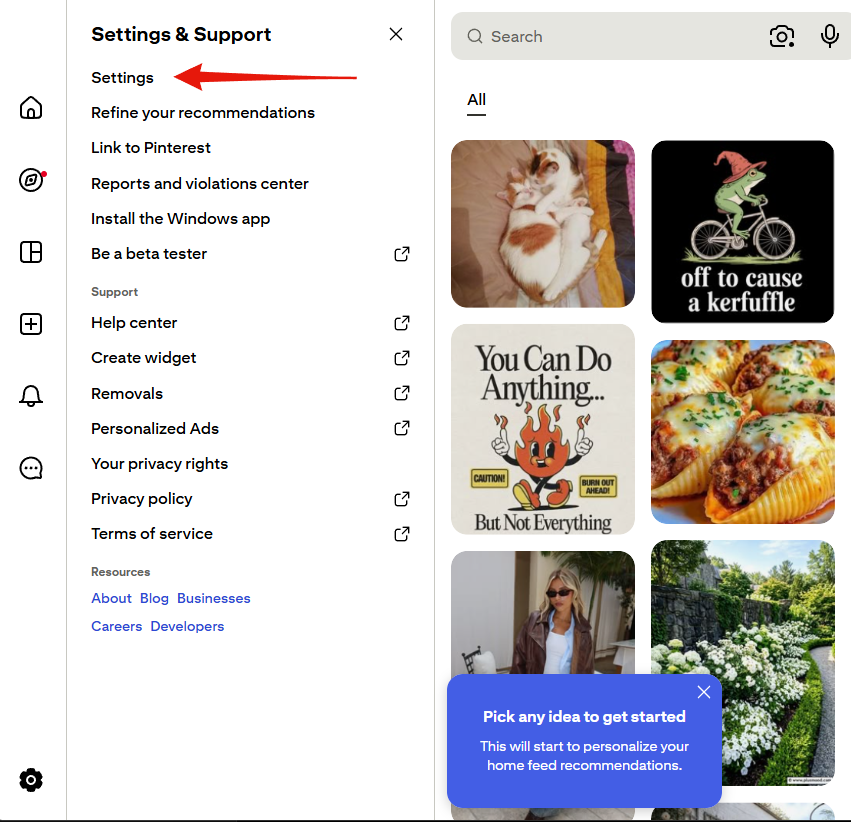
2. Choose Settings
Settings, at the top of the panel. Ignore Personalized Ads further down, which leads to a different page and covers none of this.
3. Go to Privacy and data
Eighth entry in the left-hand column, below Notifications.
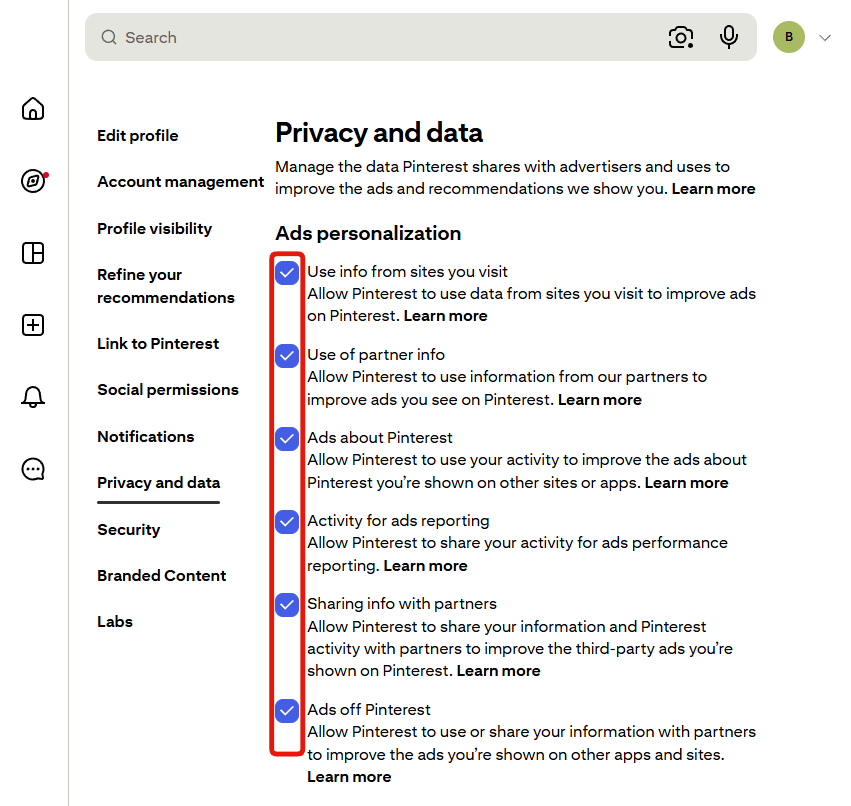
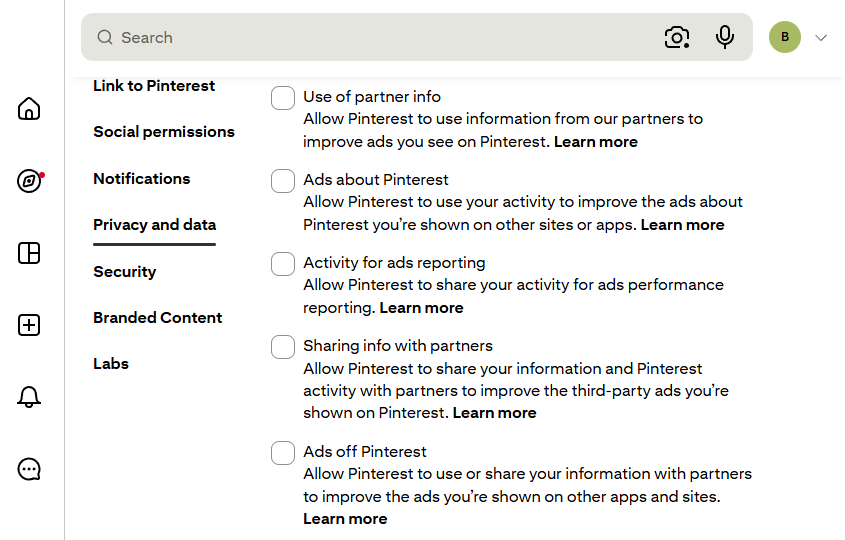
4. Clear the six boxes under Ads personalization, then save
The moment you clear the first box, a bar with Reset and Save appears along the foot of the page. Clear the rest, then press Save. Nothing takes effect until you do, and Reset puts every tick back.
- Use info from sites you visit. Pinterest watching your browsing elsewhere to pick ads for you on Pinterest. The one most people are surprised to find switched on.
- Use of partner info. The same idea from the other end, what partners hand over about you, fed into the ads you get shown. Pinterest doesn't name them.
- Ads about Pinterest. Your activity used to chase you around other sites with Pinterest's own marketing.
- Activity for ads reporting. Your behaviour shared onward so advertisers can measure campaigns.
- Sharing info with partners. Your data out to partners, so they can target you with better ads back on Pinterest.
- Ads off Pinterest. The broadest of the six, covering ads on other apps and sites entirely. If you only clear one, clear this.
Two buttons worth knowing about
Request data at the foot of the page sends you a copy of what Pinterest holds, delivered by a third party called SendSafely. Worth doing once, if only to see the size of it.
Read the other one carefully first. Pinterest labels that section Delete your data and account, so it's an exit rather than a tidy-up.
What this doesn't do
Clearing these boxes changes what Pinterest collects and shares from here on. Your pins, boards and search history stay exactly where they are.