How to Opt Out of Grok and xAI Data Training
 Dan Saltman3 min read
- Last verified
- August 12, 2026
- Not working?
- Let us know
- Difficulty
- Easy
- Steps
- 5
- Time required
- 1 to 3 minutes

How to turn off Grok training on X
X turns model training on for you. Unless you have changed the setting before, X can use your public posts and Grok interactions to train xAI's models. The same screen has separate settings for Grok personalization and conversation memory. Changing the settings takes one to three minutes.
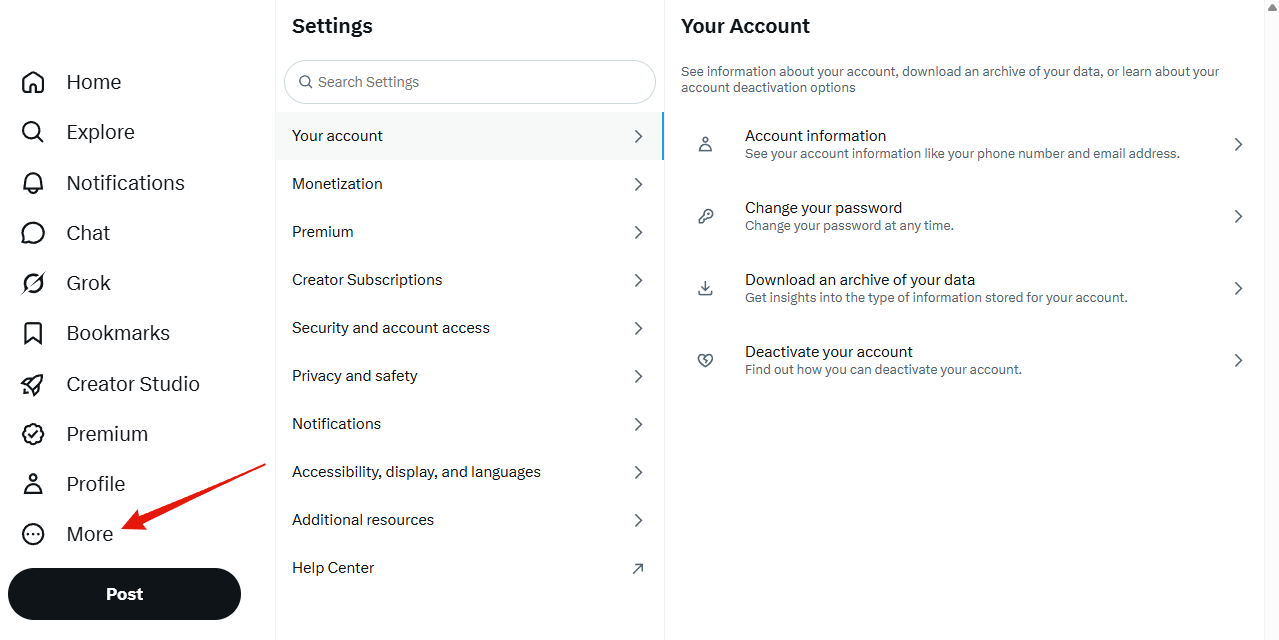
1. Open the More menu
It is at the bottom of the left-hand navigation.
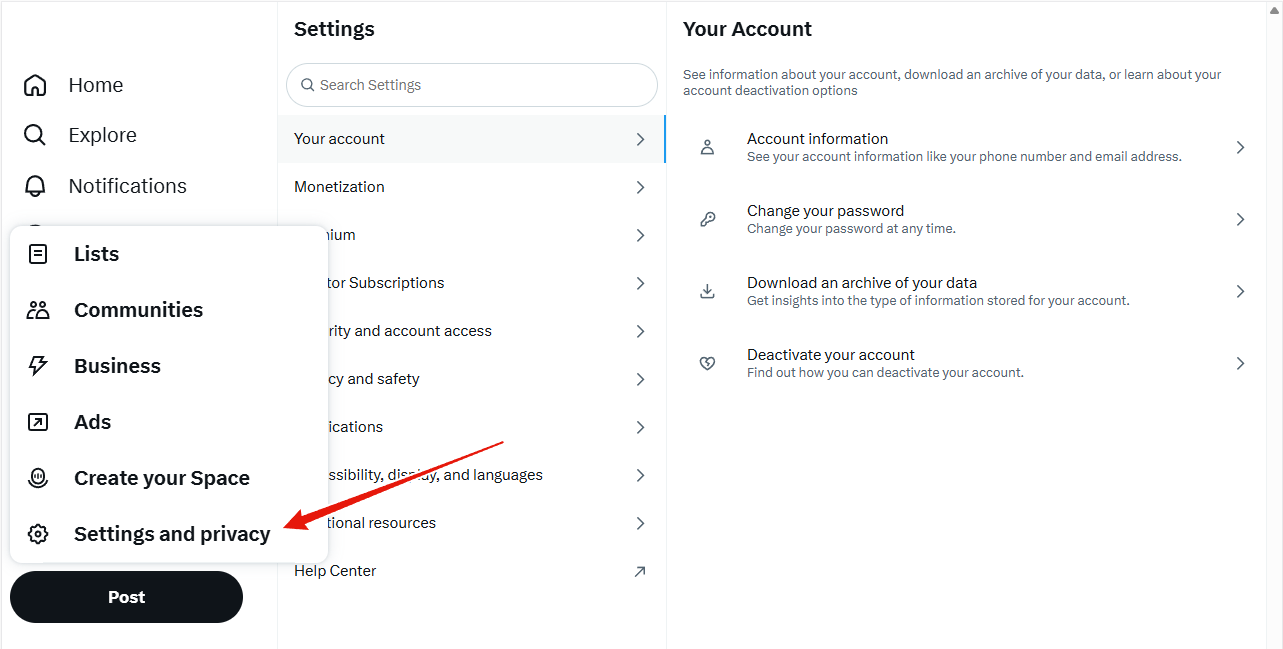
2. Choose Settings and privacy
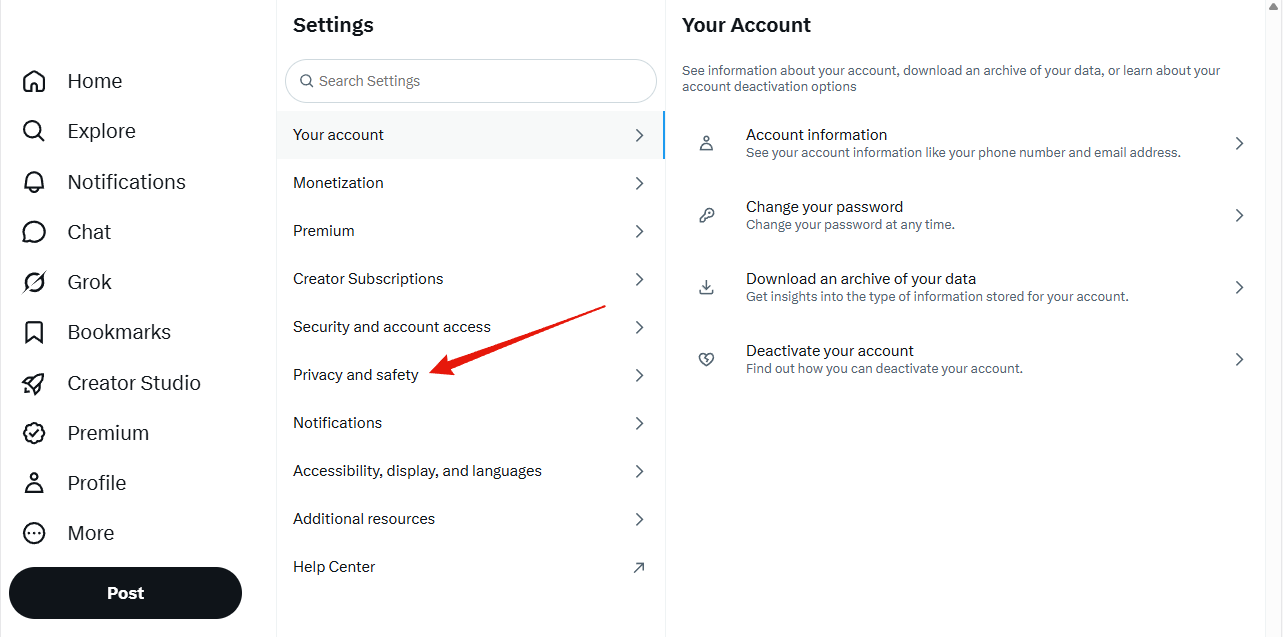
3. Choose Privacy and safety
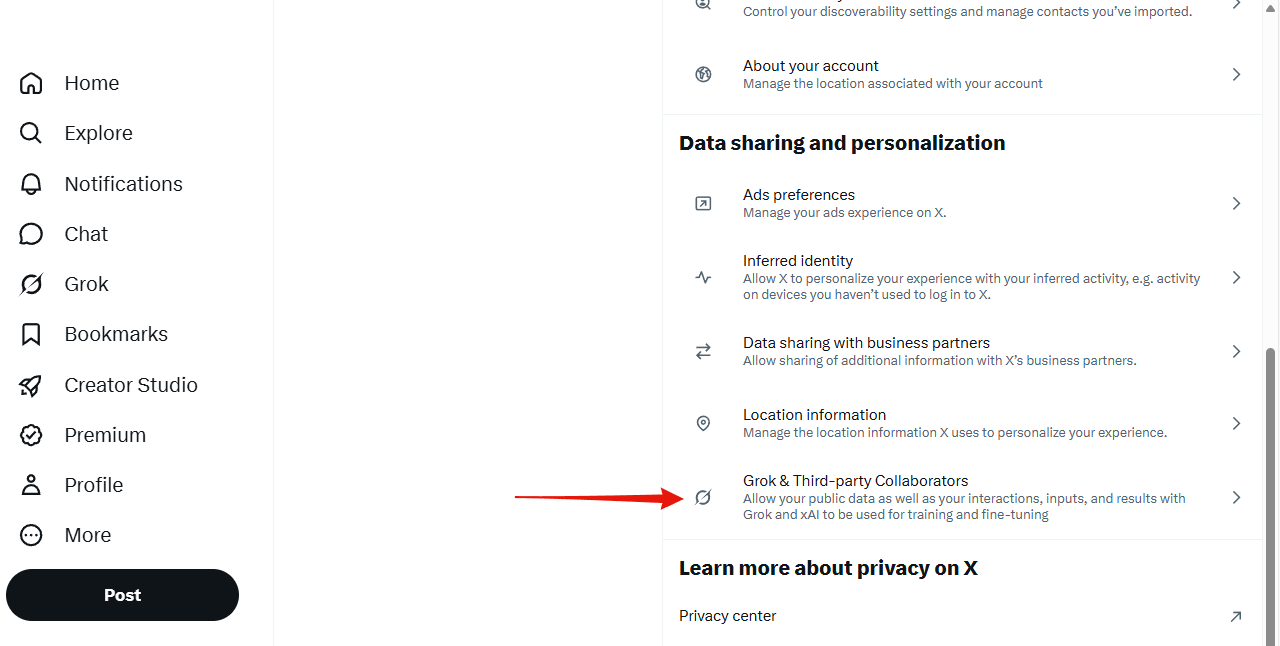
4. Open Grok & Third-party Collaborators
It sits at the bottom of the Data sharing and personalization group.
5. Turn off training and review the other privacy settings
- Allow your public data as well as your interactions, inputs, and results with Grok and xAI to be used for training and fine-tuning
- Optional: Allow X to personalize your experience with Grok
- Optional: Allow Grok to remember your conversation history
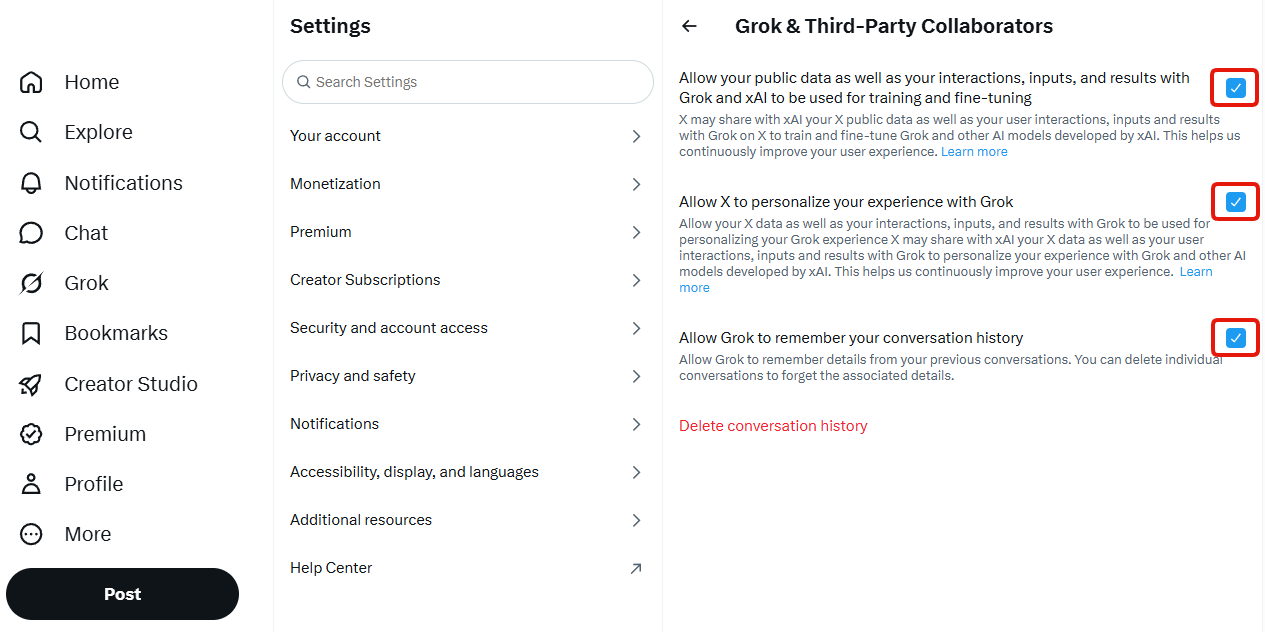
The settings save as you uncheck each box, so there is no confirmation step or form to submit. Do not use the thumbs-up or thumbs-down buttons on a Grok conversation after opting out. X says that submitting feedback lets X and xAI use the conversation and its related data for training and fine-tuning, even when you have turned off model training.
Deleting your conversation history is optional. The red Delete conversation history link on the same screen asks X to remove your past conversations from its systems. X says removal can take up to 30 days, and it may keep conversations for security or legal reasons. If you want your chats gone, Redact can clear your Grok history for you from the app on your own device, wiping every chat at once or just the ones you pick. Deleting your history is not required to opt out of model training. Unchecking the first box stops X and xAI from using your personal data to create or fine-tune models. X says the opt-out does not stop a Grok-powered feature, such as X recommendations, from learning from your interactions during normal use.
Other data sharing and personalization settings
Go back one screen to the Data sharing and personalization group to find X's advertising controls: Ads preferences, Inferred identity, Data sharing with business partners and Location information. Turning those off is worth doing, but be clear about what it buys you. They govern ad targeting, not AI training. The first Grok checkbox above controls model training.
More detail is in X's Grok help page.
For the other platforms training on your posts, our AI opt-out hub lists what each one uses and where its own opt-out is.
Redact for Grok
Mass delete your Grok chats from grok.com, with filters for date, keyword, title, content type, and starred chats, plus preservation rules for the chats you keep.