Removal guide · TruePeopleSearch.net

How to remove yourself from TruePeopleSearch.net

TruePeopleSearch.net's opt-out is a single Google Form rather than an on-site removal flow. It asks for your first and last name, an email address, the URL of the listing you want removed, and a removal-confirmation choice - so find your listing first, because you cannot submit without its link. Per the site you're off the database within 48 hours. There's no CAPTCHA and no separate verification email, but Google Forms requires you to be signed in to submit. That a data broker outsources its opt-out to a generic Google Form is itself a tell - it's consistent with the low-infrastructure, Chinese-operated network this site belongs to (documented by Krebs on Security in March 2024). Reminder: this is not the legitimate US-based TruePeopleSearch.com.

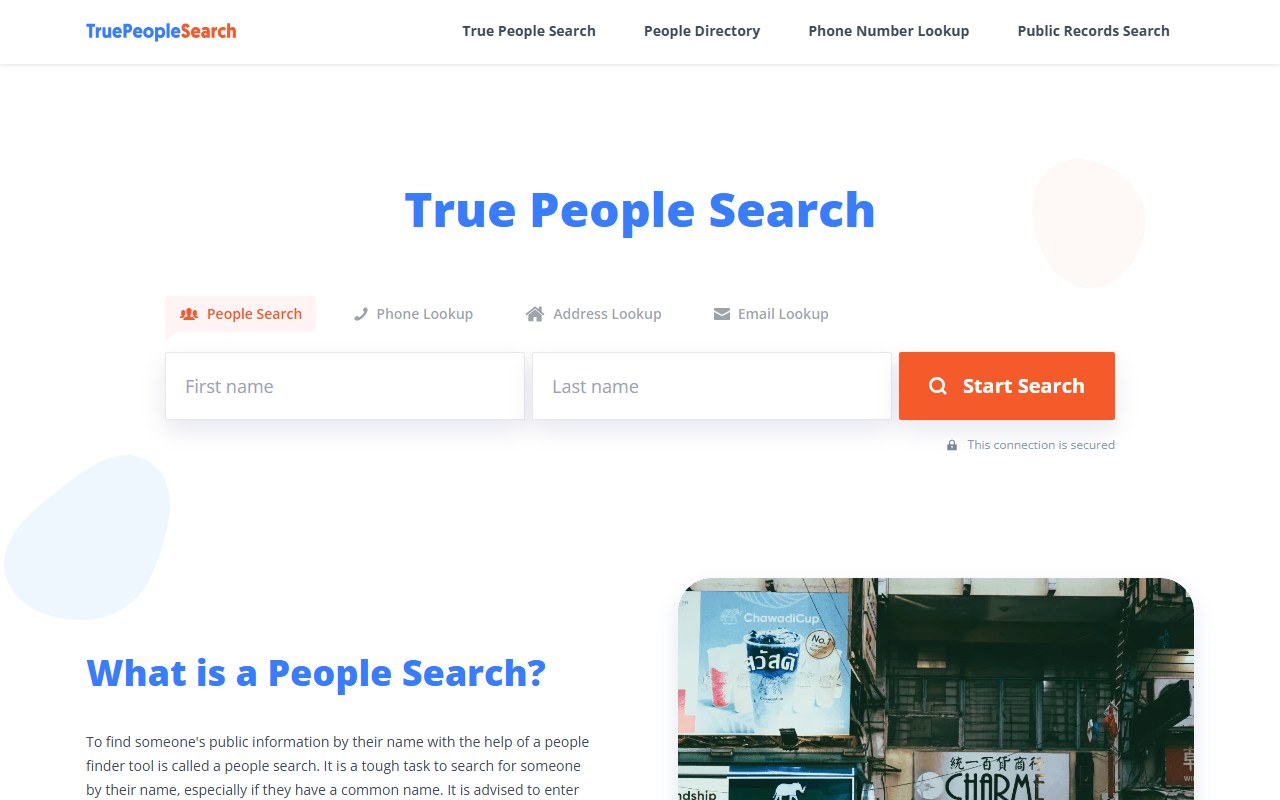
TruePeopleSearch.net homepage screenshot

Before you remove your data: See the TruePeopleSearch.net data broker profile for the Krebs-documented China-operated-network context, the fabricated "Marilyn Gaskell co-founder" identity, and why the durable opt-outs are at the legitimate TruePeopleSearch.com plus the downstream affiliate brokers (BeenVerified, Intelius, Spokeo) the .net site funnels to.

Quick facts

Removal Overview

Google Form opt-out
Method

Single Google Form

Active time

~2 minutes

Removal SLA

48 hours (claimed)

Account required

Google sign-in (to submit the form)

Email verification

No

CAPTCHA

No

Required fields

First name · last name · email · listing URL · confirmation

Profile-URL paste

Required

Why a Google Form is notable. Established people-search brokers build their own opt-out tooling - search-and-suppress forms, email verification, case IDs. TruePeopleSearch.net instead points you at a generic Google Form titled "Contact information" with the prompt "To remove your info, please kindly provide the following info." The non-native-English phrasing ("please kindly provide") and the reliance on free Google infrastructure rather than owned tooling are both consistent with the low-overhead, China-operated affiliate-network profile documented by Krebs on Security.

The opt-out

Fill out the opt-out Google Form

~2 minutes

The entire opt-out is one Google Form, but it will not submit on your name alone - it also requires an email address, the URL of the listing you want removed, and a removal-confirmation choice. Find your listing before you open the form.

01

Find your listing, then fill out the opt-out Google Form

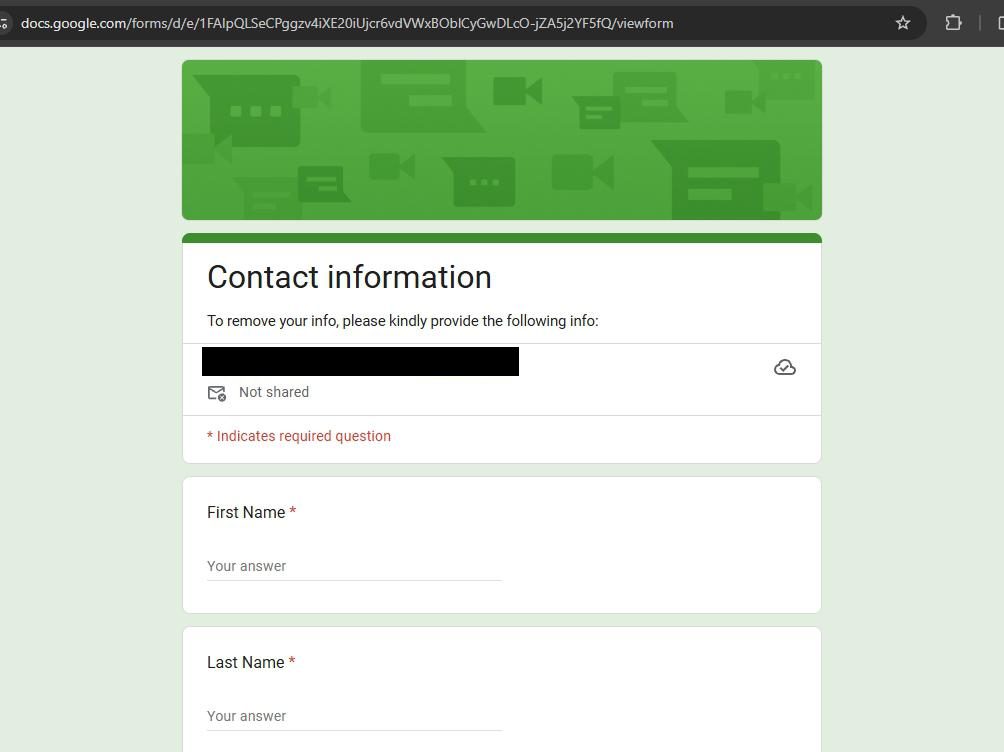
Go to the opt-out form: docs.google.com/forms/d/e/1FAIpQLSe…/viewform. It's a Google Form titled "Contact information" with the prompt "To remove your info, please kindly provide the following info:"

Five fields are required, each marked with a red asterisk: First Name, Last Name, Your Email, URL (the listing you want removed) and a Removal Confirmation choice. Only the free-text message at the end is optional. Search the site for yourself and copy your listing's URL before you start - the form will not submit without it.

Google Forms requires you to be signed in to submit, and the header shows which account you're submitting as (with a "Switch account" link). The "Not shared" indicator means Google isn't attaching your account address automatically - it does not mean the form collects no email, because one of the required questions asks you to type one. Use an address you are willing to give this operator.

Google Form titled 'Contact information' with the prompt 'To remove your info, please kindly provide the following info:' The form shows the signed-in Google account with a 'Switch account' link and a 'Not shared' indicator, an '* Indicates required question' note, and the first two of the form's five required fields visible in this crop - 'First Name' and 'Last Name', each with a 'Your answer' text input
The opt-out Google Form - name, email, the listing URL and a confirmation choice are all required.
02

Submit the form

Scroll to the bottom and click Submit. That's the entire process - no verification email to click, no CAPTCHA to solve, no confirmation case ID. Per the site, your record is removed from the database within 48 hours.

Take a screenshot of the submitted-confirmation page Google shows ("Your response has been recorded"). Since there's no case ID and no confirmation email, that screenshot plus the submission timestamp is your only record that you opted out.

Privacy-policy reference. The site's own privacy / removal documentation is worth a look before you submit - it's linked from the footer of the homepage. The opt-out form is the operative mechanism, but the privacy page is where the site states its data-handling and the 48-hour removal claim. See the homepage footer for the current privacy-policy link.

Verify

Confirming the opt-out worked

48-hour claim
  • Hour 0-48. Per the site's claim, removal completes within 48 hours of form submission. Re-search your name on truepeoplesearch.net in an incognito window at the 48-hour mark to confirm the listing is gone.

  • Day 7. Final check. If the listing is still visible at one week, resubmit the Google Form. There's no penalty for resubmission and no email-verification step to repeat.

  • Keep the submission screenshot. The Google Form issues no case ID and sends no confirmation email. The "Your response has been recorded" screenshot plus the timestamp is your only opt-out documentation.

  • The 48-hour claim is the site's, not ours. We documented the form itself but haven't independently verified the 48-hour removal timing or its durability. Given the site's Krebs-documented profile, treat the SLA as a claim rather than a guarantee, and re-check periodically.

Caveats

What the Google Form opt-out doesn't fix

Display surface only

The Google Form clears the TruePeopleSearch.net display surface, but TruePeopleSearch.net is one node in a larger system. Two things the form doesn't touch:

  • The underlying data source. Per commenter attribution on the Krebs investigation, the network's data reportedly comes from Endato - the same data-as-a-service provider that powers the legitimate US-based TruePeopleSearch.com. If the source data persists, the .net listing can re-populate on a future refresh regardless of your form submission. Opting out at the legitimate .com (which has a direct relationship with the data source) is the more durable move.

  • The downstream affiliate brokers. TruePeopleSearch.net funnels paid lookups to BeenVerified, Intelius, and Spokeo. Removing yourself from the .net display surface doesn't remove you from those brokers - each has its own separate opt-out flow. If your goal is to be un-findable through the .net funnel, you need to opt out at the destination brokers too.

Durability is questionable. Krebs characterized the broader network's removal mechanics generically: "the information you worked hard to remove may simply reappear a few months later." The Google Form is easy to submit, but easy-to-submit and durable aren't the same thing. Plan to re-check and re-submit periodically.

Stay off

Keep your data off TruePeopleSearch.net

Source-side prevention
  • Re-submit the Google Form periodically. It's a 2-minute submission. Given the network's questionable opt-out durability, re-running it every few months is cheap insurance.

  • Opt out at the legitimate TruePeopleSearch.com. Because the data reportedly traces to Endato via the legitimate .com operation, clearing your record there addresses the source rather than just the .net display.

  • Opt out at the downstream affiliate brokers. The .net funnel sends paid lookups to BeenVerified, Intelius, and Spokeo. Each maintains its own data and its own opt-out.

  • TruePeopleSearch.net is one of many people-search surfaces. Opting out here doesn't propagate to independent operators like Whitepages, MyLife, Radaris, the PeopleFinders / Confi-Chek network, or the CheckPeople / UnMask pair. Each has its own opt-out flow.

  • Address the public-records source. Like all people-search surfaces, the underlying data ultimately derives from US public records (county court filings, property records, voter rolls) plus third-party data brokers. Where state law allows, opt out of voter-roll commercial sharing and request public-records redactions for safety reasons.

Take yourself off data broker sites

Redact scans 120+ data broker sites from your device, finds where your details are listed, and submits the removal requests for you. If a broker relists you, it files again.

Last updated:

May 28, 2026