TikTok Wrapped 2026: Build a Free Share Card of Your Year
Turn your TikTok data download into a shareable, story-size card. Choose your headline stat, select the numbers you want to include and pick from six color templates.
 Dan Saltman
On this page
Spotify gets a Wrapped. YouTube Music gets one. TikTok's own Year in Review turns your public posts into a recap video you can edit and share.
There's more in your data download. TikTok logs the videos you watch, your searches, likes and comments, and it hands over what it keeps when you ask for your user archive download. Our TikTok Wrapped tool reads that file and turns your usage data into a summary of the year, and then you can build a stats card from your data, sized for a story.
Redact's Wrapped Share Card
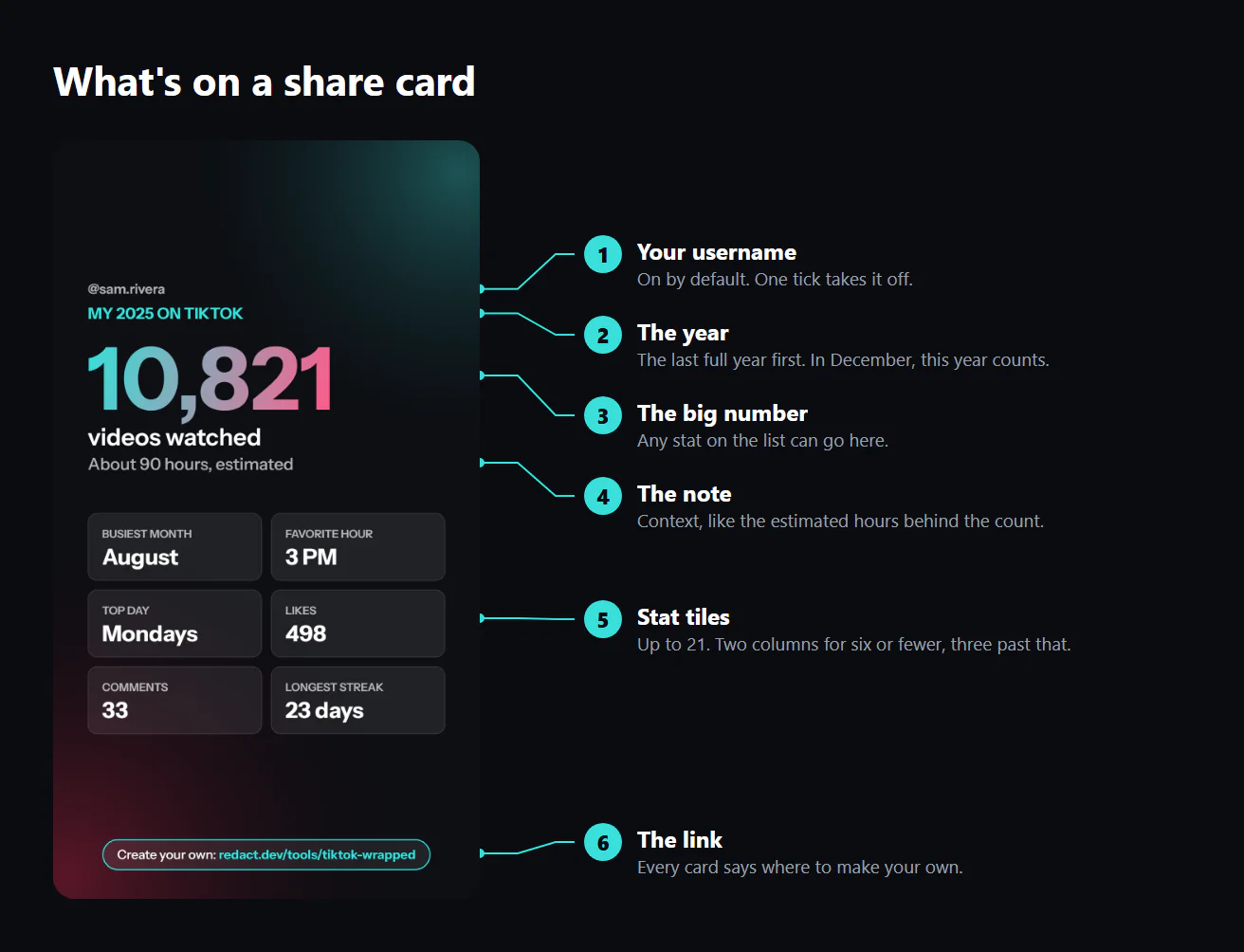
Each share card is a 1080 × 1920 graphic, the same exact size as a TikTok, Instagram or Snapchat story. There are six sections:
- Username. This is turned on by default. Deselect "Show my username" and it goes away.
- Year. "My 2026 on TikTok", or "My TikTok, all time" if you choose to show all-time stats.
- The large number. Your headline number, drawn huge in the template's style and color.
- The note. A bit of context below your big number. For videos watched, it's the estimated hours behind the count.
- Tiles. Choose up to 21. Six or fewer sit in two wide columns, and more than six switch to three.
- The link. A small "Create your own" pill at the bottom, so anyone who likes your card knows where to make one.
Choose your design
You don't need to build your card from scratch. We offer three layouts to choose from:
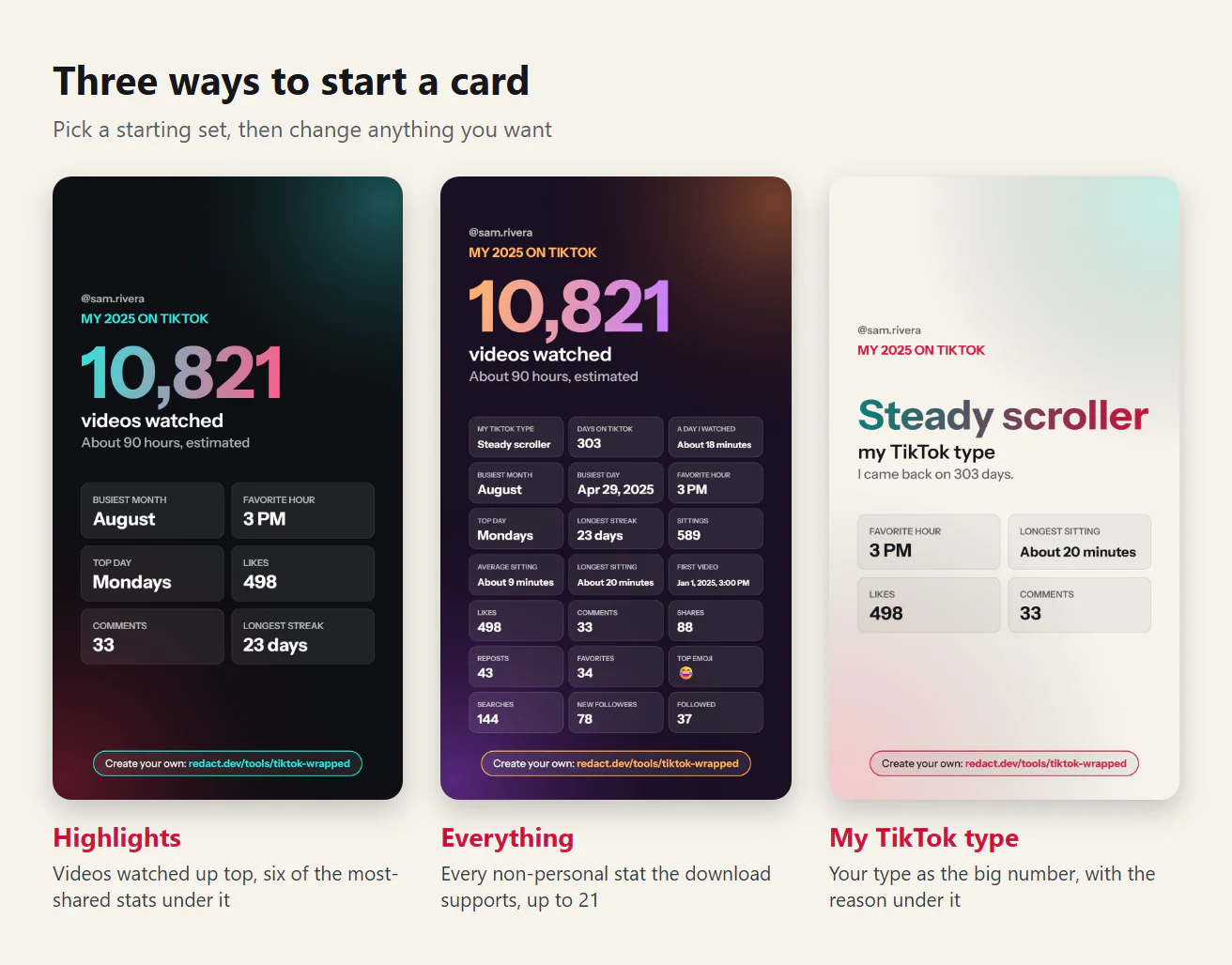
- Highlights leads with the videos watched and adds the 6 stats people seem to care about the most: busiest month, favorite hour, favorite day to watch, likes, comments and your longest streak.
- Everything puts every stat it can on the card, as long as it isn't marked personal. With a full year of history, that's a dense three-column card.
- My TikTok type leads with your type (more on that below) and backs it up with your favorite hour, longest sitting, likes and comments.
A starting set is only that: change one thing and the card becomes your own.
Swap the big number
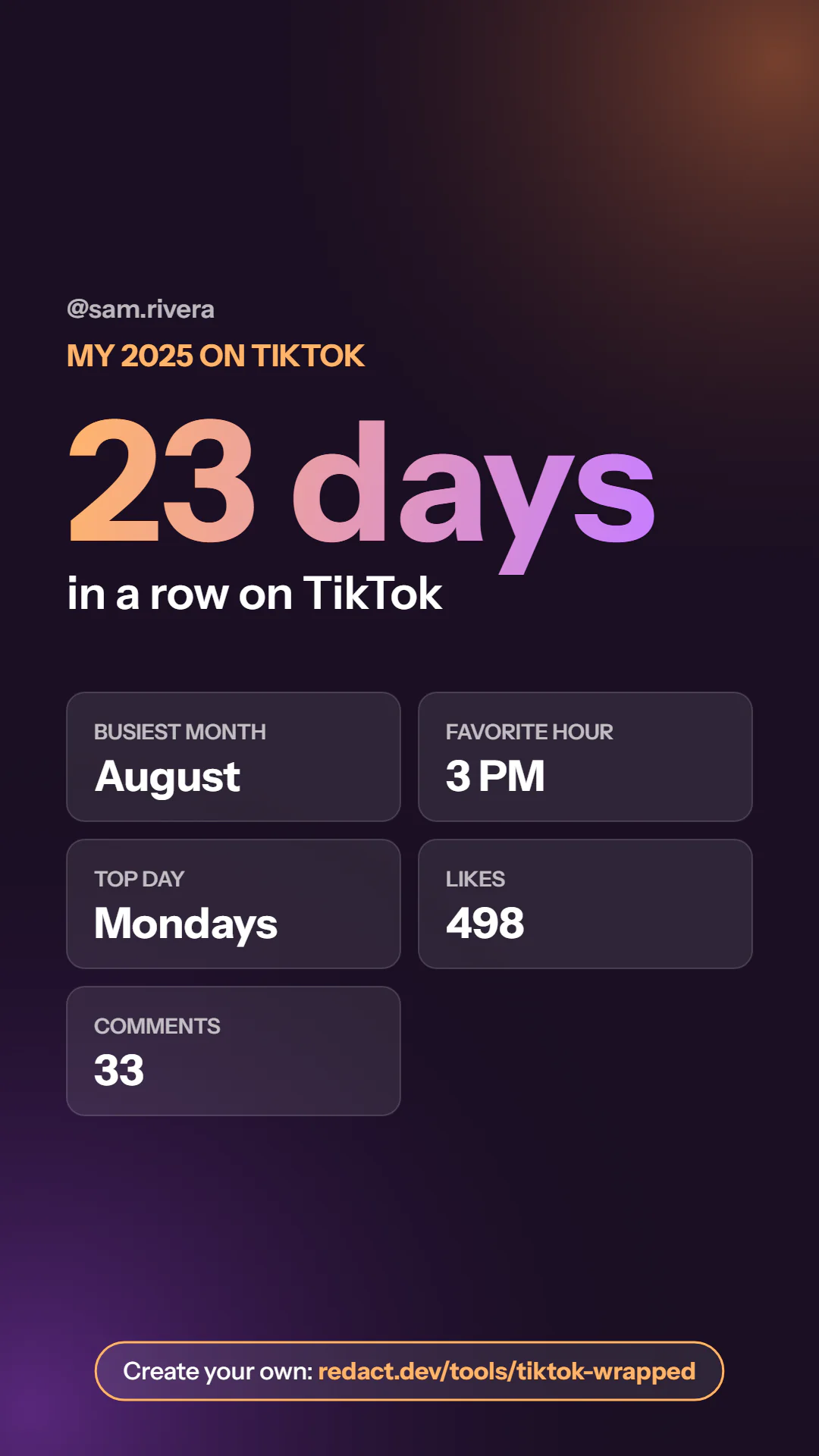
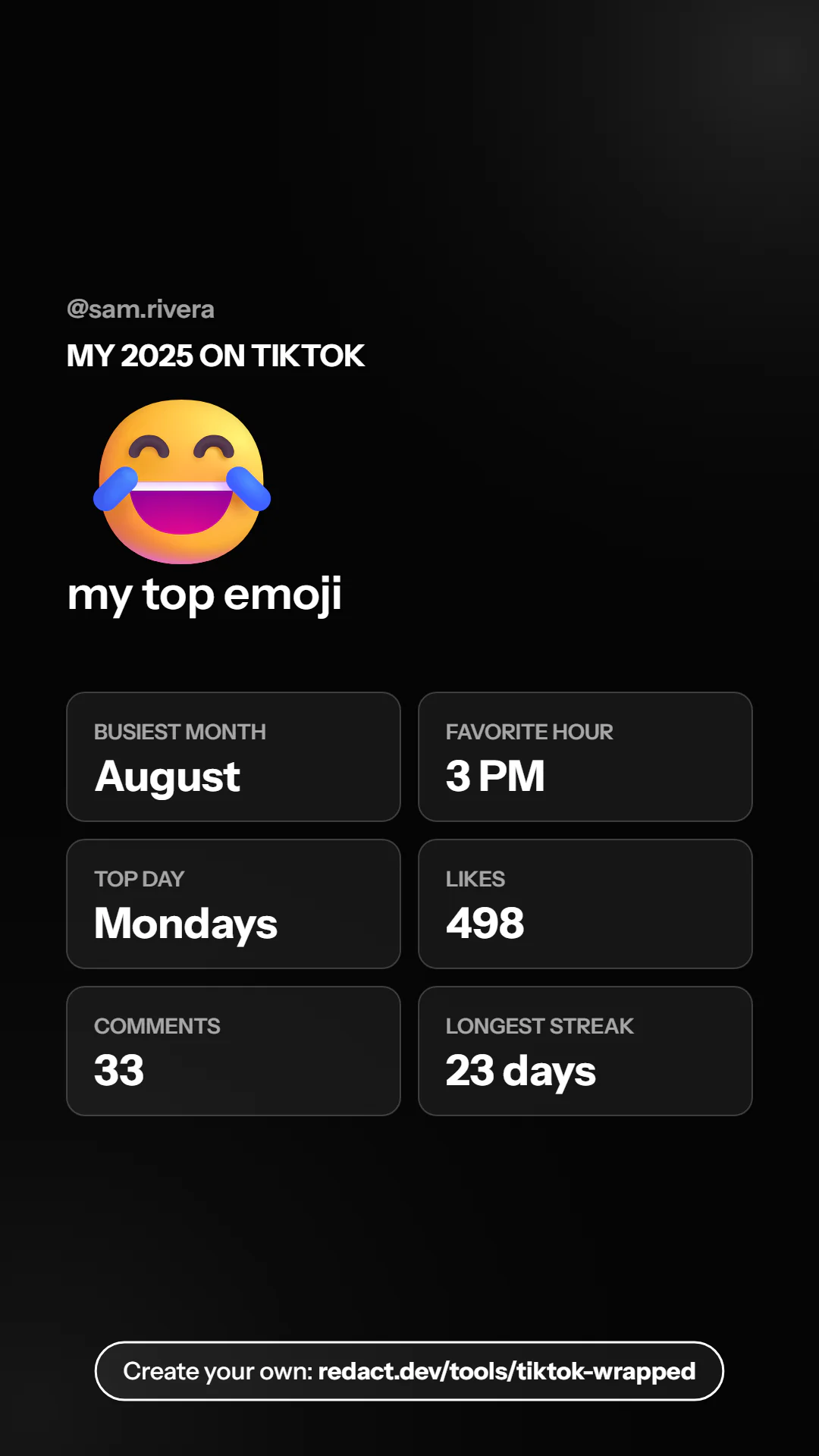
The "Big number" menu lists all the statistics identified in the recap, along with their respective values, so that you can see your selections. Any of them can be the title. Starting with a 23-day win streak may be a more impressive bragging point than the number of video views. Your most-used comment emoji works too, which says more about your year than any count could.
Tick the stats you want
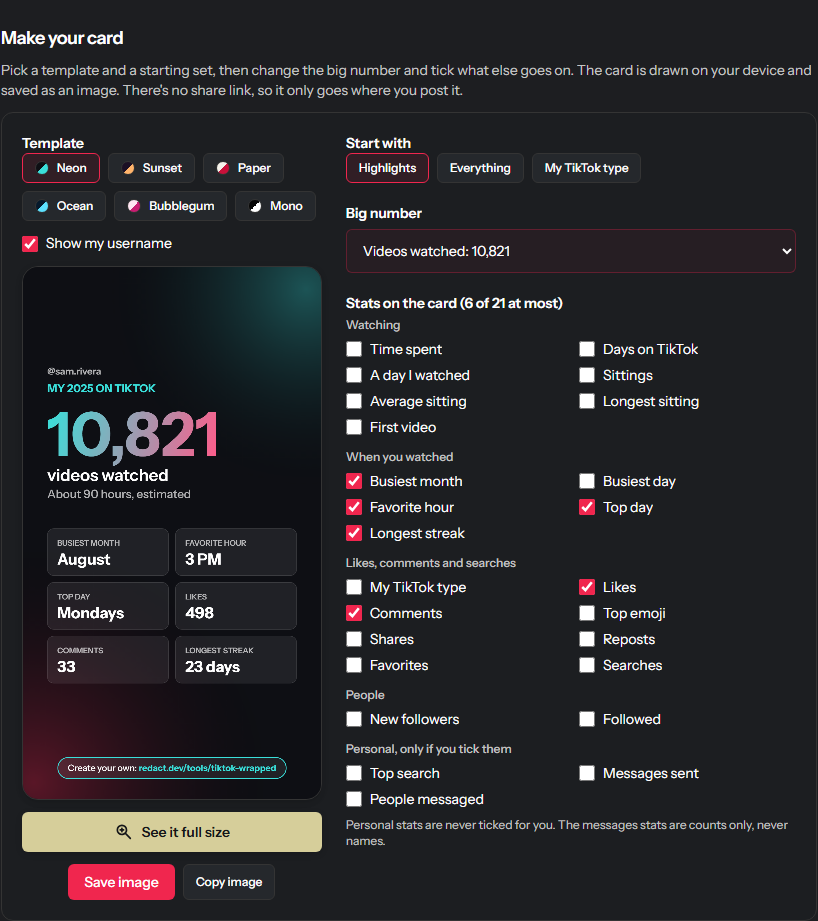
Under the big number, every stat has a checkbox, sorted into groups:
| Group | Stats |
|---|---|
| Watching | Videos watched, time spent, days on TikTok, a day I watched, sittings, average sitting, longest sitting, first video |
| When you watched | Busiest month, busiest day, favorite hour, top day, longest streak |
| Likes, comments and searches | My TikTok type, likes, comments, top emoji, shares, reposts, favorites, searches |
| People | New followers, followed |
| Personal, only if you tick them | Top search, messages sent, people messaged |
The card refreshes as you click, in the order you click. A statistic your archive download doesn't contain, like comments on an account that never made a comment, simply isn't found on the list.
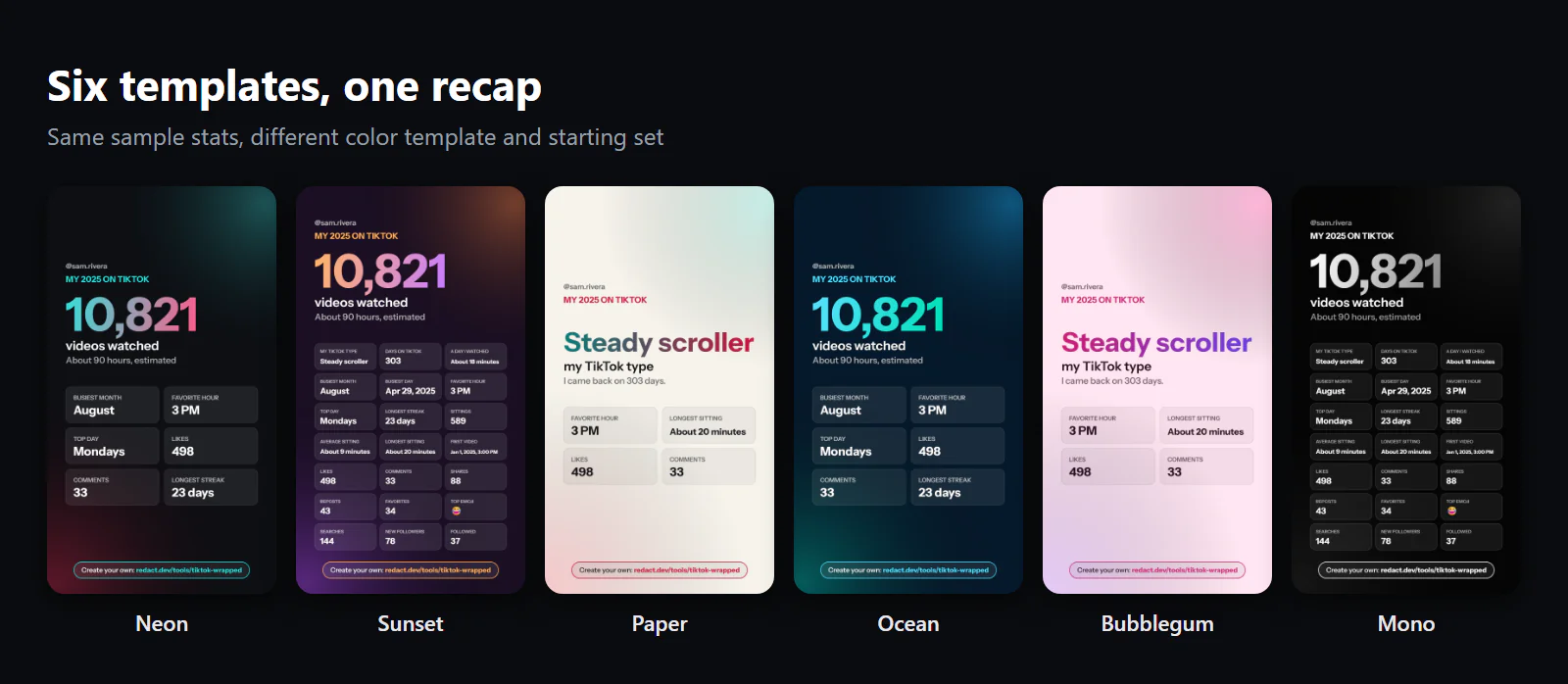
Six templates to choose from
Neon is the standard: near-black background with a cyan-to-pink numeral, similar to TikTok's typical colors. Sunset goes orange and purple. Paper is the light one, cream with teal and crimson, and it's the easiest to read on a bright feed. Ocean is deep blue and aqua, Bubblegum is pink, and Mono is plain black and white for anyone who'd rather the numbers do the talking.
Keep the private stuff private
A recap built from your own data will turn up things you might not want on a story. The card builder is careful about three of them:
- Your top search and your message counts are never ticked for you. They sit in their own "Personal" group. They appear on a card only if you tick them yourself or pick Top search as the big number, and no starting set includes them, not even Everything.
- People are never named on a card. The recap page shows who you messaged most, for your eyes only. The card can show how many people you messaged, never who.
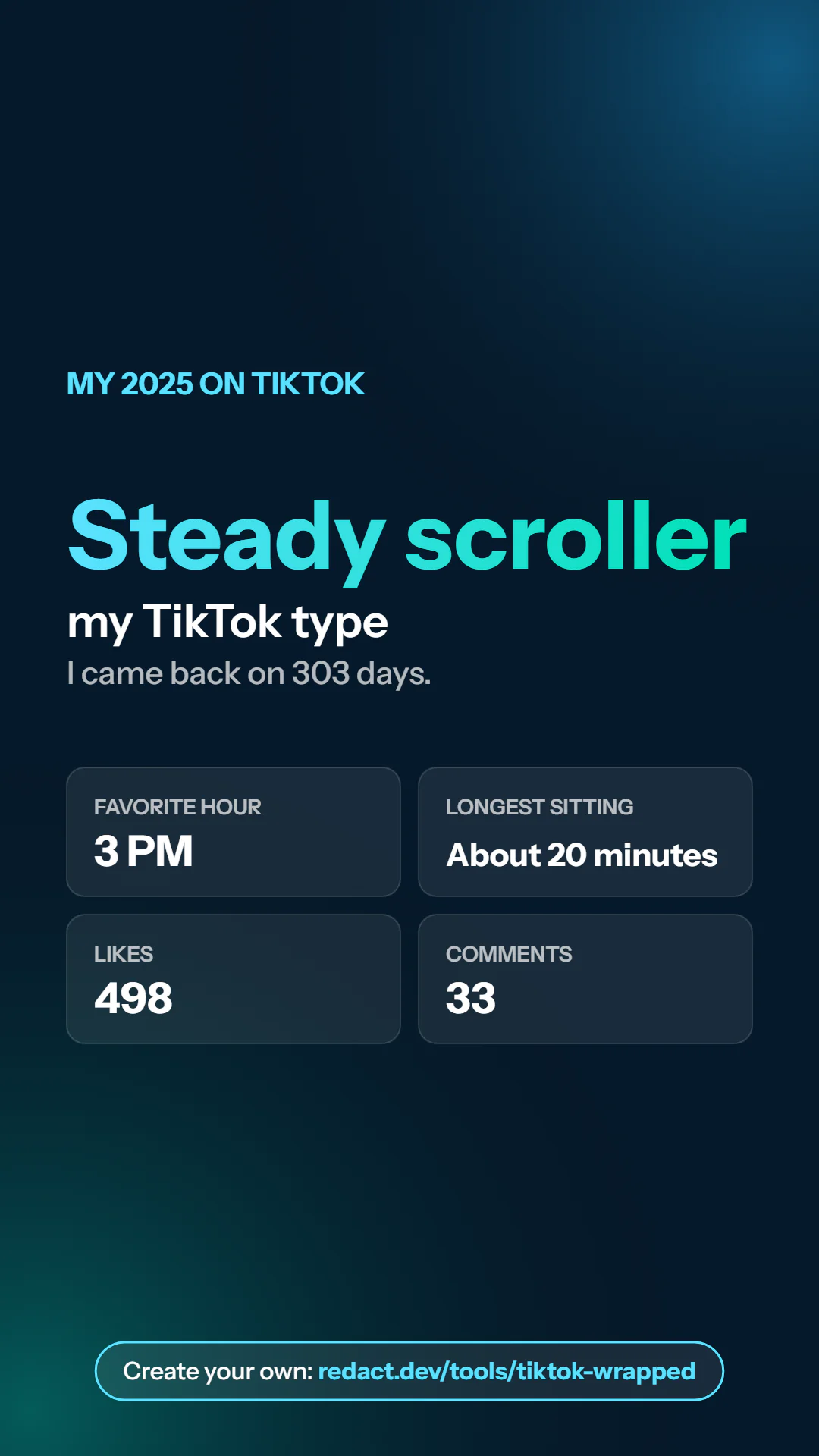
- Your username is one click away from gone. This Ocean card is the same My TikTok type card with it switched off.
Save it or copy it
Two buttons: Save image downloads a PNG named for the year, and Copy image puts it on your clipboard so you can paste it straight into a post or a chat. "See it full size" shows the card at full size first, if you want a proper look before posting.
There's no share link, and that's on purpose. The card is drawn in your browser, so Redact never has a copy to host. It goes wherever you post it and nowhere else.
What your TikTok type says about you
Everyone gets a TikTok type, picked from their own numbers. The rules are checked in order, and the first one that fits wins:
| Type | When you get it |
|---|---|
| Binge watcher | Your longest sitting lasted 90 minutes or more |
| Night owl | Your favorite hour falls between 10 PM and 4 AM |
| Early bird | Your favorite hour falls between 5 AM and 9 AM |
| Chatterbox | At least 10 comments, and one for every 20 or fewer videos you watched |
| Big fan | At least 20 likes, and one for every 5 or fewer videos |
| Weekend scroller | Saturdays or Sundays were your busiest day |
| Steady scroller | Everyone else |
The card shows the reason too. The sample account is a Steady scroller, and its card says "I came back on 303 days."
Everything else in the recap
The card is the part people post, but the page behind it has more. Here's what the sample recap shows.
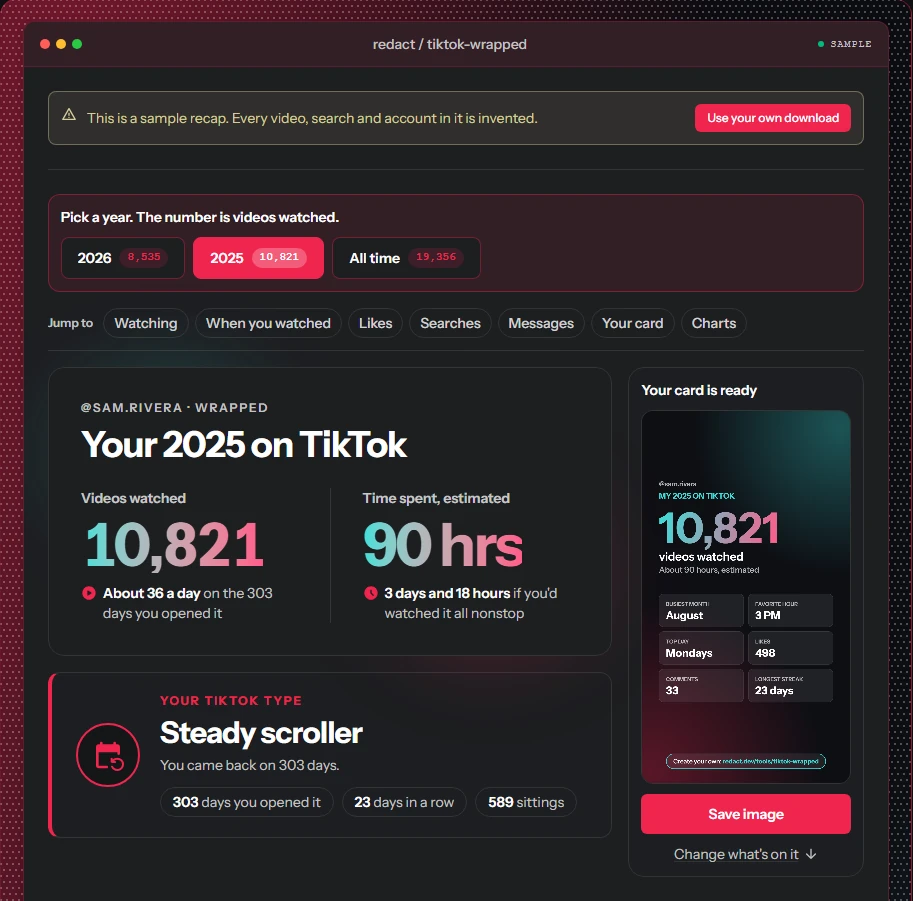
The top of the recap shows your two big numbers side by side: videos watched and estimated time spent. Each gets a comparison in plain words. The sample account watched "about 36 a day on the 303 days you opened it," and its 90 hours come to "3 days and 18 hours if you'd watched it all nonstop." Your TikTok type sits underneath, with the three numbers that earned it. On a laptop or tablet, your finished card waits beside all of this with a Save image button, so you can post it without scrolling. The links under the year picker jump straight to any section.
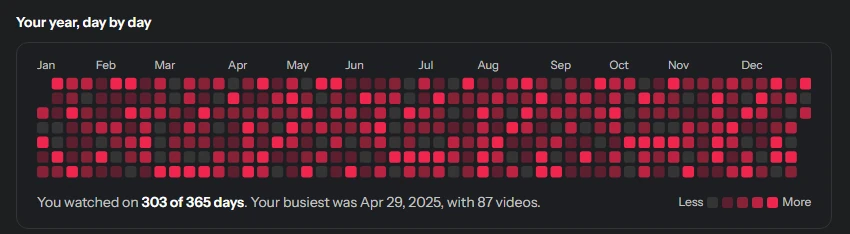
Your year, day by day draws each day as a square, from empty on days you skipped to brightest on your heaviest ones, and names your busiest day under the grid. It shows for a single year, not for All time.
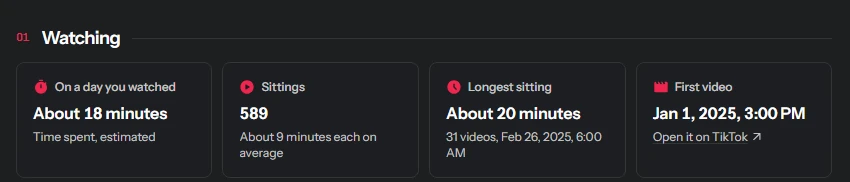
Watching covers how long a typical day of watching ran, how many separate sittings you had and how long they lasted, and the first video you watched that year, with a link to open it on TikTok.
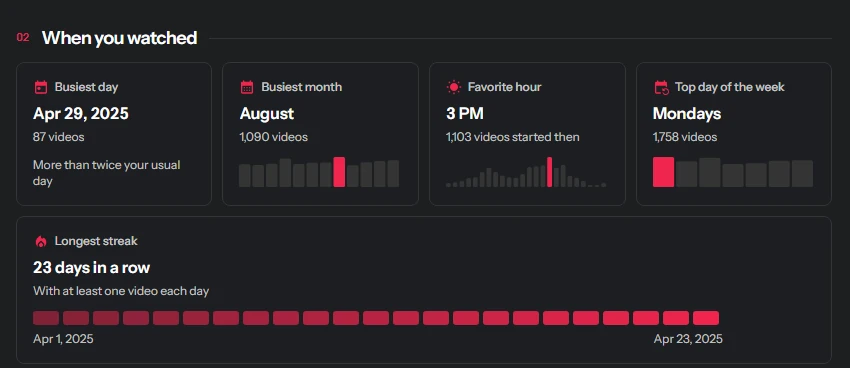
When you watched is about timing. Small bar charts show which month, hour and day of the week stood out from the rest. Your busiest single day says how it compares with a usual day, and your longest streak is drawn as a row of days with its start and end dates.
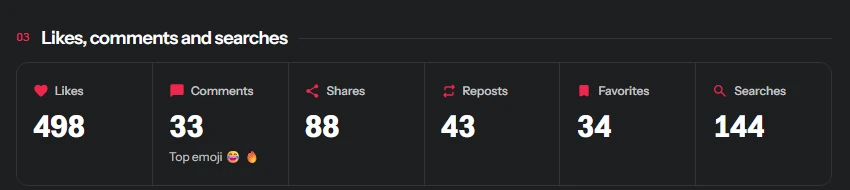
Then come the counts of what you did besides watch, in one strip: likes, comments, shares, reposts, favorites and searches, with your most-used comment emojis under comments.
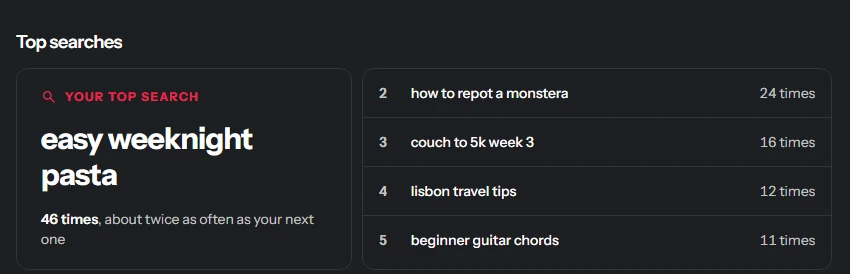
Top searches gives your most-searched term a card of its own and lists the next four beside it. Direct messages counts messages sent and received and who you talked to most. Both stay on the page unless you tick them for your card or pick Top search as the big number: Top search puts your most-searched term on it, and the message stats add counts, never names.
The year picker at the top switches between years, or to All time, and opens on the last year that has ended. In December, the current year counts as done, so this year's recap is there the day December starts.
How the numbers are worked out
A few things are worth knowing about the numbers.
Time spent is an estimate. TikTok's download records when each video started, not when you scrolled past it, so the recap measures the gap between one video and the next. Any gap up to 5 minutes counts in full. A longer gap means you put the phone down, so the video before it counts as 30 seconds. That's why the card says "estimated."
Your download may not cover the whole year. TikTok decides how far back each list goes, and the watch history can stop sooner than your likes or follows. A month that isn't in your file isn't in the recap.
Times are on your clock. TikTok writes every timestamp in UTC. The recap moves them to your device's time zone, so a 3 PM favorite hour means 3 PM where you are now. If you traveled, those weeks show on your current clock.
There's also one thing our recap can't do: name your favorite creators or sounds. The watch history in the download lists videos, not who made them, so any "top creator" there would be a guess. We left it out rather than guess.
Getting your TikTok data
- In the TikTok app, open your profile, tap the menu in the top corner, then Settings and privacy, then Account, then Download your data.
- Choose All data. A custom export can come without your watch history, and the watch history is most of the recap.
- Pick JSON or HTML (the tool reads both), then tap Request data.
- Wait. TikTok can take a few days. When the file is ready it appears under the Download data tab, and you have four days to grab it.
- Open redact.dev/tools/tiktok-wrapped and drop in the ZIP.
It works on your phone, too. Download the ZIP file, open the page in your phone's browser, and tap the box to select your file. If TikTok hasn't sent your file yet, See a sample recap loads a made-up account, the one in every image in this post.
Your file stays on your device
You don't need to log in to TikTok or have a Redact account to get the summary. The ZIP file opens locally in your browser, and no data from it is sent to Redact or anywhere else. You can try this yourself by opening the page, turning off your wifi and then uploading the file. The summary and the card still work, because the card is created directly in the browser tab.
That's also why we didn't include a share link. A link would mean a copy on a server, and we'd rather not go down that path.
And if the recap shows more than you'd like
Looking at a whole year of likes and reposts can be a little much. If some of it should go, Redact for TikTok mass-deletes your videos, likes and reposts, old ones included. The recap itself only reads; it can't change anything on your account.
Make your card at redact.dev/tools/tiktok-wrapped.
Redact for TikTok
Banish your cringe TikTok videos to the shadow realm.