TruthViewer's opt-out is free and quick, and it has been rebuilt since we ran it in August. The bare, unlabelled screens are gone. The opt-out URL now serves a properly laid-out request page with explanations beside each part, and the search-then-REMOVE sequence has been cut. One warning hasn't changed. The homepage search isn't TruthViewer's, so go straight to the address below. We read the new page on October 8, 2026 and didn't file a request.
Background. The TruthViewer profile covers the ownership research, the off-the-books registration status, and the shared-platform cluster.
truthviewer.com only, going by the page · sibling sites have their own forms
Phone on the form
(888) 888-8888, which reads like a placeholder and which we haven't tested
Before you start
What you'll need
The details the site holds on you, as best you know them. On October 8, 2026 TruthViewer's search at truthviewer.com/name/landing asked for a credit card before showing results, so you may not be able to read your listing first.
Your exact date of birth and a ZIP code for the form.
A working email inbox.
Don't start from the homepage. truthviewer.com's front page is an affiliate review page whose lookalike search form submits to PeopleSearcher, a different broker. Searching there does nothing on TruthViewer.
The steps
Remove your listing
01
Open the request page and pick removal
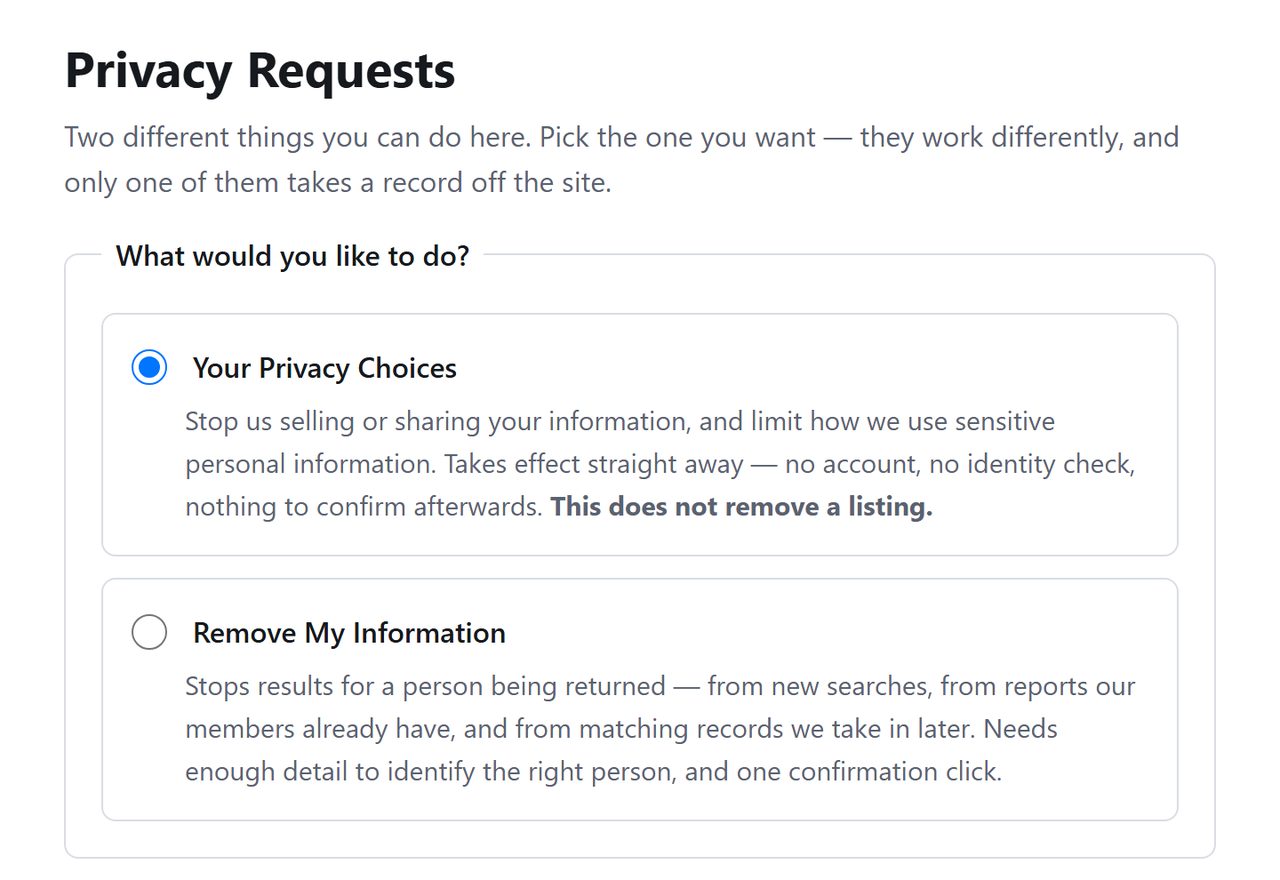
Use truthviewer.com/api/helper/optOutLight/search. Where the August version showed a plain search form with no title, there's now a Privacy Requests heading and two labelled options. Pick Remove My Information.
A titled page where the bare form used to be.
02
Match the form to your listing
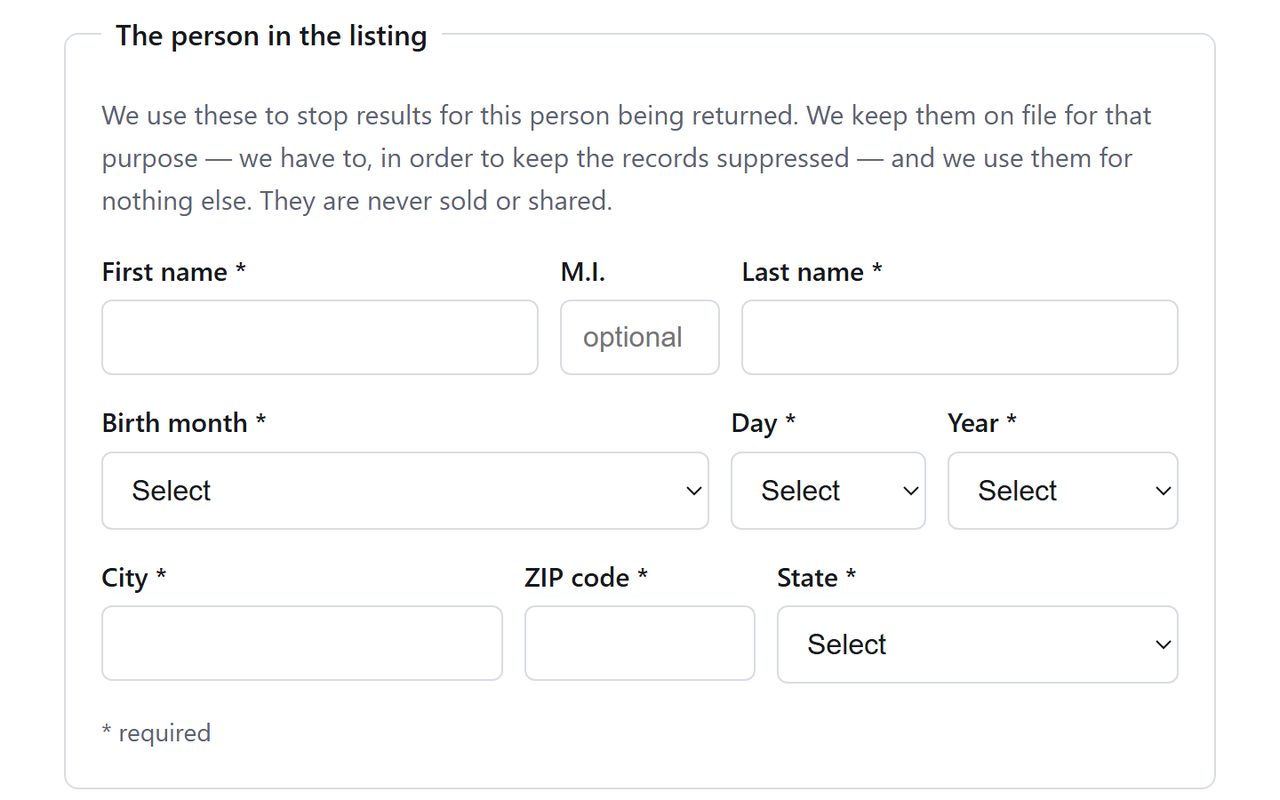
Enter your first and last name, choose your birth date, and add the city, ZIP code and state. Start with your current address. If you know the site held you at an older one, send a second request with that.
Name, birth date and current location.
03
Add an email and submit
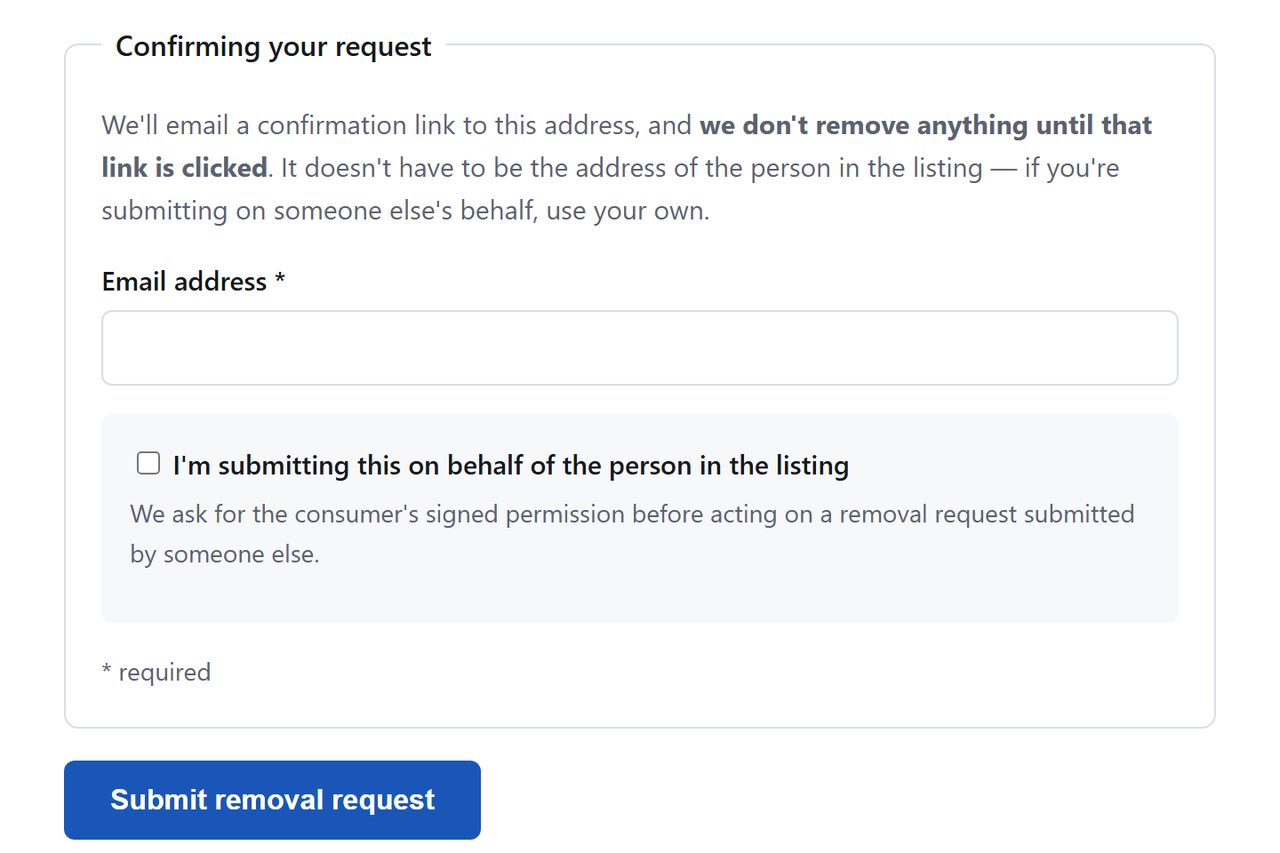
Enter the email address and press Submit removal request. We left it there. A CAPTCHA step is possible after the button, as it was on the old form.
As far as we went.
04
Click the link TruthViewer emails
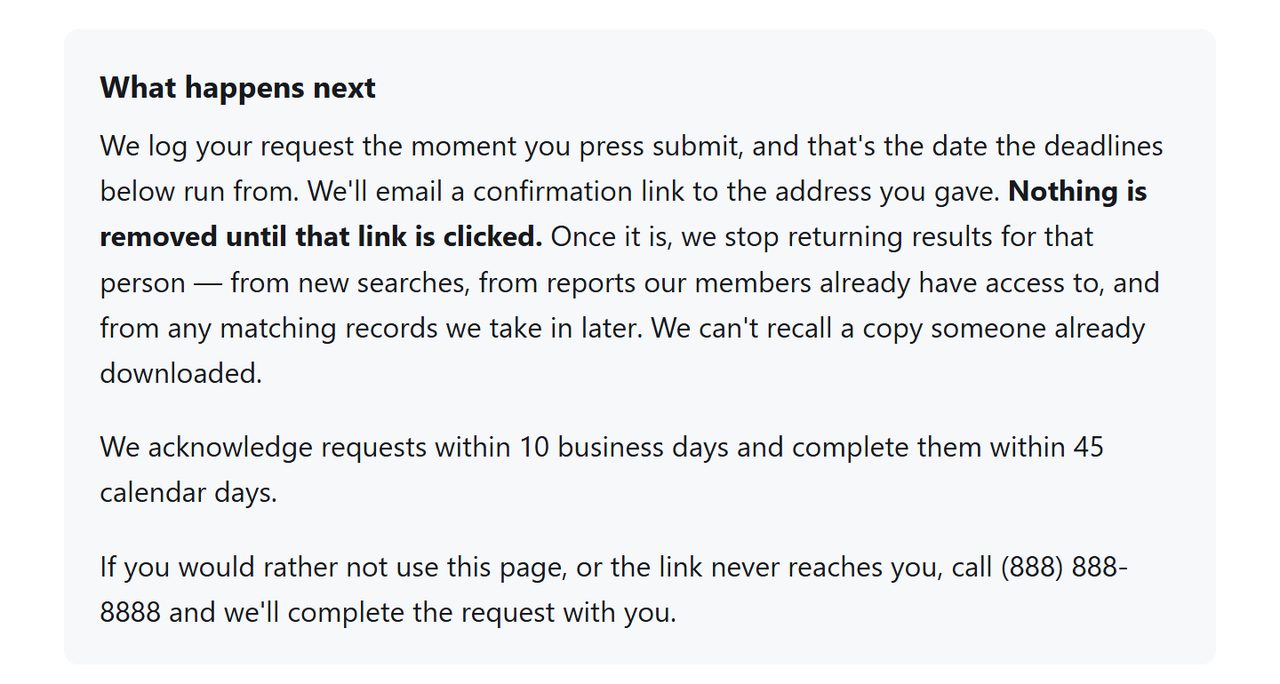
The page says the removal waits on a confirmation link. Click it as soon as it arrives.
Nothing moves until the link is clicked.
Confirm
Confirm it worked
Give it a few days after you click, then search the web for your name with site:truthviewer.com. The site's own search now stops at a credit card form, which isn't a price worth paying to check. Keep the email as your proof of submission.
No confirmation email: check spam and resubmit with a different address. TruthViewer publishes no support email of its own, and the phone number on its form doesn't look like a real line, so the form is the only dependable channel.
The page errors or answers 429: this platform's forms have thrown per-site errors and rate limits before. Wait a few hours and retry.
More than one name: send a separate request for each version of your name.
Searched from the homepage and got results: those were PeopleSearcher's results. Use PeopleSearcher's own guide for that site.
Stay off
Keep your record off
TruthViewer sits on an aggregator platform. Recheck after a month, then quarterly, and keep the platform's sibling sites on the same schedule.
Take yourself off data broker sites
Redact scans data broker sites from your device, finds where your details are listed, and submits the removal requests for you. If a broker relists you, it files again.
October 8, 2026 · TruthViewer's opt-out now serves the styled Privacy Requests page in place of the bare search form walked on August 11. This guide follows the new page as read and captured on October 8. Nothing was submitted. The phone number printed on the form, (888) 888-8888, was not called. The form itself was proven on Background Checkers the same day, where a submitted request was confirmed through the emailed link.