People Searcher has replaced its three-screen opt-out with a single form. You no longer look yourself up or press a button beside your profile. You give the site a name, a birthday and a location, add an email, and it writes back with a link that does the removing. This clears peoplesearcher.com as far as the page says and nothing else, and the same outfit runs SecretInfo off the same registration with its own copy of the form.
Want the background first? The People Searcher profile covers who operates the site, the Daniel's Law case against it, and its place in the 2024 MC2 Data leak.
Clearing your listing leaves the billing alone. They're separate requests and the form only handles one of them. To stop a charge, write to support@peoplesearcher.com or ring (833) 634-0750. Check the statement first, because the sister brand collects through a different number entirely.
The steps
Remove your listing
01
Load the page and select Remove My Information
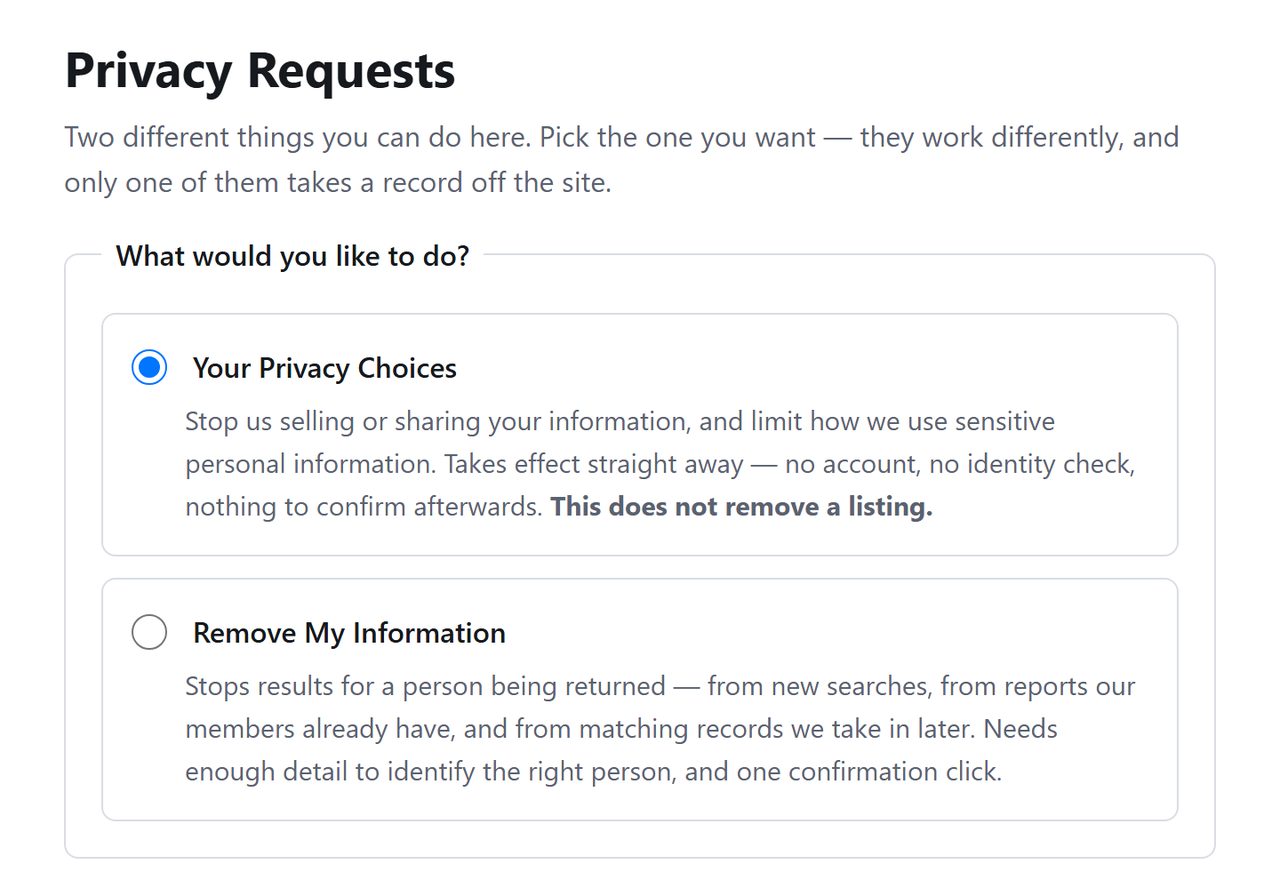
Open peoplesearcher.com/api/helper/optOutLight/search. Of the two requests offered, the upper one is about selling and sharing data and is filled in by default. Select the one below it, Remove My Information.
Select the lower request to remove a listing.
02
Say who the listing is about
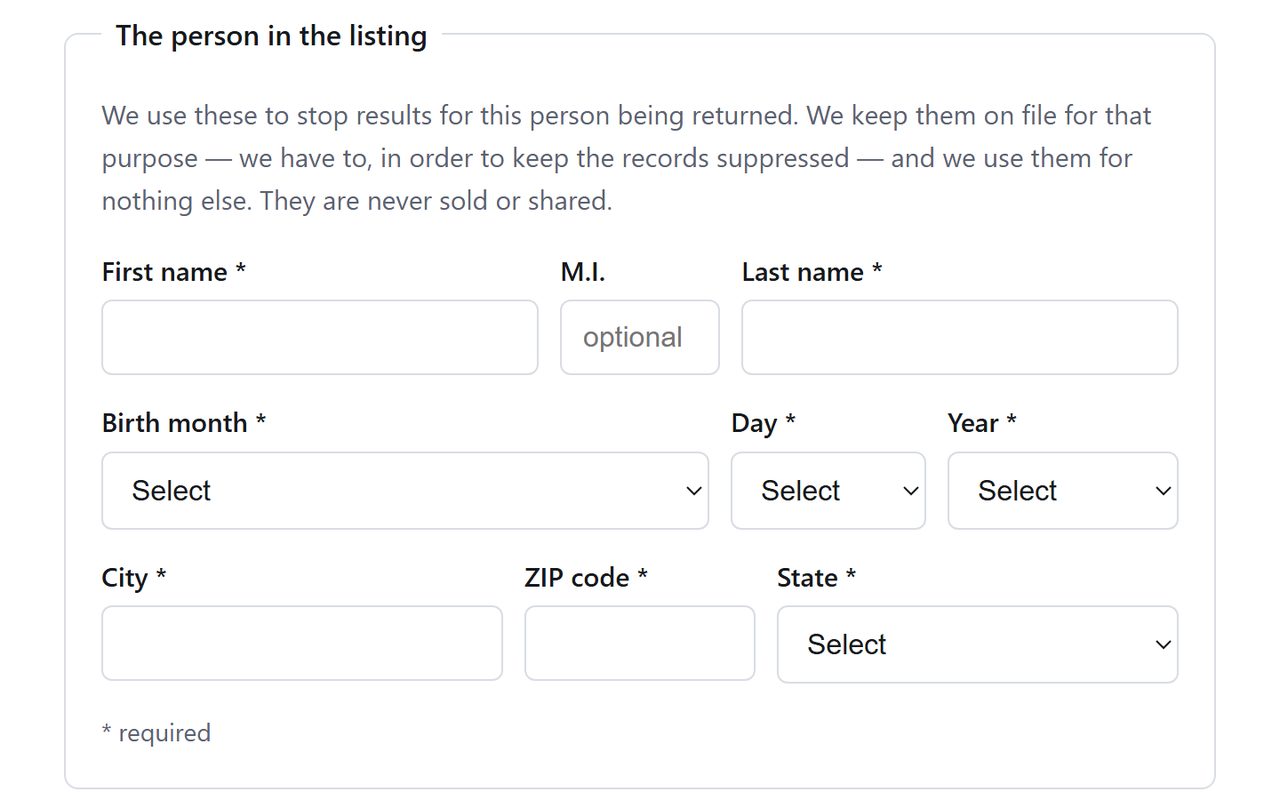
People Searcher wants the person's first and last name, when they were born, and the city, ZIP code and state they're listed in. A middle initial is welcome but not demanded.
If you turn up under more than one name or address, a maiden name or an old flat for instance, plan on one submission for each. The form takes one set of details at a time.
One person and one set of details per submission.
03
Add your email and submit the request
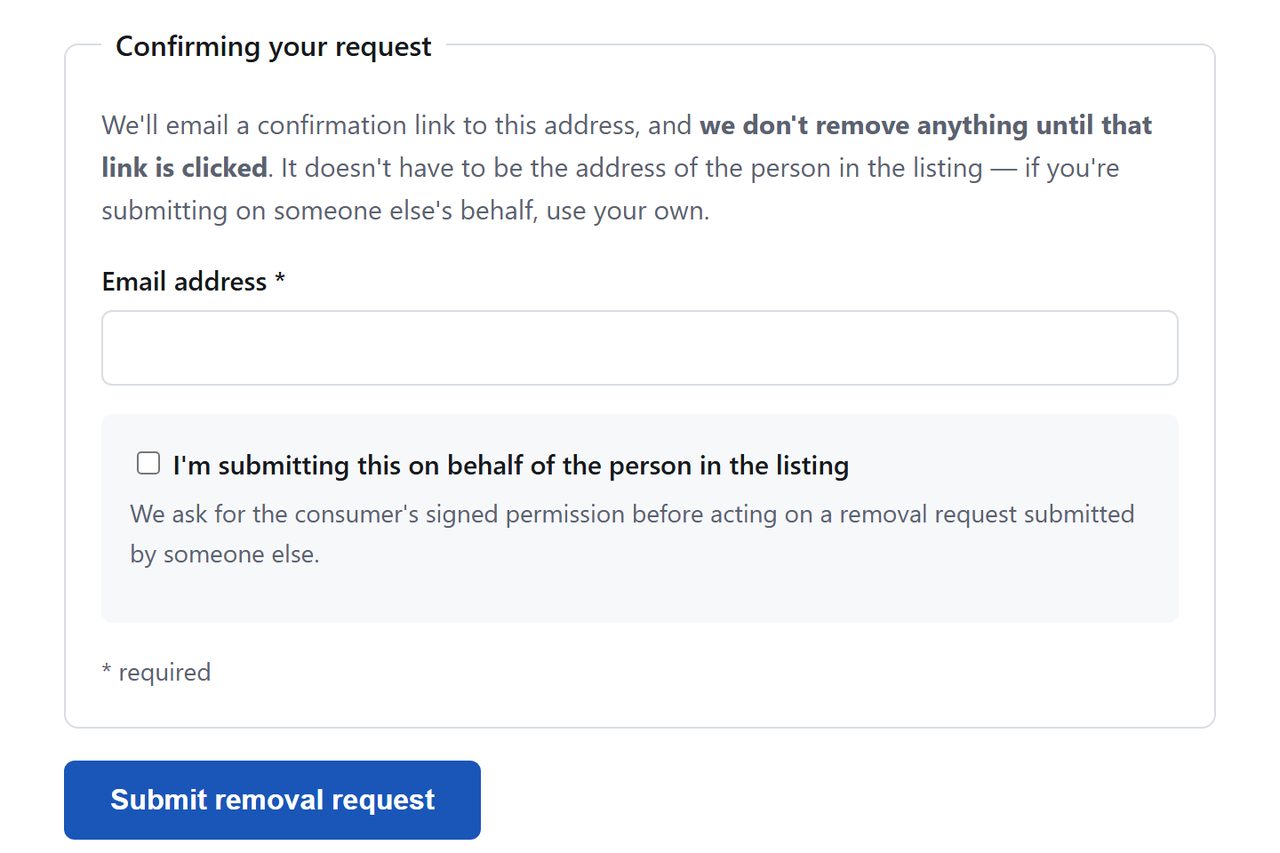
The next box takes the address People Searcher should send its confirmation to. A throwaway alias will do, so long as its mail actually reaches you. Press Submit removal request. An anti-bot check may stand between that button and the confirmation screen. We didn't go past the button to find out.
A secondary address is fine if you can open it.
04
Click the link in People Searcher's email
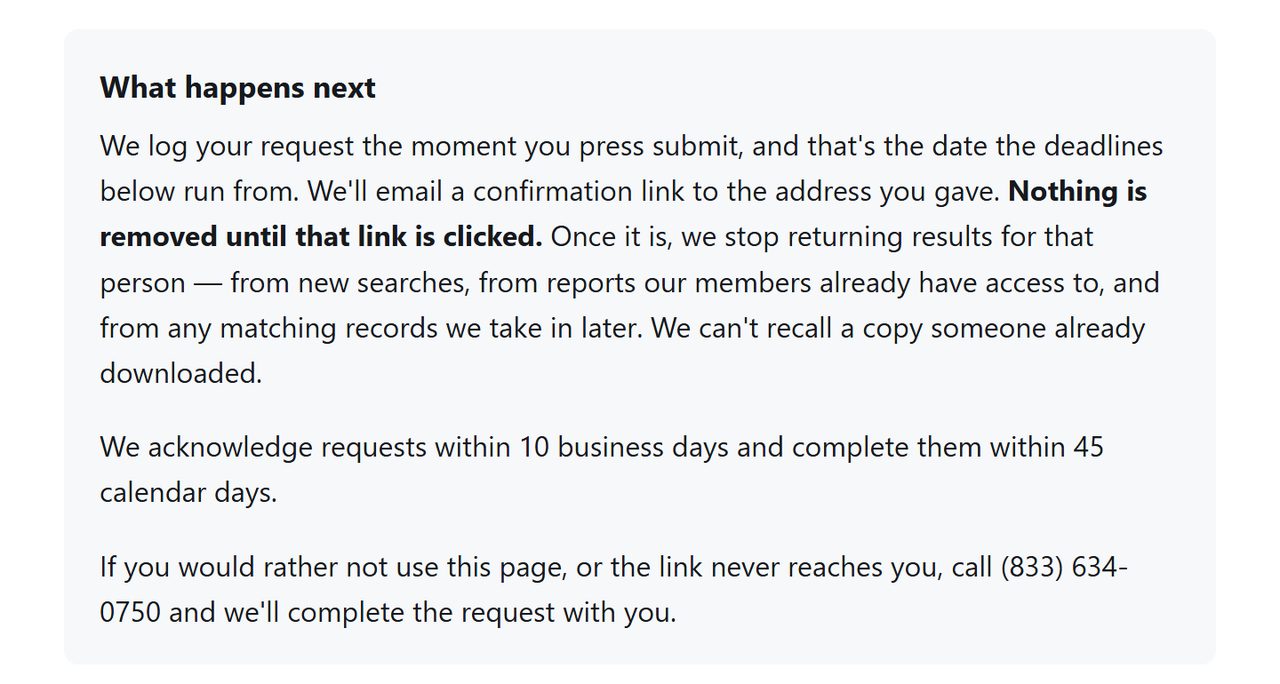
The form is plain about this part. Your request is logged at once, but the removal only happens when the emailed link is clicked. Hold on to that message afterwards, since it's the only receipt you get.
Logged immediately, removed on the click.
Capture your listing before you start. A dated image of exactly what People Searcher was publishing is worth having if the record ever reappears.
Then do the same on SecretInfo.secretinfo.org is the same product under a second brand, on the same California data-broker registration held by The People Searchers LLC. Neither site says whether one submission clears both, so until one of them says otherwise, do both. The SecretInfo removal guide covers that side, including its separate billing line.
Confirm
Check it worked
Both sites' search boxes now end at a credit card form (a temporary $0.30 hold, as of October 8, 2026), so don't use them to check. Give it a week, then run a web search for your name with site:peoplesearcher.com and again with site:secretinfo.org. Search engines hold old copies of listing pages, so a result there can outlast the listing by some days.
If it fails
Troubleshooting
No confirmation email. Look through junk mail, then send the form once more from another address. If that fails too, the form says (833) 634-0750 can complete the request with you.
Listing back after a few weeks. The page says suppression extends to matching records the site takes in later, so a return shouldn't happen. Re-submit and tell support, with your dated screenshots.
The subscription is still charging you. That's handled apart from the listing. Email support@peoplesearcher.com or call (833) 634-0750; for SecretInfo the terms give (866) 409-0140. The terms call fees non-refundable, which leaves a chargeback through your bank as the last resort.
New Jersey covered persons. If you're a judge, prosecutor, law-enforcement officer, or their immediate family, Daniel's Law gives you a separate statutory route, and this operator is already a defendant in that litigation. Its California filing also lists a dedicated address for those requests.
Staying off
Keeping it from coming back
People Searcher's form promises to hold back matching records that reach it later. Test that promise. Look the pair of sites up every three months or so, and glance at the other brands tied to the MC2 backend on the same day, because they have tended to republish in step.
Take yourself off data broker sites
Redact scans data broker sites from your device, finds where your details are listed, and submits the removal requests for you. If a broker relists you, it files again.
October 8, 2026 · People Searcher's removal page was opened in a browser, read through and captured on this date, and the steps were rewritten to match it. No request was submitted, so the confirmation email and the stated deadlines are People Searcher's wording, untested. The August version of this guide described a search and REMOVE flow the site has retired. One sibling, Background Checkers, was taken all the way through on this date and ended on a Removal confirmed page.