NumberGuru runs its own opt-out form, on its own domain, and FreePhoneTracer points at it too. We walked it in August 2026 and it works, with one catch - the verification email that completes the request is slow enough to look like it isn't coming. Emailing privacy@numberguru.com is the alternative if you'd rather not wait.
The verification email is slow - don't give up on it
We walked NumberGuru's opt-out on August 7, 2026, and the thing to know before you start is that the verification email takes a long time.
The form works. It finds your record, takes your email address, accepts the captcha, and tells you to check your inbox. Then it goes quiet for long enough to look like nothing was sent.
Sister brand FamFinder runs the identical LTVCO form, and its email arrived hours after submission - late enough that our first pass wrote the flow off as broken before it turned up. NumberGuru's hadn't arrived when we last checked, so treat a silent inbox here as slow rather than failed.
Don't resubmit, and don't assume it failed. NumberGuru doesn't record the request until you click the link, so the opt-out isn't finished until the email lands - but the delay is the process being slow, not a broken form. Check spam, give it a day, and if you'd rather not wait, privacy@numberguru.com is the alternative.
Quick facts
At a glance
Method
On-site form + email verification, or an email request
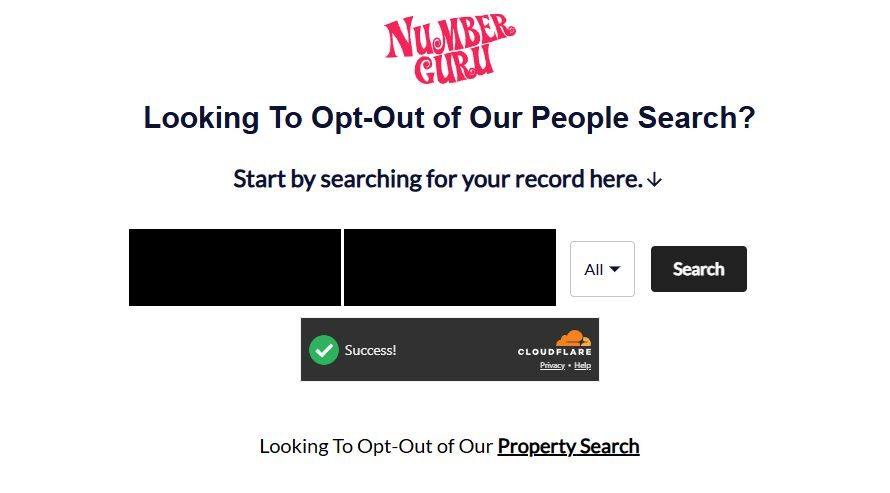
Go to numberguru.com/svc/optout/search/optouts, or reach the same page through Do Not Sell My Personal Information in NumberGuru's footer. The page is headed Looking To Opt-Out of Our People Search?
It's worth knowing this is NumberGuru's own domain, not BeenVerified's. Every LTVCO brand serves its own copy of this form. Cloudflare checks your browser first and shows a green Success! before the search works, so give it a second.
The people-search opt-out. Note the separate Property Search link underneath.
There's a second opt-out you'll miss. At the foot of this page sits a separate Looking To Opt-Out of Our Property Search link. Clearing the people search doesn't touch the property side, so if NumberGuru holds address or property records on you, run that one as well.
02
Find your record
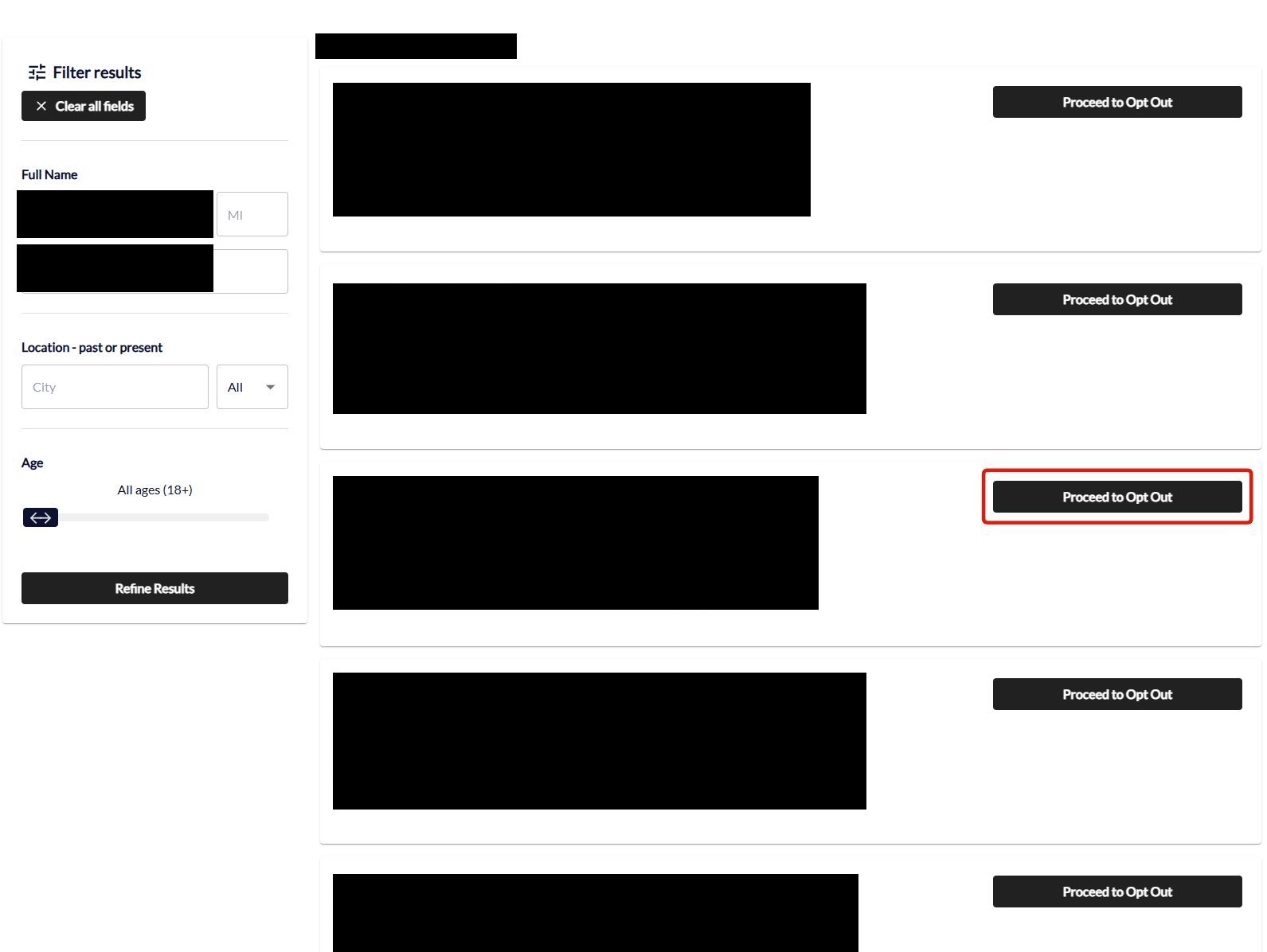
Search your first name, last name and state, then pick the listing that's actually you. The born date, aliases, relatives and locations under each result are what separate people with the same name.
Each result has its own Proceed to Opt Out button, and each one is a separate request - if more than one listing is yours, you'll be repeating this.
One record, one request. Pick the listing that matches your own details.
03
Proceed to opt out
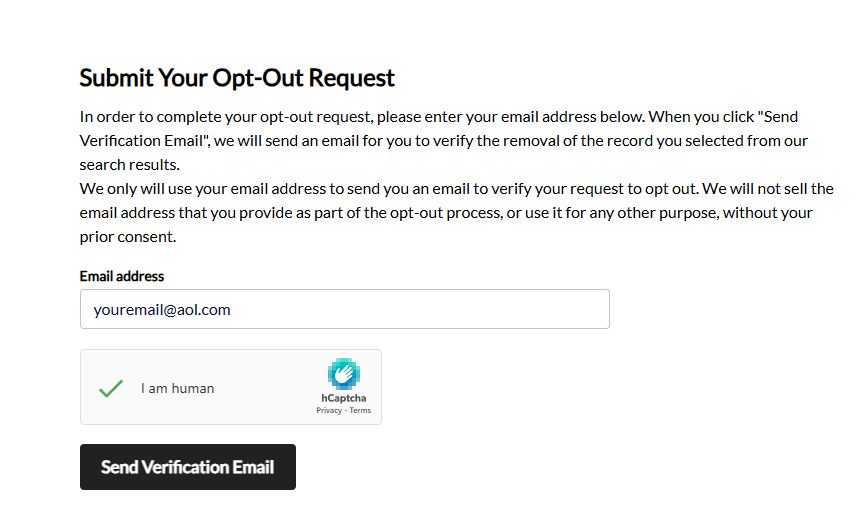
Click Proceed to Opt Out on your record, enter your email address, tick the I am human hCaptcha, and click Send Verification Email.
Enter an email, clear the captcha, send. Then wait - the email is slow.
⏳ Expect a long wait here. You submit this screen and, as of August 7, 2026, the verification email doesn't arrive for hours. Sister brand FamFinder took long enough on the identical form that we first recorded it as never coming.
NumberGuru doesn't record the request until you click that link, so the opt-out isn't finished until it lands. Don't resubmit - check spam and come back to it.
04
Click Verify Opt-Out in the email when it lands
You click Verify Opt-Out in the email NumberGuru sends, a confirmation screen follows, and a second email arrives once the profile is actually removed.
On the identical FamFinder form the email is headed "Action required: Review and verify your opt-out request" and lists the record you picked - name, age, aliases, cities and relatives - above the button, so you get one last chance to check you selected the right one. Expect NumberGuru's to look the same.
Give this hours, not minutes, and check spam before concluding anything.
05
Or email privacy@numberguru.com instead
Until the verification email works, write to privacy@numberguru.com directly. Include a link to the record you found, or your name, city and state, and say that the opt-out form's verification email never arrived.
After a day, search your own phone number on NumberGuru rather than only your name. If the paid report still offers your details, contact privacy@numberguru.com citing your request.
Confirm
Confirm it worked
Nothing is recorded until you click the link in the verification email, so confirm you got that far before anything else. A silent inbox means the request is still pending, not refused.
No firm turnaround is published, though the family's California metrics report most requests completing within days. Give it 72 hours after verifying, then search NumberGuru by both your name and your phone number.
Don't assume it reached the siblings. Each LTVCO brand runs its own copy of the form, so check BeenVerified, PeopleLooker, NeighborWho and Ownerly separately rather than treating one request as family-wide.
If it fails
Troubleshooting
No verification email yet: wait. On the identical FamFinder form it took hours, long enough that we first recorded it as never arriving. Check spam, don't resubmit, and give it a day before treating it as a failure. If you'd rather not wait, use privacy@numberguru.com.
Spam-comment pages about your number: user-submitted comments aren't part of the people-search suppression; ask support@numberguru.com to remove comment threads tied to your number.
Billing, not privacy: cancel at 1 (866) 673-9048, and dispute continuing charges with your card issuer.
Stay off
Keep your record off
LTVCO's suppression holds well, but a new phone number, a carrier change, or fresh aggregator data can create a new record that isn't covered by the old opt-out. Recheck after any number change, and quarterly otherwise. Redact's data-broker scan watches the LTVCO family and refiles when your details resurface.
Take yourself off data broker sites
Redact scans data broker sites from your device, finds where your details are listed, and submits the removal requests for you. If a broker relists you, it files again.
August 7, 2026 · Walked by Hang-low, with his screenshots of each screen. ⚠️ A first version of this guide called the form broken because its verification email hadn't arrived. On the identical FamFinder form that email turned up hours later, so the delay is slowness rather than failure and this guide now says so. NumberGuru's own email hadn't landed when last checked. Step 1's entry point was also corrected, from BeenVerified's opt-out search to NumberGuru's own form at numberguru.com/svc/optout/search/optouts.