NeighborWho's opt-out is the familiar LTVCO shape - search, click Proceed to Opt Out on your record, send yourself the verification email, click it. The verification email can take hours to arrive, so a quiet inbox isn't failure, and the property layer has its own opt-out variant that most people miss, linked at the bottom of the people-search opt-out page.
About 5 minutes, plus the email click when it lands
Cost
Free
Turnaround
~24 hours (their stated refresh window)
Prereqs
What you'll need
An email address you can check - the verification link is what completes the request, and it can take hours to arrive.
Your current state, to find the right record.
A few minutes afterward for the LTVCO sister sites - each brand runs its own opt-out, and suppression doesn't carry between them.
Use a masked or secondary email. The form needs a working inbox for the verification link, not your primary address.
The steps
Remove your listing
01
Open the opt-out search
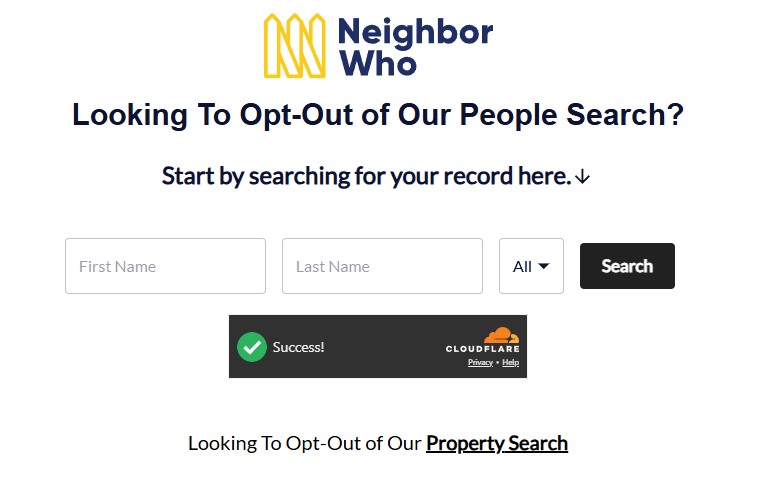
Go to neighborwho.com/svc/optout/search/optouts - it's also linked from the footer as Do Not Sell My Info. The page is headed "Looking To Opt-Out of Our People Search?" - enter your first name and last name, pick your state in the dropdown (it defaults to All), pass the Cloudflare check, and press Search.
The people-search opt-out - note the Property Search link at the bottom.
02
Click Proceed to Opt Out on your record
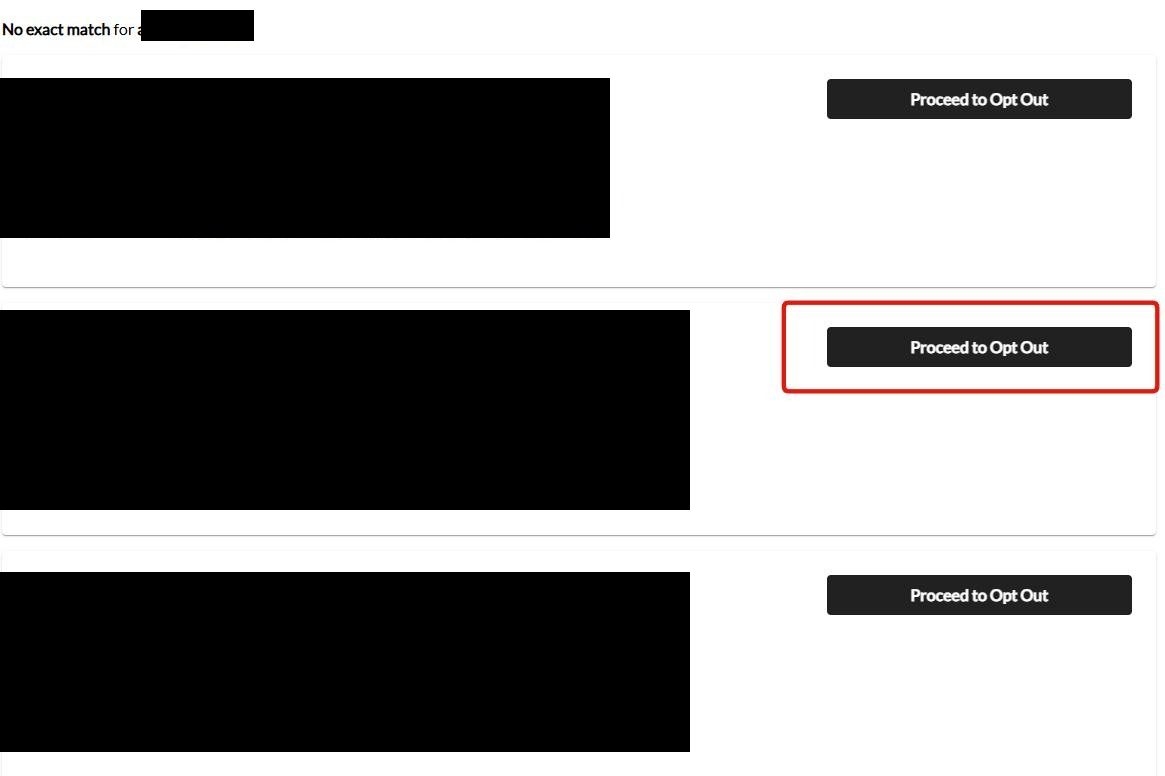
The results list every candidate with born month, aliases, relatives and locations. Find the record that's actually you - check the details, because the family backbone keeps old addresses and aliases attached - and click the black Proceed to Opt Out button next to it.
Every match has its own black Proceed to Opt Out button - pick your record.
03
Send the verification email, then click it
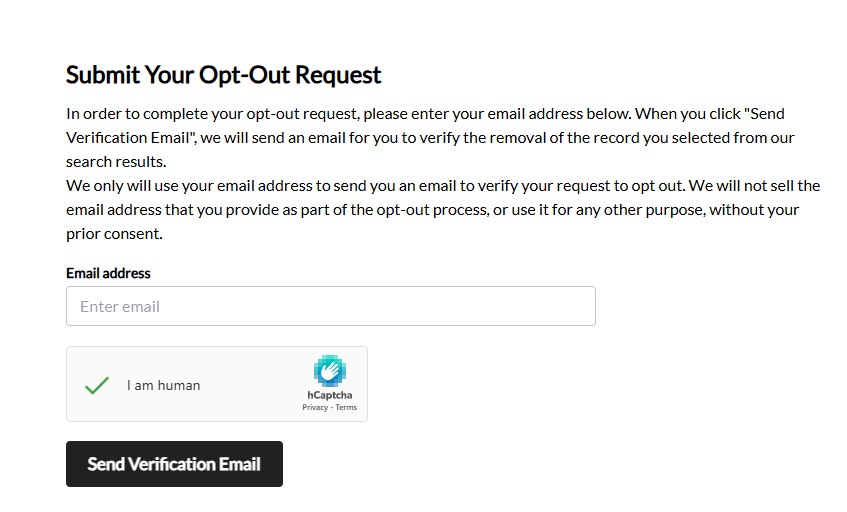
The Submit Your Opt-Out Request page takes your email address - tick the I am human hCaptcha and click Send Verification Email. Then open your inbox and click the link to verify; the request doesn't process without the click-through. ⏳ The email can take hours to arrive on this family's forms - don't resubmit and don't assume failure; check spam and give it a full day before judging.
Email + hCaptcha, then Send Verification Email - the click-through completes it.
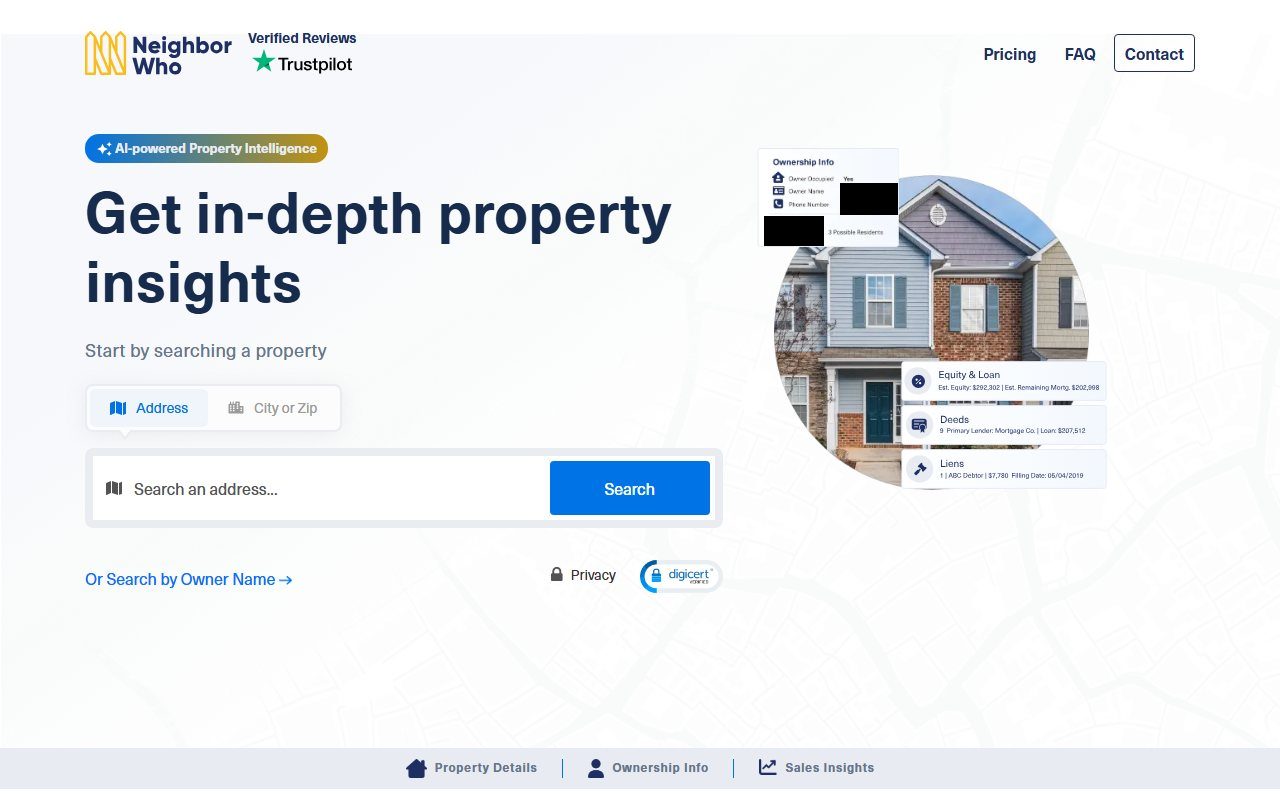
The property search has its own opt-out. The people-search landing page links Looking To Opt-Out of Our Property Search at the bottom - if your home shows in NeighborWho's property search with your name attached, run that variant too. The people-search suppression doesn't clear the ownership layer.
Confirm
Confirm it worked
NeighborWho says removals appear at the next server refresh, "in most cases" within 24 hours - counted from the verification click, not the form submission. Search your name and your address the next day. Then check the LTVCO sister sites: each brand runs its own opt-out and suppression doesn't carry between them, so a record on BeenVerified, PeopleLooker or NumberGuru needs that brand's own flow.
The family's filed numbers are good: LTVCO's California registration reports a 3-day median for deletion requests across the family, with the overwhelming majority granted. This is one of the better-behaved opt-outs in the industry - just slow on the email.
If it fails
Troubleshooting
No verification email: check spam, then give it a full day - this family's verification emails routinely take hours, and the request just sits unfinished until the click-through. Only resubmit with a different address after that.
Record persists after 72 hours: email privacy@ltvco.com citing your verified opt-out date - that's the privacy contact on the family's California registration.
Property listing still shows your name: file the property-records variant; it's a separate suppression from people search.
LTVCO's suppression is durable by industry standards, but new deed filings and fresh aggregator data can re-attach your name to a property over time - especially after a move or a refinance. Recheck quarterly, and after any real-estate transaction. Redact's data-broker scan watches the LTVCO family for you and refiles when a record resurfaces.
Take yourself off data broker sites
Redact scans data broker sites from your device, finds where your details are listed, and submits the removal requests for you. If a broker relists you, it files again.
August 10, 2026 · Confirmed by a real walkthrough - search, the black Proceed to Opt Out button on your record, then email plus hCaptcha and the verification click-through. The property-search opt-out link sits at the bottom of the landing page, as the guide describes. Three step screenshots wired in.