How to Mass Delete Stack Exchange Posts
 Dan Saltman10 min read
On this page
Your Stack Exchange account can reveal a lot about your interests, technical background, and even past opinions. If you’re cleaning up old posts, hiding outdated questions, or protecting your privacy, Redact.dev gives you the tools to delete your Stack Exchange history in bulk, quickly and effectively.
Please note: mass deleting your Stack Exchange posts requires a Redact Ultimate subscription. You can try Redact for free on Twitter/X, Discord, Instagram, Facebook, TikTok and many more platforms!
Why Use Redact for Stack Exchange?
The Stack Exchange platform may hold years of searchable content tied to your name.
That includes technical discussions, opinions, casual comments, and sometimes even personal details. If you’re applying for jobs, collaborating professionally, or simply evolving in your views, leaving this content online can work against you. It may reveal clues about your place of work, or personal details that could be used in a social engineering attack.
Redact helps you clean up your digital trail on Stack Exchange by:
- Deleting outdated or inaccurate contributions
- Removing sensitive or private information
- Unlinking your identity from communities you no longer engage with
- Giving you control over how much of your past stays online
With fine-tuned filters and full-account wipe options, Redact offers fast, flexible, and user-friendly control over your Stack Exchange presence.
Download and Set Up Redact
To get started, download the Redact app from Redact.dev.
Connect Your Stack Exchange Account
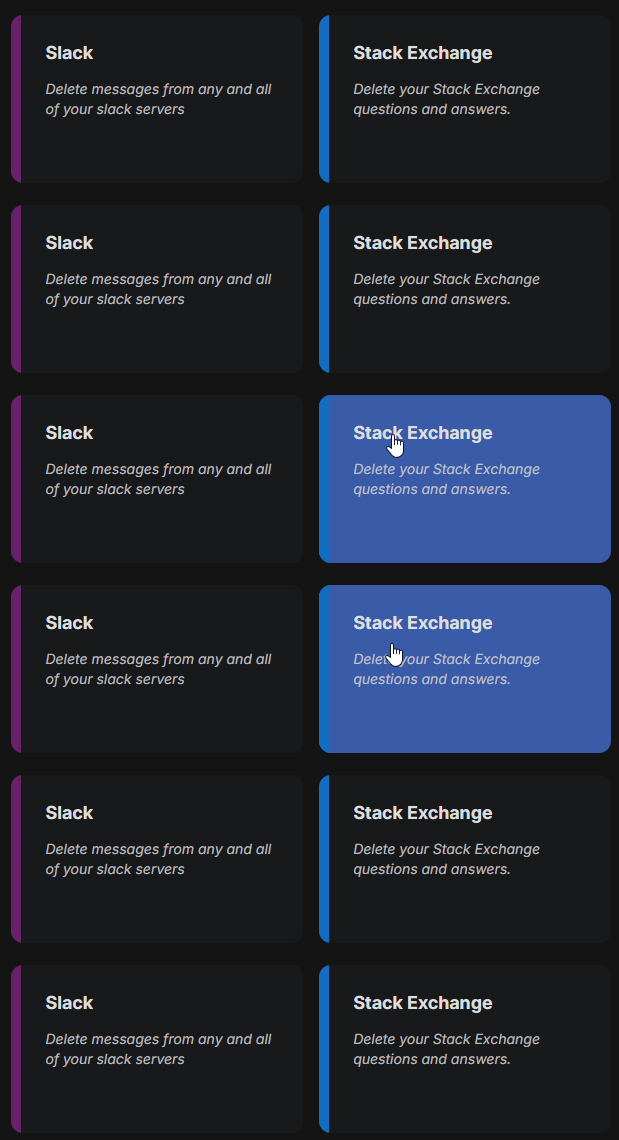
In Redact.dev, select Stack Exchange from the list of supported platforms.
Follow the secure authentication steps to connect your account to Redact.dev.
Choose Specific Stack Exchange Sites to Clean Up
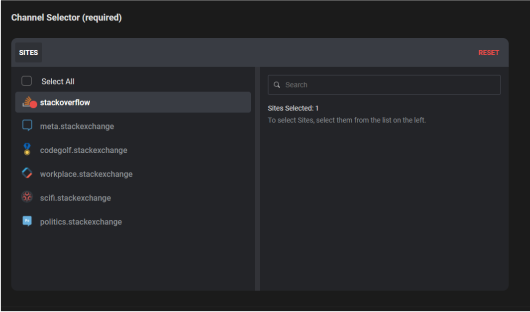
Redact supports deletion across all Stack Exchange sites. You can:
- Target one Stack Exchange site (e.g., Stack Overflow, Super User, Ask Ubuntu)
- Select multiple sites at once
- Reset your selection using the red “Reset” button
This lets you clean up exactly where you want without affecting unrelated accounts.
Filter Stack Exchange Bulk Deletions by Date Range
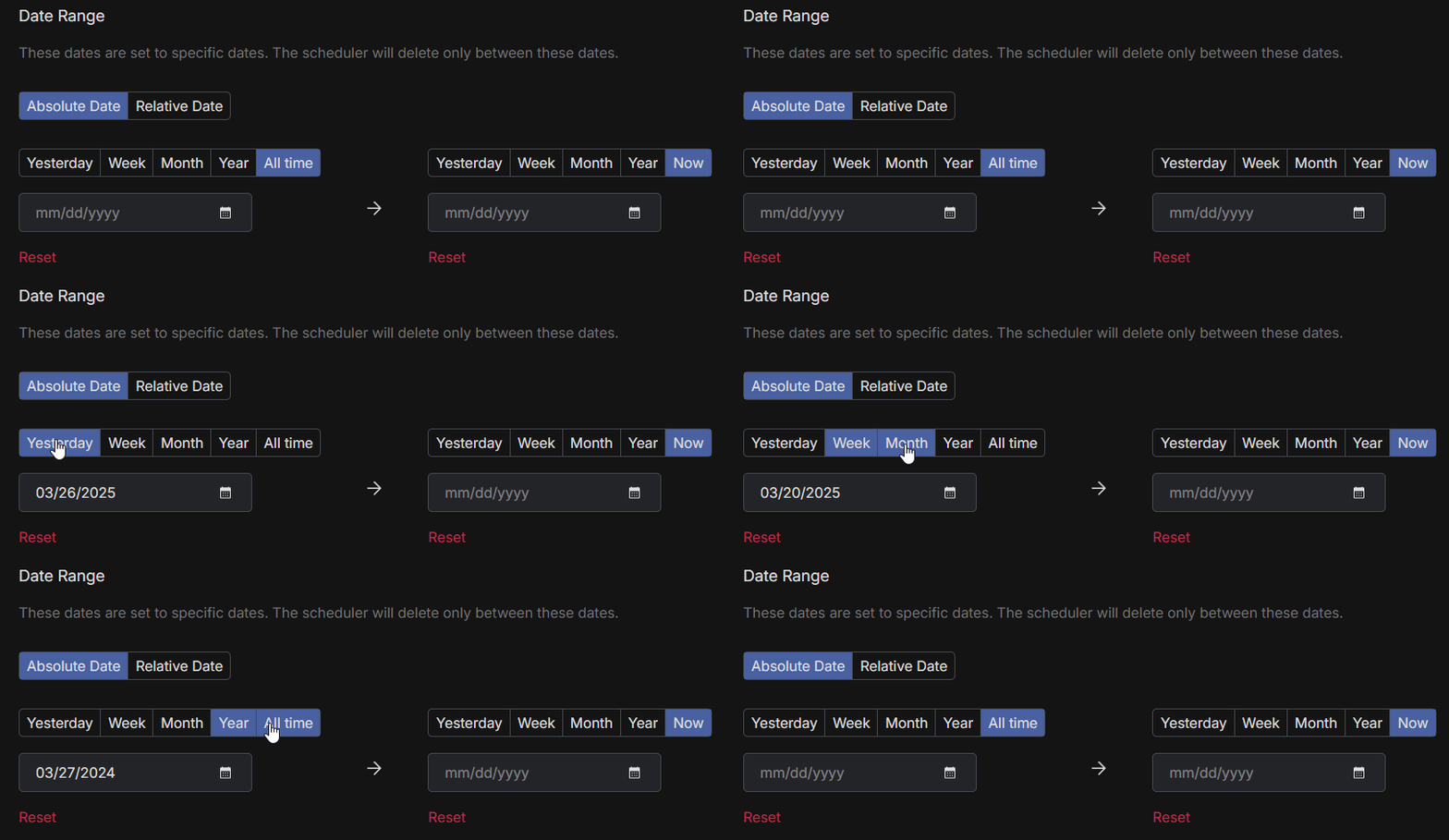
If you only want to delete Stack Exchange content from a certain time period:
- Choose a start date to delete content made after that point
- Choose an end date to delete content made before that point
- Use the calendar tool to quickly pick a specific day, month, or year
To reset the filter, click the red “Reset” button.
Target Stack Exchange Posts with Specific Keywords
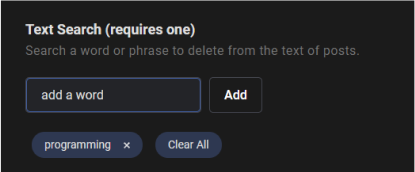
Looking to remove posts with sensitive or outdated language on StackExchange? You can delete content in bulk, based on keywords or phrases:
- Enter keywords in the filter field
- Add or remove them as needed
- Use “Clear All” to reset the list
This lets you find and delete posts that contain certain terms across all your Stack Exchange activity.
Bulk Stack Exchange Deletion by Content in Titles or Post Bodies
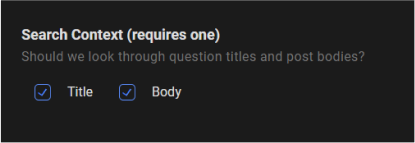
Redact lets you choose where to look for keywords when you bulk delete Stack Exchange posts. You can automatically delete posts with specific keywords in;
- Stack exchange post titles
- Stack exchange post bodies
- Both Stack exchange post bodies and titles
This gives you control over how specific your keyword targeting needs to be.
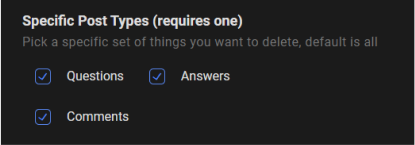
Delete by Stack Exchange Post Type
You can also decide what types of content to delete on Stack Exchange:
- Questions you’ve asked
- Answers you’ve submitted
- Comments you’ve made
Choose one or all post types to tailor your deletion exactly how you want. This way, you can wipe away all the old questions, back when you were writing your first few lines of code, and keep the technical, impressive stuff that’s going to help you land your next FAANG gig.
Bulk Delete Posts by Tags on Stack Exchange
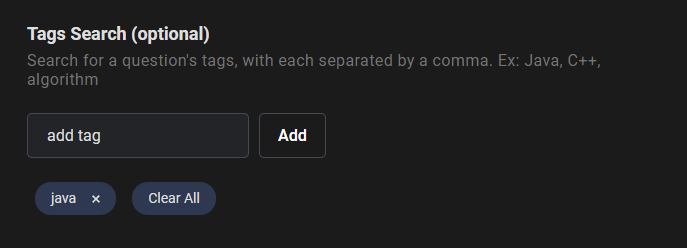
Want to clean up posts associated with specific Stack Exchange topics? You can target posts using tags:
- Enter tags into the filter field
- Add or remove tags as needed
- Click “Clear All” to reset the tag list
This helps you clean up contributions related to projects or communities you no longer want associated with your name.
Use Deletion Mode or Review & Delete
Redact offers two main deletion methods, giving you the tools to bulk delete as much as you want, or selectively delete with whatever level of precision you need.
- Deletion Mode: Instantly delete everything that matches your filters
- Review & Delete: Review and manually select posts to keep or remove
If you’re planning to bulk delete a lot of content (but not all of it), run Preview Mode first to ensure you’re happy with the results before running the deletion.
Wipe Your Entire Stack Exchange History
To delete your full Stack Exchange content history:
- Skip all filters
- Choose Deletion Mode
- Click Start Deleting
This option is irreversible, and ideal if you want a clean slate without closing your account.

Redact also supports a massive range of major social media and productivity platforms, like Twitter, Facebook, LinkedIn, Slack and more.
Mass Delete Stack Exchange Posts FAQ
Can I delete all my Stack Exchange content in one step from the site?
No. Stack Exchange deletes questions, answers, and comments one at a time, per site, and each network site keeps its own separate history. There is no network-wide control that clears everything.
What exactly can Redact delete on Stack Exchange?
Your questions, your answers, and your comments, across whichever network sites you select: Stack Overflow, Super User, Ask Ubuntu, and the rest.
How do I connect Redact to Stack Exchange and pick which sites to clean?
Open Redact and choose Stack Exchange. Sign in, then use the Site Selector to pick the network sites you want in scope. Redact runs on your device and uses the minimum access needed to perform actions you approve.
Which filters can Redact apply to Stack Exchange content?
Filter by date range, by content type (questions, answers, comments), and by text search. The text search can look at question titles, post bodies, or both.
Why does the Stack Exchange form ask for a search term?
Stack Exchange's own search is how Redact enumerates your content, so a run needs at least one keyword and at least one search context to have something to page through. Run several passes with different terms to cover more ground.
What modes does Redact provide for Stack Exchange cleanups?
Preview lists matches with no changes, Deletion removes every match, Review & Delete lets you approve items one by one, and a schedule repeats your saved filters on a recurring basis.
Can I clear only older posts and keep recent ones?
Yes. Use Before, After, or Between date filters. Starting with "older than 1 year" and widening once you are happy with the results is the safest order.
Will deleting my posts change my reputation or badges?
Deleting a question or answer removes the votes attached to it, so reputation earned from that post goes with it. Badges already awarded generally stay, and comments carry no reputation either way.
Can I delete an answer that has been accepted or heavily upvoted?
Not always. Stack Exchange itself locks some posts against deletion, including accepted answers on questions you do not own and answers with enough upvotes. Redact skips anything the site refuses.
Does Redact store my Stack Exchange credentials or post content on its servers?
No. Redact runs on your device and uses the minimum access required to execute your actions. You can disconnect Stack Exchange from Redact at any time.
Should I export or save anything before a large cleanup?
Yes, if the content matters to you. Stack Exchange publishes data dumps and per-site export options, and deletion through Redact is not reversible.
Is Redact easy to try for Stack Exchange?
Download Redact for free and sign in with a passwordless email code. Stack Exchange cleanups need a Redact Ultimate subscription, so start with a Preview run to see what a full pass would remove.
Redact for Stack Exchange
Delete your old amateurish suggestions or stupid questions from Stack Exchange, be they in the form of posts or comments.