How Discord Timestamps Work, and How to Decode One
 Dan Saltman
On this page
Decode a Timestamp Now
Want the full page with the guide and FAQ? Open the Discord Timestamp Converter
What Is a Discord Timestamp?
Type <t:1715461260:F> into a Discord message and nobody sees those characters. A reader in London sees
Saturday, May 11, 2024 at 22:01, and a reader in New York sees the same moment as 17:01. The tag holds one number
and one letter. Each reader's app does the rest.
That's handy until you meet the raw tag outside Discord, in a copied message, a bot log or your data export. Then you're looking at ten digits with no date in sight. That's the problem we built our converter for, and the sections below take those digits apart one at a time.
The Three Parts of a Discord Timestamp
<t:1715461260:F>
- 1
<t: … >
Tells Discord it's a time
- 2
1715461260
Unix seconds since 1970
- 3
F
Picks how the date reads
One number, two local times
Saturday, May 11, 2024 22:01
London
Saturday, May 11, 2024 17:01
New York
Every tag has the same shape, <t:NUMBER:STYLE>.
<t:and>mark the text as a timestamp. Without them, Discord prints the number as plain text and nothing gets converted into a date for anyone.- The number is a Unix timestamp, the count of whole seconds since midnight UTC on January 1, 1970.
1715461260is 1,715,461,260 seconds after that moment, or 21:01 UTC on May 11, 2024. - The style letter is optional. It picks how the date is written, and leaving it off gives you style
f, the long date with a short time, like April 20, 2021 at 16:20.
The number is the important part, and it has no time zone. A count of seconds since a fixed moment is the same everywhere on Earth. Your app adds the time zone at the very end, when it turns that count into a clock reading for wherever your device says you are, which is how one message can show 22:01 to one reader and 17:01 to another without either of them being wrong.
All Nine Style Letters
Discord's developer reference lists nine styles. The examples below are Discord's own, for April 20, 2021 at 16:20:30 UTC, as a reader on UTC sees them.
| Tag | Style | Example output |
|---|---|---|
<t:1618935630:t> | Short time | 16:20 |
<t:1618935630:T> | Medium time | 16:20:30 |
<t:1618935630:d> | Short date | 20/04/2021 |
<t:1618935630:D> | Long date | April 20, 2021 |
<t:1618935630:f> | Long date, short time | April 20, 2021 at 16:20 |
<t:1618935630:F> | Full date, short time | Tuesday, April 20, 2021 at 16:20 |
<t:1618935630:s> | Short date, short time | 20/04/2021, 16:20 |
<t:1618935630:S> | Short date, medium time | 20/04/2021, 16:20:30 |
<t:1618935630:R> | Relative | 4 years ago |
The letters are case sensitive, so t and T are different styles. s and S are the newest pair, and
plenty of older guides and bots still list only seven.
The exact output isn't fixed either. Discord writes each style in the reader's own language and date order, so
someone in the US sees 04/20/2021 where someone in the UK sees 20/04/2021, even though both of them are reading the
exact same tag in the same message.
Why Relative Time Keeps Changing
Style R is the only one that changes after it's posted. Every time the message is drawn, Discord works out the
gap between the stored moment and the reader's clock, so "in 3 hours" turns into "in 2 hours" and later "an hour
ago" without anyone editing the message. That makes it the go-to style for event start times, giveaway deadlines and countdowns.
Discord's reference doesn't say whether it checks the reader's device clock, so a phone that's a few minutes wrong may show a countdown that's off by the same few minutes.
Seconds or Milliseconds?
The most common broken timestamp comes from JavaScript. Date.now() returns milliseconds, not seconds, so
pasting it straight into a tag gives a number 1,000 times too big.
| Value | Read as seconds, it's |
|---|---|
1715461260 | May 11, 2024 at 21:01 UTC |
1715461260000 | Sometime in the year 56330 |
Count the digits. A Unix time in seconds for any date between 2001 and 2286 has ten of them, and the same moment in milliseconds has thirteen. We built our converter around the same idea. When a bare number would land far in the future, it offers the value divided by 1,000.
Making Your Own Timestamp Tags
Here's the shortest way we know to build a tag in code. Take the Unix time in seconds and wrap it. Python's
time.time() already counts seconds, while JavaScript
counts milliseconds, so only the JavaScript version needs dividing by 1,000 before you wrap it.
// JavaScript: Date.now() is milliseconds, so divide first
const seconds = Math.floor(Date.now() / 1000);
const tag = `<t:${seconds}:R>`;
# Python: time.time() is already seconds, as a float
import time
tag = f"<t:{int(time.time())}:R>"
Bot libraries have helpers that do this for you.
discord.py has
discord.utils.format_dt(when, style="R"), and discord.js exports time(date, TimestampStyles.RelativeTime)
from @discordjs/formatters. Both take a date object, so
the seconds conversion is handled for you.
Not writing code at all? Pick a date and time below and copy the tag in whichever style you want.
Make a Timestamp Now
Two edge cases trip people up. Negative numbers count backwards, so -86400 seconds works out to December 31,
1969, though Discord's reference doesn't say whether a tag with a negative number renders. Old software that stores Unix time as a 32-bit signed number runs out at
2147483647, which is 03:14:07 UTC on January 19, 2038, the
Year 2038 problem. It's
still turning up in real software, as a long Hacker News
thread shows. The tag itself is only text, so it has no such limit, but a bot or database that stores the
number in 32 bits will.
Discord Timestamp FAQ
Do Discord timestamps show in my time zone?
Yes. The tag stores one moment in Unix time, and every reader sees it in their own device's time zone, written in the language they've picked in Discord's settings. People in different countries see different clock times for the same moment, and neither is wrong.
Why does a Discord timestamp show the raw code instead of a date?
The tag only becomes a date inside Discord's apps. Copy Text, data exports, bot logs and webhooks all keep the
raw <t:...> code. A typo inside the brackets, like a missing colon or an unknown style letter, can also stop
Discord turning it into a date.
Is a Discord timestamp the same as a snowflake?
No. A timestamp tag holds Unix time in seconds that someone chose to post. A snowflake is an ID Discord makes itself, with the creation time in milliseconds since 2015 in its top 42 bits.
The Other Clock Inside Every Discord ID
Timestamp tags are the dates you can see. Discord also keeps a date you can't see in every ID it hands out, including user IDs, message IDs, server IDs and channel IDs.
Discord IDs are snowflakes, 64-bit numbers built from four parts. The design comes from Twitter, which announced Snowflake in 2010 to hand out unique, roughly time-ordered tweet IDs across many servers. The Hacker News discussion from that week digs into the trade-offs, and Wikipedia's Snowflake ID page compares the versions other companies use.
| Bits | Size | What it holds |
|---|---|---|
| 63 to 22 | 42 bits | Milliseconds since the Discord epoch, the first moment of 2015 |
| 21 to 17 | 5 bits | The internal worker that made the ID |
| 16 to 12 | 5 bits | The internal process that made the ID |
| 11 to 0 | 12 bits | A counter that goes up for every ID that process makes |
The Discord epoch is 1420070400000, which is January 1, 2015 in Unix milliseconds. To get the date out of
an ID, shift it right by 22 bits to drop everything but the time, then add the epoch. Discord's reference
uses 175928847299117063, which is 11:18:25.796 UTC on April 30, 2016.
// BigInt, because Discord IDs are too big for a normal JavaScript number
const id = 175928847299117063n;
const ms = (id >> 22n) + 1420070400000n;
new Date(Number(ms)).toISOString(); // "2016-04-30T11:18:25.796Z"
The n on the end of each number makes it a
BigInt, and that
matters. JavaScript's normal numbers are exact only up to
9,007,199,254,740,991, and Discord IDs passed that years ago. Number("175928847299117063") becomes
175928847299117060. The date still comes out right, because the damage is in the low bits. The ID
doesn't. It won't match anything in Discord's API anymore. This is why Discord's API sends IDs as
strings. Twitter hit the same wall in 2010 and
told developers to read tweet IDs as strings for
the same reason.
42 bits of milliseconds runs out in May 2154, so the format has a while left.
What an ID's Date Tells People
Because the time is built into the number, anyone who has an ID can read when it was made. A user ID gives away when the account was created, and a message ID gives the exact millisecond the message was sent. Editing a message doesn't change its ID, so the original send time stays readable even after you've rewritten every word of it.
That's how "account age" checks in moderation bots work, and it's why an exported chat or a scraped message log carries precise timing even when the dates have been stripped out. Finding an ID takes Developer Mode, which our guide to finding a Discord user ID covers.
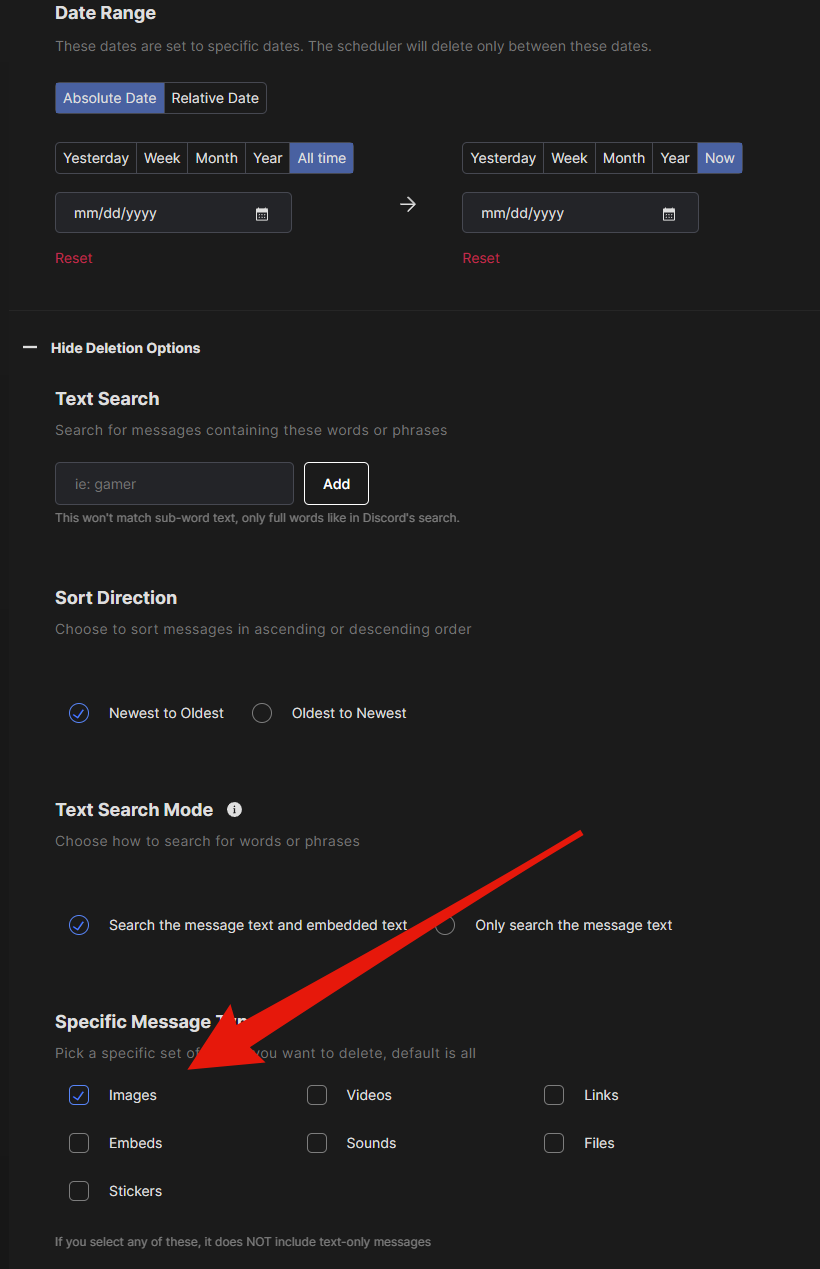
So a pile of your old Discord messages tells a stranger the exact millisecond you sent each one, even with every date stripped out. We make Redact for exactly that. It bulk deletes your messages and DMs, filtered by date, keyword or message type, and runs locally on your device.
Redact for Discord
Cleanse your cringe Discord history by either nuking it all, or choosing a specific server or direct message, then specifying keywords and date ranges.
![How to quickly remove all images from Discord [Redact App]](/blog-images/2024/02/1df12454974a617bffd82bb1ad8d4218.png)
![How to Delete Your Own Discord DMs in Bulk from Both Sides [Redact Tutorial]](/blog-images/2024/02/62b0f5bede4cee0883ba5d8ce8432389.png)