Removal guide · PublicSearcher

How to remove your info from PublicSearcher

  • Redact files this opt-out for youBeta

Infomatics LLC, which files PublicSearcher with California, reported 3,516 deletion requests in 2024 and said it granted all of them. For months that figure sat oddly beside a removal form on this site that refused everyone. The form has now been replaced. As of October 8, 2026 the opt-out address opens a working request page, and this guide follows it from the top down to the submit button, which is as far as we took it.

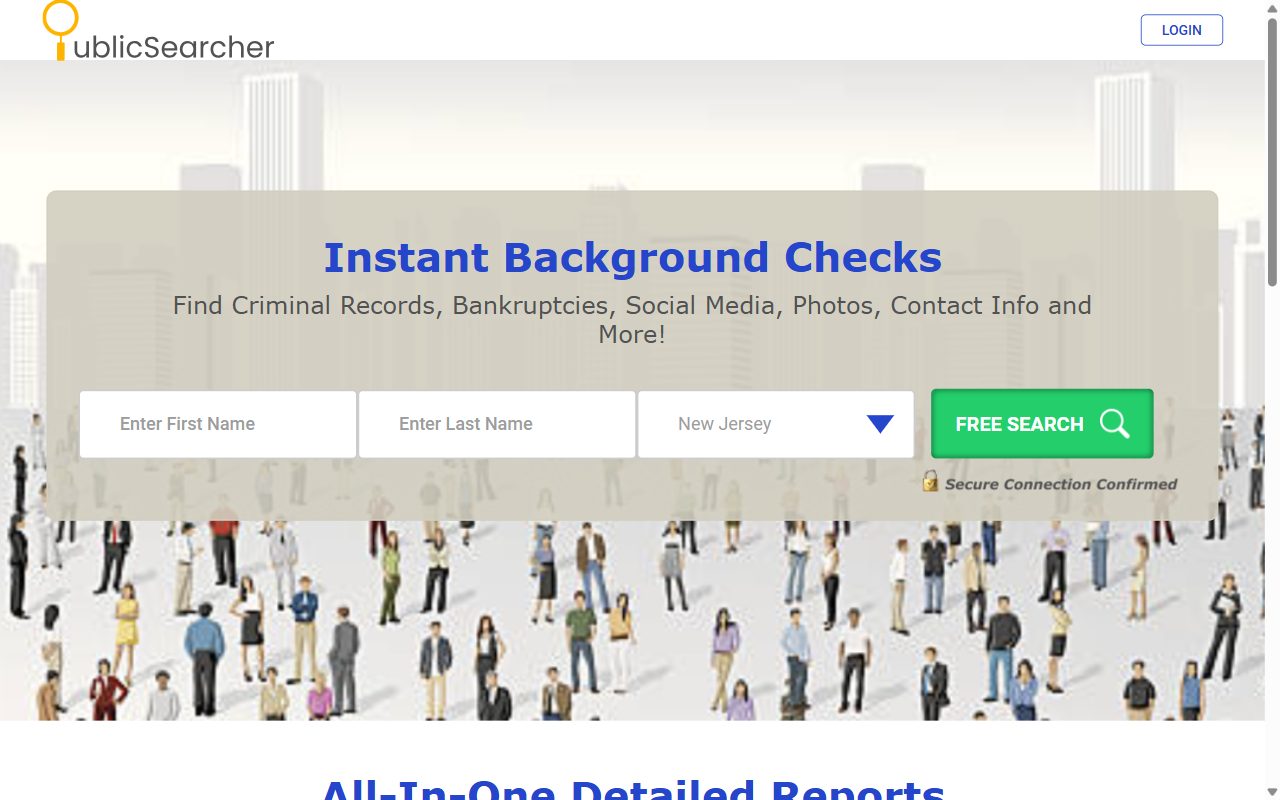
PublicSearcher homepage screenshot

Background first? The PublicSearcher profile covers Infomatics LLC, the MC2 platform behind it, and the 2024 leak.

Quick facts

At a glance

Registered operator

Infomatics LLC, Woodland Hills, California

Cost and account

No charge, nothing to register

Information requested

Full name, date of birth, city, ZIP code, state and an email address

PublicSearcher's deadline

45 calendar days, counted from submission

Number on the form
Contact on the state filing

Step by step

Use the new form

01

Open the page and choose removal

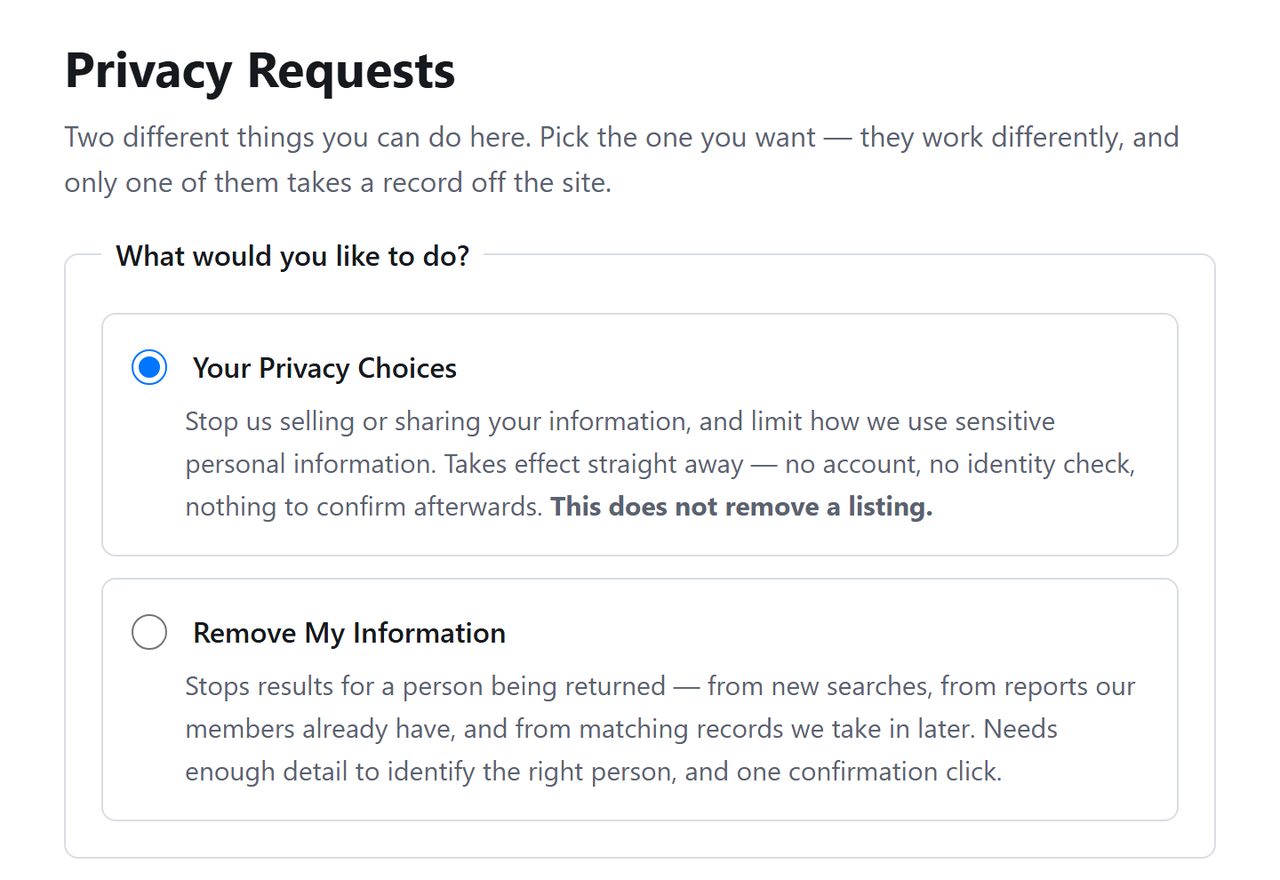
Head to publicsearcher.com/api/helper/optOutLight/search. The heading reads Privacy Requests, followed by a line explaining that the page does two different things and only one takes a record off the site. That one is Remove My Information. Select it.

Top of PublicSearcher's Privacy Requests page, where an intro line says only one of two requests takes a record off the site
The intro line tells you which request removes a record.
02

Complete the identity fields

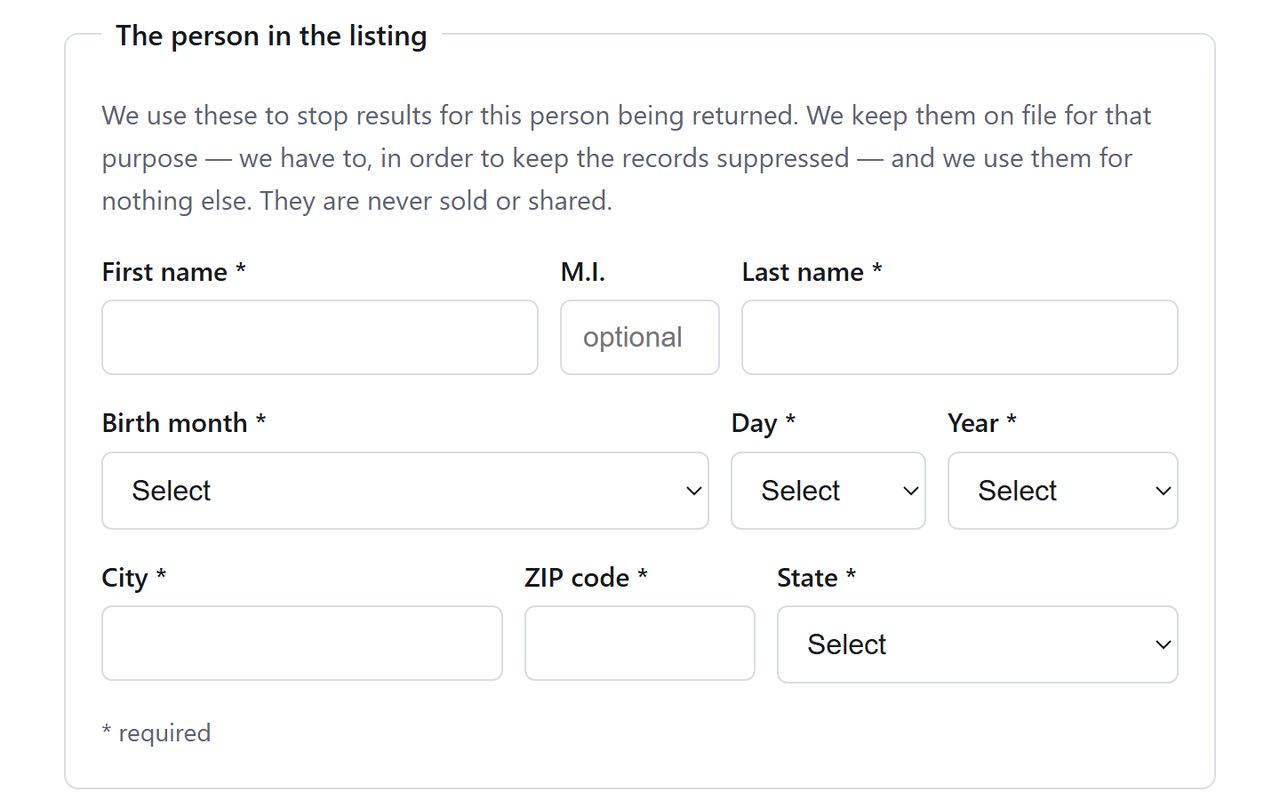
Work down the starred boxes. First name and last name come first, with a small unstarred box for a middle initial between them. Below that are three menus for the date of birth, then city, ZIP code and state.

Get the birth date right. With no results list to pick from, it's the detail most likely to separate you from somebody who shares your name and town.

PublicSearcher identity fields in three rows, names on the first, date of birth menus on the second, city, ZIP code and state on the third
Three rows of fields. Only the initial is optional.
03

Supply an email address

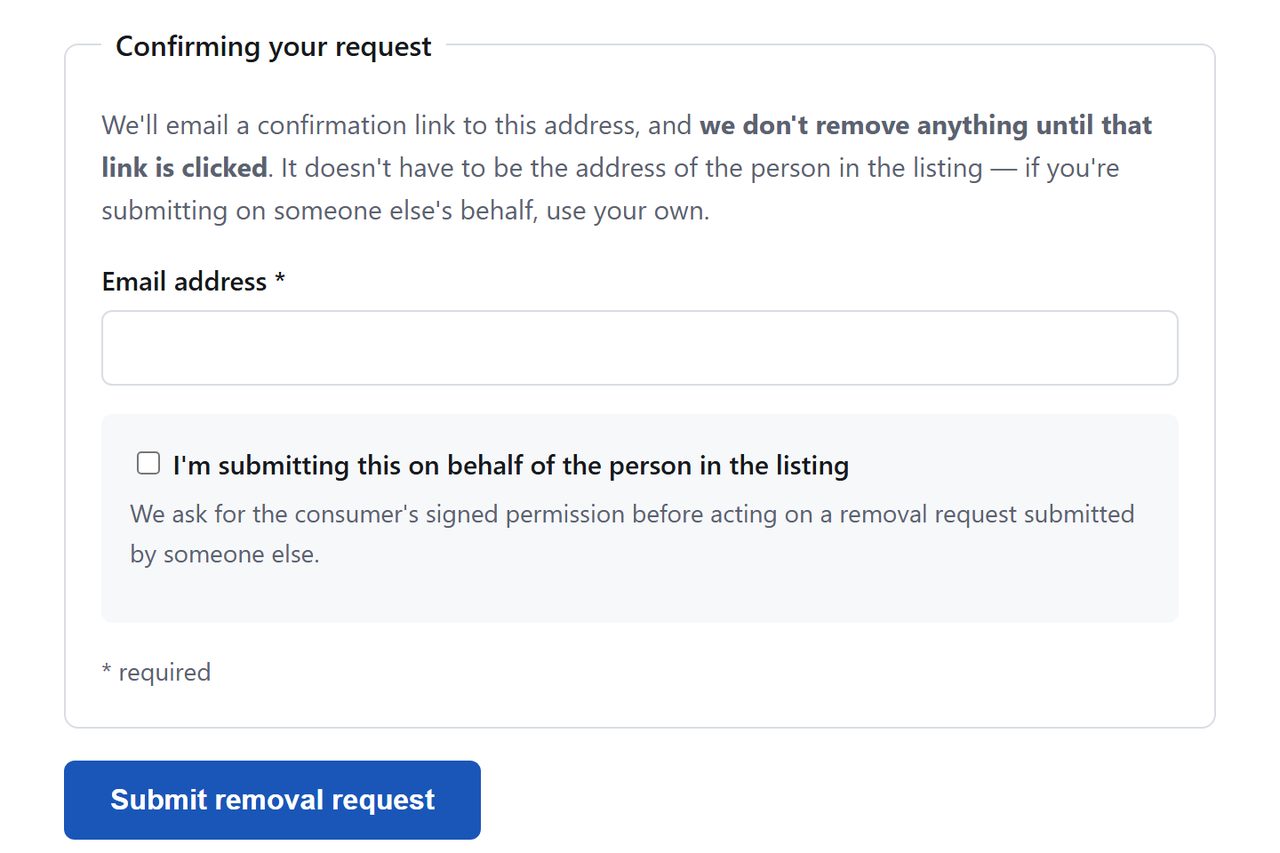
PublicSearcher needs somewhere to send its confirmation link. Any inbox you control will do, and the page says outright that it can be yours even when the listing is about another person. If you are filing for someone else, tick the box that says so and attach their signed authorization as a PDF, because PublicSearcher asks for that permission before it acts on a request made on another person's behalf. Click Submit removal request when it's all in.

That click is where our run ended. Should a CAPTCHA appear after it, answer it and carry on.

PublicSearcher email field with text saying the address need not belong to the person listed, above the submit button
Your own inbox is fine here.
04

Use the link PublicSearcher sends

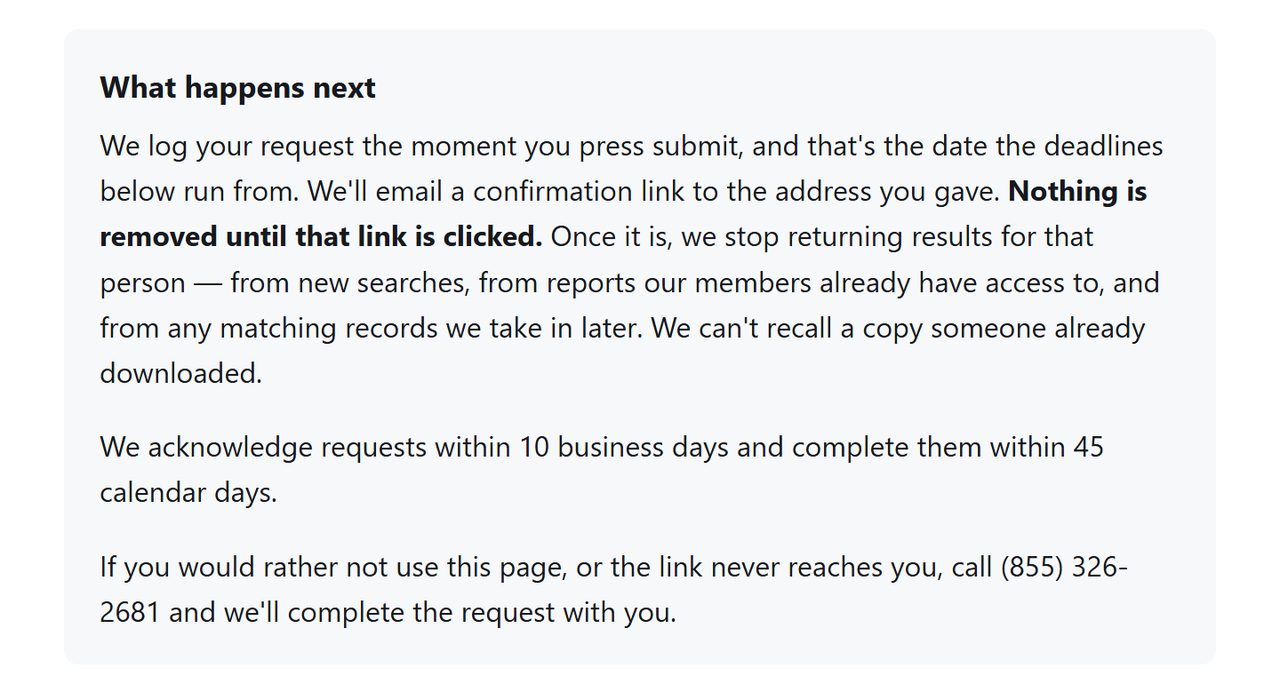
The request counts from the moment you submit, according to the page, but no record changes until the emailed link is used. PublicSearcher puts a number on the rest, saying it acknowledges within 10 business days and completes within 45 calendar days.

PublicSearcher's summary of what follows a submission, with its acknowledgement and completion deadlines
Ten business days to acknowledge, 45 days to complete.

Backup

If the page lets you down

This site's form has failed before, so know the alternatives. The page itself gives (855) 326-2681 and says a request can be completed on that call.

In writing, requests go to support@privatereports.com. That looks like the wrong company until you know that Infomatics LLC files three domains together and nominated one address for all of them. Say that your request concerns publicsearcher.com, give the date you used the form, and ask for deletion. Requests about privaterecords.net belong to Private Records LLC, a separate business despite the similar name.

California residents have a third route. Infomatics LLC is a registered broker, so a request through the state's DROP platform reaches it without touching this site.
Stay off

Keeping it that way

Assume the listing can come back. PublicSearcher's form says the suppression applies to matching records it receives later, but a record that arrives with a different spelling or an old address may not match what you typed. Every few months, run each version of your name through a search engine with site:publicsearcher.com. Searching on PublicSearcher itself led to a request for a credit card on October 8, 2026, which you should decline. The two domains on the same filing, PrivateReports and MugshotLook, take their own requests on their own copies of this page.

Take yourself off data broker sites

Redact scans data broker sites from your device, finds where your details are listed, and submits the removal requests for you. If a broker relists you, it files again.

Last updated:

October 8, 2026 · PublicSearcher's opt-out was recorded as broken on August 10, when its search rejected every attempt. The site now serves a different form, and this guide was rewritten from that page as loaded and captured on October 8. We did not send a request, so nothing past the submit button has been seen first-hand. The 3,516 deletion figure is Infomatics LLC's own 2024 California registry filing, not a measured result. For what it's worth, the form finished cleanly on Background Checkers, which serves the same page, when it was walked end to end that day.