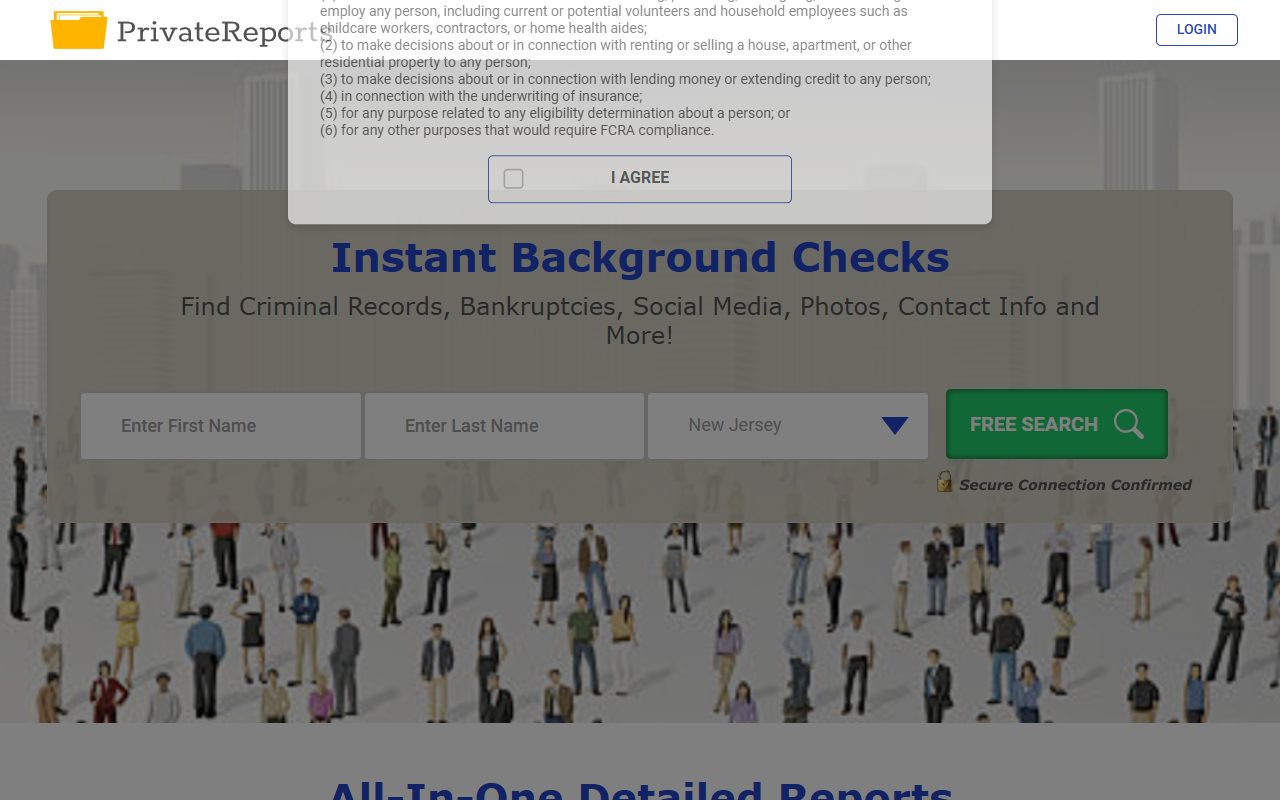
When we ran PrivateReports' opt-out in August it took four screens and the confirmation email arrived within minutes. The site has since rebuilt the front half. Searching for your record and pressing REMOVE are gone, replaced by a form that asks you to describe the person instead. The email link at the end survives. We looked over the new page on October 8, 2026 but haven't put a request through it, so the August timing may not hold.
Background. The PrivateReports profile covers Infomatics LLC, the two domains filed beside it, and the 2024 leak.
A regular browser with JavaScript enabled. The site renders as a blank page without it.
The birth date and ZIP code that belong with the listing. Both are compulsory now, and neither was asked for before.
An email address you'll check over the next day or two.
Use a masked or secondary email if you have one. The form requires a working inbox for the link, but there's no reason to hand a data broker your primary address.
The steps
Remove your listing
01
Open the form on its removal setting
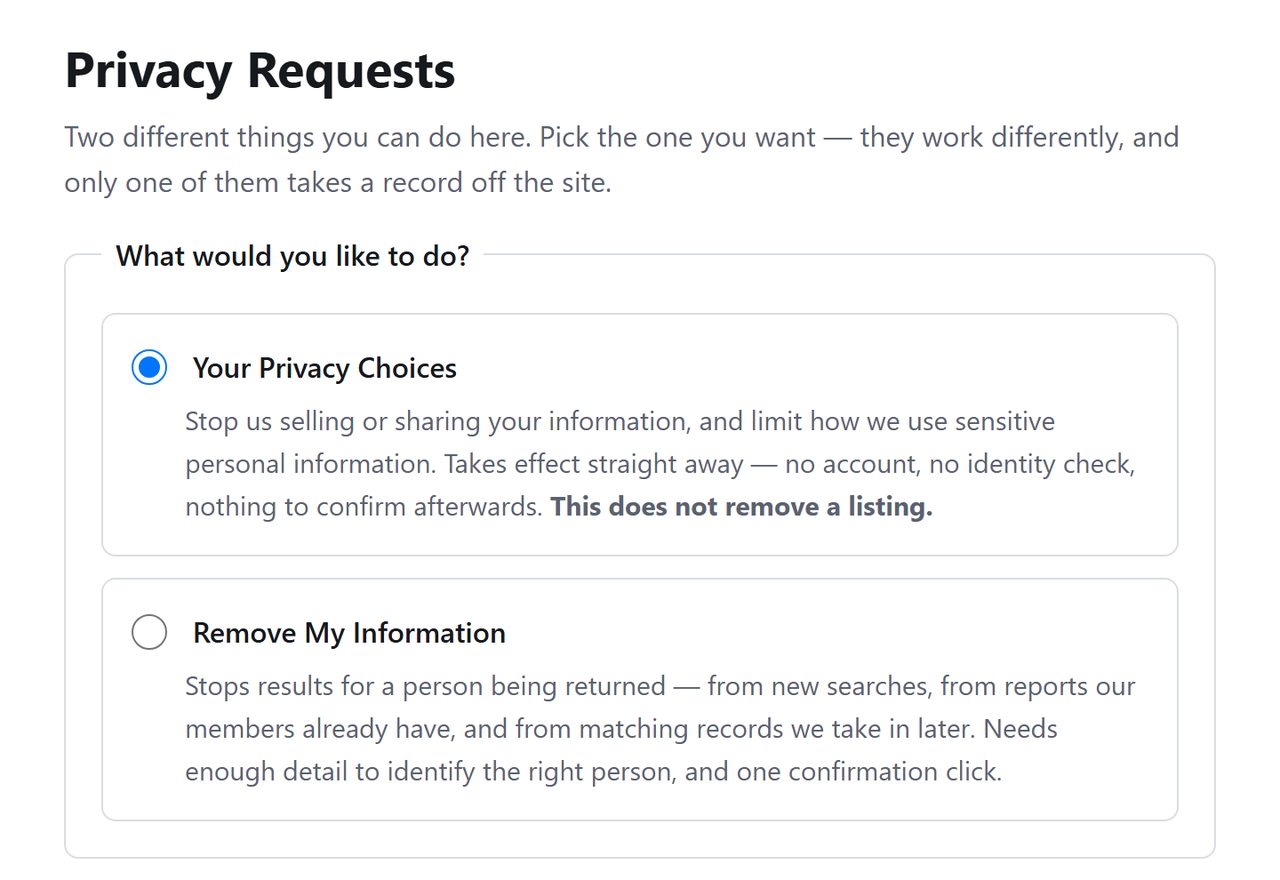
Go to privatereports.com/api/helper/optOutLight/search and click the radio button beside Remove My Information. The other button, already filled in when the page opens, is a do-not-sell request that leaves your report where it is.
Click the empty radio button.
02
Describe the person in the report
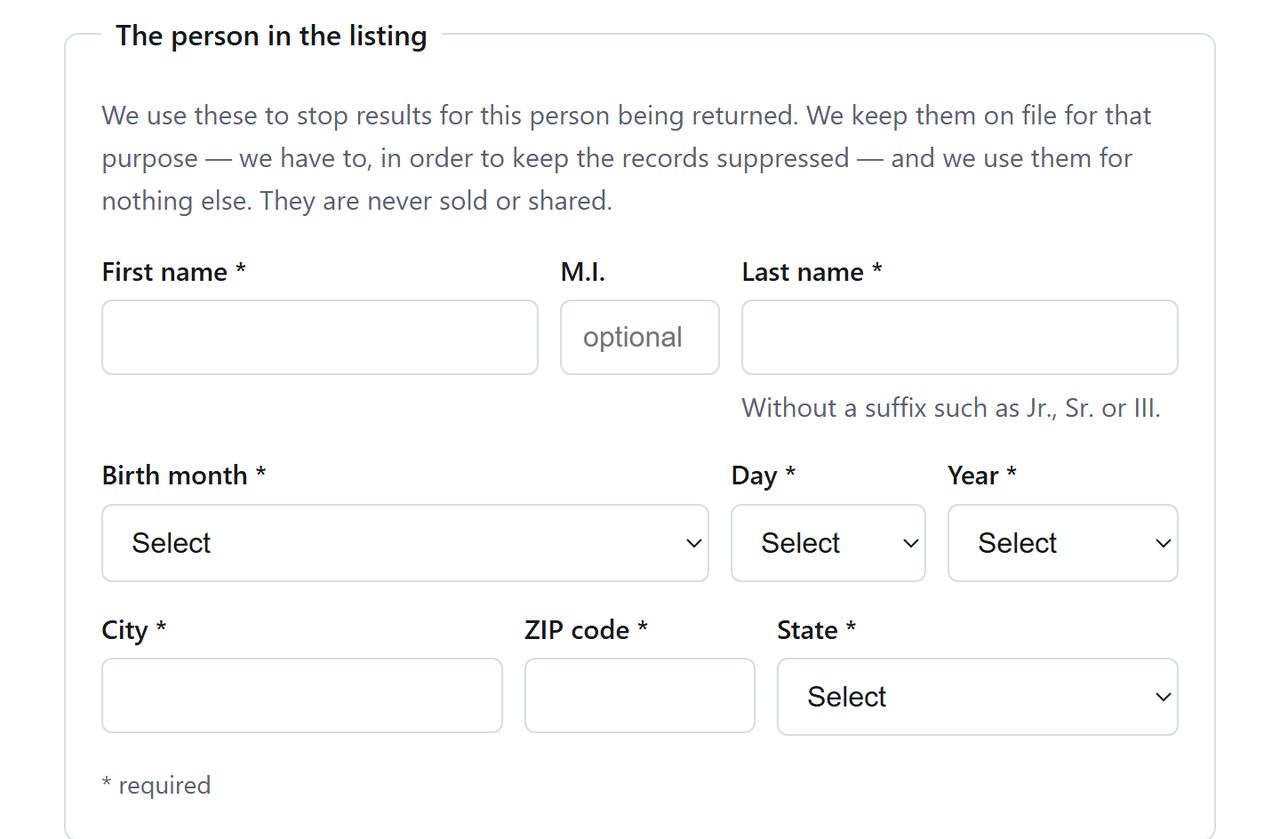
Enter a first name and last name, leaving any suffix such as Jr. off the surname as the hint beneath it asks. Choose the month, day and year of birth. Finish the row with city, ZIP code and state.
The hint under the surname asks you to drop suffixes.
03
Type your email and submit
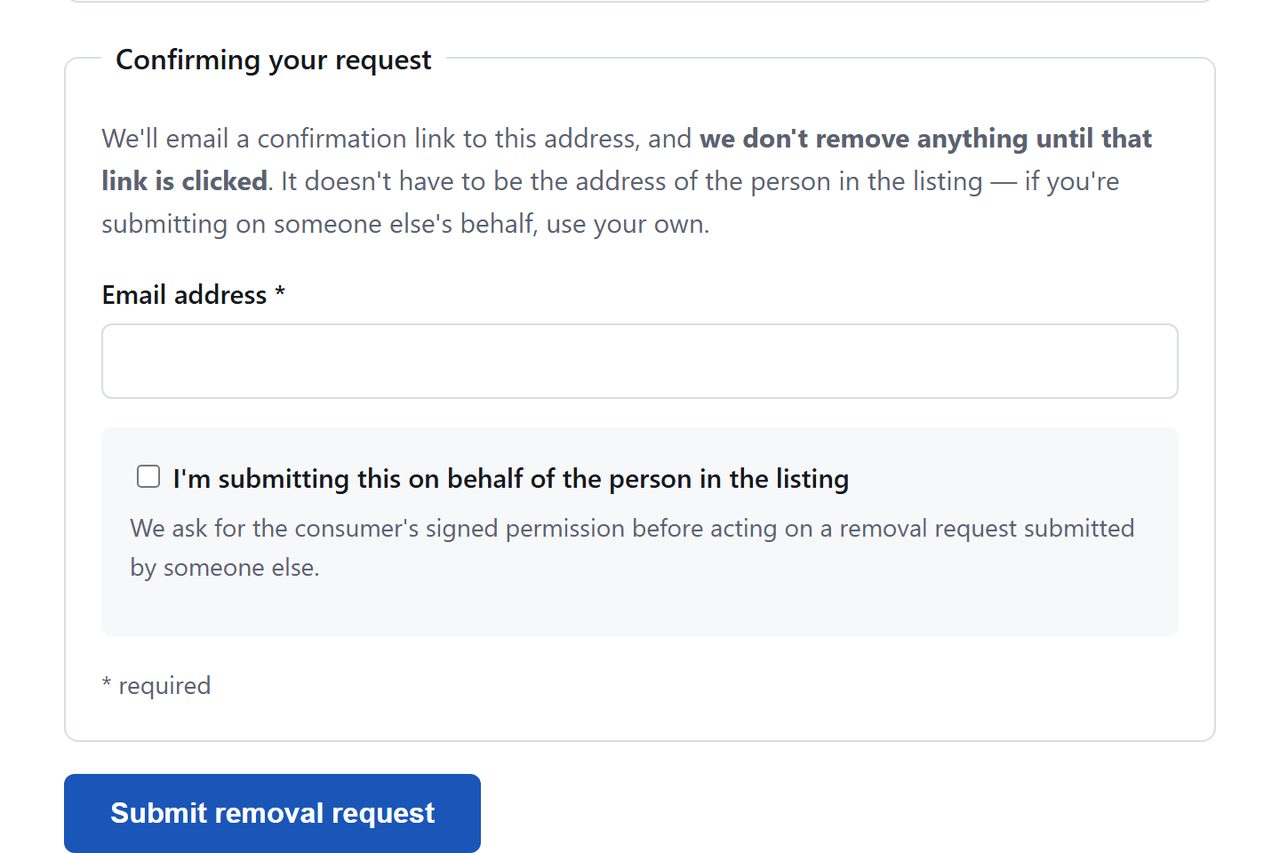
Add the email address and click Submit removal request. We didn't click it on this visit. A CAPTCHA wasn't part of the page we read, though one could be waiting on the far side of the button.
Where our October check stopped.
04
Click the link in the email to confirm
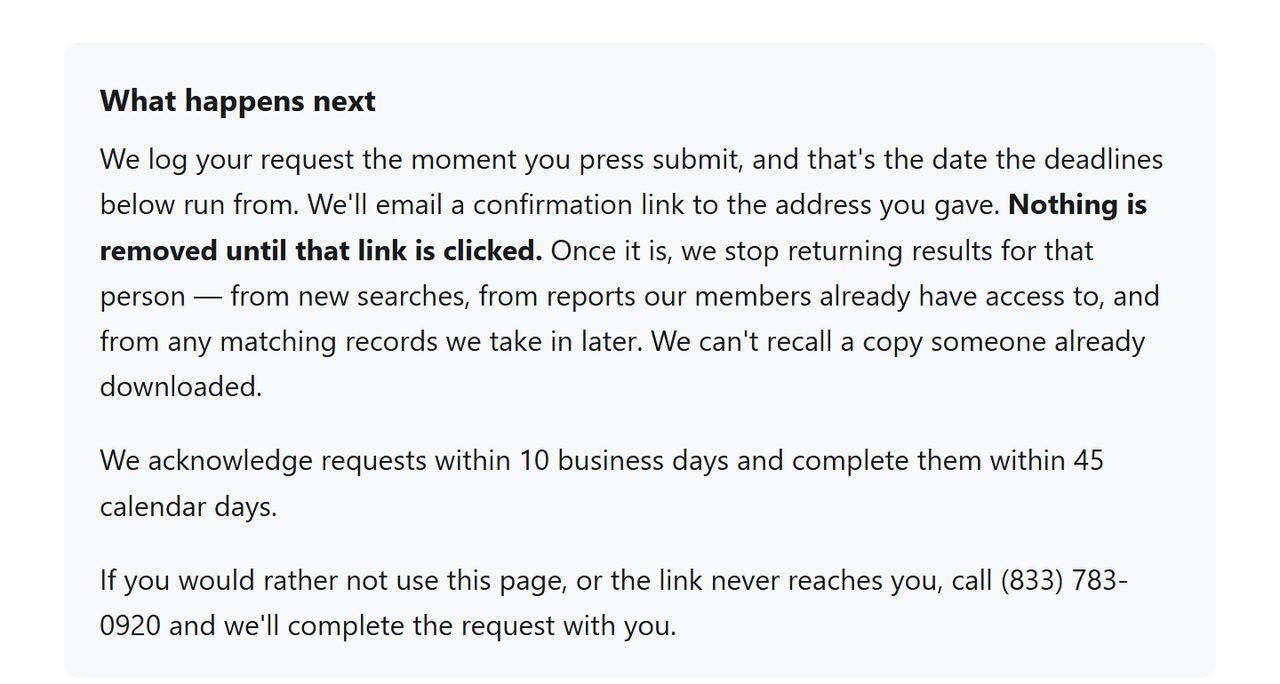
In August the message came from support@privatereports.com under the subject "OptOut Request Confirmation". The wording may have changed with the form, so look for anything from PrivateReports. The opt-out doesn't process until you click its link, a point the new page repeats in bold.
The bold line is the one that matters.
Confirm
Confirm it worked
After a week or two, check with a search engine, using your name plus site:privatereports.com. PrivateReports' own search put up a card form ahead of the results when we tested it on October 8, 2026. Use 45 days as your outer marker, since that's the completion deadline printed on the form. If your record still shows by then, email support@privatereports.com with your submission date and ask for status. That's the address on the operator's California data-broker registration, so it carries a regulator's filing behind it.
Done here? Hit the sister sites next.MugshotLook and PublicSearcher sit on the same Infomatics filing, and both refused every request when we tried them in August. Each now has this form. A request here isn't said to reach them, so file on each one that lists you.
If it fails
Troubleshooting
No confirmation email: wait a few hours and check spam first. Then resubmit with a different email address, or use the phone number the form prints for exactly this.
Record still up after 45 days: email support@privatereports.com or call (833) 783-0920. Both sit on the operator's California registration, so they carry regulatory weight. The postal fallback is Infomatics LLC, ATTN: PrivateReports, 21781 Ventura Blvd. #105A, Woodland Hills, CA 91364.
Billing problems (the $1 trial that became $49.82): that's a separate fight from removal. Cancel through support first; the BBB complaint record shows the company usually refunds once a complaint is filed there, and your card issuer's dispute process is the backstop.
Stay off
Keep your record off
PrivateReports sits on the aggregator backend the press attributes to MC2 Data, so fresh public-records data keeps flowing in. The new form says later matching records are suppressed too. Recheck quarterly anyway, and recheck the sister brands while you're at it.
Take yourself off data broker sites
Redact scans data broker sites from your device, finds where your details are listed, and submits the removal requests for you. If a broker relists you, it files again.
October 8, 2026 · Steps rewritten to the request page PrivateReports serves now, read and captured on October 8 without a submission. The confirmation email details are carried over from our completed August 10 walk of the earlier flow and may have changed. The 45 day figure is the site's. A complete walk of the new form on Background Checkers that day did produce an email with that same OptOut Request Confirmation subject, delivered to spam.