Removal guide · Archives.com

How to remove yourself from Archives.com

Archives.com runs a single-page opt-out form at archives.com/optout that suppresses your information from the living-person search results. It asks for the name and address on the record you want suppressed, then who you are (your name and email, confirmed twice), an Additional Information box, an agreement checkbox and a reCAPTCHA; the form's own copy says it processes requests within 30 days. Two things worth knowing up front. The opt-out does not cancel your subscription or stop billing (those are separate flows), and it does not propagate to Ancestry, FamilySearch, or any other genealogy site - each has its own removal process.

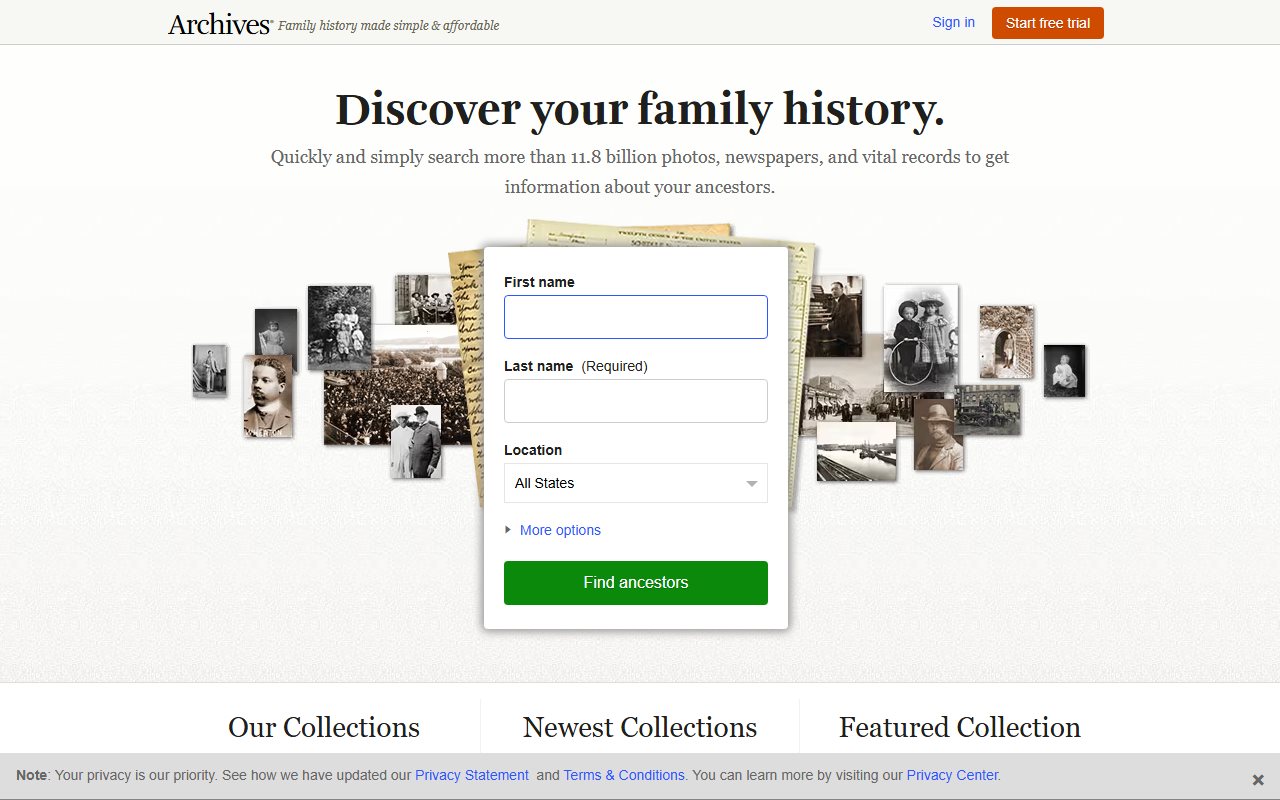
Archives.com homepage screenshot

Before you remove your data: See the Archives.com data broker profile for ownership (Ancestry, Blackstone-controlled), data sources, and the shared privacy framework with the rest of the Ancestry product family.

Quick facts

Removal Overview

Opt-Out Request Form
Method

Single-page web form at archives.com/optout

Active time

~5 minutes

Processing time

Within 30 days

Account required

No

Required fields

Record's name and address · your name and email · explanation · agreement box

Key field

"Additional Information" box

CAPTCHA

reCAPTCHA before submit

Subscription impact

None

Propagation

None

Opt-out does NOT cancel your subscription. The form's own copy notes: "This does not impact your current subscription status or future scheduled billings." If you also want to cancel a paid Archives.com membership, do that separately at archives.com/cancel. Account-deletion complaints (settings deleted but the account remains active) are common - confirm the cancellation rather than just submitting it.

Opt-out does NOT propagate to Ancestry or FamilySearch. Even though Archives.com is owned by Ancestry and shares a privacy framework, the suppression flag is specific to Archives.com's living-person search results. For the rest of the Ancestry product family, file separately at Ancestry (account deletion plus DNA sample destruction if applicable). FamilySearch isn't part of that family at all, it's an independent non-profit that only exchanges records with Ancestry, and it has its own Data Privacy Office form.

Prereqs

What you'll need before you start

3 things
  • The name and street address on the record. The form matches these against Archives.com's living-person search index, and the address field is required, so have a full street address ready. Previous addresses fit in the same request, in the optional Address 2 and Address 3 fields. The form takes one name per request, so file a follow-up request for each previous name worth suppressing.

  • A clear explanation of who you are and why you're asking. The "Additional Information" box is what the privacy team uses to verify and process the request. Identify yourself (the data subject, a legal guardian, etc.), say what records you've seen on Archives.com that you want suppressed and how you found them, and provide any context that speeds verification. Vague requests get processed slower than specific ones.

  • An email inbox you check. The form asks for your email twice; the page confirms on the spot, and the one email Archives.com promises arrives once the record has been suppressed.

The opt-out

Submit the Opt-Out Request Form

~5 minutes
01

Fill out the Archives.com Opt-Out Request Form and submit it

Open archives.com/optout. The page heading reads "Opt-Out Request Form" with the explanation: "By opting-out, your personal information will no longer be displayed in the living person search results on Archives.com. Your request will be processed within 30 days."

The first block asks for the record you want suppressed:

  • First Name (required)
  • Middle Name (optional)
  • Last Name (required)
  • Address 1 (required, a single street-address line with autocomplete, so type it the way the placeholder shows)
  • Address 2 and Address 3 (optional, for previous addresses)
  • Phone Number and Email Address (optional)

The second block, "Please tell us who you are", asks for the requester. Tick Same as above if that's you, or fill in Your First Name, Your Last Name, Your Email Address and Confirm Your Email (all required; the confirmation email goes to that address).

Put a detailed description in the required Additional Information box, saying who you are (the data subject, a legal guardian, etc.), what Archives.com records about you you've seen that you want suppressed and the search you used to find them, and any context the privacy team needs to verify and act. The more specific, the faster the processing.

Tick the agreement box, complete the reCAPTCHA, and click Submit. The page turns into an "Opt-Out Request Received" notice, and Archives.com says it emails you once it has identified and suppressed the record, typically within 30 days.

Confirm it worked

Did it actually work?

Indirect verification
  1. The page confirms on the spot with an "Opt-Out Request Received" notice, and Archives.com says a confirmation email follows once the record has been suppressed. Note the submission date; it's your reference for the 30-day window.
  2. After 30 days, go to archives.com in an incognito / private browser window (not signed in) and search for your name plus city. Your record should no longer appear in the living-person search results. Historical records you appear in (if any) - census, vital records, military, etc. - are separately governed and may still appear.
  3. Account-data deletion is separate from the public-search suppression. If you also have an Archives.com paid subscription, the opt-out doesn't delete the account. Cancel separately at archives.com/cancel and confirm the cancellation rather than just submitting it.
  4. For CCPA / CPRA delete rights (California residents): the broader deletion request beyond search-result suppression routes through Ancestry's central privacy team because Archives.com's privacy URL redirects to Ancestry's privacy statement. See the Ancestry profile for the full DSR path.
  5. Annual recheck. Archives.com refreshes its data from upstream sources. An annual re-submission of the opt-out form is reasonable maintenance.

Troubleshooting

If it doesn't work

Common failures
  • No "Opt-Out Request Received" page after submitting. A missing required field, a mismatched email confirmation or an unticked agreement box stops the form; the error sits beside the field. Complete the reCAPTCHA again and re-submit. The customer-support contact page is at archives.com/contact; be aware that complaint themes include phone support redirecting to email.

  • Your record is still searchable after 30 days. Re-submit with more identifying detail in the Additional Information box. Archives.com may have multiple matches for similar names and need the extra specificity to suppress the right one. Use Address 2 and Address 3 for previous addresses and mention previous names or other distinguishing facts.

  • The address field won't accept what you type. Address 1 is a single line with autocomplete, so enter the street, city and state together, as in its placeholder, rather than the street alone. It's required; phone and email for the record are the optional ones.

  • You also need data removed from Ancestry. Submit a separate request at Ancestry. See the Ancestry profile for the dedicated path.

  • Recurring-billing problems unrelated to opt-out. Cancellation issues are the single most common Archives.com complaint theme. Cancel at archives.com/cancel, screenshot the confirmation, and dispute any further charges with your card issuer if they continue. The CCPA / CPRA framework also gives California residents a path to escalate.

  • 30+ days with no response. Email customer support referencing your submission date, and keep the dated confirmation from your original request as the record of when the clock started.

Stay off

Keep your data out of Archives.com

Re-indexing is constant
  • Re-run the opt-out annually. Archives.com refreshes its data from upstream sources (public records, Ancestry's shared backend, partner archives). A successful suppression today doesn't prevent a future ingestion from re-importing a similar record. An annual re-submission is the maintenance cycle.

  • Hit the whole Ancestry product family. Archives.com is one of several Ancestry-owned brands using a shared data backend. To get full coverage, file separate requests at Ancestry, Fold3, and Newspapers.com. Each has its own opt-out path.

  • Hit the genealogy peers too. FamilySearch (LDS Church, free) and FamilyTreeNow (free public-records search) also hold genealogy and people-search data. Opt-outs don't propagate; each has its own process.

  • If you're in a state with a Delete Act framework (California's is the most developed), the broader CCPA / CPRA delete request - distinct from this living-person search suppression - gives you stronger rights to actually purge stored records rather than just suppress them from public display. Routes through Ancestry's central privacy office.

  • Cancel any active Archives.com subscription separately. Opt-out and subscription cancellation are independent flows. Letting an unwanted subscription continue running while your data is suppressed is the worst of both worlds.

Take yourself off data broker sites

Redact scans 120+ data broker sites from your device, finds where your details are listed, and submits the removal requests for you. If a broker relists you, it files again.

Last updated:

September 10, 2026 · Walked with a screenshot on May 27, 2026. Archives.com has since rebuilt the form (a required single-line address in place of city and state, a separate requester block, an agreement box and a reCAPTCHA), so the step was rewritten from the live form's own markup on September 10 and the May capture, which shows the old layout, is no longer shown.