Removal guide · Ancestry

How to remove yourself from Ancestry

Ancestry's removal is a three-track flow, not a single button. The DNA track deletes your AncestryDNA test results and revokes consent in DNA settings, which clears the genetic data but keeps your account and family tree. The account track submits full account deletion at ancestry.com/secure/account/delete, which purges everything on your own account (account, tree, records, DNA) on a 30-day timeline. The sample track asks Member Services to destroy the physical saliva sample, and it's only for people keeping their account, because deleting the whole account destroys the sample too while deleting just the DNA results doesn't. So the account track alone clears out everything on your account, DNA test or not; if you took the test but want to keep your account, do the DNA track and the sample track. No track reaches family-tree data that relatives copied into their own trees, which can persist because Ancestry can only remove what's on your account.

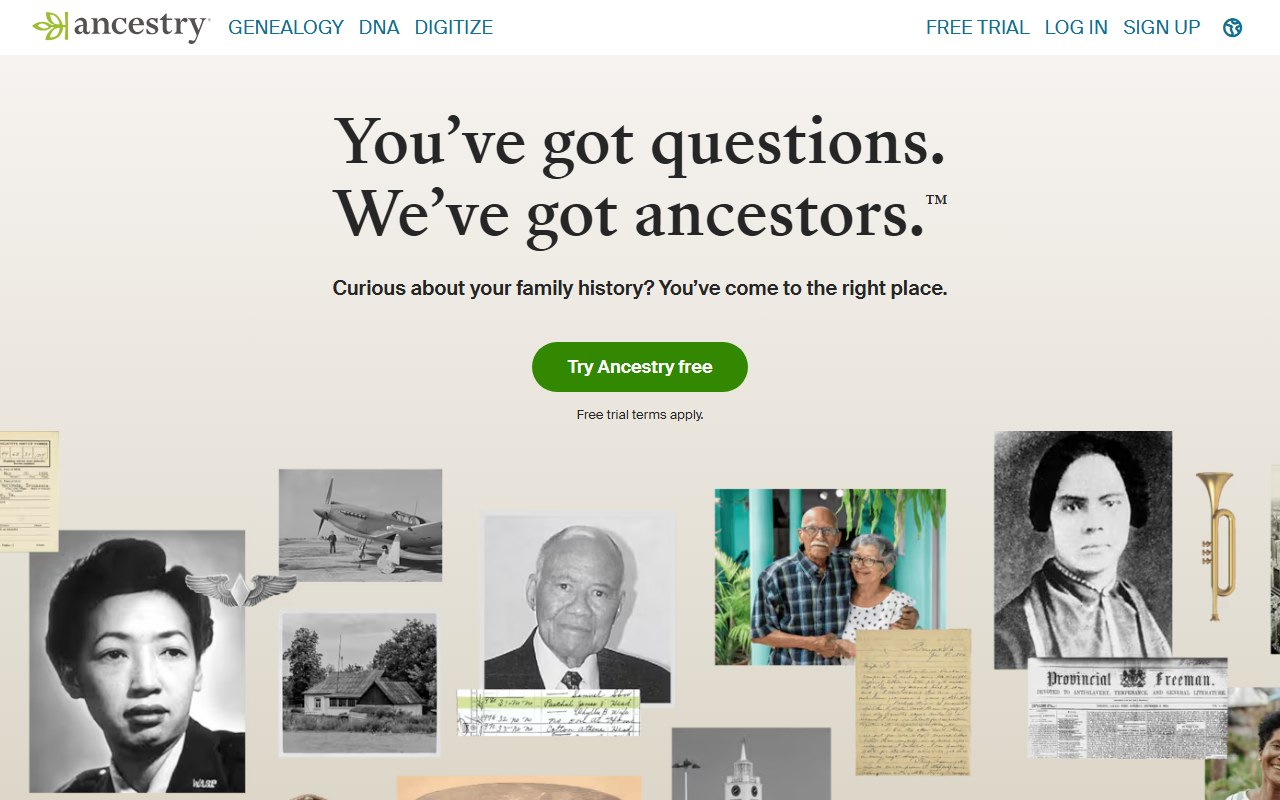
Ancestry homepage screenshot

Before you remove your data: See the Ancestry data broker profile for ownership, contact details, litigation history, and related sites.

Quick facts

Removal Overview

Three-track removal
Method

DNA settings + account delete + sample destroy

Active time

~10-15 minutes

Difficulty

Easy

Account required

Yes

Account-delete timeline

Up to 30 days for full purge

DNA delete

Within 30 days, per the privacy statement

Sample destruction

With account deletion, or on request if you keep the account

State-law route

Privacy statement's state-rights section

Deleting only your DNA results does NOT destroy the physical sample. That's the most-missed detail in Ancestry opt-outs. Ancestry's privacy statement says the saliva sample is destroyed when you delete your whole account (the delete page has you tick a box confirming exactly that) or when you ask Member Services to destroy it. Delete just the digital results in DNA settings and the sample stays in the lab, so readers keeping their account need step 3 below.

Pick your scope before you start.

  • Want your DNA gone but the account kept? Steps 2 and 3 (digital results, then the physical sample).
  • Want everything on your Ancestry account gone? Steps 1 and 4; account deletion covers the DNA results and the sample, so steps 2 and 3 are optional.
  • Never took the DNA test? Skip steps 2 and 3; jump straight to step 4 (account delete).
  • Want to exercise state-privacy-law rights (CCPA, etc.) instead? See the state-law section below.

Family-tree data exposes relatives. Even after you delete, the family-tree connections you built may persist in cousins' / relatives' trees if they copied your data into theirs. Ancestry can't reach into those - it can only remove what's on your account.

Prereqs

What you'll need before you start

2 things
  • Your Ancestry account credentials. All three tracks require you to sign in. If you've forgotten the password, use Ancestry's password-reset flow first - don't try the opt-out without account access. (If you literally can't recover the account, see Troubleshooting below for the state-privacy-law fallback.)

  • Decide your scope. Re-read the "pick your scope" callout in the Removal Overview above. The three tracks are independent and you can pick a subset. A thorough clean-up is the account track, which takes the DNA results and the sample with it; the sample track is only for people keeping their account.

The 5 steps

Remove your data

~10-15 minutes total
01

Sign in to Ancestry

Head to ancestry.com and sign in with your email + password. All subsequent steps require an authenticated session. If you have multiple Ancestry accounts (separate from a partner's, etc.), sign in to whichever one you're removing - they're independent.

02

Delete your AncestryDNA results + revoke consent (DNA settings)

If you took an AncestryDNA test, navigate to ancestry.com/dna/settings (or DNA menu → Your DNA Results Summary → Settings). Scroll to Delete Test Results and Revoke Consent to Processing, click Delete, and follow the confirmation prompts. This removes your ethnicity estimates, DNA matches, and genetic data from the platform. Ancestry's privacy statement says the genetic information is deleted from its production, development, analytics and research systems within 30 days, so the results may drop out of view before the deletion is actually complete.

03

If you're keeping the account, ask Member Services to destroy the physical sample

Only for readers who did step 2 and are keeping their account: deleting the digital results doesn't touch the saliva sample in Ancestry's lab, and Ancestry's privacy statement says the two ways to have it destroyed are a request to Member Services or deleting the account. Contact Member Services via the Contact Us page (chat or phone callback) and explicitly request destruction of your physical DNA sample. Reference your account and your kit number if you still have it. If you're going on to delete the whole account in step 4, skip this; the deletion destroys the sample.

04

Submit full account deletion at /secure/account/delete

Navigate to ancestry.com/secure/account/delete while signed in, and check that the email address shown is yours. Per Ancestry's deletion walkthrough, the page then has you tick three boxes: that the memberships listed will be cancelled, that your trees will be deleted, and that your DNA results will be deleted and the saliva sample destroyed. Choose a reason, click Continue, then Next step; Ancestry emails a verification code that expires in two hours. Keep the tab open, paste the code into the Confirm Account Delete box in it, and click Delete account. Access ends immediately and the data purge completes within 30 days. If you skipped step 2, the DNA data goes in this step too.

An All Access membership's Fold3 and Newspapers.com subscriptions are cancelled with it, but a separate account on Archives.com, Fold3, Forces War Records or Newspapers.com survives and has to be cancelled on that site.
05

Save the one confirmation email and screenshot the delete-page success message

Ancestry sends a single email confirming the deletion has started. There's no completion email, because your address is deleted along with everything else, so that first email is your evidence if you need to escalate. Screenshot the on-screen success message from step 4 too, in case the email gets caught in spam.

State-law privacy

The CCPA / state-privacy alternative

Privacy statement route

If you live in a state with an enforceable privacy law (CA, VA, CO, CT, UT, and a growing list), you have legal rights beyond the standard account-deletion flow - including the right to know what data Ancestry holds about you, the right to delete, and (for some states) the right to limit use of sensitive personal information including genetic data. Ancestry's privacy statement sets out how to make those requests in its state-rights section, and a separate page handles the sale and targeted-advertising opt-out.

  1. Open the state-rights section of Ancestry's privacy statement and follow the request channel it lists for the right you're exercising - to know, to delete, or to limit use of sensitive personal information. For the narrower sale and targeted-advertising opt-out, use the Do Not Sell or Share page instead.
  2. Provide the identity-verification information requested. State-law requests typically require more identity proof than the basic account-delete flow because they're covered by legal deadlines (CCPA: 45 days, often extended once to 90).
  3. Save the request reference / ticket number you get back - it's what you'll cite if you need to follow up on a request that's run past its statutory deadline.

Which path should you use? The standard steps 1-5 above are faster and easier for most consumers. The state-privacy-law path is the right call if you want a documented legal record (with statutory deadlines and right-to-appeal) or if you live in a state where the law gives you broader rights than Ancestry's standard account-delete flow grants.

Confirm it worked

Did it actually work?

30 days
  1. For the DNA delete (step 2): sign back in (assuming you haven't done step 4 yet) and check the DNA section - your test results, ethnicity estimates, and DNA-match list should all be gone from view. The back-end deletion has a 30-day window per the privacy statement, so treat the disappearance as the start of the clock, not the end.
  2. For the account delete (step 4): try signing in 30+ days after submitting. You should get an "account does not exist" or equivalent error. If you can still sign in after 30 days, escalate via the confirmation-email reply or the Contact Us page with your reference number.
  3. For the physical sample: this is the hardest to verify, because Ancestry's lab process isn't externally auditable. If you deleted the account, the box you ticked on the delete page and the confirmation email are the record that destruction was part of the deletion. If you kept the account and asked Member Services (step 3), save their response as the best available evidence, or file through the state-privacy-law route below for a documented legal record instead of a support-ticket reply.
  4. Sister-site cleanup: an All Access membership's Fold3 and Newspapers.com subscriptions are cancelled with the account, but a separate account on Archives.com, Fold3, Forces War Records or Newspapers.com is not; sign in to each and cancel it there. Find a Grave accounts are separate too.
  5. Family-tree leftovers: remember that relatives who copied your tree data into their own trees will still have those copies. Ancestry can't remove third-party copies of data you previously chose to make visible.

Troubleshooting

If it doesn't work

Common failures
  • I can't sign in - forgot password / lost account access. Try Ancestry's password-reset flow first. If the account email is also lost, contact customer support via the Contact Us page with whatever identifying info you can provide. As a last resort, the state-privacy-law route below can be used to request deletion even without account access, since it relies on independent identity verification.

  • The DNA delete option isn't visible in settings. Make sure you're signed in to the account that owns the test - if a family member managed your kit on their account, the delete option lives in their settings, not yours. Ancestry's kit-management transfer can move ownership if needed.

  • Member Services didn't acknowledge my sample-destruction request (account kept). Re-submit through a different channel (chat vs phone callback) and explicitly reference Ancestry's privacy statement language about sample destruction. If still unacknowledged, escalate via the state-privacy-law portal which creates a documented record.

  • Account is "stuck" past the 30-day window. Reply to the confirmation email with your reference number, or contact support, citing the deadline the flow committed to.

  • I'm getting billing charges after deletion. Account deletion should cancel auto-renewal but BBB complaints document occasional billing disputes post-delete. Dispute the charge with your card issuer and reference the deletion confirmation email as evidence.

  • I want to do this for a deceased relative's account. Ancestry has a separate process for managed-deceased accounts that requires proof of death certificate + authority to act. Contact support to initiate.

Stay off

Keep your data out of Ancestry (and the DNA-testing ecosystem)

Different shape from people-search
  • Don't create a new account on a forgotten email. Most re-listing happens because someone signs up for a free trial on a new email, then forgets. Use a forwarding address you can audit if you do experiment with the service.

  • Decline DNA-match opt-ins in the future. If you (or someone in your household) takes another DNA test, opt OUT of the DNA-matching feature during account setup. That keeps your genetic data from being visible to other AncestryDNA users.

  • Watch out for sister-site sign-ups. Newspapers.com, Fold3, Archives.com and Find a Grave can pull you back into the Ancestry ecosystem if you sign up for them separately, and a separate account on any of them survives an Ancestry deletion until you cancel it on that site.

  • Be careful what relatives put in their trees. A cousin who builds a family tree linking your name, birth date, and parents creates an Ancestry exposure for you even if you've never had an account. The only real mitigation is asking the family member to remove living- person details from their tree.

  • For broader privacy hygiene across the data-broker landscape (the people-search brokers in this directory, marketing-data brokers like Acxiom, etc.) use Redact. Ancestry isn't normally in Redact's scope (it's a paid product, not a public-search broker) but the adjacent brokers worth cleaning up are.

  • Genealogy framing comparison. FamilyTreeNow uses the same "genealogy" framing but is functionally a free people-search aggregator with public profiles. If you're opting out of Ancestry, opting out of FamilyTreeNow is the more urgent companion task, since the FamilyTreeNow exposure is publicly indexed where Ancestry's is not.

Take yourself off data broker sites

Redact scans 120+ data broker sites from your device, finds where your details are listed, and submits the removal requests for you. If a broker relists you, it files again.

Last updated:

May 22, 2026 · Drafted from Ancestry's help documentation and Consumer Reports' walkthrough, and deliberately left unwalked: the flow only exists inside a paid account with a DNA kit attached, and Ancestry holds nothing a user didn't volunteer. No step screenshots for that reason. Litigation, source links, the sample-destruction rule (Ancestry's privacy statement) and the deletion flow (Ancestry's own deletion walkthrough) rechecked September 10, 2026.