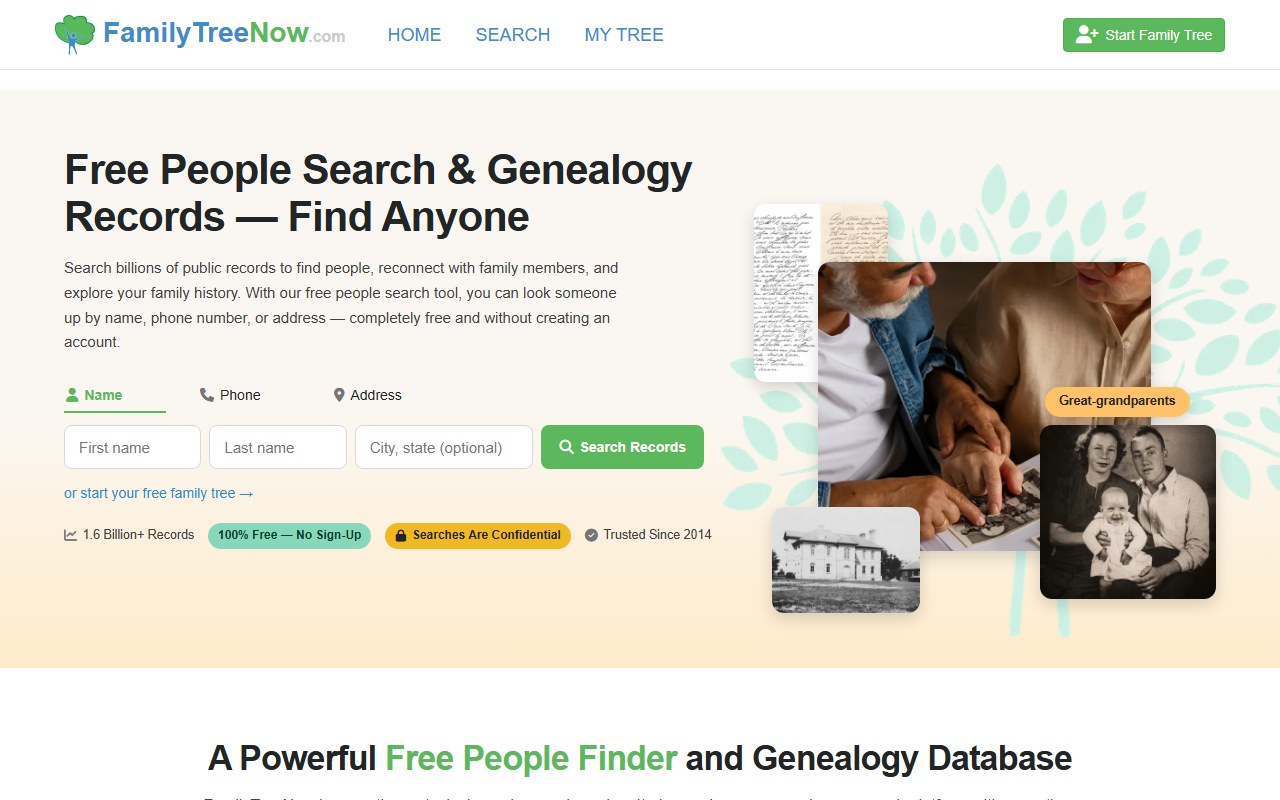
FamilyTreeNow's opt-out is a two-form email-gated flow at familytreenow.com/optout: fill the initial Privacy Request with your name + email + hCaptcha, then click the verification link FamilyTreeNow emails you to return and finish the detailed form. The final confirmation page says removal completes in 3 days or less. About 5-10 minutes of active time. Heads up: that confirmation page also throws a giant green "Remove My Personal Data From 300+ Other Sites Now" button at you - it's an affiliate kickback to a partner broker-removal service. Don't click it. Use a real, unaffiliated removal service like Redact instead.
Before you remove your data: See the FamilyTreeNow data broker profile for ownership, contact details, litigation history, and related sites.
Quick facts
Removal Overview
Two-form email gate
Method
Two forms separated by an email verification link
Active time
~5-10 minutes
Difficulty
Easy
Account required
No
Verification
hCaptcha + email link
Processing
3 days or less
One opt-out per record
Yes
Re-listing risk
High · re-check quarterly
Don't click the green "Remove My Personal Data From 300+ Other Sites Now" button on the confirmation page. It's an affiliate kickback to a partner broker-removal service - FamilyTreeNow earns a referral commission if you sign up. That's the same conflict-of-interest pattern we've documented for ClustrMaps + OneRep and SmartBackgroundChecks + BrandYourself - paying for a removal service that pays kickbacks to the brokers it's removing you from undermines the whole point. Your FamilyTreeNow opt-out is already in queue by the time this page loads; close the tab and use an unaffiliated removal service if you want broader help: Redact.
The email verification link expires in 24 hours. FamilyTreeNow's own "Important Notes" sidebar flags this on the initial form. If you don't click the link within a day, you'll have to restart from step 1 and resubmit the initial Privacy Request.
I'd use a forwarding / disposable email. The initial form needs a working email and FamilyTreeNow sends the verification link there. A masked address via Apple Hide My Email, Firefox Relay, or SimpleLogin limits how much new contact data the broker collects from you through the opt-out itself.
Prereqs
What you'll need before you start
2 things
A real email inbox you can check today. FamilyTreeNow sends the verification link to whatever address you submit on the initial form. The opt-out doesn't advance until you click it, and the link expires in 24 hours - so plan to do both steps in one sitting. We'd recommend a forwarding / disposable address rather than your primary inbox.
Your full name (first, middle, last) and whatever identifying details are likely to be on your FamilyTreeNow record - the second form (after you click the email link) collects additional verification info to match against the listing.
The 2 steps
Remove your listing
~5-10 minutes total
01
Go to familytreenow.com/optout, fill the Privacy Request form, click Begin Privacy Request
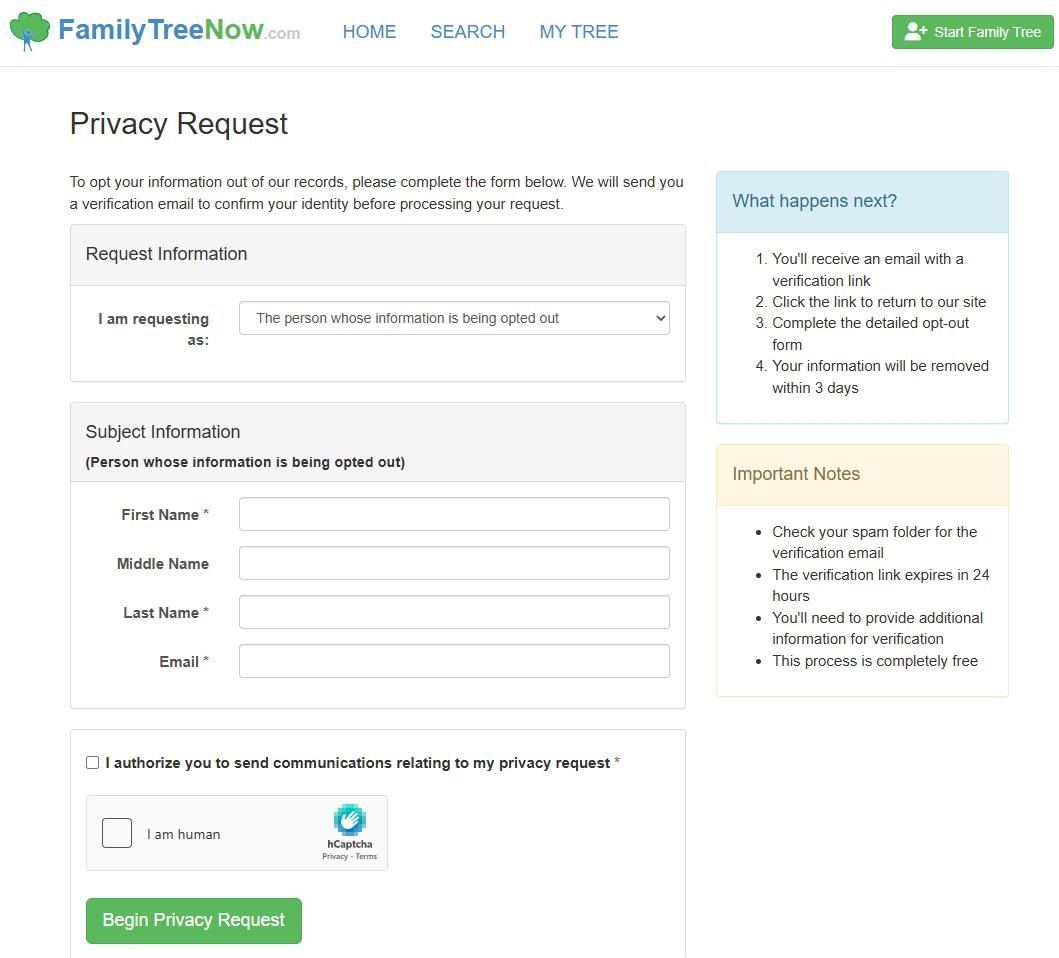
Open familytreenow.com/optout. The page is titled Privacy Request. Leave the "I am requesting as" dropdown set to The person whose information is being opted out, then fill the Subject Information section with your First Name, Middle Name (optional), Last Name, and Email. Tick the consent box ("I authorize you to send communications relating to my privacy request"), solve the hCaptcha, and click the green Begin Privacy Request button.
Name + email + consent + hCaptcha, then Begin Privacy Request.
02
Click the email link, finish the detailed form, see the Request Successfully Submitted page (and ignore the affiliate ad)
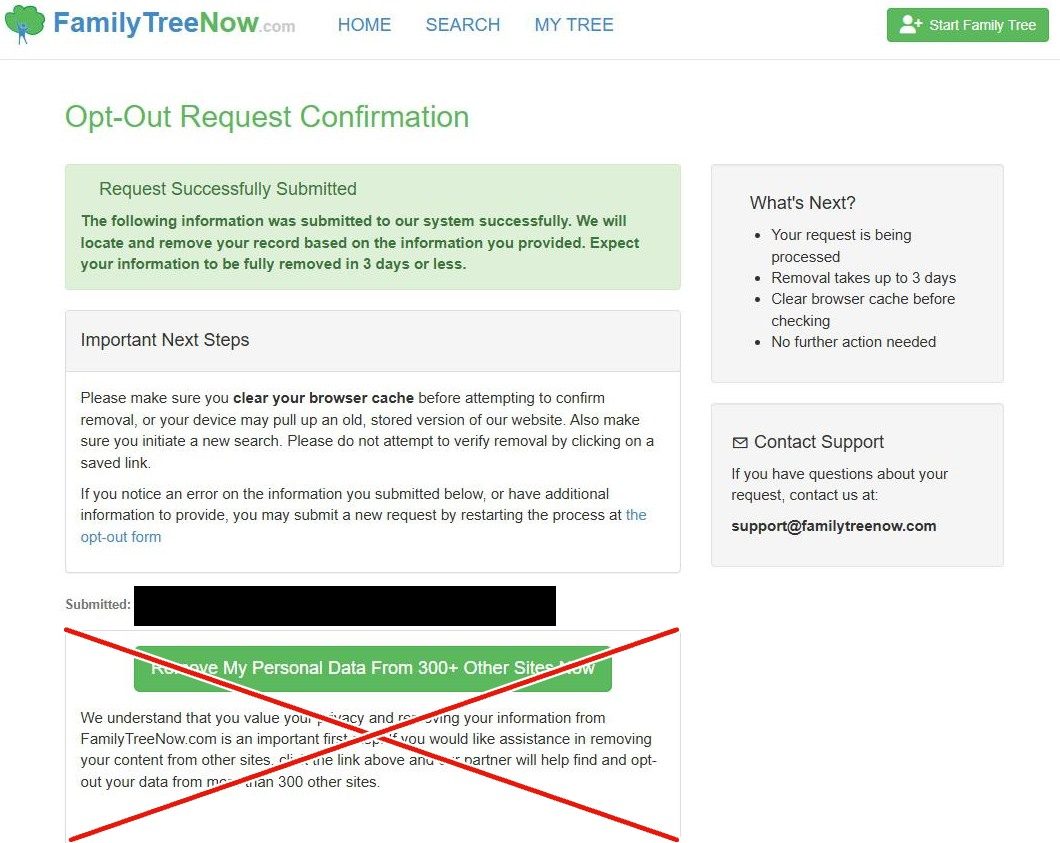
Check your inbox for the verification email and click the link inside (it expires in 24 hours - if you wait too long you'll have to restart). The link brings you back to FamilyTreeNow where you finish the detailed opt-out form with whatever additional verification info the second screen asks for, then submit. You'll land on an Opt-Out Request Confirmation page showing a green "Request Successfully Submitted - The following information was submitted to our system successfully. We will locate and remove your record based on the information you provided. Expect your information to be fully removed in 3 days or less." The page also includes a giant green "Remove My Personal Data From 300+ Other Sites Now" button - that's the affiliate ad I flagged in the quick facts. Skip it and close the tab; your FamilyTreeNow removal is already queued.
Confirmation. 3 days or less. Don't click the green affiliate button.
Confirm it worked
Did it actually work?
3 days or less
Wait up to 3 days after submitting the detailed form - that's the timeline FamilyTreeNow states on the confirmation page.
Clear your browser cache (or open a private / incognito window) before re-checking. The confirmation page specifically warns that a stored copy of the site may make a removed record look like it's still live.
Go to familytreenow.com and run a fresh search by name + city/state + birth year. Don't click an old saved profile URL - run it from the homepage search.
Your record should no longer appear in the results, or the old profile URL should return a not-found page.
Check for multiple records. If you've had multiple addresses, used nickname variants, or have a maiden/married name, each tends to produce a separate record. Run the full opt-out flow once per matching record - the per-record opt-out won't sweep them all.
If you opted out for the children's-name exposure, double-check that the kids no longer appear in your profile's Family Tree section. If they do, the children themselves may have their own profile that needs a separate opt-out (search by their name + city + birth year).
We recommend setting a 90-day reminder to re-check. FamilyTreeNow re-indexes public records continuously, so a new listing can appear weeks or months after a successful opt-out.
Troubleshooting
If it doesn't work
Common failures
The verification email never arrives. Check spam / promotions - the Important Notes sidebar on the form flags this as a common issue. If it's not there after 30 minutes, restart from step 1.
You waited and the 24-hour email link expired. The link is single-use and time-limited. Restart from step 1 to generate a new one.
You clicked the green affiliate button by accident. Nothing actually happens until you sign up and pay for the partner service. Close that tab - your FamilyTreeNow opt-out is unaffected.
hCaptcha won't pass. Try a different browser, disable ad-blockers / privacy extensions for the session, and avoid VPN / Tor exit nodes - all three tend to bump hCaptcha into harder challenges.
Record still appears after 3 days. Clear cache first - the confirmation page specifically warns about stale cached copies. If it still appears after a fresh search, email support@familytreenow.com (the address shown on the confirmation page) with the name and email you submitted plus a screenshot of the confirmation page. The BBB-listed toll-free phone (877) 838-4889 reportedly doesn't route to a human, so email is the better channel.
Multiple records under your name. FamilyTreeNow opt-outs are per-record. Re-run the full two-step flow once per matching profile.
You realized you wanted children's profiles removed too. Each minor child may have their own profile (if data sources tied them to one). Search for them separately and run the opt-out per child profile. The 2017 Fortune piece flagged children's-name exposure as the most concerning data point - removing the parent's profile doesn't automatically delete the child's.
Escalation paths if support email goes silent. California residents (FamilyTreeNow is headquartered in Roseville, CA) can file a CCPA / Delete Act complaint with the CPPA; other states can file with the FTC at reportfraud.ftc.gov or with their state AG. Note that FamilyTreeNow's Terms of Service mandate binding arbitration and prohibit class actions (see the profile litigation section), which forecloses one common consumer- recourse path.
Stay off
Keep your record off the site
Re-listing is common
We recommend re-checking quarterly. FamilyTreeNow continuously re-indexes public records, so a new listing can appear within weeks or months of a successful opt-out as new property, voter, or directory data surfaces.
Watch for multiple profiles. Address changes and name variants (middle initial, nickname, maiden name) tend to produce separate FamilyTreeNow records. I'd re-check by all the variants you've used, not just your current legal name.
Don't forget the kids. The children's- name exposure that drove the 2017 Fortune coverage persists - if you're opting out for child-safety reasons, search for each minor child separately. Their profiles can persist even after a parent profile is removed.
Use an unaffiliated removal service for the rest of the data brokers. If you want help with the other brokers beyond FamilyTreeNow, use a service that doesn't take affiliate kickbacks from those brokers - Redact. Don't use the "Remove My Personal Data From 300+ Other Sites" affiliate prompt on FamilyTreeNow's confirmation page - that's the same kickback pattern we've documented for ClustrMaps (OneRep) and SmartBackgroundChecks (BrandYourself), where the broker earns a referral commission for routing you to the removal service.
Also opt out of the other Burgess brokers. Compliance Manager Julian Burgess also appears on the BBB filings for SmartBackgroundChecks (separate opt-out, separate flow) and FastBackgroundCheck.com (separate opt-out at fastbackgroundcheck.com/optout). If you're opting out of FamilyTreeNow because of the data-exposure pattern, those are natural follow-ups.
Suppress upstream sources where possible. Property and voter-registration records are the most common re-listing triggers we've seen; some states allow address confidentiality programs (often for victims of stalking or domestic violence) that suppress your record at the source.
I'd suggest a forwarding mailbox or PO Box for non-essential mail and a masked email forwarder for non-essential signups. New property records and new email-list signups are the biggest re-listing triggers across the people-search category.
Take yourself off data broker sites
Redact scans data broker sites from your device, finds where your details are listed, and submits the removal requests for you. If a broker relists you, it files again.