Turn Off Gemini Apps Activity - Easy Follow Guide
 Dan Saltman7 min read
On this page
I'm going to walk you through how to go about turning off your Google Gemini Apps Activity. Google, whether purposely or by coincidence, makes it a little difficult to navigate all your privacy settings.
If you're 18 or over, Gemini saves all your chats to your Google account by default, and Google uses the data it saves to train its AI models. The setting that used to control this was called "Gemini Apps Activity" until August 2025, when Google renamed it Keep Activity. The setting now reads Keep Activity, though Google's help pages and the Gemini app's menu still use the old name in places, so I'll use both.
It's quick to turn off in your Gemini Apps Activity settings at myactivity.google.com/product/gemini, but Google keeps your chats for three different lengths of time and this setting only affects one of them.
How long Google keeps your chats

72 hours
Keep Activity off, and Temporary Chats
With Keep Activity off, every chat still stays with your account for up to 72 hours, so Gemini can reply and Google can keep the service safe. Those chats never show up in your activity and aren't used for training unless you send feedback. A Temporary Chat is kept for the same 72 hours.
18 months
Saved while Keep Activity is on
With Keep Activity on, your chats, uploads and recordings are saved to your account, and by default they're deleted when they turn 18 months old. You can pick 3 or 36 months instead, or never. Google uses what's saved to train its AI, apart from your audio, Live video and screen shares, which need a separate opt-in.
Up to 3 years
Chats a human reviewer read
People read a sample of Gemini chats, some of them at outside companies Google hires. The chats they've read are kept for up to three years, and deleting your activity doesn't touch them.
Where the off button is on each device
The off button sits at the top of your Gemini Apps Activity page, and the path there depends on the device you're on. It's the same setting everywhere, so turning it off once covers your entire account. On a work or school account, your Google Workspace administrator controls the setting, so you may not be able to change it. If you don't need your old chats, I'd choose Turn off and delete activity at the last step.
On a computer
- Sign in at gemini.google.com.
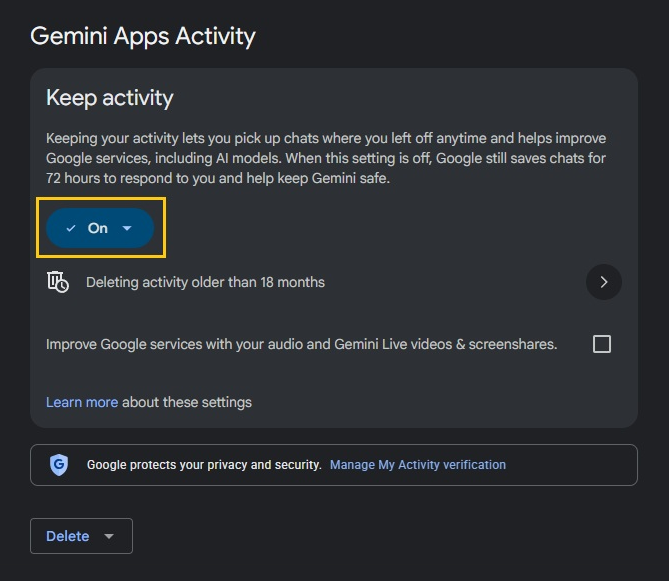
- Click Settings & help at the bottom left, then Activity. You can also go straight to myactivity.google.com/product/gemini.
- Near the top, click On, then Turn off or Turn off and delete activity.
In the Gemini app
- To turn off Gemini Apps Activity on your phone, open the Gemini app on Android or iPhone and iPad.
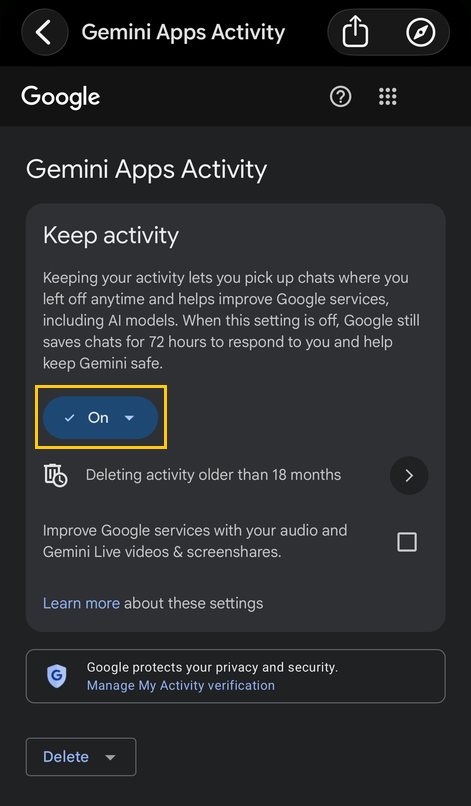
- Tap Menu on the left, then your profile picture or initial, then Gemini Apps Activity.
- Near the top, tap On, then Turn off or Turn off and delete activity.
Gemini Apps Activity FAQ
Are Gemini Apps Activity and Keep Activity the same setting?
Yes. Google renamed it in August 2025, and from September 2 that year it began using a sample of the files and photos people upload to improve its services whenever the setting is on. If yours was off before the rename, it stayed off.
Does turning it off delete my old chats?
No. Turn off only stops new chats being saved. Choose Turn off and delete activity, or use Delete above your activity afterwards, to clear what's there. Chats a reviewer has already read stay for up to three years either way.
What about chats I imported from ChatGPT or another AI app?
Imported chats land in your Gemini activity and are treated like any other chat, training included. Turning Keep Activity off doesn't remove them. Delete them from your Gemini activity, one at a time or everything from one import together.
Does it stop Google saving my searches or YouTube history?
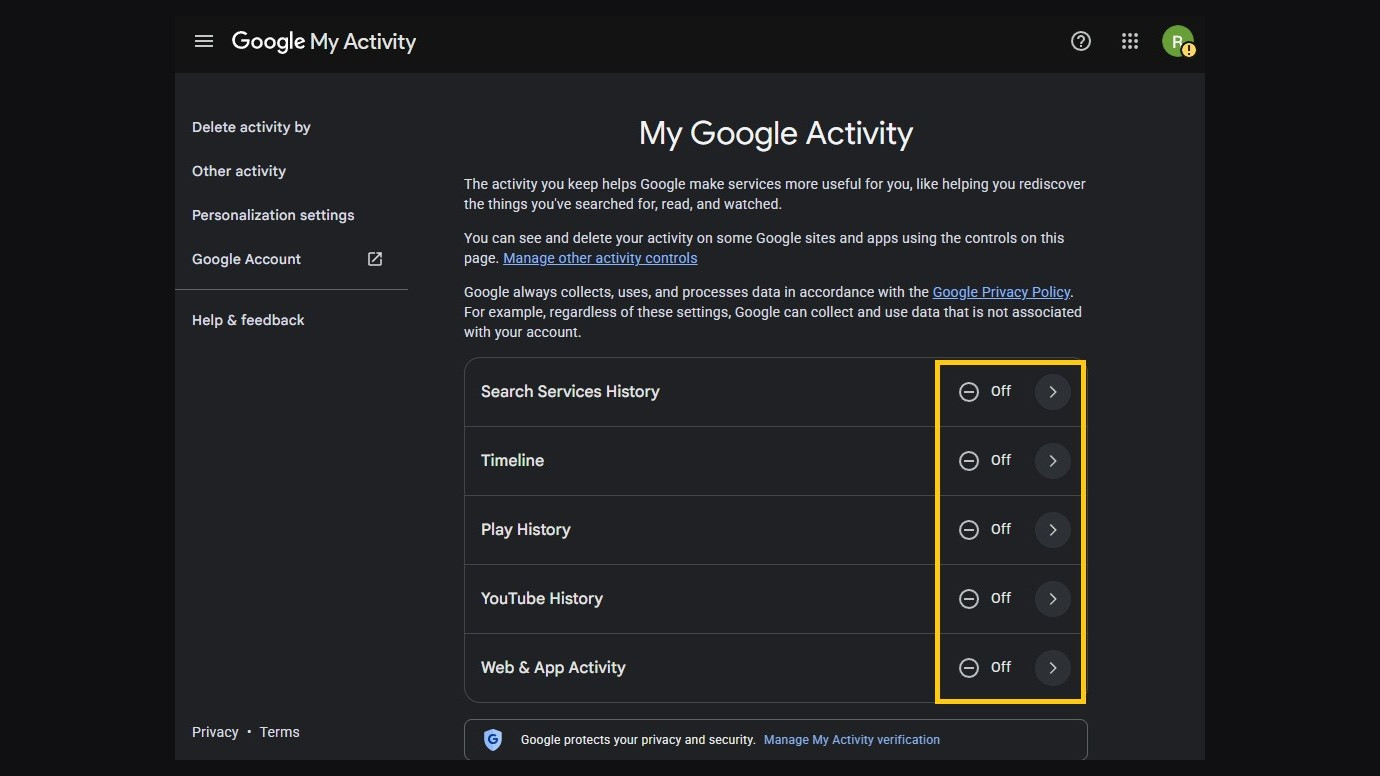
No. Keep Activity only covers Gemini. Search, YouTube and Google's other services have their own settings, like Web & App Activity and YouTube History, at myactivity.google.com/activitycontrols.
Does this cover the Gemini API?
No. Keep Activity is for the Gemini app and gemini.google.com. Developers using Google's Gemini API work under separate terms, which our Gemini API post goes through.
What turning it off can't undo
Google has people read a subset of Gemini chats. They rate whether Gemini's answers were accurate or harmful and write better ones for the models to learn from. They also check chats against Google's rules. Some work for outside companies, and Google says a chat is disconnected from your account before it's sent to them.
Because a reviewed chat is no longer tied to your account, deleting your activity can't remove it. Google keeps it for up to three years, along with details like your language, device type and location.
Turning Keep Activity off stops your future chats being picked for the reviews that improve Google's models. It doesn't stop Google having people check chats to keep the service safe, and Google's privacy notice says none of its Gemini settings cover chats it turns into anonymized data. Google's own advice is to leave out anything you wouldn't want a reviewer to see, and we'd follow it even with Keep Activity off.
3 settings people confuse with "Gemini Apps Activity"
The audio and Gemini Live setting
Its full name is Improve Google services with your audio and Gemini Live videos & screenshares, and it's off by default. It decides whether Google can train on your audio, Live video and screen shares, and it only works while Keep Activity is on. If you've never ticked it, there's nothing to change.
Memory
Memory lets Gemini use your past chats to tailor its answers. It launched in August 2025 as "Your past chats with Gemini" under Personal context, turned on by default, and it's now under Settings & help, then Personal Intelligence, on gemini.google.com. Turning Memory off doesn't stop training, and you can turn it off without losing your history. It stops anyway once Keep Activity is off. Google's Memory help page has the steps for each device.
Temporary Chat
A Temporary Chat is a one-off conversation that isn't saved to your activity or used to train Google's models, whatever your setting. Google still holds it for up to 72 hours. You can't use Gems or most connected apps in one, and there's no way to send feedback. On gemini.google.com, click Temporary chat next to New chat. I'd use one for any conversation you'd rather keep out of your history. It isn't available on work or school accounts.
Gemini isn't the only AI trained on what you give it. Our AI opt-out hub lists what each major platform uses and how to turn it off.