USATrace's own opt-out is the quickest we've walked - search, click Block Profile, done, with no email step. It's also the shallowest: the block hides your preview from usatrace.com within about 48 hours without touching the record behind it. The record lives at PeopleFinders, whose widgets power the site's search - so once the block is in, a separate opt-out at the source is worth considering, though it isn't required for the block itself. Both are free.
The full picture: See the USATrace data broker profile for the PeopleFinders relationship, the Bermuda-registered operator, and what surfaces through the site.
Quick facts
At a glance
Method
On-site profile block + source opt-out at PeopleFinders
Your first and last name as they'd appear in a listing - city and state help narrow the search.
Optionally, a few extra minutes for the separate PeopleFinders opt-out afterward - not required for the block, but it's the route that touches the actual record.
The steps
Block your listing
01
Fill out the search form at the bottom of the page
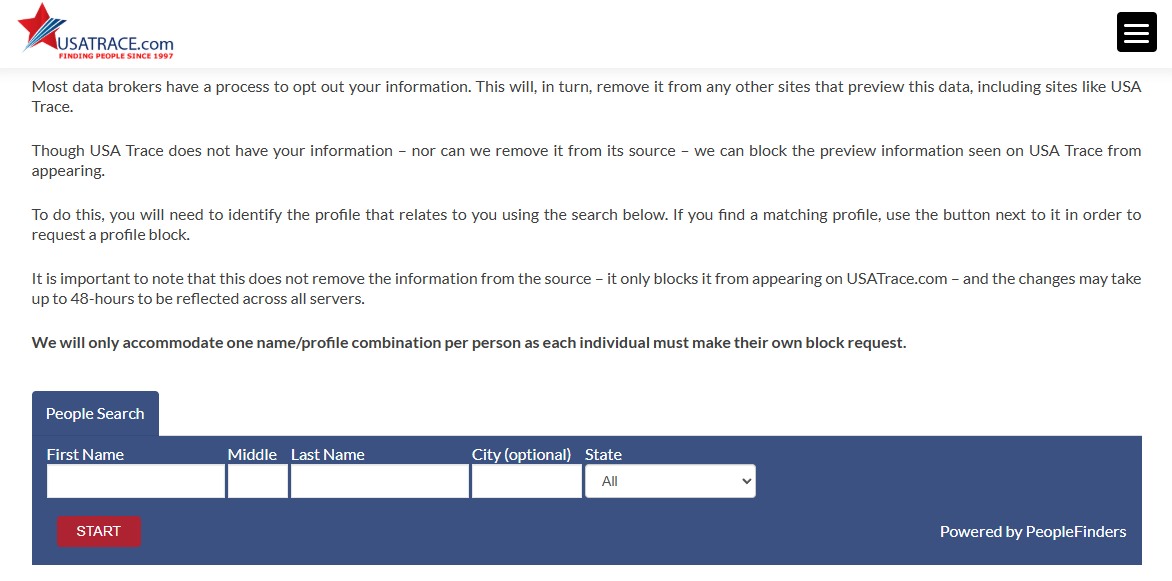
Go to usatrace.com/your-privacy and scroll to the People Search widget at the bottom - it's labeled "Powered by PeopleFinders", and that label is the whole story of this removal. Enter your first and last name (middle, city, and state are optional but narrow the list) and press the red START button.
The People Search widget - name and state find the listing.
02
Find your profile and click Block Profile
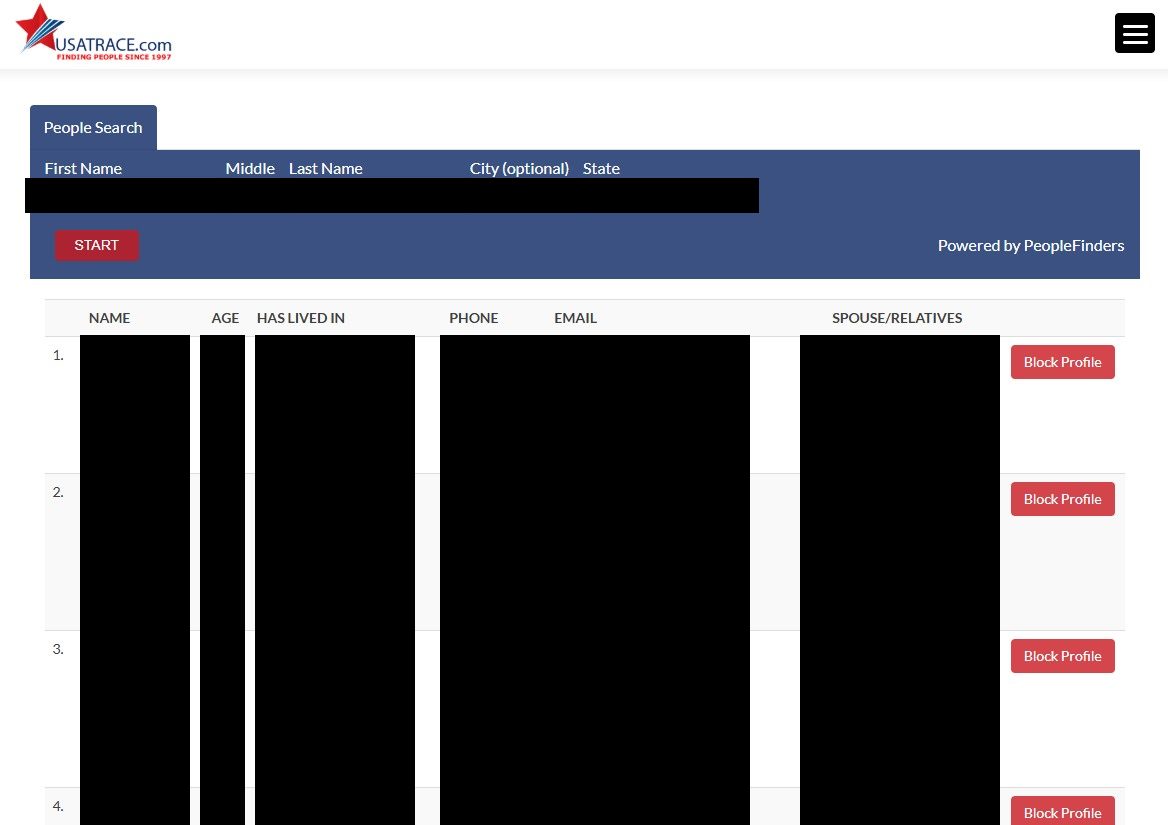
The results table lists each candidate's name, age, past cities, partially-masked phone numbers and emails, and spouse/relatives, with a red Block Profile button on every row. Check the age, the cities, and the relatives before deciding a row is you - then click Block Profile on your listing. That's the whole on-site flow: no email step and no code. USATrace says it will only accommodate one name/profile combination per person, so pick the listing that actually matches you.
Check age, cities, and relatives, then click Block Profile on your row.
03
Optional: opt out at PeopleFinders too
The USATrace block is complete at this point - nothing else is required. But it only hides previews on USATrace, so if you want the record itself flagged at the source, run the separate opt-out at peoplefinders.com/opt-out - PeopleFinders' California registration states that an opt-out there covers all Peoplefinders websites. Our PeopleFinders removal guide walks through that form and its eligibility rules.
Confirm
Confirm it worked
Search yourself again through the Your Privacy widget after two days - the site says changes can take up to 48 hours to reach all its servers, and Clearnym's guide reports most requests completing within a day or two. Older third-party guides described full removal taking 5 to 14 business days, so give a stubborn listing a couple of weeks before escalating. If it's still visible after that, email research@usatrace.com with the date you filed the block.
If it fails
Troubleshooting
Your listing shows under multiple name variants: the block covers one name/profile combination per person, so other variants stay visible on USATrace. The PeopleFinders opt-out is the tool for that - clearing the source record clears every preview of it.
You're asked to verify by email or SMS: our walk saw no verification step - the flow ended at Block Profile - but older third-party guides (Clearnym, Optery) describe a code or link. If one appears, finish it and keep the confirmation message.
Unexpected charges: that's a billing fight, not a privacy request. USATrace's terms say fees are charged by its third-party providers and are strictly non-refundable, and its PissedConsumer reviews describe repeat charges - if support doesn't respond, dispute with your card issuer.
Stay off
Keep your record off
A blocked profile isn't a deleted record. USATrace previews whatever PeopleFinders holds, and its block covers exactly one name/profile combination - a record variant with a different spelling or address can surface as a fresh listing the block doesn't touch. Keep the PeopleFinders opt-out in place, recheck USATrace quarterly, and search any name variants you've actually used. Redact's data-broker scan automates that loop - it watches for your details resurfacing across USATrace and the PeopleFinders network and refiles removals when they do.
Take yourself off data broker sites
Redact scans data broker sites from your device, finds where your details are listed, and submits the removal requests for you. If a broker relists you, it files again.
August 11, 2026 · Steps rebuilt from a real walkthrough - the block is two screens (search, then Block Profile) with no verification step and no code; the drafted verification steps are gone, and two step screenshots are wired in. The PeopleFinders source opt-out remains the durable half.