How to remove your info from Search Public Records
Redact removes listings automatically
Search Public Records takes removal requests through a form in its help center, and the whole thing hinges on one email you have to act on quickly. You fill in the form, prove you own an inbox, pick your record and press Remove. Then a second email arrives with a link, the site says that link stays live for 60 minutes, and the request only counts once you've clicked it. Sit down with your inbox open, give it ten minutes, and use an address you don't mind a broker keeping.
Your listing's version of you. The form wants a first name, a last name, a city, a state, a ZIP and an age, and it searches on exactly what you type, so give it the details the listing shows rather than where you live now. Run a search on the site first if you're not sure how it has you.
An inbox you'll keep open for the next ten minutes. Two emails come in during the flow. The first carries a code you type into the site, the second carries the link that finishes the job, and that link goes dead an hour after the site sends it.
A little patience for Cloudflare. The form, the email screen and the code screen each make you pass a human check before Continue does anything.
A throwaway address is fine here. The site only needs somewhere to send the code and the link, and nothing in the flow requires the address to match anything it already holds. A masked or disposable inbox keeps your real one out of a broker's records.
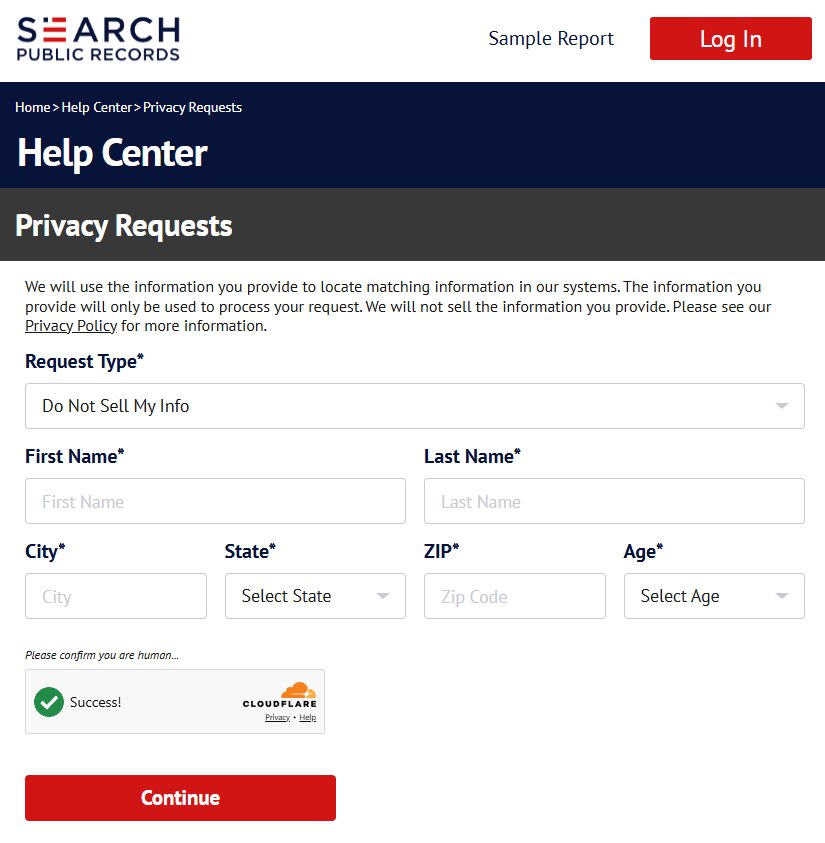
The Request Type box at the top already reads Do Not Sell My Info. Leave it. That's the request that takes a public listing down. The other choice in the list, Delete My Info, is for people who hold an account and want their account data erased, and it does nothing about a listing.
Below that, type your First Name, Last Name, City and ZIP, and pick your State and Age from the two dropdowns. Every field is marked required. The site looks up whatever you enter, so it wants the listing's details, not last month's move. Pass the Cloudflare box, then press Continue.
Every field is required, and Request Type stays on Do Not Sell My Info.
02
Enter an email address
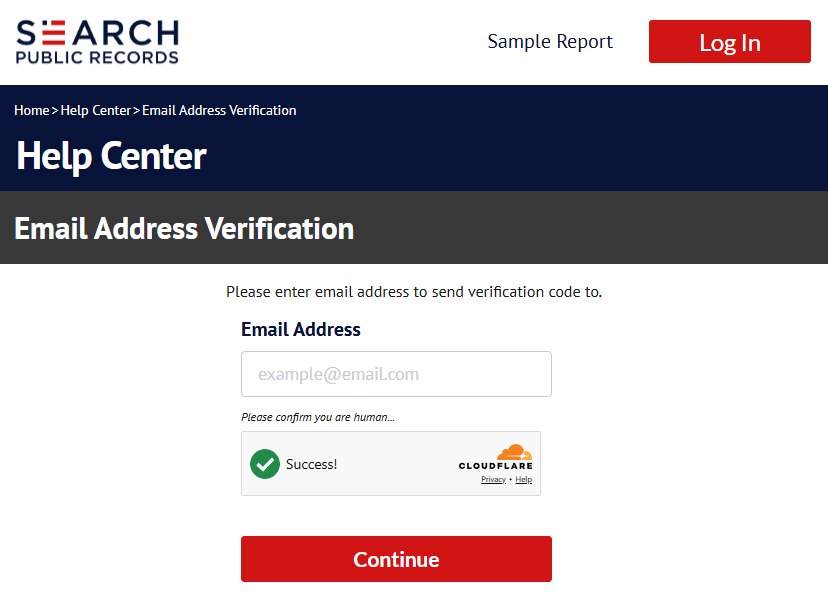
The Email Address Verification page has one box. Type the address you're watching, pass the Cloudflare check again and press Continue. The site sends a code to that address straight away. Your record hasn't been touched yet. This screen only proves you can receive mail.
One box. The code goes to whatever you type here.
03
Type the code from the first email
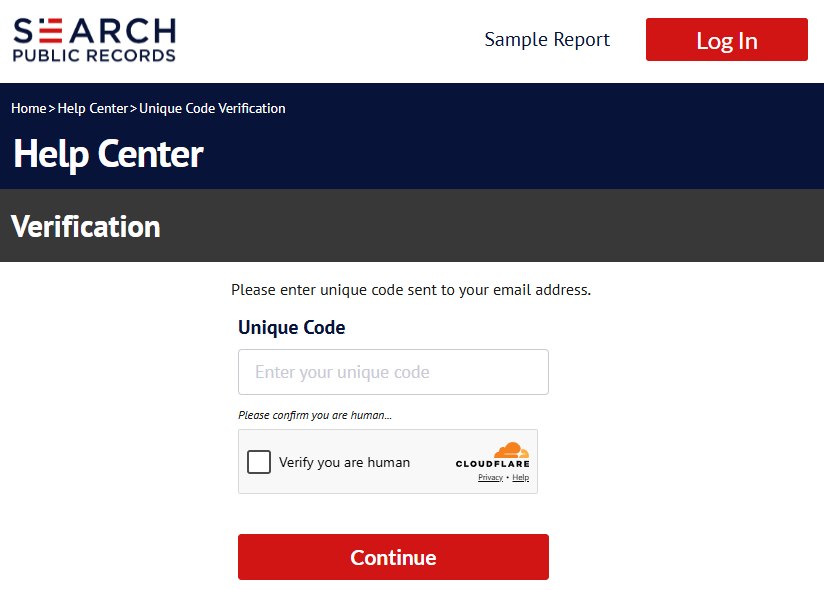
Open the email, paste the code into Unique Code on the Verification page, pass Cloudflare a third time and press Continue.
This email is a code to type, not a link to click. Keep that distinction in mind, because the second email later is the reverse, and mixing up which one you've done is the easiest way to walk away early.
The code is typed here. The link comes later.
04
Pick your record and press Remove
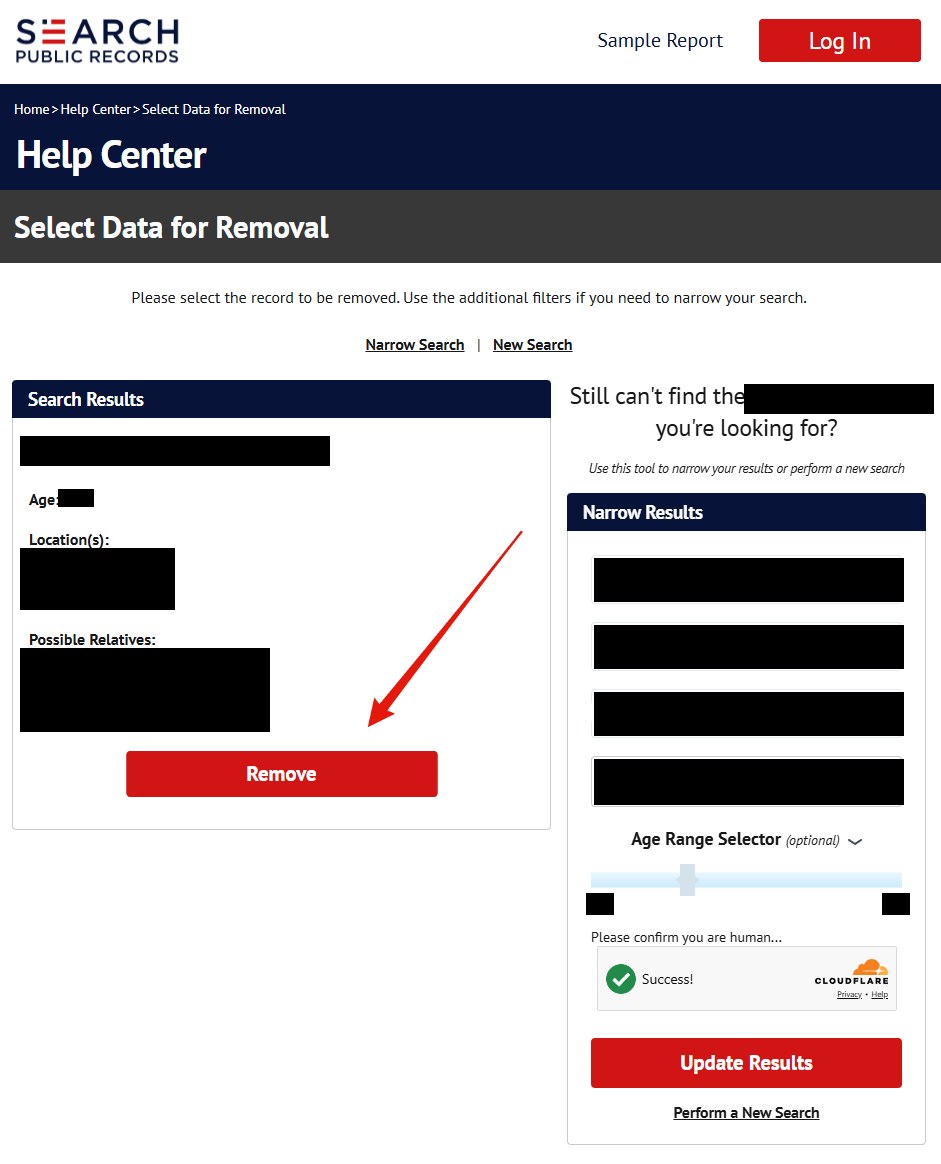
The Select Data for Removal page shows the record its search turned up, in a Search Results box on the left. Under it are the person's name, age, locations and possible relatives as the site holds them. Read it, because that's the listing you're about to suppress and also a preview of what the site sells.
If the record isn't you, don't remove it. The Narrow Results panel on the right takes a name, city and state plus an optional age range, and Update Results reruns the search with them. Perform a New Search at the bottom of that panel, and the New Search link above the results, both start over. When the record in the box is yours, press the red Remove button under it.
Personal details are blacked out. The record shows name, age, locations and possible relatives.
05
Click the link in the second email inside the hour
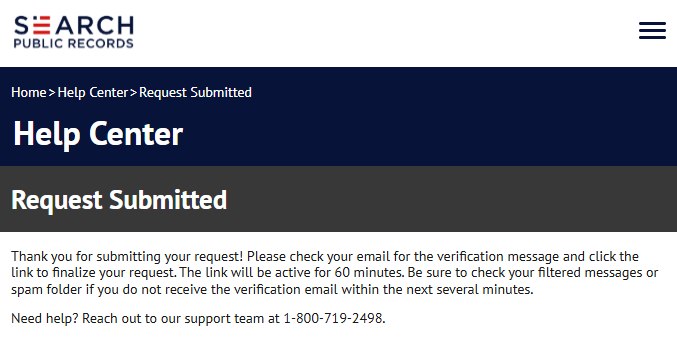
Pressing Remove lands you on Request Submitted. Read the text on it. The site says it's sent a verification email, asks you to click the link in it to finalize the request, and says the link stays active for 60 minutes. It also tells you to look in filtered or spam folders if nothing shows up within several minutes.
That click is the actual submission. Miss the hour and the request lapses without any notice, so do it now, while the tab is still open. The same page lists the site's support line, 1-800-719-2498, for anyone the flow has stranded.
The request isn't in until this link is clicked.
Afterwards
How you'll know it worked
There's no email that says it's done. Run a search for yourself on the site about a week later and see whether the record is gone. Search Public Records doesn't publish a processing time. ClearNym, which tracks this broker, puts it at one to seven days and says some requests clear inside 24 hours. If the listing is still there after a week, write to support@searchpublicrecords.com with the date you clicked the link and ask where the request stands.
Same form, different sites. Search Public Records' help center runs on the same template as Public Data Check and Kids Live Safe, and the profile lays out looser ties to Public Record Reports. None of that is common ownership, and none of them share a suppression list, so search each one and file its form if it lists you.
If it fails
When something goes wrong
The code never arrives. Give it a few minutes and check spam. If it still hasn't come, go back to the form and start again with a different address. Nothing has been filed at that point, so a second run does no harm.
The 60 minutes passed. The request is gone, not queued. Run the flow from the form again. A fresh code and a fresh link come with it.
Search Results shows a stranger. Don't press Remove. Use Narrow Results with the listing's city and state, or New Search with a different spelling of your name. If the site can't find you at all, there may be nothing to suppress under that name.
Still listed after a week or two. Email support@searchpublicrecords.com with your submission date, or call (800) 719-2498. The profile also lists three more (800) numbers from the BBB record if that one goes unanswered.
It's the $29.98 charge you're chasing, not the listing. That's the trial converting after seven days, and the $1.98 ID Protect add-on bills on its own. Cancel through support, then go to your card issuer if a refund stalls. The privacy form doesn't touch billing.
Stay off
Keeping it off
Suppression here works on the record the site had that day. New public-records feeds arrive with new spellings and addresses, and a variant of you can show up as a fresh listing that the earlier request never covered. Search the site again every few months, and search the related Santa Barbara sites at the same time. Redact's data-broker scan does that checking on a schedule and files the form again when something reappears.
Take yourself off data broker sites
Redact scans data broker sites from your device, finds where your details are listed, and submits the removal requests for you. If a broker relists you, it files again.
August 27, 2026 · The steps and all five screenshots were taken during one end-to-end pass on a live listing that day. Everything above the steps, meaning the ownership, pricing and litigation research, keeps its earlier date.