Public Data Check handles listing removals through a Privacy Requests form in its help center. Its operator, National Data Analytics, told California's regulator it received 140,857 requests to opt out of sale in one year, so the channel is well used. It's also fiddly. The site checks your email before it shows you a record, then sends a second email whose link it says lasts 60 minutes, and nothing is filed until you've clicked it. The company states a 24-hour processing window and its registry filing shows a three-day median.
How the listing describes you. The form needs first and last name, city, state, ZIP and age, and each one has to match the listing for the search to return your record. If you've moved since the record was built, use the address it holds.
An inbox you can watch. The site emails a code first and a link second, and it gives you an hour on the link.
Time for three Cloudflare checks, one per screen on the form, the email page and the code page.
Use a masked or secondary address if you have one. The site needs to reach the inbox twice, and that's the extent of it. There's no reason for the address to be your main one.
New Jersey covered persons under Daniel's Law (judges, prosecutors, law enforcement officers and household members) are directed by the site to support rather than this form. That path carries the statute behind it.
The steps
Suppress the listing
01
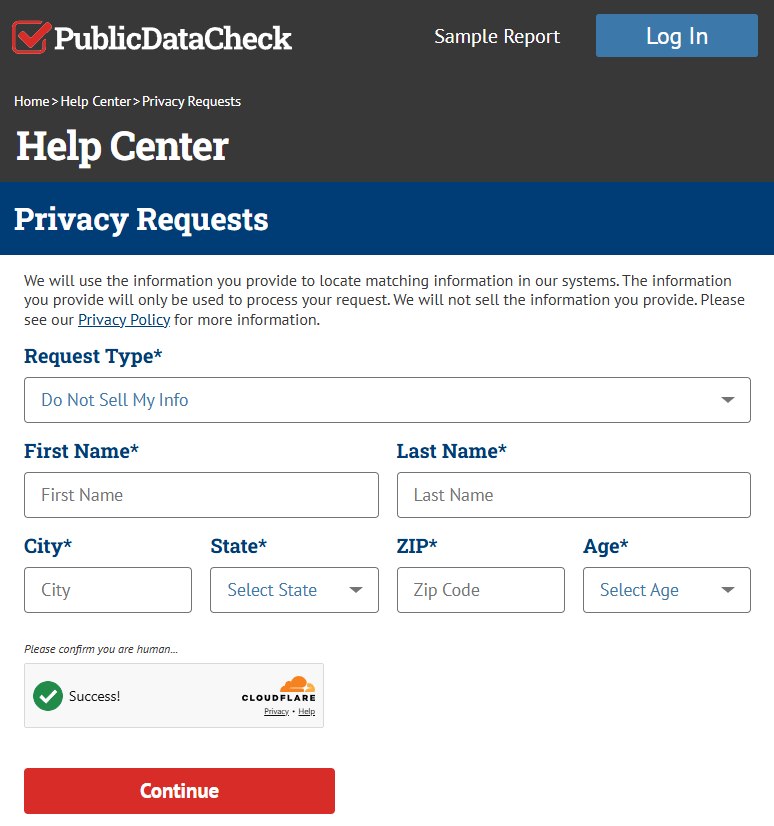
Go to the Privacy Requests form and leave the request type alone
Request Type opens on Do Not Sell My Info. Keep it there. It's the request that suppresses a public listing, and it's the one the operator's registry filing counts in the tens of thousands. The other option, Delete My Info, applies to a subscriber's own account data and won't take a listing down.
Complete First Name, Last Name, City, State, ZIP and Age. The site marks all six required and searches on them, so they need to be the listing's details. Pass the Cloudflare check and press Continue.
Do Not Sell My Info is the request that reaches a public listing.
02
Enter the address for the code
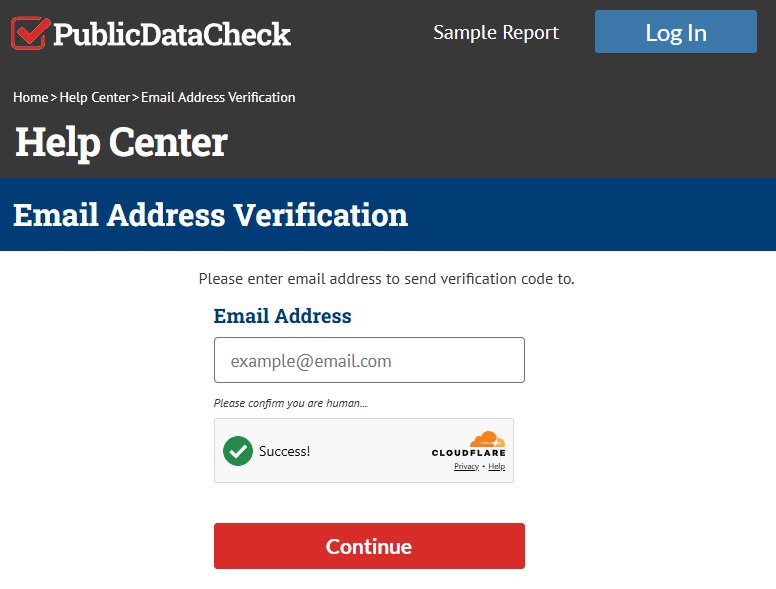
Email Address Verification asks only for the address the code should go to. Type it, pass Cloudflare, Continue. Your record is untouched at this point.
First email check of two.
03
Type the code
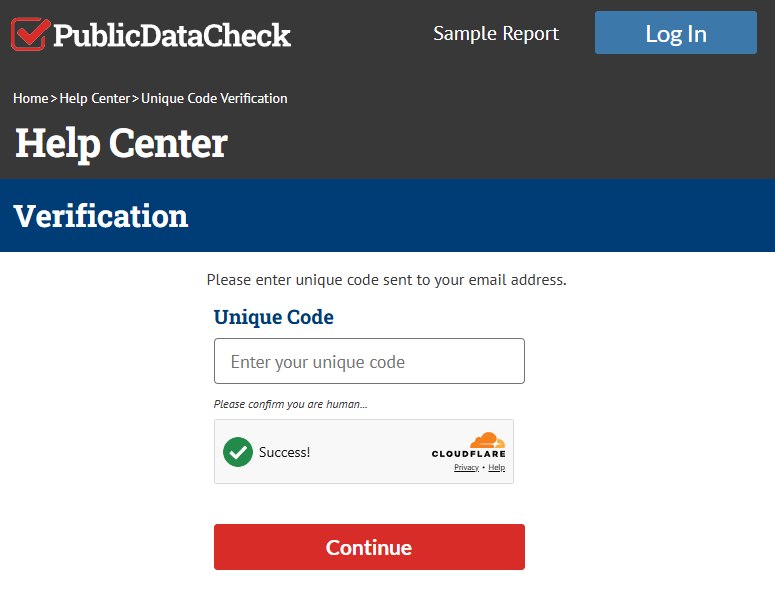
Take the code from the email and enter it where the Verification page says Unique Code, pass Cloudflare once more, press Continue. This email is the one you type from. The one you click comes after you've chosen a record.
Typed, not clicked.
04
Find yourself and press Remove
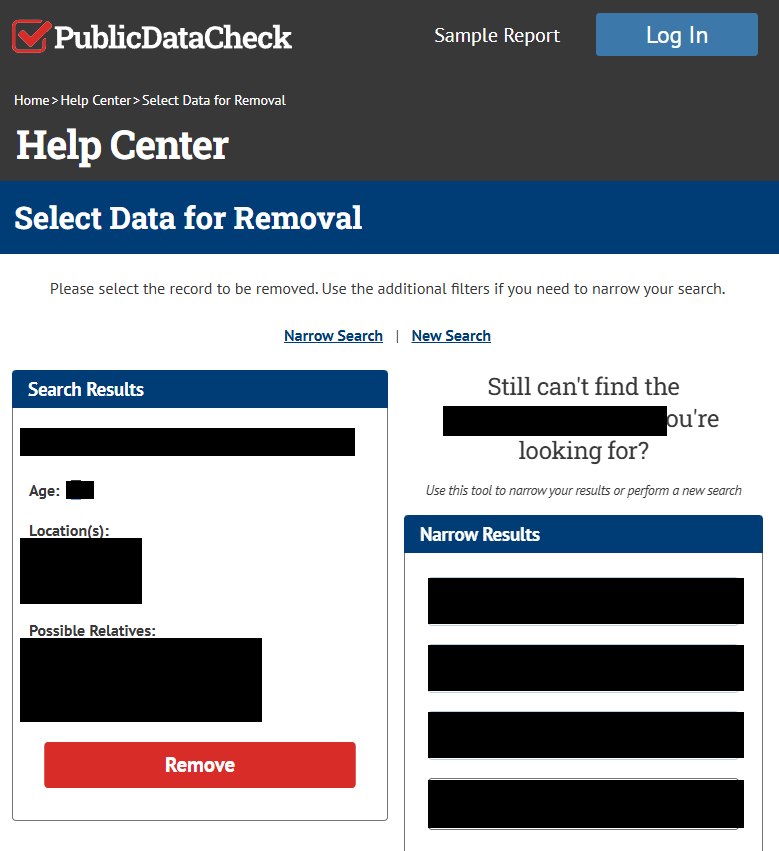
Select Data for Removal puts the matched record in a Search Results box and shows what the site holds under four headings, name, age, locations and possible relatives. That's the content of the listing you're suppressing.
Confirm it's you. If the box shows a namesake, the Narrow Results panel on the right accepts name, city and state, plus an optional age range, and Update Results reruns the match. New Search above the box starts fresh. Removing the wrong person does nothing for you. When the record is yours, press Remove.
Blacked out here. Name, age, locations and possible relatives are what the site holds.
05
Click the emailed link inside 60 minutes
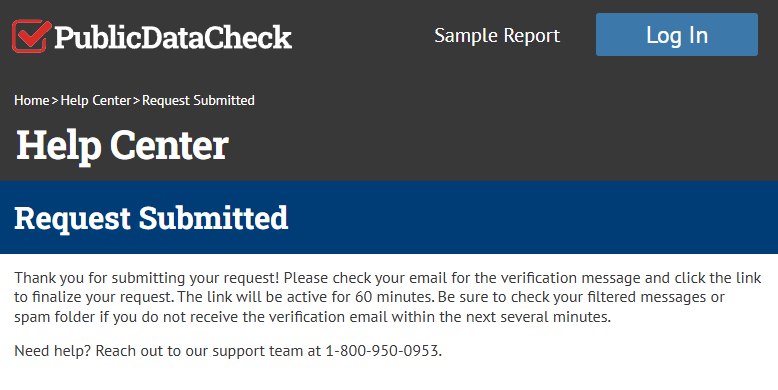
The Request Submitted page says the site has sent a verification message, that clicking its link finalizes the request, and that the link stays active for 60 minutes. It adds that filtered and spam folders are the place to look if nothing arrives within several minutes.
The request doesn't exist until that click. After an hour the link is dead and the site won't tell you. The page also carries the support line, 1-800-950-0953.
Sixty minutes, counted from this page.
Confirm
Checking the result
Give it at least 24 hours. That's the window the site asks for, and it suggests clearing your browser cache before searching again, since a cached page can show a record that's already gone. National Data Analytics' current registry filing reports a three-day median for deletion requests and a two-day median for opt-outs of sale, so a listing that's still there after a week is late. At that point call 1-800-950-0953 or email privacyinfo@publicdatacheck.com with the date you clicked the link.
If it fails
Problems and fixes
A rejection saying they couldn't match the name and email to a record. Public Data Check's rejection notice uses that wording. The record is chosen on screen before anything is sent, so the fix is on the form. Start again with the exact name, city, state, ZIP and age the listing shows, confirm the record on the Select Data for Removal page, and press Remove on that one.
Neither email arrives. Wait 15 minutes, check spam, then rerun the form with another address.
The hour ran out. Rerun the form. The old link won't work and no request was recorded.
Ignored, and you live in California. The company is a registered data broker, so a CPPA complaint can cite its registration.
It's the $29.96 that's the problem. Billing isn't a privacy request. Cancel by phone, email or online as the terms describe, and note the terms allow 30 days to dispute a charge before your card issuer is the better route.
Stay off
Keep it suppressed
Public Data Check's suppression list belongs to Public Data Check. Kids Live Safe and quickpublicrecords.com run the identical form, but nothing documents a request on one site carrying to another, so each site that lists you gets its own form. Come back after a month, too. New partner data can bring in a variant of your record that the suppression never matched. Redact's data-broker scan rechecks the family and files again when that happens.
Take yourself off data broker sites
Redact scans data broker sites from your device, finds where your details are listed, and submits the removal requests for you. If a broker relists you, it files again.
August 27, 2026 · The five steps and their screenshots come from one complete pass through the live flow on that date, replacing the August 11 set. Profile research keeps the dates given above.