FindANeighborhood runs its own opt-out, separate from PeopleFinders', with two forms separated by an emailed verification link, or a phone line at (877) 551-9688. The emailed link is only good for 24 hours, and the confirmation at the end allows up to 48 hours for the removal. Do both sites, because they're one company publishing two routes, and set a reminder to recheck. The company's own notice says your information may reappear as it takes in new public records.
Partial compliance · all 389 of the registrant's 2024 deletions were granted in part
Recheck
Periodically (the company recommends it itself)
The steps
Remove your listing
01
Fill in the request form
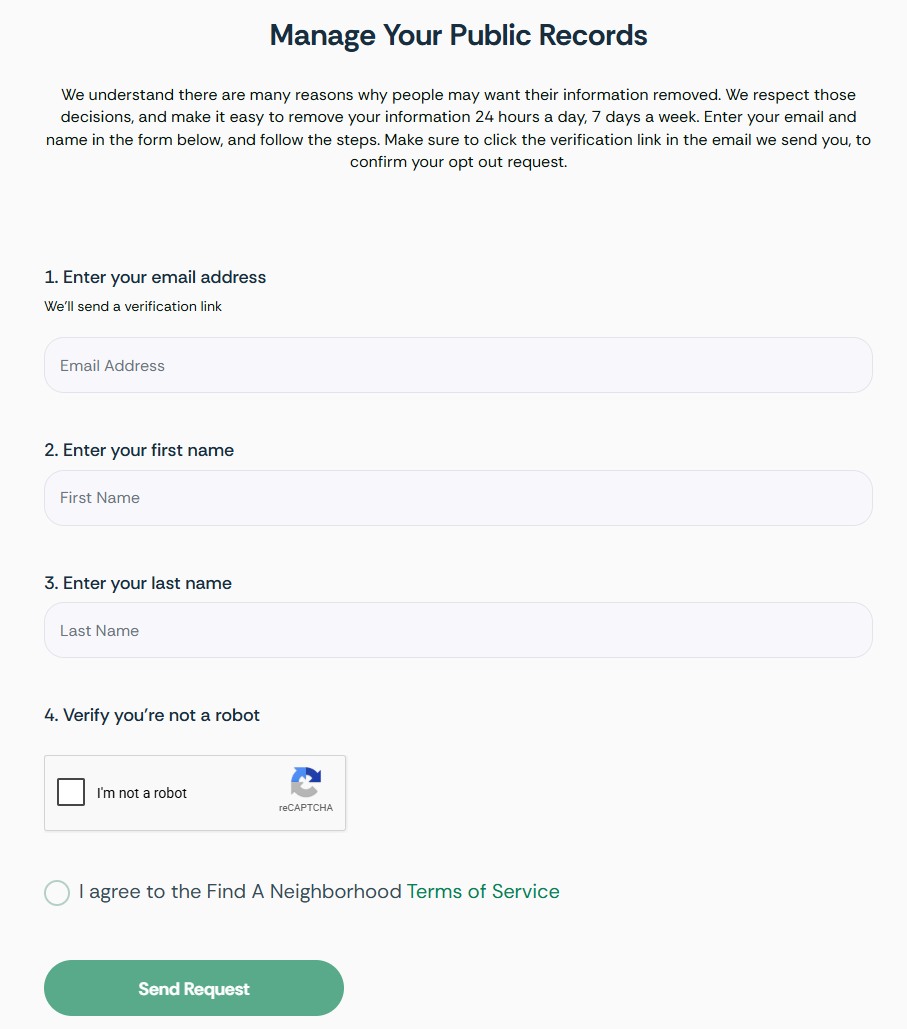
Go to findaneighborhood.com/opt-out, linked from the Do not sell my personal information item in the site's footer. It's headed Manage Your Public Records. Enter:
Your email address - the verification link lands there, so use an inbox you can open right away
Your first name and last name, as they'd appear on the listing
Tick the I'm not a robot reCAPTCHA, agree to the Terms of Service, and press Send Request.
Email plus name, the reCAPTCHA and the Terms agreement - then Send Request.
02
Click the verification link in their email
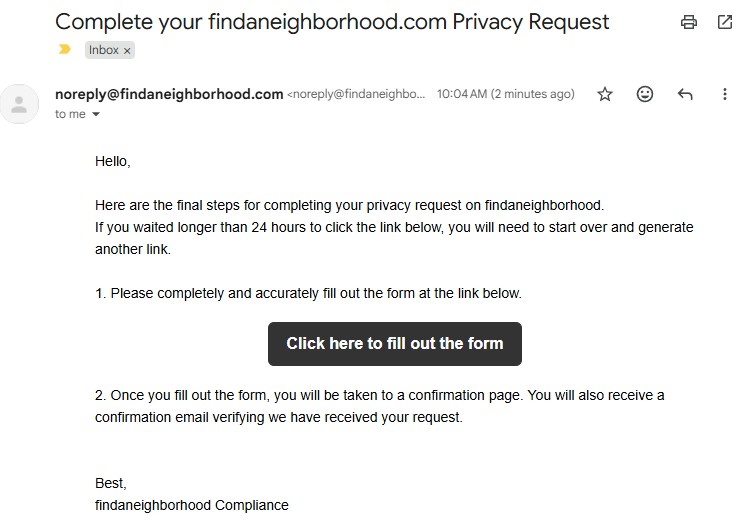
An email from noreply@findaneighborhood.com headed "Complete your findaneighborhood.com Privacy Request" arrives with a Click here to fill out the form button. ⏳ The link is only good for 24 hours - the email itself says waiting longer means starting over with a fresh request.
The link expires after 24 hours - click it promptly.
03
Fill out the full form
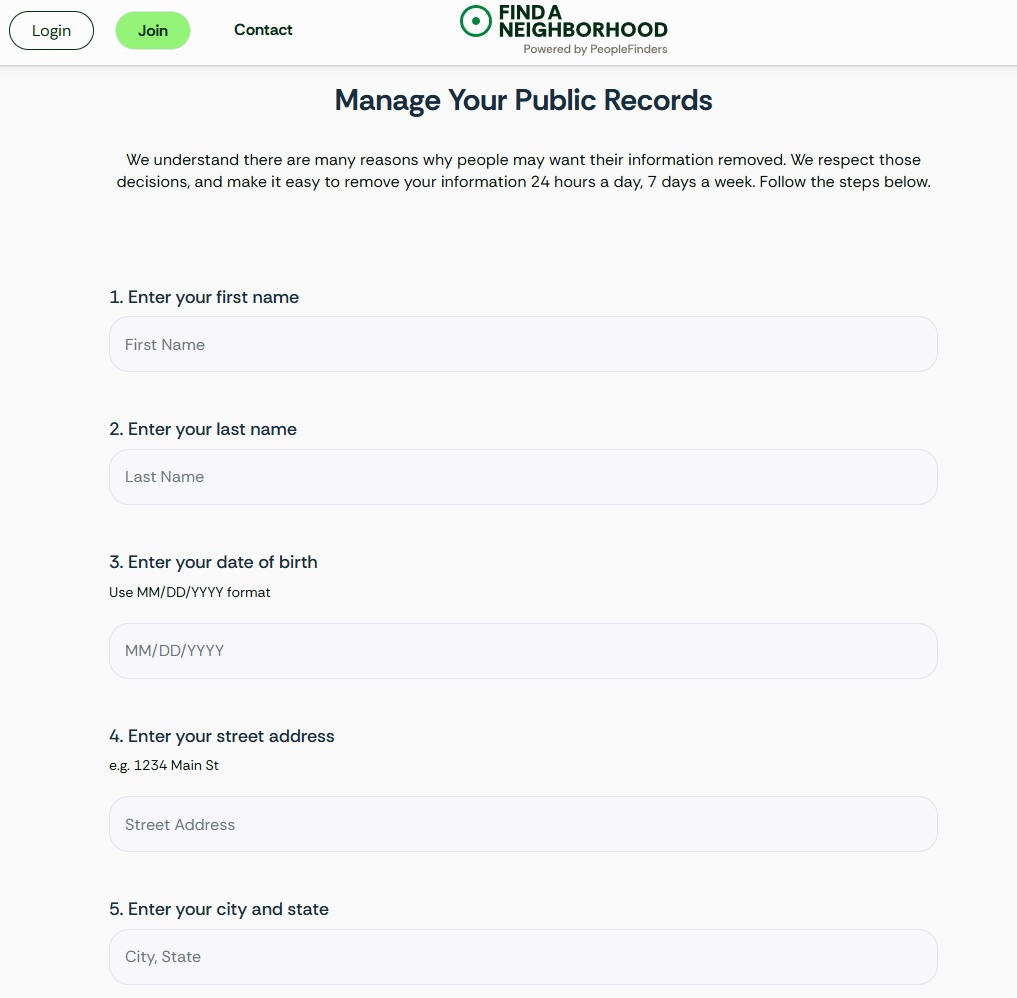
The link opens a longer version of the first form - this one is the real request. It asks for your first name, last name, date of birth (MM/DD/YYYY), street address, and city and state. Give the details attached to the listing you want gone - the opt-out matches the record, not the truth.
The second form is the real request - name, date of birth and address.
04
Submit, and note the 48-hour window
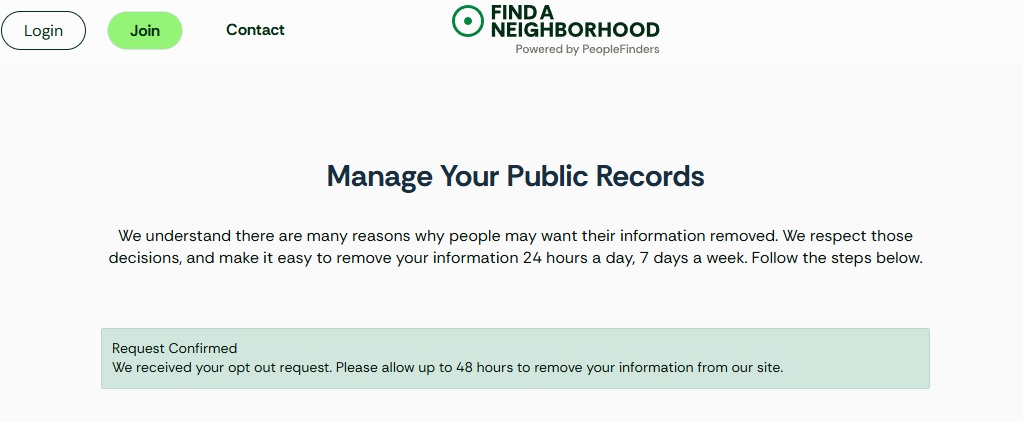
Submitting lands on a Request Confirmed banner: "We received your opt out request. Please allow up to 48 hours to remove your information from our site." Their first email also says a confirmation email follows. Keep a screenshot - the registrant's filed record is partial compliance, so a dated record matters.
Request Confirmed - the site gives itself 48 hours to remove the listing.
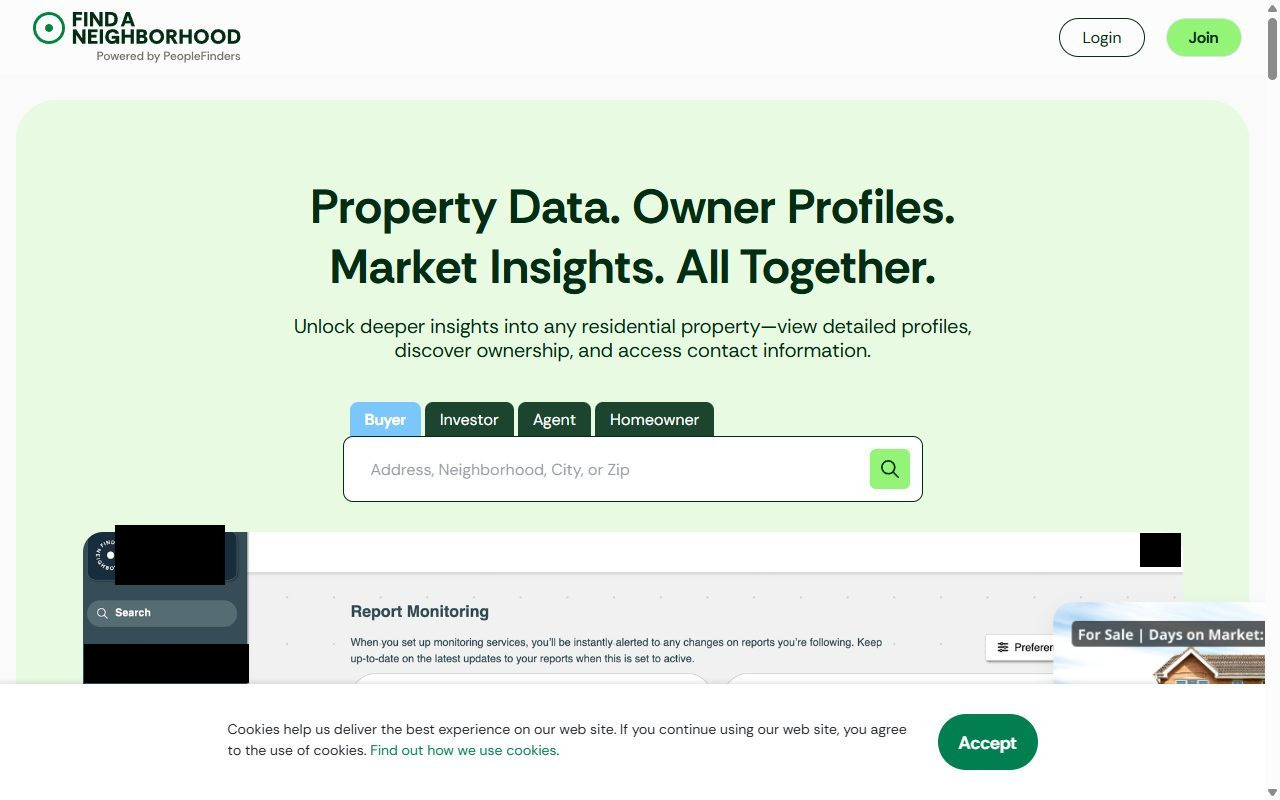
Find how you're listed before you start. Search your address on the site, then your name - both work, and they can surface different records. Note the spelling and address exactly as shown.
The phone line is an equivalent route, not a fallback you're improvising. The company's own Do Not Sell notice gives (877) 551-9688 - use it if the form's bot check won't let you through.
Set your browser signal too. The notice says the form alone doesn't stop sharing through its collection technologies - it asks for cookie settings or an opt-out preference signal such as Global Privacy Control, which works across other brokers too.
Do PeopleFinders as well. One company, two sites, two opt-out routes - the second form's own header says Powered by PeopleFinders. Run the PeopleFinders removal too, and note that guide's warning about the state-eligibility rejection, the most common way a request from this registrant gets refused.
What to expect
What this opt-out does and doesn't do
Public records are handled "as a courtesy". The notice says publicly available information "is not covered by State Privacy Laws" and that the company will only try to apply your request to it. That portion of the suppression is voluntary by their own account.
It doesn't touch the source. The notice states plainly that opting out "will not remove the data from its original source", so the county and state records behind your listing stay where they are.
Your record can come back. The company writes that it regularly receives new public records and your information "may appear in our data products again in the future", and it recommends refreshing your request periodically.
Partial compliance is the filed norm. Peoplefinders, LLC reported 389 requests to delete in 2024 and recorded every one as complied with in part, none in full and none denied. Verify what actually came down rather than assuming.
If it fails
Troubleshooting
The form won't load. It sits behind a bot-protection challenge that sometimes blocks real visitors. Try a different browser or network, or use the phone route on (877) 551-9688.
Request refused on state grounds. PeopleFinders rejects requests it geolocates to a state without a comprehensive privacy law. The PeopleFinders guide has the appeal wording and the statutes to cite.
Listing gone by address but not by name. They're separate ways into the record. Re-submit against whichever view still returns you, and say which one it is.
This site is keyed to property, so the events that rebuild your record are property events, like a purchase, a sale, a refinance, a permit or a tax reassessment. It also keeps prior owners and former residents, so moving out doesn't clear you and moving in re-lists you. Recheck after any transaction and periodically otherwise, which is what the company itself advises. Redact's data-broker scan watches this one and refiles when your details resurface.
Take yourself off data broker sites
Redact scans data broker sites from your device, finds where your details are listed, and submits the removal requests for you. If a broker relists you, it files again.
August 10, 2026 · Confirmed by a real walkthrough - the flow is two forms separated by an emailed verification link that expires after 24 hours, ending in a Request Confirmed banner that allows up to 48 hours for removal. Four step screenshots wired in.