Removal guide · CourtRecords.us

How to remove your info from CourtRecords.us

CourtRecords.us hosts the opt-out portal for the whole InfoPay court-records shell network, so one submission here covers the 50 state-branded sites that copy it. The form asks for a name, a state, and a city, and there's a separate email route for judges, prosecutors, law-enforcement officers, and their households.

CourtRecords.us homepage screenshot

Before you start: the CourtRecords.us profile explains who InfoPay, Inc. is and how the 50 state shells relate to this domain.

Quick facts

What you're dealing with

What it asks for

First name, last name, state, city

Account needed?

No

Covers

This domain plus the 50 state-branded shells that share its privacy policy and portal

Covered-person route

privacy@courtrecords.us · subject "Attention Covered Person Removal Request"

Operator's 2024 deletion numbers

InfoPay, Inc. reported 18,145 requests to delete - 13,640 complied in whole and 4,505 denied, 6-day median

The removal

Submit the opt-out

One form, whole shell network

The portal is a single page. The only friction is a consent gate in front of it.

01

Open the opt-out portal

Go to courtrecords.us/optout. An FCRA notice appears first - it says CourtRecords.us isn't a consumer reporting agency and asks you to agree to the terms before continuing. You have to click I Agree to reach the form. Agreeing here is consent to their terms of service, not consent to anything about your removal.

02

Fill in the four fields

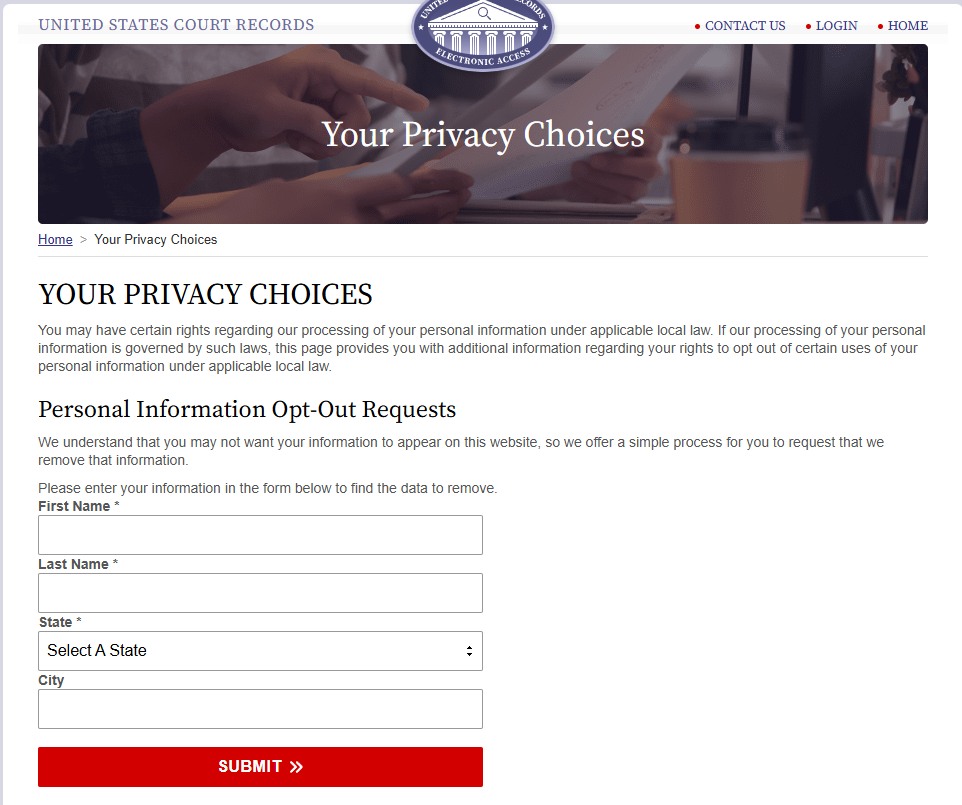
The page is titled Your Privacy Choices. Under Personal Information Opt-Out Requests the form asks for First Name, Last Name, and State (all required) plus City. Use the name and location exactly as they appear on the listing you found, not a preferred or shortened version - the search has to match their record.

The Your Privacy Choices page on the CourtRecords.us portal with a Personal Information Opt-Out Requests form asking for first name, last name, a state dropdown and city, and a red Submit button
The Personal Information Opt-Out Requests form - four fields and Submit.
03

Submit and select your record

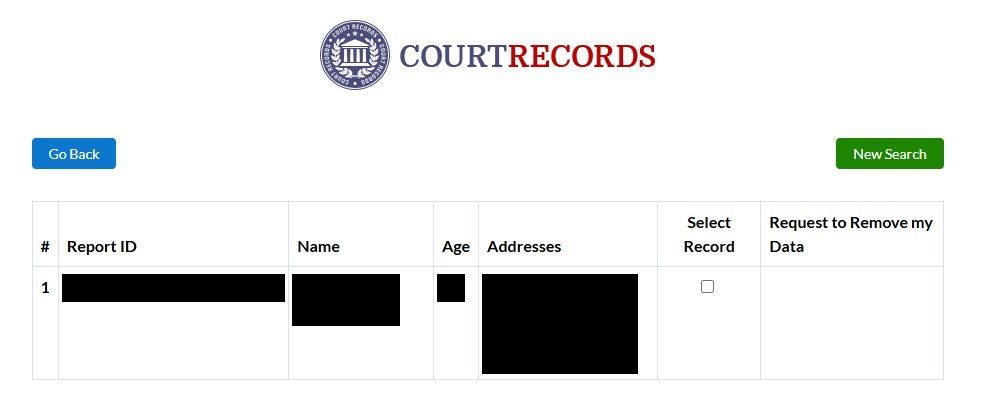
Press Submit. The results table lists matching records with a Report ID, name, age, and address history - tick the checkbox under Select Record on the row that's actually you (check the age and the addresses), then use Request to Remove my Data.

The network's shells warn that the portal may follow up with verification questions, so don't close the tab as soon as it posts. If a follow-up appears, answering it is part of completing the request.

CourtRecords results table listing a matching record with Report ID, name, age and addresses, a Select Record checkbox, and a Request to Remove my Data column
Tick Select Record on the row that's you, then use Request to Remove my Data.
04

Run InfoTracer's opt-out too

The shells and InfoTracer share a data backbone but run separate opt-outs, so clearing one doesn't clear the other. InfoTracer's own form was broken for months, but a walkthrough on August 11, 2026 ran it end to end, so submit it as well - our InfoTracer removal guide has the steps.

Daniel's Law route

If you're a judge, prosecutor, or law-enforcement officer

Email, not the form

The portal carries a separate path under the Daniel Anderl Judicial Security and Privacy Act. It covers current, former, and retired judges, prosecutors, and law-enforcement members, and their immediate family living in the same household.

  • Email privacy@courtrecords.us rather than using the web form.

  • The subject line has to read exactly "Attention Covered Person Removal Request" - the site states this requirement outright.

  • Include your complete name, your residence, your email address, and your status as a covered person.

  • The site states this information is used solely to process the privacy request.

State law

Where you have extra leverage

The portal names nineteen states whose residents may have additional data-subject rights with it - California, Colorado, Connecticut, Delaware, Indiana, Iowa, Kentucky, Maryland, Minnesota, Montana, Nebraska, New Hampshire, New Jersey, Oregon, Rhode Island, Tennessee, Texas, Utah, and Virginia. Those rights include the right to know whether your personal information is being processed and to request access to it, and the right to request correction. If a plain opt-out stalls, a rights request naming your state statute is the stronger follow-up.

California residents have a further option. InfoPay, Inc. and Intermedia Ventures, LLC both appear on the state's data-broker registry, which means the DROP deletion mechanism reaches them.
If it fails

Troubleshooting

  • Your listing is on a state shell and you're not sure this covers it. It does. Every state-branded shell serves this same form under its own /optout/ address, and one submission on any of them covers the whole network.

  • The form doesn't find you. Try the city and state where the record itself says you live rather than where you live now, and try a maiden or former name if the listing shows one.

  • Nothing happens after weeks. Email privacy@courtrecords.us or call (833) 963-2494 with your submission details. Postal follow-up goes to 1070 Montgomery Rd #2024, Altamonte Springs, FL 32714.

  • The record comes back. These sites re-ingest from public court records, so a removal isn't permanent. Re-check a few times a year, and re-run the opt-out if the listing returns.

Take yourself off data broker sites

Redact scans 120+ data broker sites from your device, finds where your details are listed, and submits the removal requests for you. If a broker relists you, it files again.

Last updated:

September 4, 2026 · InfoTracer's opt-out corrected to the August 11 walkthrough that found it working. Otherwise written August 5, 2026 from the courtrecords.us/optout portal read directly, plus InfoPay, Inc.'s California data-broker registry filing