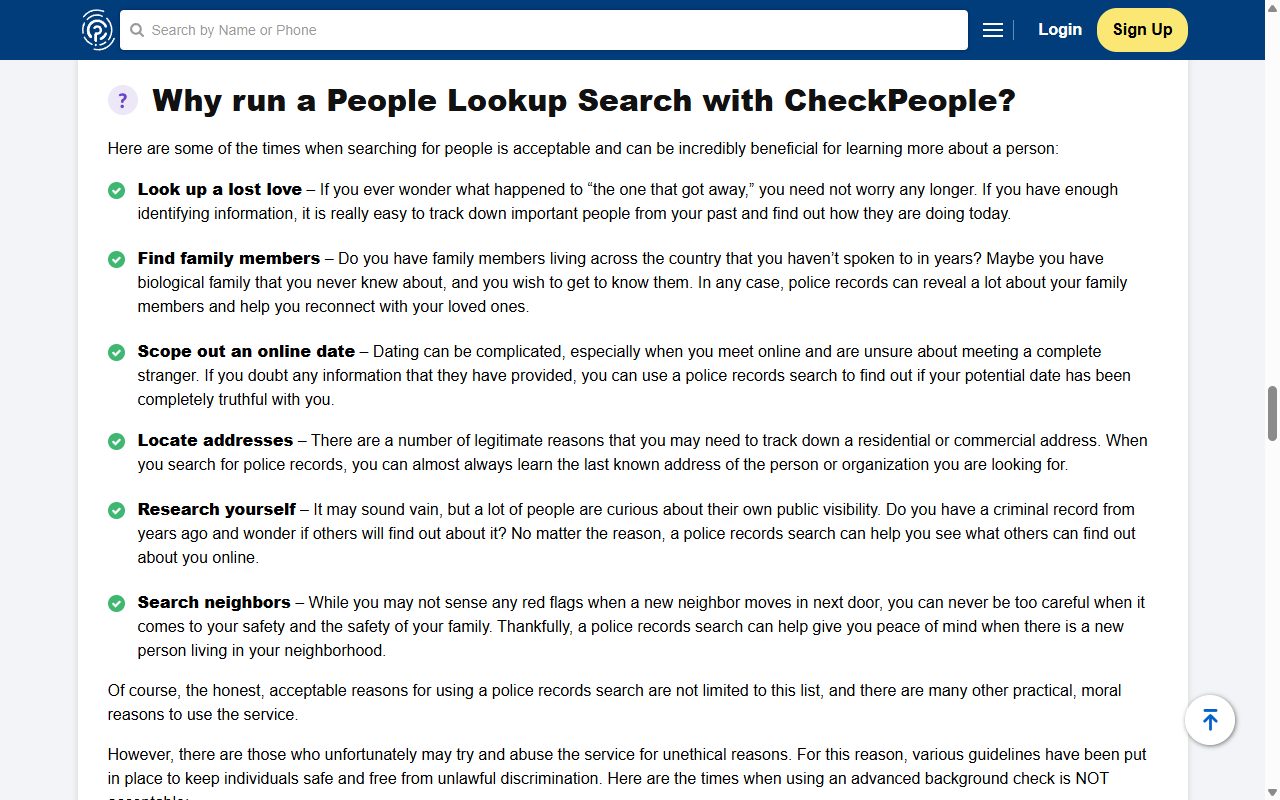
CheckPeople's opt-out runs through a Suppression Center. It's an opt-out and not a deletion. CheckPeople says it takes your data out of its people-search results, and the company keeps the record. You verify an email address, save your birthdate, give your legal name, and the site then looks for the record that carries both so you can suppress it. CheckPeople says an opt-out takes 5 to 7 days to take effect. We walked the form on August 11 and again on October 5, 2026, as far as the legal name screen. Our walker has no CheckPeople listing, so there was no record for the form to find and we can't show you the screens after that.
For background, the CheckPeople profile covers CheckPeople, LLC, its Illinois class settlement and UnMask, which says its search is powered by CheckPeople.com.
Nothing here should cost money. The BBB's file on CheckPeople describes a pattern of complaints about recurring charges after a trial. If any screen asks for a card while you're trying to opt out, leave it.
The steps
Run the Suppression Center
01
Enter your email address
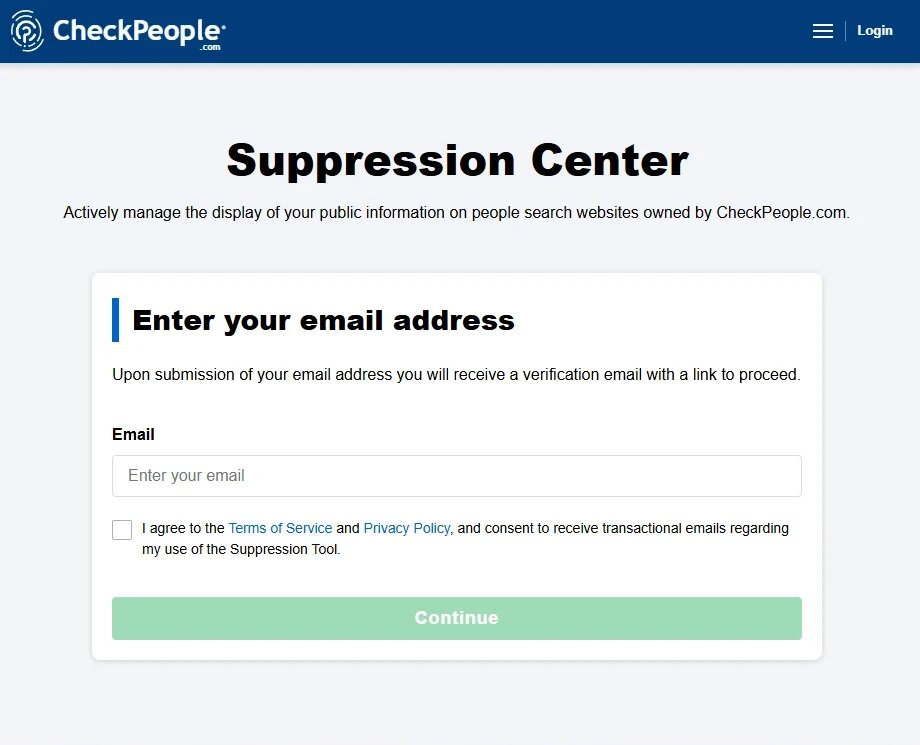
The old address, checkpeople.com/optout, forwards to a privacy rights page where the button you want is Exert Right to Opt-Out. It leads to the Suppression Center, which asks for an email address and a tick beside its terms. Use an address you plan to keep. The site ties the suppression to it.
The form opens on an email box.
02
Open the verification email
CheckPeople emails a link to continue. Nothing on the site moves until you've clicked it.
03
Save your birthdate
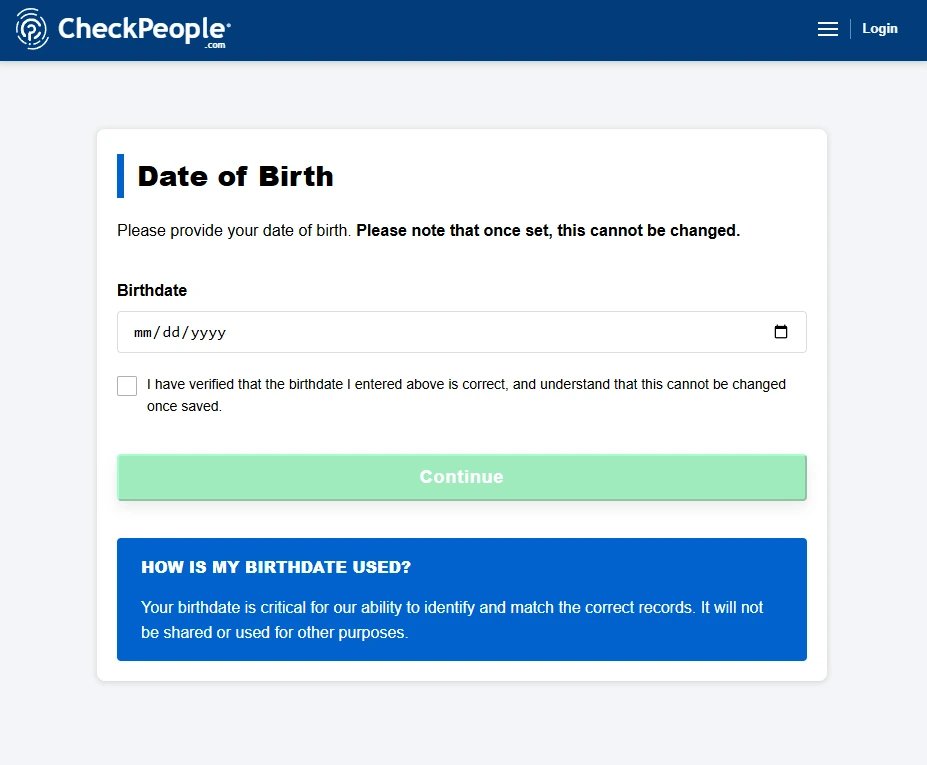
The link opens Date of Birth. Enter your date, tick the box confirming it's correct and that you understand it can't be changed, and press Continue.
CheckPeople says the birthdate is permanent once saved.
04
Give your legal name
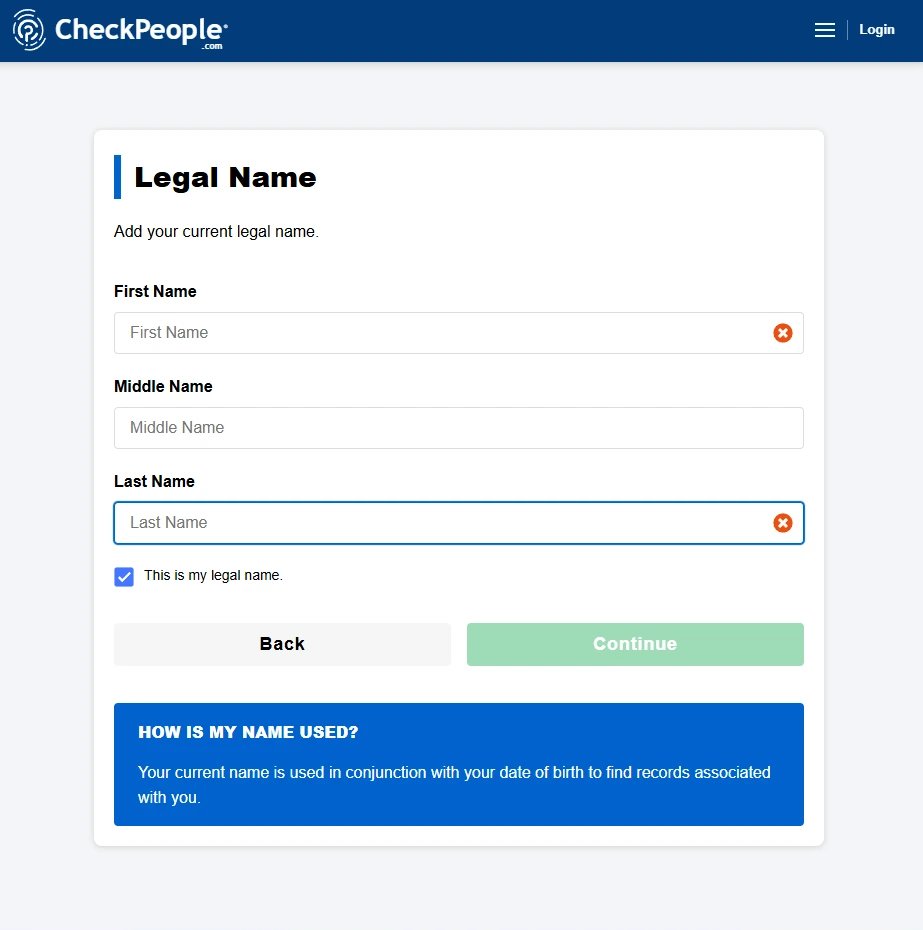
Legal Name has first, middle and last name boxes and a tick beside This is my legal name. CheckPeople's note on this screen says it uses your name with your date of birth to find records associated with you.
The last screen we reached.
05
Pick your record
From here the site searches for records matching that name and birthdate and offers them for suppression. We haven't seen this screen. Our walker isn't in CheckPeople's database, so the walk stopped at the step before it. Follow what the site shows you, and choose the record that's yours.
If it finds nothing
When no record comes back
An empty result can mean CheckPeople has no listing for you, which is the best outcome. Check by searching your name on checkpeople.com. If a listing is there and the form still couldn't match it, the date or name it holds probably differs from yours, and a listing doesn't show a birthdate to compare.
In that case write to compliance@checkpeople.com, the privacy contact on CheckPeople, LLC's California data broker registration. Give your name, the city and state on the listing, its web address, and the date you ran the form. California residents can also file through the state's DROP platform, which asks for deletion, something the Suppression Center doesn't do.
Stay off
After the listing is hidden
Search your name on CheckPeople again a few weeks later, and again after a move. People-search sites refill from public records, so a new address can bring a new page. UnMask says its search is powered by CheckPeople.com but is registered in California as its own company, so ask it separately.
Take yourself off data broker sites
Redact scans data broker sites from your device. The free scan shows which of your details are exposed but hides which broker lists you; Premium and Ultimate show where each listing is. Redact checks CheckPeople for your listing. Removal here is a manual step. Premium and Ultimate submit removals for most other brokers Redact covers.
Walked on August 11 and October 5, 2026, as far as the Legal Name screen, with three screenshots from the October walk. The walk stopped there because our walker has no CheckPeople listing to match, not because the form failed, so the record-selection step is described from the site's own wording and not from sight. The operator and privacy contact were read from California's data broker registry on October 5.
The page provides general information, not legal advice. Redact is not affiliated with or endorsed by CheckPeople or any other company named here. Spotted an error, or represent this company? Email support@redact.dev.