How to Delete Your Reddit Account (easy step by step guide)
Reddit's steps for the web and the app, and why your posts and comments stay up after the account is gone.
 Dan Saltman10 min read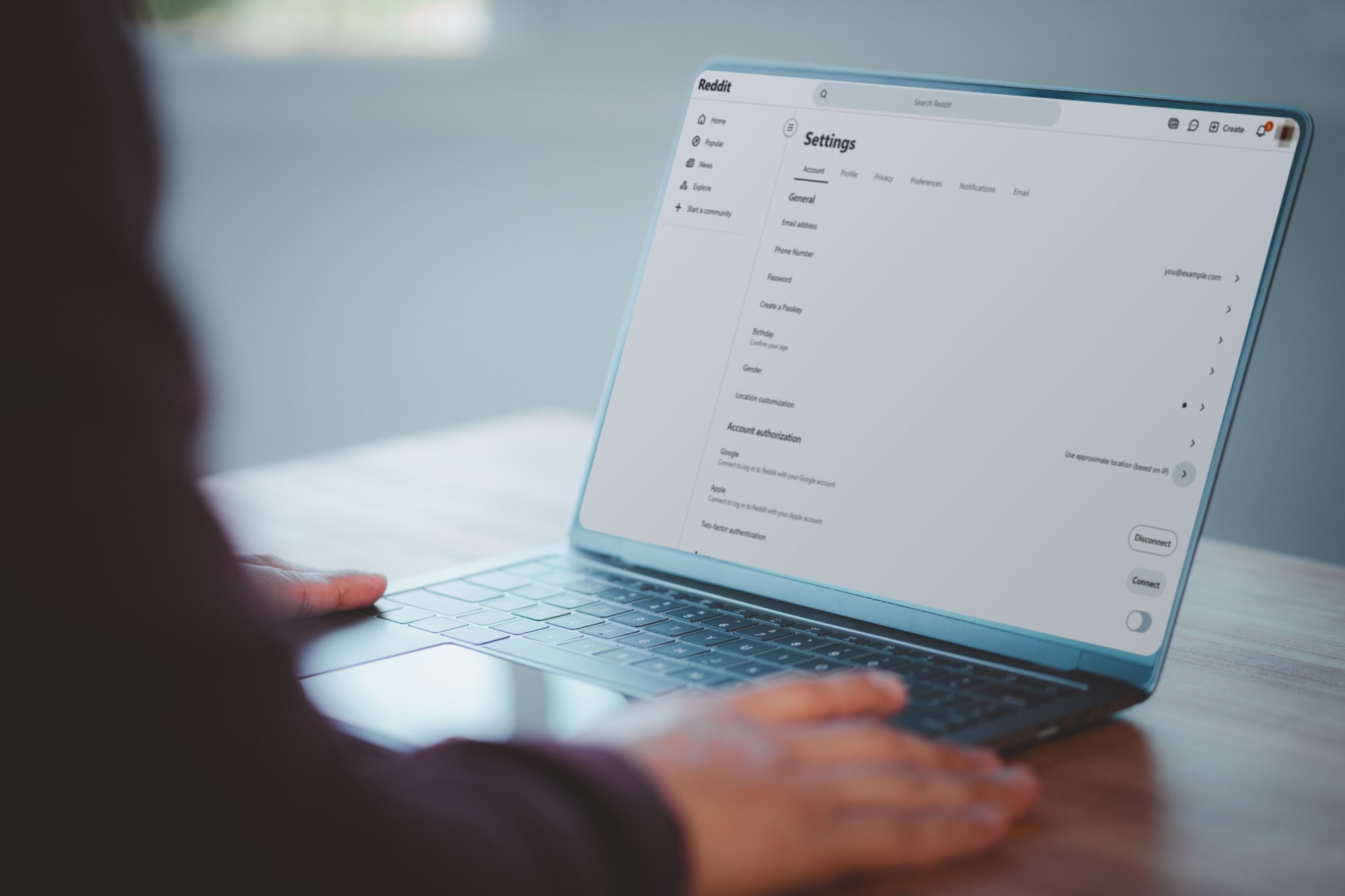
On this page
To delete your Reddit account on a computer, click your profile picture, choose Settings, scroll to the bottom of your account settings and click Delete account. Enter your username and password and click Delete. On the apps, it's under Settings too.
Before you do, know the one thing Reddit tells you in its own help center: deleting your account doesn't delete any posts or comments you've made. They stay on Reddit with your name taken off. If you want them gone, you have to delete them first, while you can still log in.
This guide covers Reddit's steps for every platform, what deletion does and doesn't remove, and how to delete your history before you go. It's one of our guides to deleting your social media accounts.

4 things to do before you delete
A Download your data. Request a copy at reddit.com/settings/data-request. Reddit says it can take up to 30 days to prepare. The link usually arrives in your Reddit inbox, which you won't have once the account is gone, though Reddit sometimes emails it to a verified email address instead. Wait for it before deleting.
B Cancel Reddit Premium. Reddit says deleting your account won't cancel your subscription. Cancel it where you bought it: in your Apple ID subscriptions, in Google Play, or for a card or PayPal, in the Reddit Premium section of your account settings on reddit.com.
C Set a password if you signed up with Google or Apple. You need your Reddit password to confirm the deletion. If you never set one, go to Account authorization in your account settings and click disconnect next to Google or Apple. Reddit will ask you to create a password.
D Delete the posts and comments you don't want left up. This is the step that can't be done afterwards. More on it below.
How to delete your Reddit account
Reddit's steps differ a little by platform. These follow Reddit's help article as of October 2026.
Option 1: Delete your account on reddit.com (desktop or mobile browser)
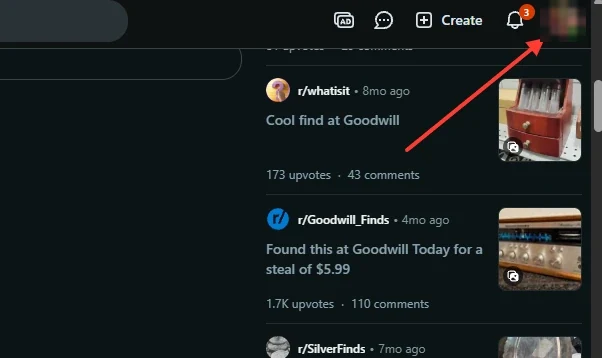
Step 1 Click your profile picture
It's at the top right of any Reddit page.
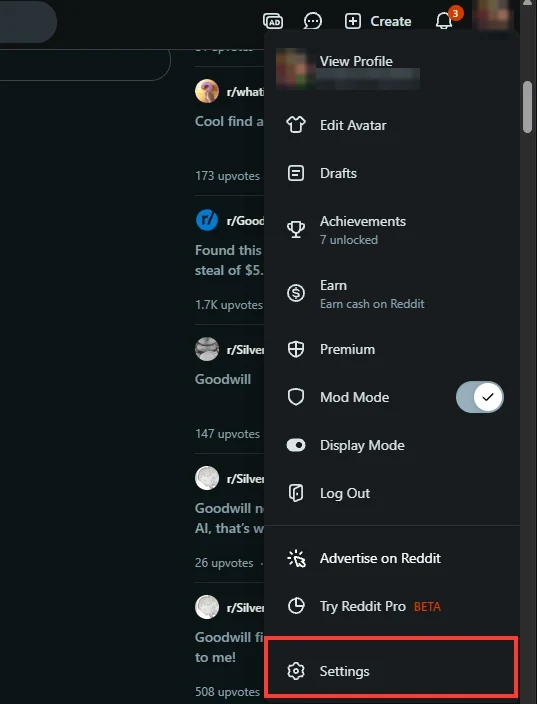
Step 2 Choose Settings
Settings is the last item in the menu that opens.
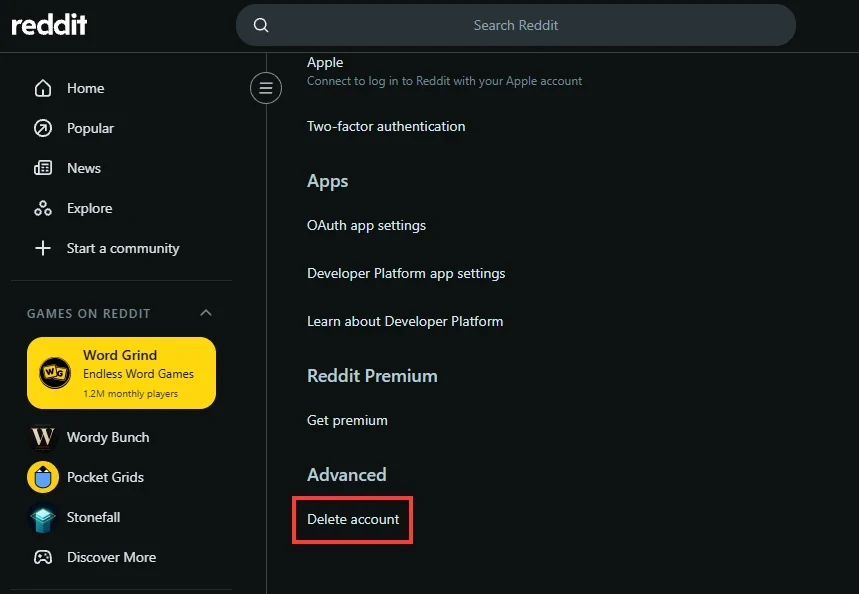
Step 3 Scroll to the bottom and click Delete account
Settings opens on your account settings. Scroll all the way down: Delete account is the last option, under Advanced.
Step 4 Enter your username and password to confirm
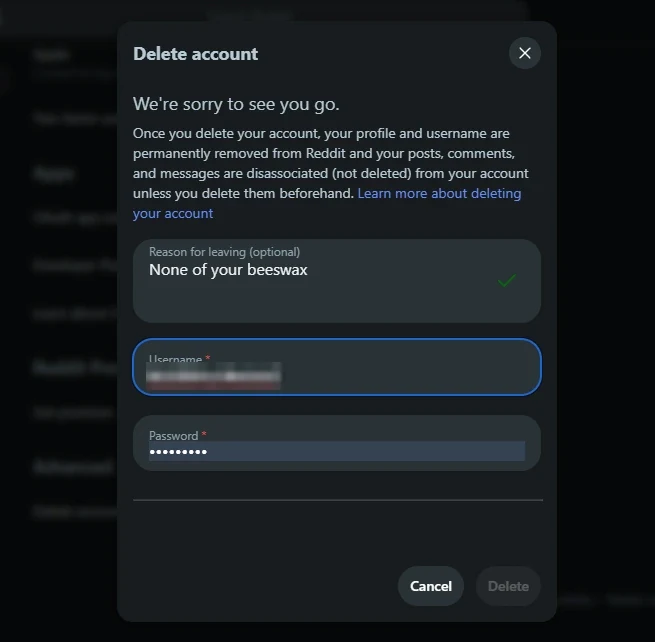
Leave a reason if you want to (it's optional), enter your username and password, then click Delete. Reddit's dialog repeats the warning above: your posts, comments and messages stay up unless you delete them first.
If reddit.com keeps failing, Reddit suggests Old Reddit: open the delete tab of your preferences, enter your username and password, confirm, and click delete account.
Option 2: Delete your account in the Reddit app (iPhone or Android)
The screenshots below were taken on an iPhone. On Android, Reddit's help article puts the start and the end of the path in different places, noted at steps 1 and 3.
Step 1 Tap You
You, with your profile picture, is at the right of the bar along the bottom of the app. It opens your profile. On Android, Reddit's help article says to tap your avatar at the top right instead.

Step 2 Open the menu and tap Settings
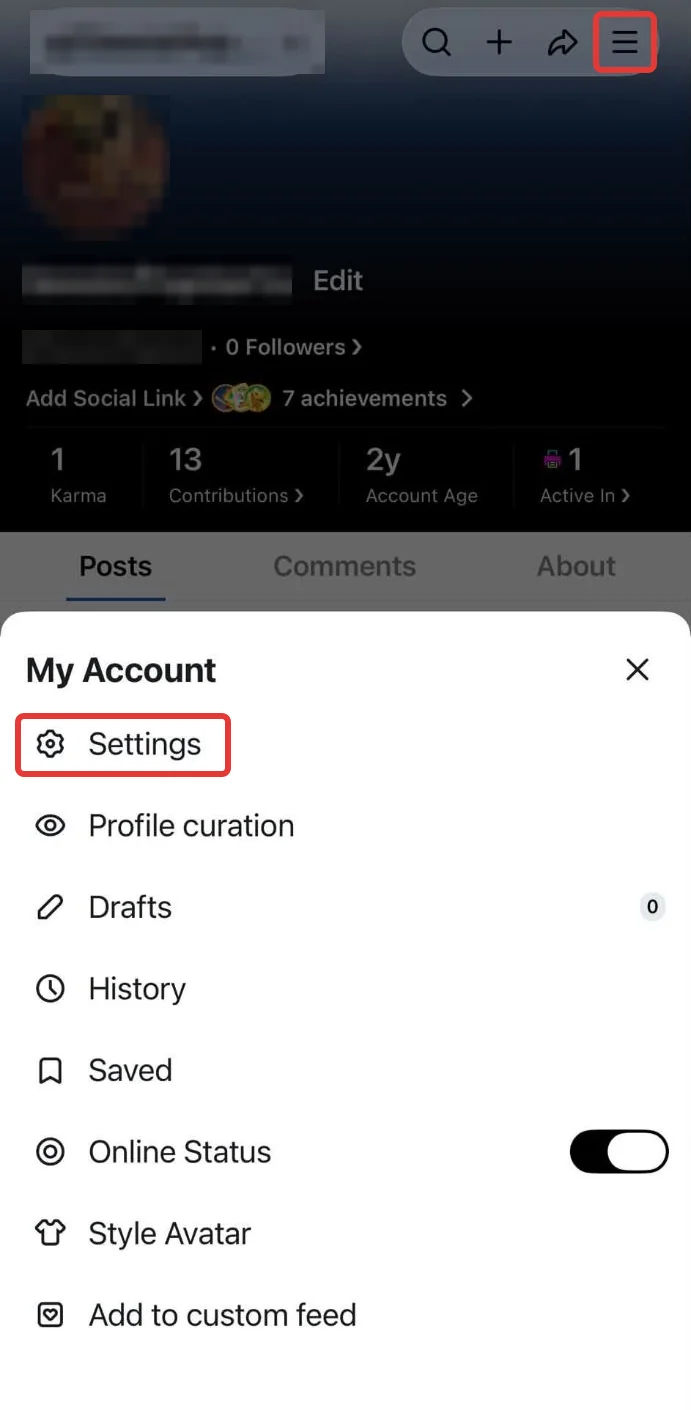
Tap the menu (three lines) at the top right of your profile. Settings is the first item under My Account.
Step 3 Scroll down and tap Delete account
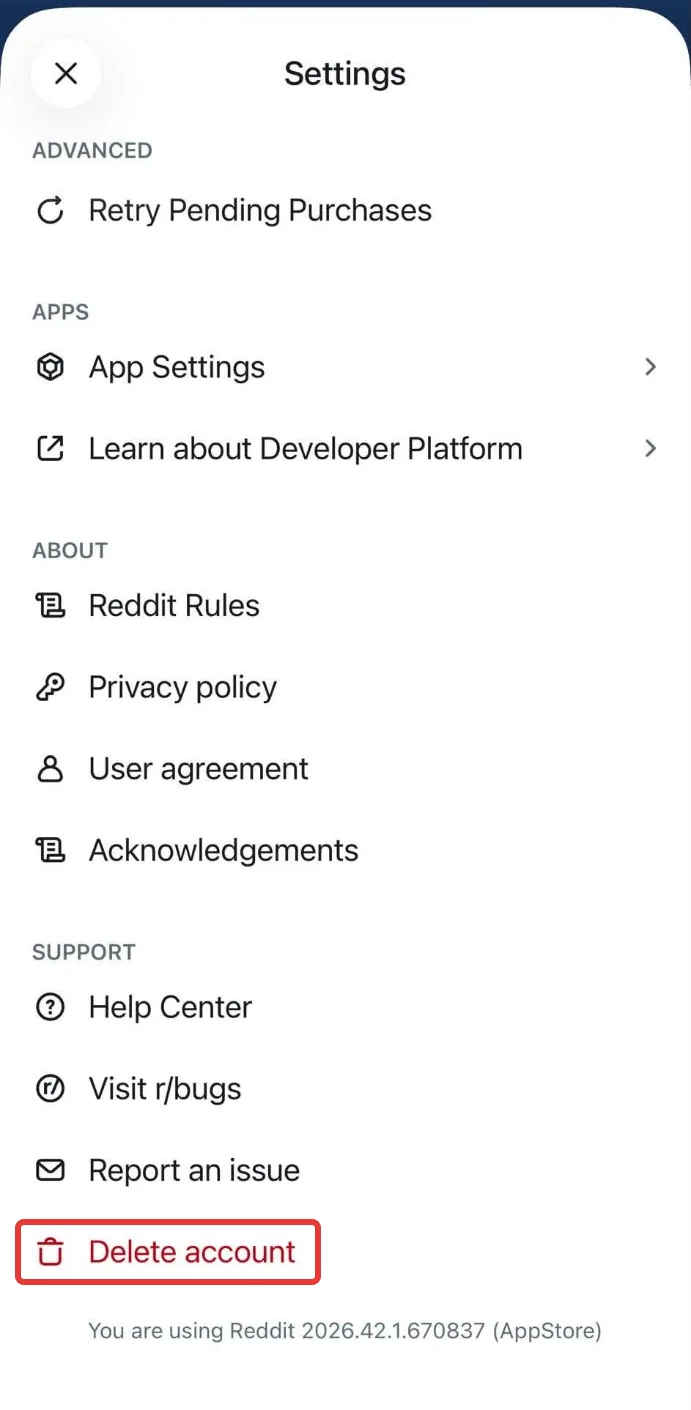
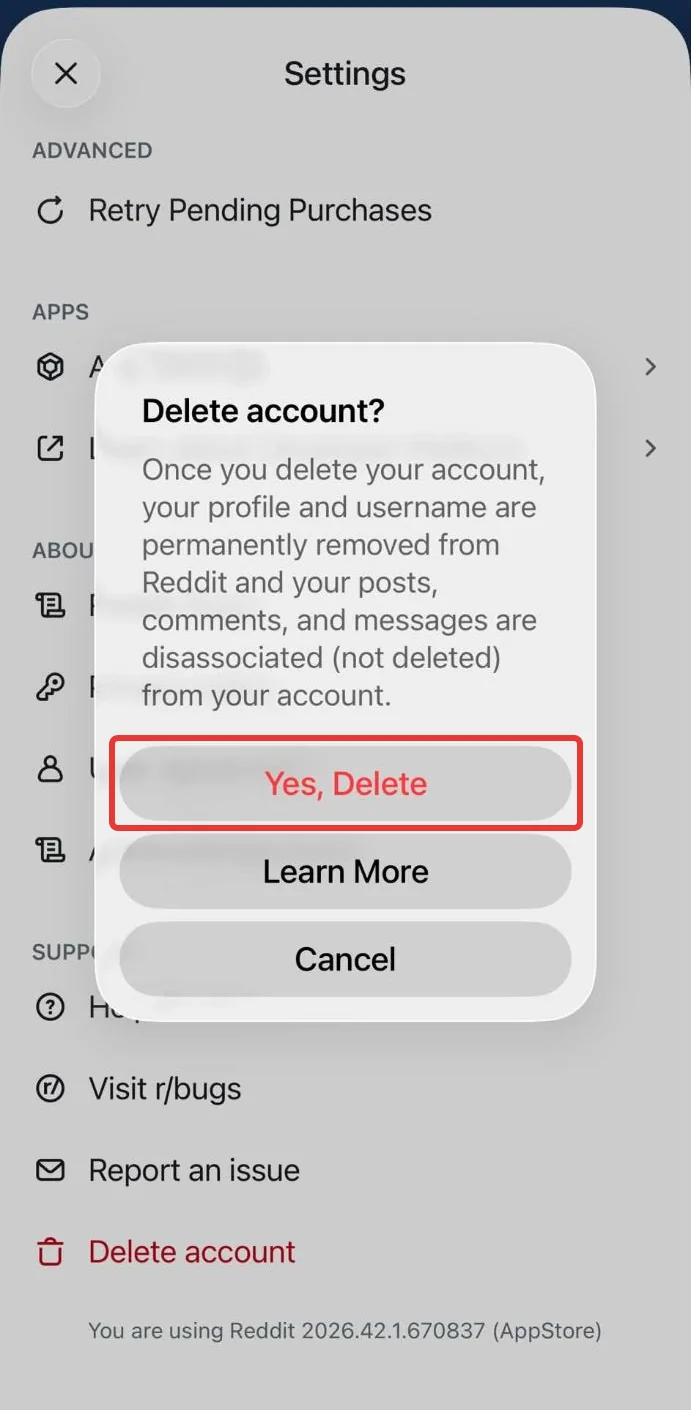
On iPhone, Delete account is the last item in Settings, under Support. On Android, tap Account settings for u/yourname and scroll to the end of the screen.
Step 4 Tap Yes, Delete
Reddit asks Delete account? and repeats that your posts, comments and messages stay up. Tap Yes, Delete, then confirm with your password. If you created your account with a phone number and never set a password, Reddit sends you a six-digit code to confirm the deletion instead.
What deleting your Reddit account leaves behind
Here's what Reddit says happens, from its article on what happens to your username, posts and comments:
- Your profile is removed. Your username is unlinked from your post history, comment history, karma, cake day and avatar. Anyone opening your old profile link sees that the account was deleted.
- Your posts and comments stay up. They remain on Reddit, in the threads where you left them, but people can't see who they came from.
- Your messages and chats stay too, also with your name taken off.
- Reddit starts removing or anonymizing the account on its own servers in a process its delete account article says begins within 90 days.
Your public posts and comments remain on Reddit, signed by nobody, and search engines may keep them indexed. If a post mentions your city, your job, your school or a photo of you, that's still enough to tie it back to you. And once the account is gone, you lose the ability to delete any of it yourself, because you can no longer log in to the account that posted it.
There's one more reason to delete content rather than just the account. Reddit licenses public posts and comments to other companies, including for AI training. Reddit says its data licensees have to stop using content that users delete. Content left behind by a deleted account hasn't been deleted, so that rule doesn't reach it. (We wrote more about Reddit selling posts for AI training.)
Delete your posts and comments first
Reddit's own way is one at a time: open your profile, find the post or comment, and pick Delete from its menu. For a large number, Reddit says you can email redditdatarequests@reddit.com from the email address verified on your account, or use its request form. It also warns that third-party deletion tools aren't officially supported.
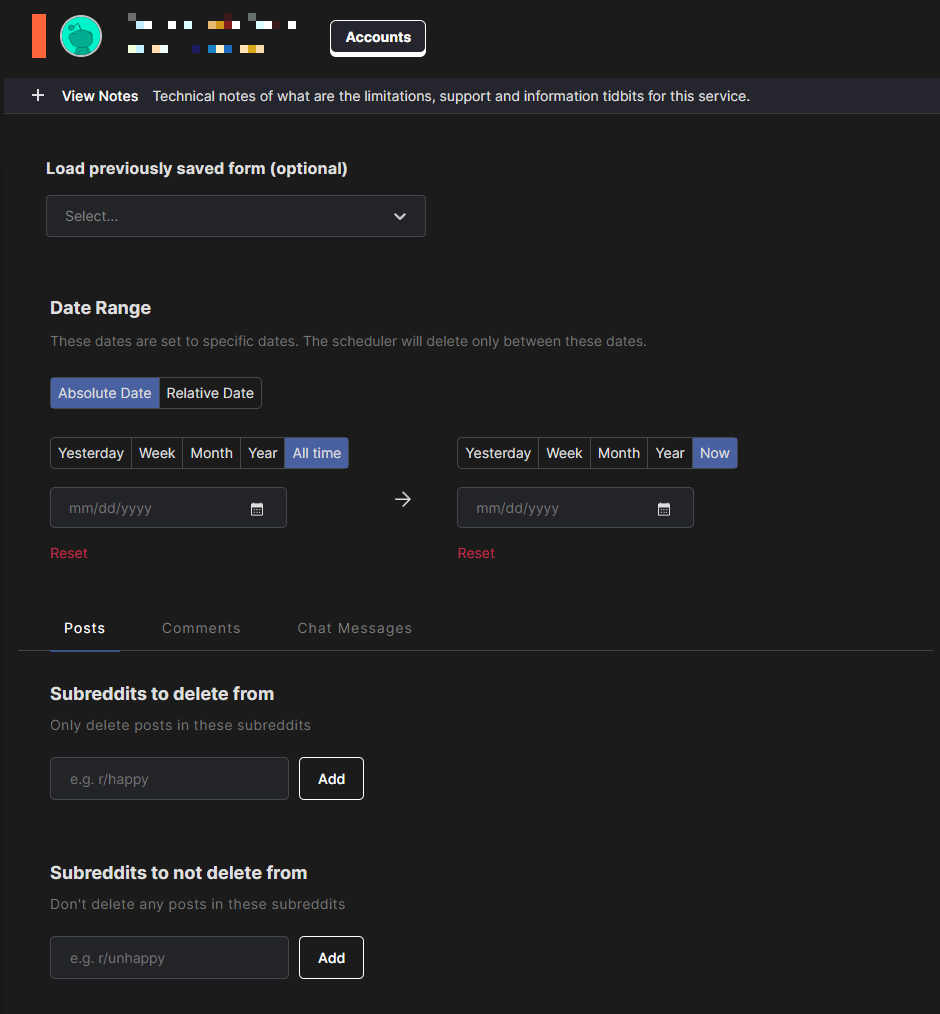
If you'd rather not wait on a request, Redact works through a whole Reddit history on your own device. Connect your Reddit account, choose posts, comments or both (filter by date, subreddit or keyword to keep some), preview each batch and run.
Reddit doesn't list your oldest comments for apps, so a long-running account takes more than one run:
- Run a live pass over your posts and comments.
- Run a separate comments pass from your data export, the one you requested above. With an export selected, Redact reads only the file, not your live profile.
- Run a second live pass to catch anything you posted after the export was made.
Redact has limits too.
- Editing is free, deleting needs Premium. Free accounts can overwrite every text post and comment at any age. Deleting them permanently, and removing link posts, needs Premium.
- Anonymizing is its own run. You can edit your posts and comments before deleting them, with an edit run followed by a separate delete run. The settings for that second run matter, so follow our full walkthrough before you delete the account.
- It can't reach copies. Archives and screenshots made before you edit or delete stay where they are.
Our full walkthrough is How to delete all your Reddit posts and comments at once.
Once your history is gone, go back and delete the account using the steps above.
FAQ
Does deleting my Reddit account delete my posts and comments?
No. Reddit says your posts and comments stay on Reddit after you delete your account. They're just no longer linked to your username. To remove them, delete them before you delete the account.
Can I recover a deleted Reddit account?
No. Reddit says a deleted account can't be reactivated and its administrators can't bring it back. There's no waiting period during which you can log back in.
Can someone else take my username after I delete my account?
No. Reddit retires the username. Nobody can register it again, including you.
Can I delete my posts after deleting my account?
Not yourself, since you can't log in to an account that no longer exists. That's why the order matters: delete the content, then delete the account.
Why do I get an error when I try to delete my Reddit account?
Reddit's most common answer is a wrong username or password, so double-check them, or reset your password before trying again. If you signed up with Google or Apple, disconnect it in your account settings first (Reddit's help calls the section Account authorization or Connected Accounts) and create a password. On the web, Reddit also suggests deleting your browser's cookies, turning off extensions, or trying a private window. If reddit.com still fails, try Old Reddit.
Does deleting my account cancel Reddit Premium?
No. Reddit says you need to cancel Premium yourself before deleting your account.
Can Reddit delete my account for me?
No. Reddit says its administrators can't delete an account on your behalf. You have to do it from the account.
Redact for Reddit
Remove old Reddit posts and comments to get rid of any old skeletons in your post history losing you karma.