How to delete all Bluesky replies
 Dan Saltman
On this page
Cleaning up your replies on Bluesky can be important when it comes to maintaining privacy. Here’s a detailed guide to help you delete all your replies efficiently.
Step 1: Download Redact.dev
- Visit Redact.dev to get started.
- Download and install the app on your computer (available for both Windows and macOS).
- Open the app and log in to your account, or create a new one.
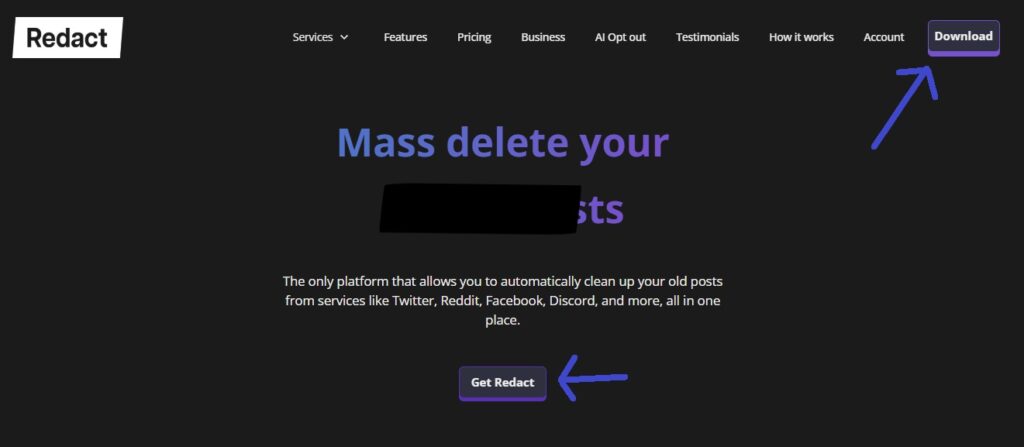
Note: you need to have a Premium subscription with Redact.dev to delete content from Bluesky, which can be purchased here
Step 2: Log In to Your Bluesky Account
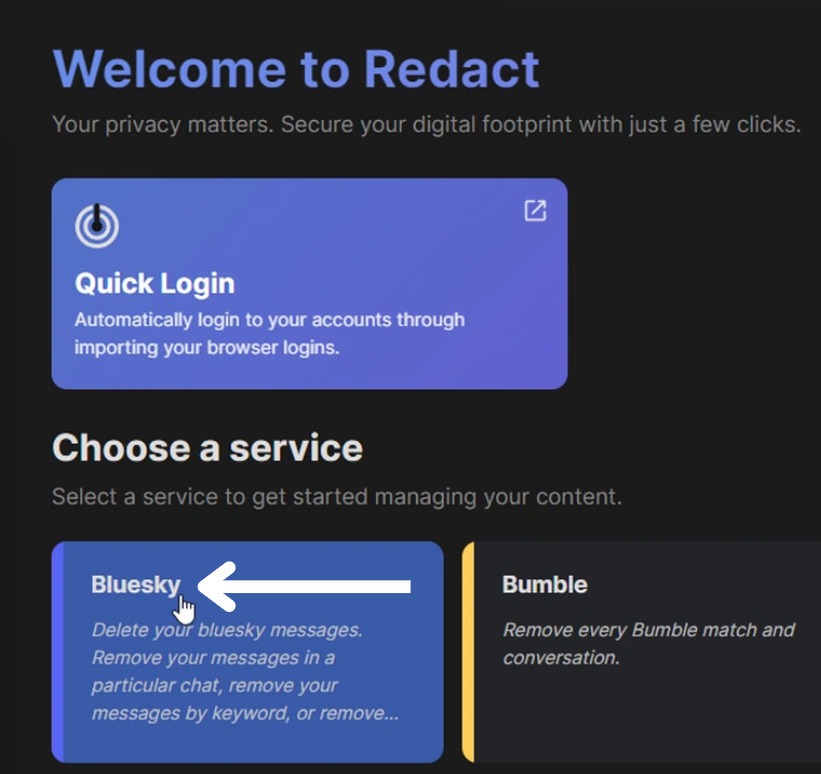
- Open Redact.dev and select the Bluesky option from the list of supported platforms. (It is the very first one!)
- Follow the instructions to securely link your Bluesky account.
- Authorize Redact.dev to access your account.
Step 3: Set Your Deletion Criteria
Once logged in, you’ll have filtering options to delete replies, such as:
- Date range (e.g., replies older than a specific date).
- Keywords (e.g., specific topics or phrases).
For a full wipe, leave the filters blank.
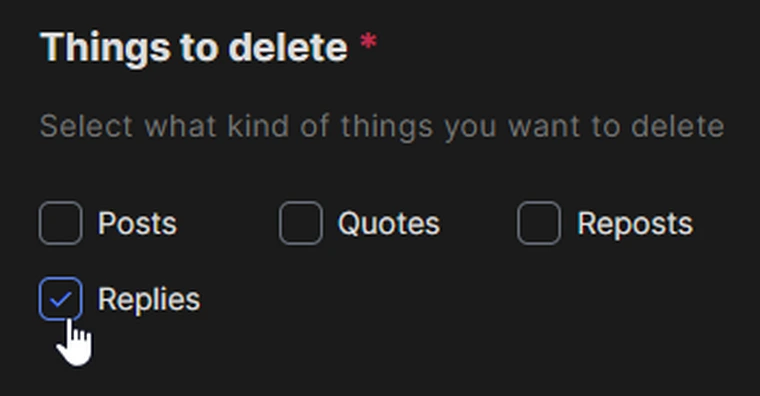
If you’d prefer to delete Bluesky posts, quotes or replies in bulk, just select the relevant option. You can combine any number of post formats for mass deletion.
Step 4: Preview and Confirm Deletions
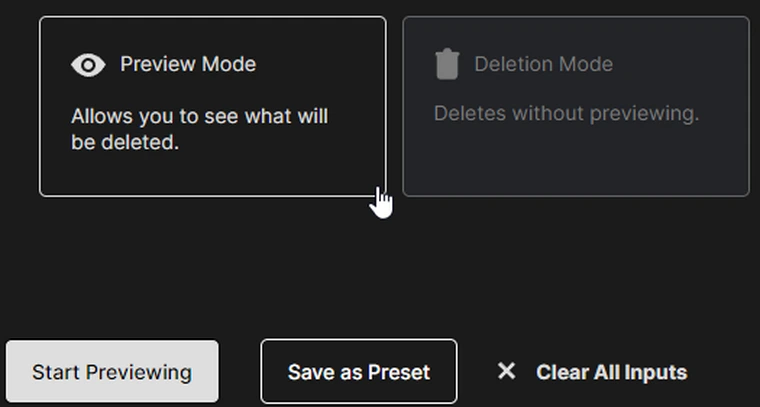
- Preview your posts before deletion to ensure you don’t remove anything you want to keep. Just select “Preview Mode” then hit “Start Previewing”
- If you’re satisfied wiping everything you see in the preview, just return to the form, select deletion mode, and start deleting!
Step 5: Let Redact.dev Handle the Cleanup
- Redact.dev will delete all your Bluesky replies matching your criteria and deletion mode.
- For a more nuanced method, use Review & Delete to pick specific posts out of a list that matches your filters.
- Keep the app running until the process completes to ensure all posts are removed.
Take control of your Bluesky presence today. Download Redact.dev and clean up your online history effortlessly!
Delete All Bluesky Replies FAQ
Can I delete all my Bluesky replies in one step inside the Bluesky app?
Bluesky lets you delete replies one by one. There is no single remove all switch that clears every reply in your history at once. For large archives you will need organized passes or a helper tool.
What is the difference between deleting a reply and deleting an original post on Bluesky?
Deleting a reply removes your response under someone else’s post or under your own thread. Deleting an original post removes the top level item from your profile and from feeds that display it.
Do deletions also remove images, links, or mentions inside my replies?
Yes. Removing a reply removes its text and attached media from Bluesky views. External copies such as screenshots or third party caches can remain outside Bluesky.
How does Redact help automate deleting Bluesky replies at scale?
Open Redact and choose Bluesky. Select Replies as the target, set filters for dates, keywords, authors, mentions, media, or links, run a Preview, then execute deletion or save a schedule.
Which Redact filters help remove risky replies and keep positive ones?
Filter by date ranges, keywords, hashtags, mentioned users, link domains, and media types. Add whitelists for accounts and phrases you want to preserve.
Can Redact limit actions to only my replies while leaving others untouched?
Yes. Use Only my content to restrict deletion to your account. Redact will not remove posts or replies from other users unless you have the required permissions on platforms that allow it.
Will deleting replies change my followers, custom feeds, or lists on Bluesky?
No. Removing replies does not change followers, lists, or custom feeds you subscribe to. Those settings are separate from your reply history.
Can Redact schedule recurring cleanups so new replies do not pile up later?
Yes. Enable Disappearing Mode and choose daily, weekly, or monthly. Redact repeats your saved filters and deletes new matches automatically.
Should I export a copy of my Bluesky data before I remove many replies?
If you want a private record, save important threads or request an archive before large deletions. Store the export offline or in encrypted storage.
Does Redact store my Bluesky credentials or my content on Redact servers?
No. Redact runs on your device and uses the minimum access needed to execute actions. You can disconnect Bluesky from Redact at any time.
Can I target only replies that include links, images, or certain phrases?
Yes. Use filters for media type and link presence and combine them with keywords, hashtags, and mentions for precision.
How does Redact handle Bluesky rate limits or very large reply histories safely?
Redact batches actions and spaces requests to respect limits. For years of activity, run smaller date slices or schedule several passes for stability and full coverage.
Will deleting replies also remove reposts or likes I added on Bluesky?
No. Reposts and likes are separate actions and must be removed in their own passes if you want a complete cleanup.
Can Redact help me prepare for hiring checks by removing old Bluesky replies?
Yes. Create a profile in Redact with strict filters for dates and keywords, run a Preview, approve Review & Delete batches, then save a recurring schedule to keep new replies under control.
Is Redact easy to try for Bluesky, and how do I sign in securely to start?
You can download Redact for free and start with recent activity. Redact uses passwordless sign in with secure email codes. You can disconnect at any time and upgrade later for all time cleanups and schedules.