01
Search your name on Whitepages
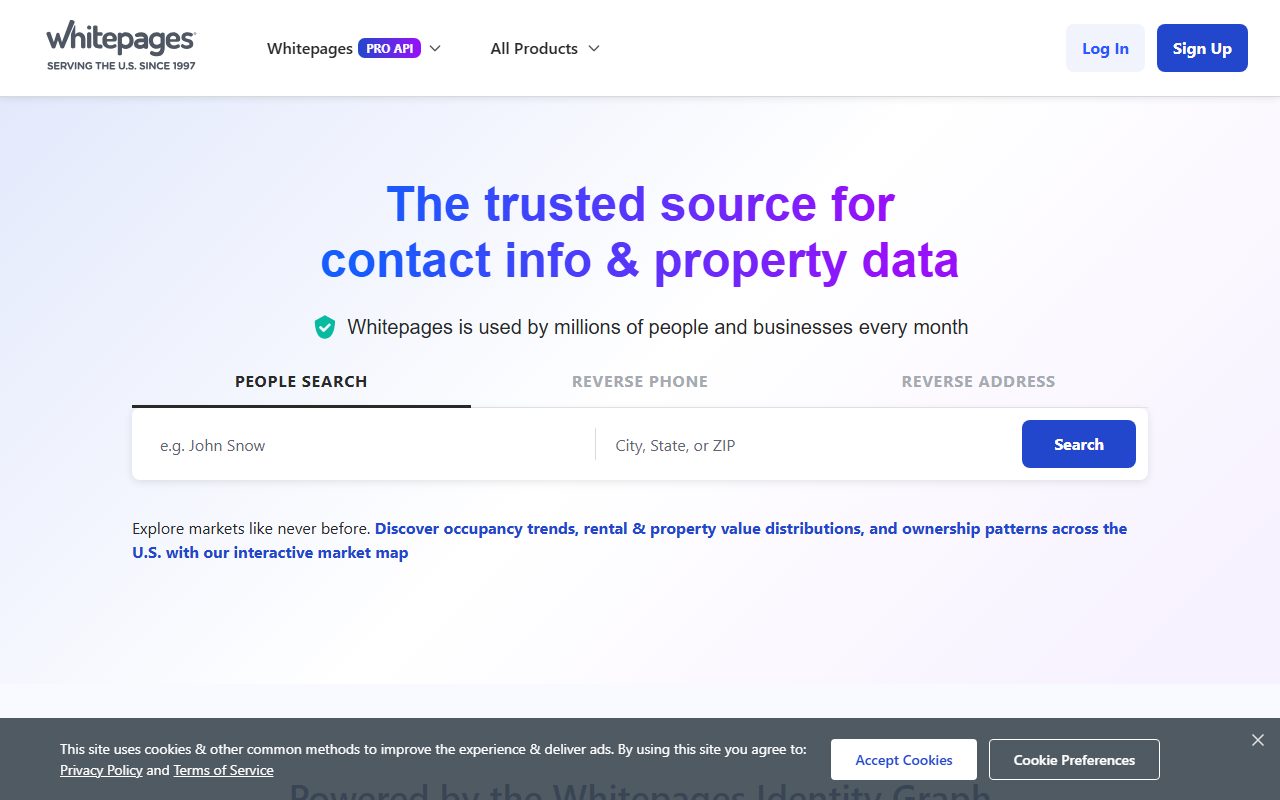
Go to whitepages.com, put your name in the People Search box with your city and state, and search.
Removal guide · Whitepages
Whitepages will take your listing down for free, without an account, and it makes you work for it. The route is five screens and ends with a robot calling the phone number you supplied and asking you to read back a code. If you don't want to give them a phone number, skip to Doing it without giving them your number. There are two published routes that don't need one, and the site mentions them so lightly that most people never notice.
Worth reading first. Our Whitepages profile covers what a free listing shows, which is more than most people expect, including your neighbours.
Before you start
No
No
Five
Your listing's web address, a reason, and a phone number
An automated call you have to answer
Up to 15 days
Yes · email or support form
Step 1
The opt-out doesn't search for you. It asks you to paste the web address of your own listing, so you have to go and find it first. This is where most people lose time, because the obvious button is the wrong one.
Go to whitepages.com, put your name in the People Search box with your city and state, and search.
This is the trap. The blue View Full Report button doesn't open your listing. It opens a paid checkout page trying to sell you a report about yourself. On the top result it is often the only button there is.
Click the person's name instead. That opens the free listing, and its web address is the one you need. It looks like whitepages.com/name/Your-Name/Your-City-ST/P followed by ten characters.
If you only ever land on the checkout page, that address still works. It carries the same identifier in it, and the opt-out tool reads it. Paste it in and carry on. Whitepages doesn't tell you this anywhere.
Copy the whole thing. A 411.com address works too, because it's the same database underneath and the tool decodes it, but only after you delete the www. from its front.
Steps 2 to 5
Go to the Whitepages opt-out page. The tool is in a box partway down, headed Opt-out of Whitepages.
Paste it into the Profile URL box and press Next. If it rejects what you pasted, you have almost certainly copied a search results page rather than a single listing.
It shows you the listing it found and asks whether that's the person to remove. Check it is actually you and not a namesake, then press Remove Me.
If it says too many requests have been submitted for this listing, you're not doing anything wrong. Whitepages limits how many removal attempts one listing accepts. Its own answer is to open a support ticket or call 1-800-991-3077.
You can't skip this. You have to pick a reason from a list, which includes being harassed or stalked by someone, and there's a message box underneath.
Both the reason and the message are sent and stored with your request. Keep the message short and factual. You're writing to the company that published your address, and nothing is gained by explaining your situation to them in detail.
It asks for a number it can call, and for a tick in a box affirming you're the person that number belongs to. The page promises the number won't be used for anything except completing the request.
This is the point of no return for anyone who would rather not do that. If that's you, stop here and use one of the routes in the next section instead.
A four-digit code appears on the screen and an automated voice calls the number you gave. Answer it, and give it the code you can see. The screen also carries links for the call not arriving and for having typed the wrong number.
That's the end of it. A request may take up to 15 days to process.
The other way
Whitepages publishes two routes that need no phone number at all, and it buries them in a paragraph under the tool. Either one works, and both are answered in about two business days.
Email. Write to privacyrequest@whitepages.com and ask to opt out of the sale and sharing of your personal information and to have your listing removed. Include the web address of your listing if you have it, which saves an exchange.
Support form. Open a request on the privacy request form the consumer-rights page links for this, and ask for the same thing.
The honest trade-off: these go to a person rather than a machine, so they're slower, and Whitepages warns you may be asked for more information before the request is processed. What you avoid is handing a live, verified phone number to a company whose business is contact data.
Removal isn't deletion, and they're different requests. Taking the listing down stops the display and the selling. If you want the data itself deleted, that's a separate request through the same email address, and Whitepages lists exceptions that keep a lot of it, including property records, street address and criminal records.
Afterwards
Allow up to 15 days. Requests are often processed sooner.
Removing one listing is supposed to remove all known connected listings with it.
If another listing you believe is yours turns up later, Whitepages tells you to go to a support agent by form or email rather than back through the tool.
Your name can still appear on other people's listings, under relatives and neighbours. Removing your own doesn't clear those.
Your listing came from public records, and those are unchanged. A removal takes it off Whitepages, not out of the sources it was built from.
Redact scans data broker sites from your device, finds where your details are listed, and submits the removal requests for you. If a broker relists you, it files again.
August 25, 2026 · Walked end to end on a real listing. The accepted URL formats, the request fields and the rate-limit behaviour were read from the site's own code. Read again on September 10, 2026, when that code refused a 411.com address that keeps its www., so the guide now says to delete it.