Removal guide · USWarrants.org

How to remove your info from USWarrants.org

USWarrants.org runs a Privacy Request Portal of its own at uswarrants.org/request-portal-2/, not the shared form the rest of the InfoPay court-records network uses - and the flow was walked for real on August 11, 2026. The one hazard is at the top of the page: the first form on it is a warrant-search box, not the opt-out, and filling it drops you into InfoTracer's records funnel. The real form sits below it, offers four rights as checkboxes you can combine in one submission, and answers with a green confirmation banner - then the removal continues by email, so watch your inbox and spam.

⚠️ Submit InfoTracer's opt-out as well. The portal's own wording describes the data it governs as what the site collects about you - email address, search history, payment records - which is not obviously the same thing as the warrant listings it publishes. Those come from the InfoTracer backbone, so treat the two as separate submissions.
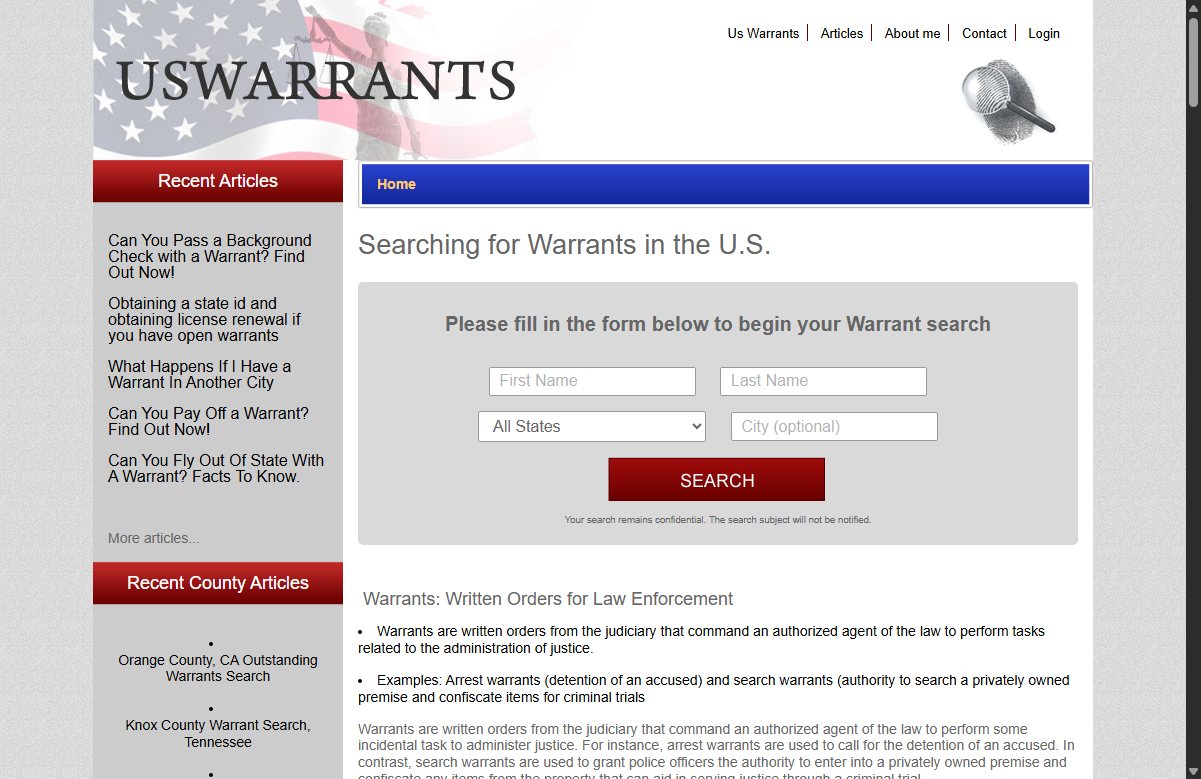
USWarrants.org homepage screenshot

Before you start: the USWarrants.org profile covers who runs the site and how it relates to the wider InfoPay network.

Quick facts

What you're dealing with

Email alternative
Rights offered

Know / access · delete · correct · opt out of sale

Account needed?

No

After submitting

Green confirmation banner · a follow-up email continues the removal - watch spam

CAPTCHA

Yes - type the capital letters from a shown string

Agent filing

Yes - an authorized agent can file for someone else

Covers

This domain. The underlying records need InfoTracer's opt-out too

Walkthrough

Submitting the request

01

Skip the bait search box and scroll to the real form

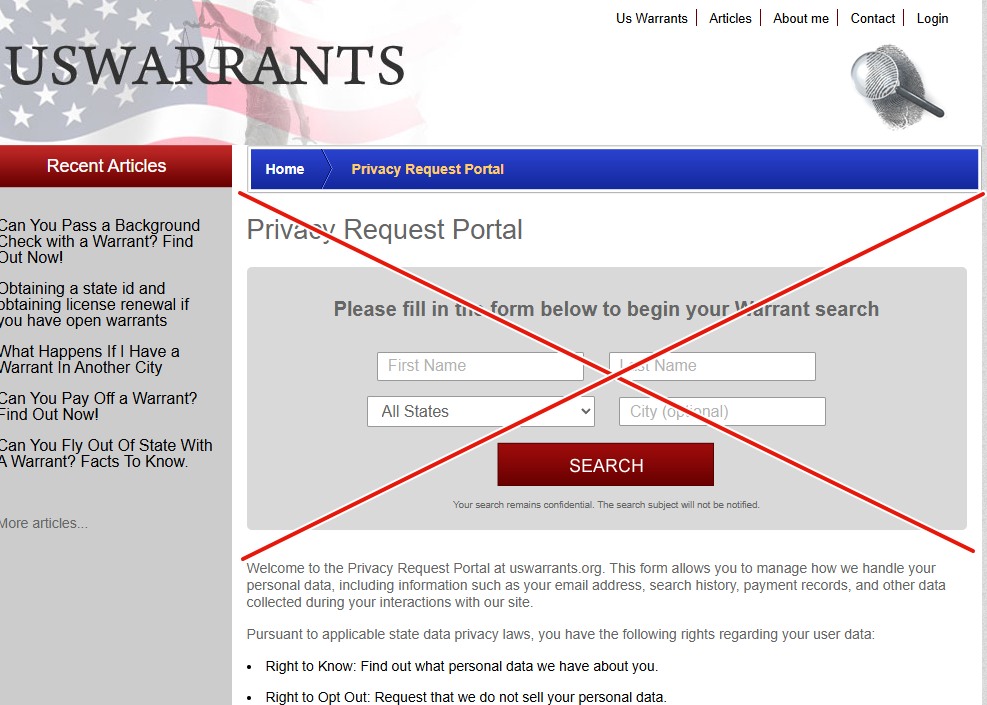
Go to uswarrants.org/request-portal-2/. The page is headed Privacy Request Portal, but the first form on it is the site's warrant-search widget - filling that one starts a records search on the InfoTracer funnel instead of an opt-out. Scroll past it to the form that starts at Submission Authorization.

The USWarrants Privacy Request Portal page whose first form is an ordinary warrant-search widget with First Name, Last Name, state and city fields and a SEARCH button, crossed out in red to mark it as the wrong form, with the real privacy-request copy visible below it
The search widget comes first and it's the wrong form - scroll past it.
02

Fill out the Privacy Request Portal form

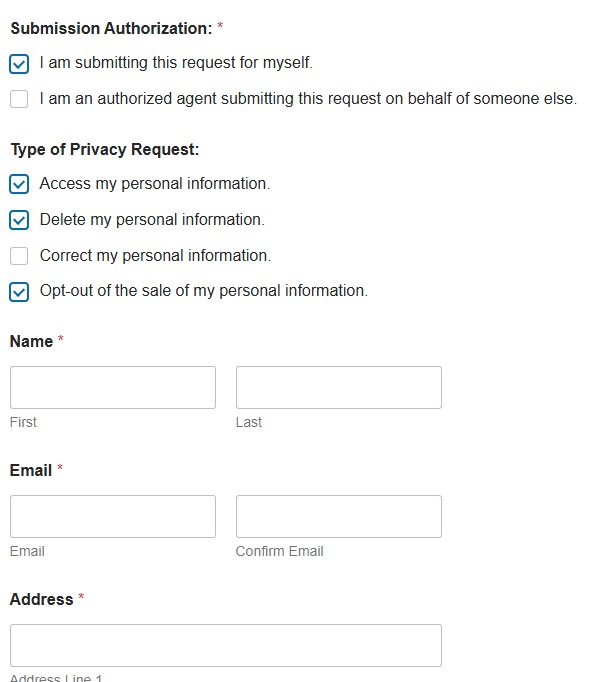
Under Submission Authorization, tick I am submitting this request for myself (or the authorized-agent option if filing for someone else). Type of Privacy Request is a set of checkboxes, so one submission can carry several rights at once - tick Delete my personal information, and add Opt-out of the sale of my personal information (and Access if you want your file) in the same pass. Then your first and last name, email plus a confirmation of it, and a full postal address. Use the Additional Details box to name the exact listing or URL you want removed - the form has no field that points at a specific record, so this is the only place to be precise. Answer the CAPTCHA - it wants just the capital letters from a short mixed string (Ab4$DG2ADG) - and press Submit.

The real USWarrants privacy form with a Submission Authorization section, Type of Privacy Request checkboxes for access, delete, correct and opt-out of sale, and fields for name, email with confirmation, and address
The real form - the checkboxes let one submission carry several rights.
03

Look for the green banner, then watch your email

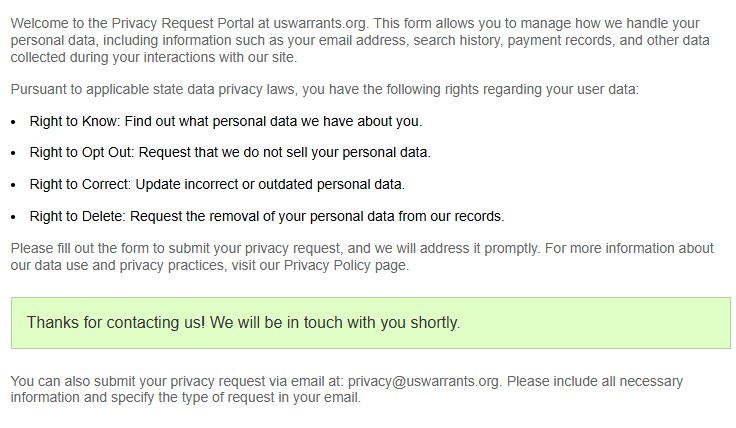
A green banner confirms the submission: "Thanks for contacting us! We will be in touch with you shortly." The removal continues from there by email, so watch your inbox - and your spam folder - for their message and follow it through. Keep that thread; it's your record of the request.

The USWarrants Privacy Request Portal after submission, showing its rights list and a green banner reading 'Thanks for contacting us! We will be in touch with you shortly', above a note that requests can also be sent to privacy@uswarrants.org
The green banner - received; the removal continues by email.
04

Or send it by email instead

The portal offers privacy@uswarrants.org as an alternative and asks that you state the request type and include the same details. That route leaves you a timestamped record of what you asked for from the very first message.

05

Then do InfoTracer

Run the InfoTracer opt-out as well. USWarrants publishes from that backbone, and this portal's own description is about data the site holds on you rather than the records it republishes.

The first form on that page is bait - do not fill it out. The page opens with an ordinary warrant-search widget ("Please fill in the form below to begin your Warrant search") that pipes your name straight into InfoTracer's records funnel, not into a privacy request. Scroll past it. The real opt-out form starts at the Submission Authorization heading further down.

Afterwards

What to expect

The green banner confirms receipt, and the site commits to addressing requests "promptly" - no firmer turnaround is stated. The removal continues by email, so give that follow-up message time to arrive and check spam before assuming silence; an email that hasn't landed yet is an unfinished step, not a dead flow.

Re-check the site by name after a few weeks. If the listing is still up, reply on your email thread citing your state's privacy statute, and submit the InfoTracer opt-out if you haven't - a record that persists here usually means the upstream copy was never touched.

Take yourself off data broker sites

Redact scans 120+ data broker sites from your device, finds where your details are listed, and submits the removal requests for you. If a broker relists you, it files again.

Last updated:

August 11, 2026 · Confirmed by a real walkthrough - the page's first form is a warrant-search widget that feeds InfoTracer's funnel (now flagged as bait up front), the real form's rights are combinable checkboxes rather than one-request-per-submission, and submitting answers with a green banner followed by an email that continues the removal. Three step screenshots wired in.