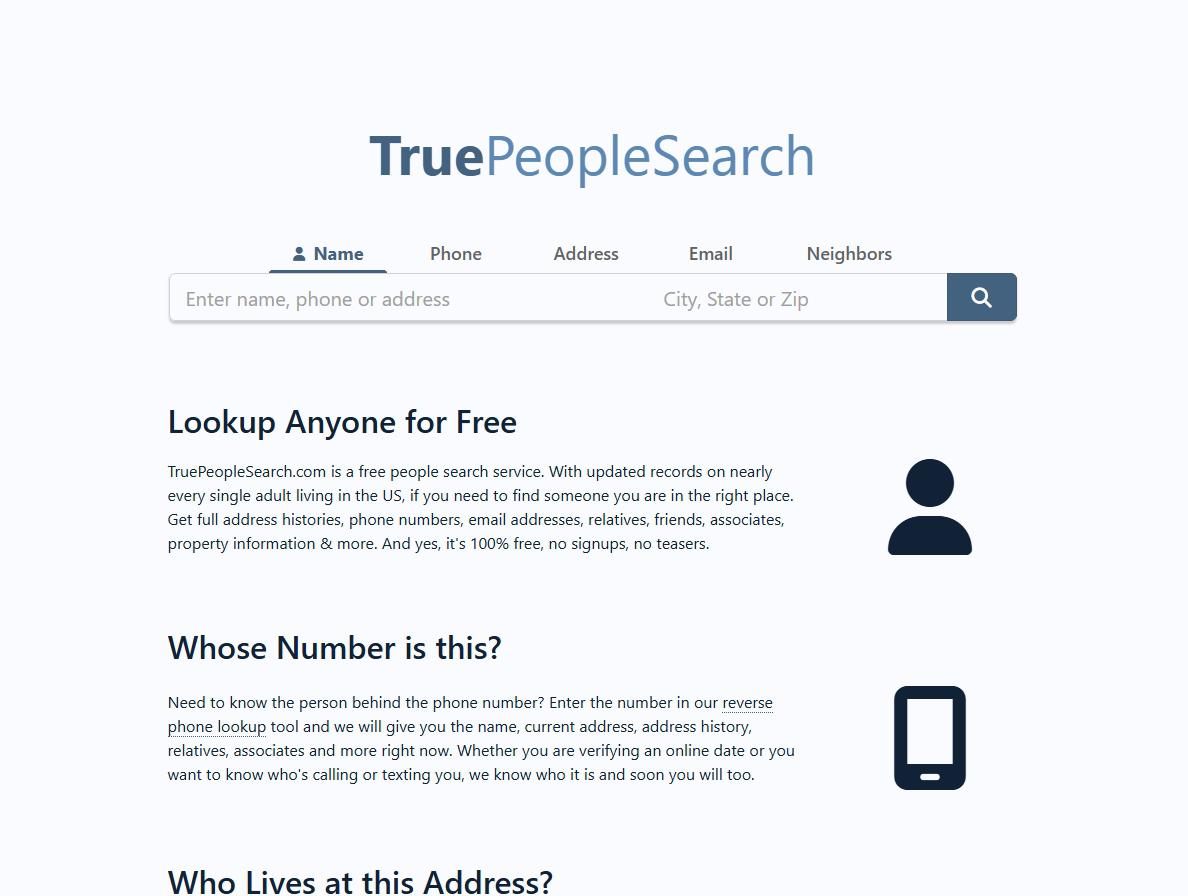
TruePeopleSearch uses a two-form opt-out. Fill in your name and email on truepeoplesearch.com/removal, click the link in the email they send, fill in the longer form that opens, and submit. About 5 minutes; the confirmation page promises removal within 3 days or less. Worth flagging: the email link expires in 24 hours, so I'd plan to do this in a single sitting.
Before you remove your data: See the TruePeopleSearch data broker profile for ownership, contact details, litigation history, and related sites.
Quick facts
Removal Overview
Email-verified
Method
Two-form email-verified flow
Active time
~5 minutes
Difficulty
Easy
Account required
No
Verification
hCaptcha + email link
Processing
3 days or less
Sister site
FastPeopleSearch.com
Re-listing risk
High · Re-check quarterly
A commonly confused broker requires its own opt-out.FastPeopleSearch.com is independently operated - the California registry files it under Mississippi Tornado Alley, LLC while truepeoplesearch.com files under Free Data Services, LLC - but third-party guides routinely pair the two. A TruePeopleSearch removal does nothing there, so run its opt-out separately if you're listed on both.
Prereqs
What you'll need before you start
2 things
Your full legal name (first, middle optional, last) - the first form asks for all three.
A real email inbox you can check within 24 hours. TruePeopleSearch emails you a link to the full opt-out form; the link expires in 24 hours and you have to start over if you miss it. I'd suggest using a forwarding address (Apple Hide My Email, Firefox Relay, SimpleLogin) rather than your primary inbox so the broker doesn't pick up a new contact point from this exchange.
The 3 steps
Remove your listing
~5 minutes total
01
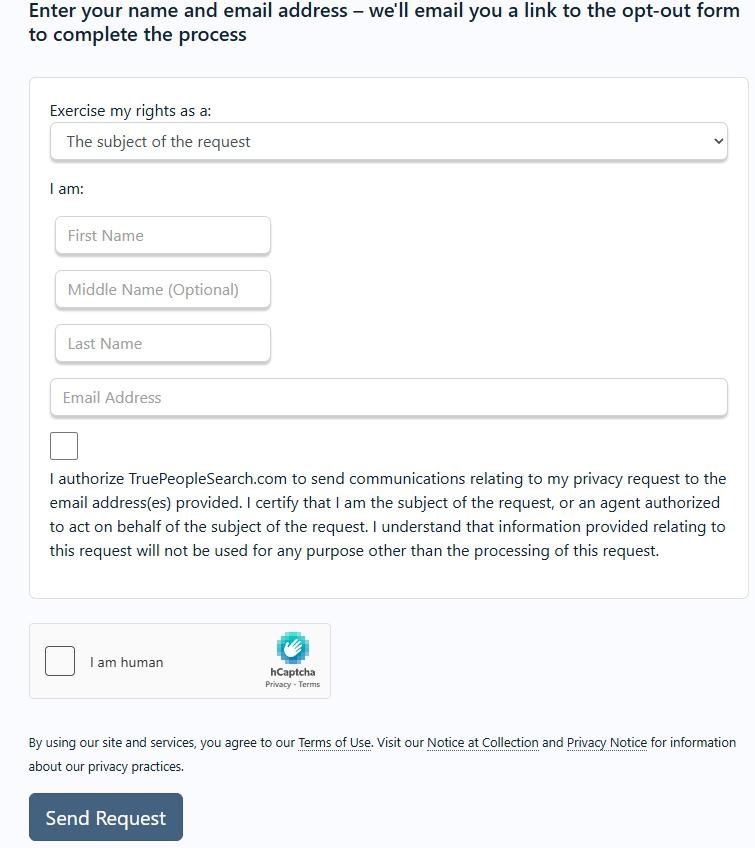
Fill out the initial form at truepeoplesearch.com/removal
Go to truepeoplesearch.com/removal. Enter your first name, last name, and email. Tick the authorization checkbox and the hCaptcha. Click Send Request.
Fill the form, tick both boxes, click Send Request.
02
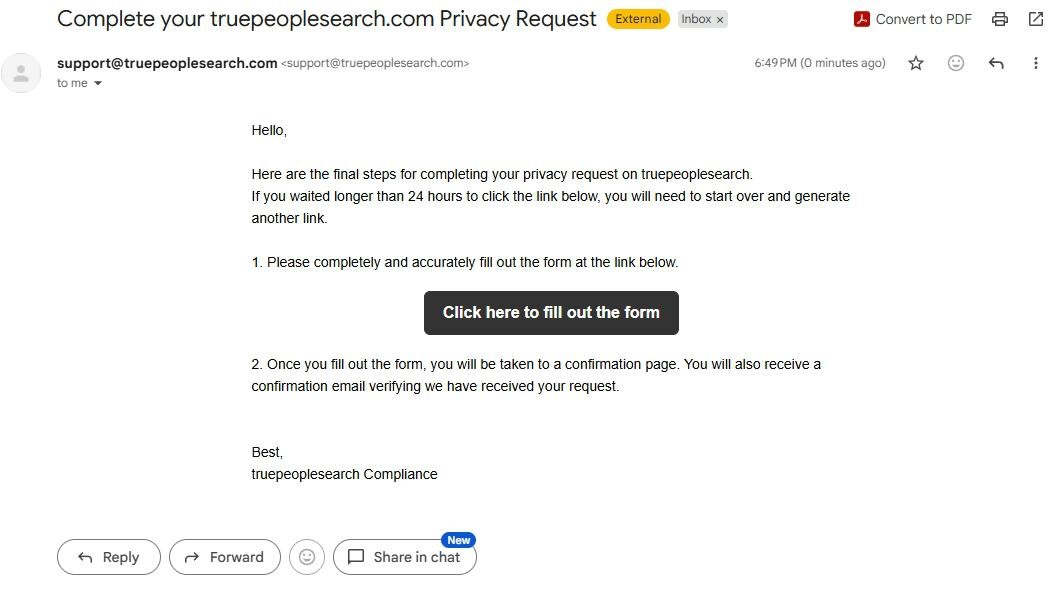
Click the link in the email, fill out the longer form, submit
TruePeopleSearch emails you a link from support@truepeoplesearch.com. Click Click here to fill out the form within 24 hours, complete the longer opt-out form that opens, and submit.
Click the link within 24 hours, complete the longer form, submit.
03
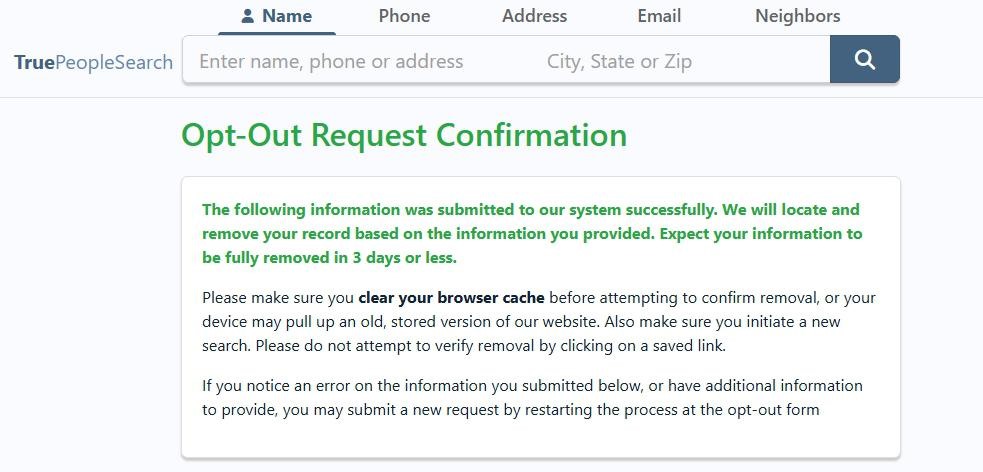
Green confirmation - "removed in 3 days or less"
The Opt-Out Request Confirmation page appears with green success text. Removal completes in 3 days or less. Screenshot it for your records.
Green confirmation - done.
Confirm it worked
Did it actually work?
~3 days
Wait up to 3 days after submitting the form (per the confirmation page's stated timeline).
Clear your browser cache first - the confirmation page specifically calls this out. Cached pages can show your old record even after removal has completed server-side.
Initiate a new search for your name + city / state.
Your record should no longer appear in the results, or the link to your old record should resolve to a "Record not found" page.
We'd also spot-check the sister site: FastPeopleSearch.com. Your record is likely published there too and requires a separate opt-out.
We recommend setting a 90-day reminder to re-check. TruePeopleSearch continuously re-scrapes public records and can re-add profiles.
Troubleshooting
If it doesn't work
Common failures
Verification email never arrives. Check spam / promotions for a message from support@truepeoplesearch.com. If after 30 minutes nothing arrives, restart from step 1 with a different email address.
You missed the 24-hour window. The link expires and you have to start over from step 1.
hCaptcha keeps failing. Try a different browser or disable ad-blockers / privacy extensions. We've seen hCaptcha is more sensitive to ad-blockers than reCAPTCHA.
Listing still appears after 3 days. First clear your browser cache and initiate a new search - the confirmation page calls this out specifically. If the record is still live after that, I'd recommend emailing support@truepeoplesearch.com with the record URL and the date of your removal request. California residents can file a CCPA / Delete Act complaint with the CPPA; other states can file with the FTC at reportfraud.ftc.gov.
You're being charged. TruePeopleSearch is free-to-view; the opt-out is also free. Any charge claiming to be from TruePeopleSearch is worth disputing with your card issuer.
Stay off
Keep your record off the site
Re-listing is common
We recommend re-checking quarterly. TruePeopleSearch continuously re-scrapes public records, so a new listing can appear weeks or months after a successful opt-out if new property, voter, or directory data surfaces.
Watch for multiple records. We've seen TruePeopleSearch hold more than one record per person if you've changed addresses or have a nickname variant. Each record needs its own opt-out.
Don't forget the commonly confused broker. FastPeopleSearch is a separate operation under a different LLC, not a sister site, and this removal doesn't touch it. We recommend running its opt-out the same day if you're listed there too.
Suppress the upstream sources where possible. Whitepages, Spokeo, BeenVerified, and similar feed the same upstream public-records aggregators TruePeopleSearch draws from. Removing your record from the larger brokers reduces the surface area TruePeopleSearch's scraper can rediscover.
I'd suggest using a forwarding mailbox or PO Box for non-essential mail. New property and voter records associated with a residential address are the biggest re-listing triggers we see.
Take yourself off data broker sites
Redact scans data broker sites from your device, finds where your details are listed, and submits the removal requests for you. If a broker relists you, it files again.