Removal guide · Spy Dialer

How to remove your info from Spy Dialer

  • Redact removes listings automatically

The bad news first. Spy Dialer's opt-out is a four-screen wizard, and the reCAPTCHA on its second screen has been over its free quota since August 13, 2026. A site in that state verifies no token at all, so the wizard answers every CONTINUE with "Captcha Failed!!", hand-solved challenges included. We checked again on September 10, 2026 and the refusal still stands, on the privacy-rights form and the contact form too, since all three share the key. What's left is the phone number Spy Dialer prints on its own privacy notice, (866) 834-2579, which we haven't tested ourselves. Californians can also file through the state's DROP platform, because the operator, Spy Labs AdCo, LLC, is a registered broker.

Spy Dialer homepage screenshot

The full picture: See the Spy Dialer data broker profile for the operator, its California registration, and what its free lookups expose.

Quick facts

At a glance

Route left

Phone call (not tested by us), or a California DROP request

Phone

(866) 834-2579 · from the site's privacy notice

Web wizard

spydialer.com/consumers/ · refuses every submission · rechecked September 10, 2026

Why it fails

reCAPTCHA Enterprise over its free quota · nothing a visitor can fix

Cost

Free

Turnaround

None published

Reversible?

No - the wizard's own red print calls the final step irreversible

Don't keep retrying the checkbox. The failure isn't you. Google renders a small grey "This site is exceeding reCAPTCHA Enterprise free quota" line under the checkbox, and while that line is there the site can't verify anyone. Pick up the phone instead.

What's left

Call them

Spy Dialer's privacy notice offers two ways to opt out of the sale and sharing of your information, the web form and a phone call to (866) 834-2579. The same number sits on the company's California data broker registration, so it's the line the operator itself nominated for exactly this. We haven't placed a removal call ourselves, so we can't say how the call goes or how long a block takes.

Have ready the four things the wizard would have asked for, your name, your address, your phone number and your email. On a phone-lookup site the number is the entry that matters most, so give every number you've held, not only the current one. Ask for the details to be blocked from future sharing, which is the wording the wizard's own success screen uses, and note the date and who you spoke to.

If you'd rather write, the registry lists info@spydialer.com as the company's contact and the privacy notice gives support@spydialer.com. Neither is described as an opt-out channel, so treat email as a paper trail beside the call rather than a substitute for it.
In California? Spy Labs AdCo, LLC is on the state's data broker registry, which means a deletion request filed through the DROP platform reaches it whatever its own forms are doing. File there and make the call.

For the record

What the wizard does

Walked for real on August 12, 2026, when it still accepted submissions - four screens, screenshotted as walked. The second screen is where it now stops.

01

Push START on the Remove My Info page

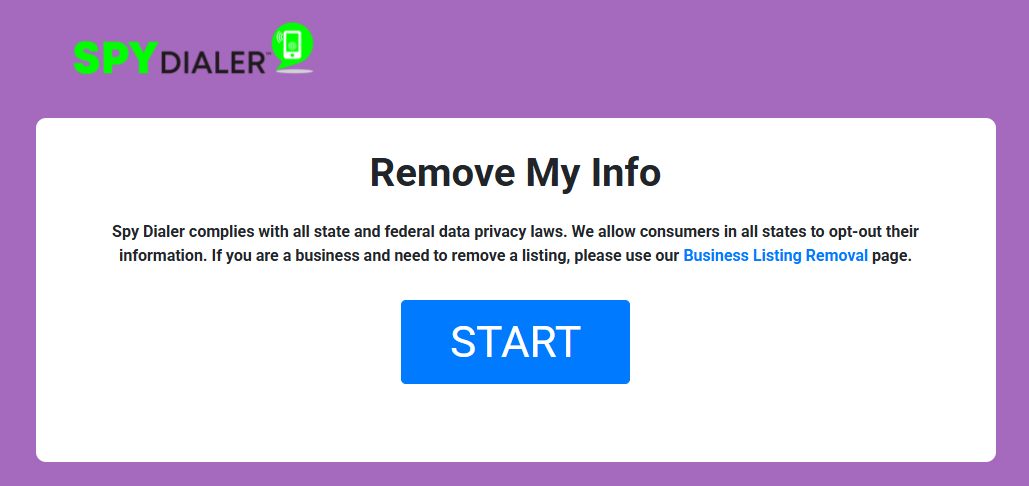
spydialer.com/consumers/ is the Remove My Info page (the older /Consumers/wizards.aspx address lands on the same screen). Its copy sets the terms, and Spy Dialer says it allows consumers in all states to opt out, so there's no eligibility gate. Businesses get pointed to a separate Business Listing Removal page - this flow is for people. START opens the wizard.

Spy Dialer's Remove My Info page stating that consumers in all states can opt out their information, with a blue START button
The START screen - the site's own copy promises all states can opt out.
02

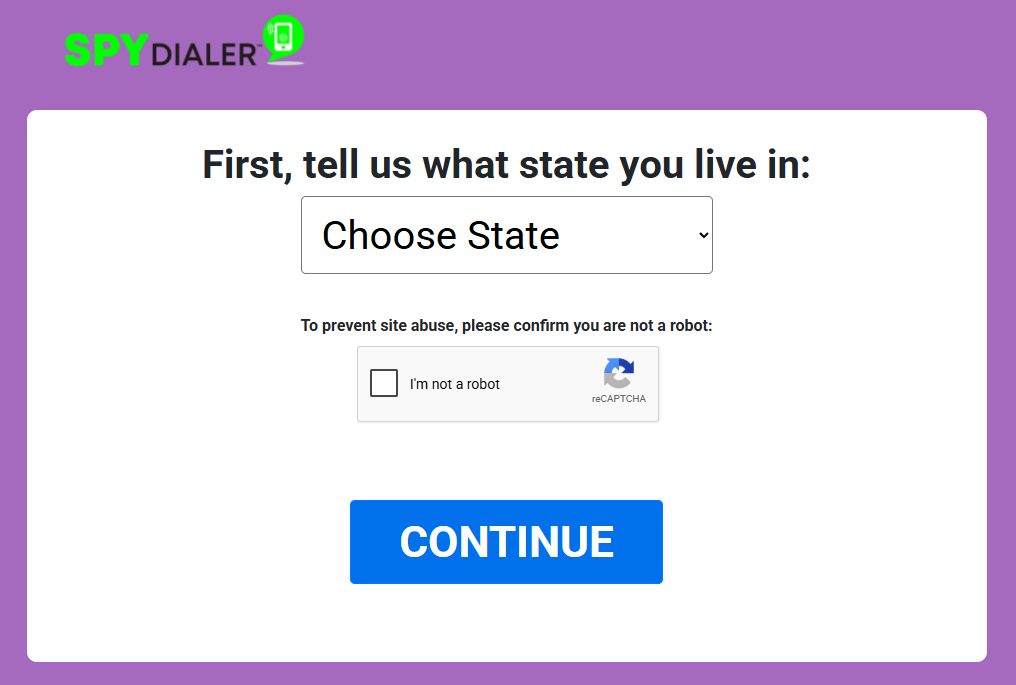
Pick your state and pass the reCAPTCHA - the screen that fails

"First, tell us what state you live in" - a state dropdown, an I'm not a robot box and a CONTINUE button. This is where the wizard has stopped since August 13. The reCAPTCHA is a Google Enterprise widget, and the small grey line under the checkbox says the site is exceeding its free quota; a site in that state gets no token verified, so CONTINUE re-renders the screen with "Captcha Failed!! Please try again!!" no matter what you solved. On the August walk, when the widget still worked, the state pick gated nothing.

Spy Dialer's state screen with a Choose State dropdown, an I'm not a robot reCAPTCHA checkbox, and a blue CONTINUE button
State dropdown plus reCAPTCHA - since mid-August, CONTINUE answers with Captcha Failed.
03

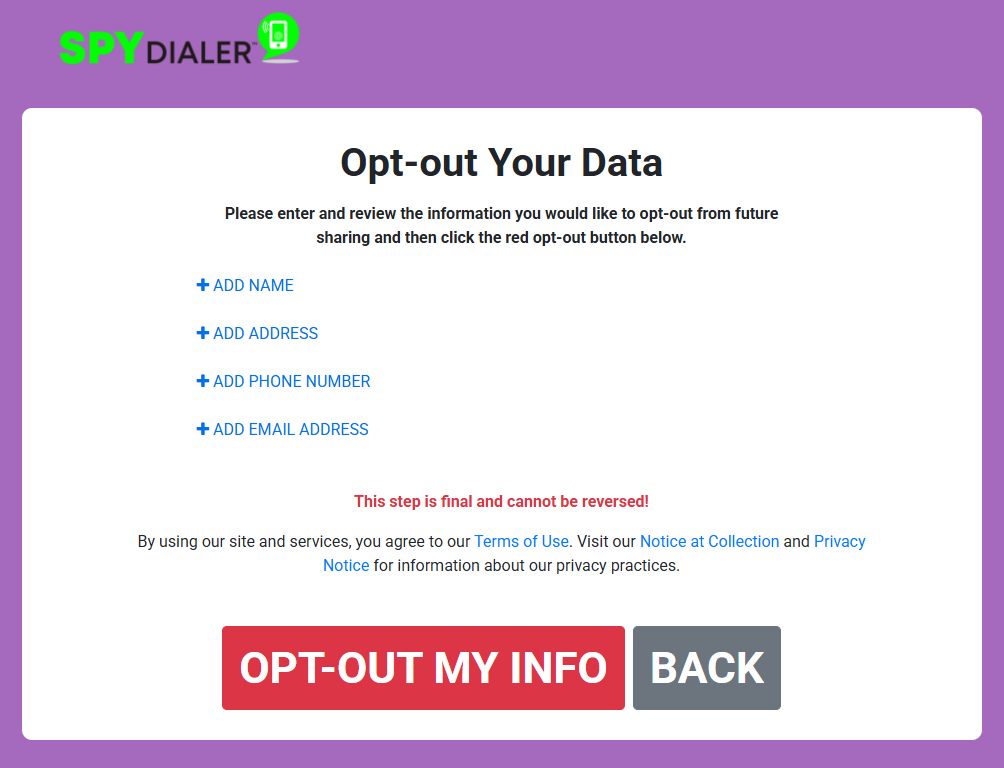
Add every detail you want blocked

The Opt-out Your Data screen takes the details to block as four separate entries, ADD NAME, ADD ADDRESS, ADD PHONE NUMBER and ADD EMAIL ADDRESS, each opening a small modal. Red print above the button reads "This step is final and cannot be reversed!", so a mistyped detail gets blocked in your place. This is also the list to read down the phone, the same four entries with the phone number first.

Spy Dialer's Opt-out Your Data screen with ADD NAME, ADD ADDRESS, ADD PHONE NUMBER and ADD EMAIL ADDRESS entries, a red warning that the step is final and cannot be reversed, and a red OPT-OUT MY INFO button
Four block entries and one irreversible button - the same four things to give by phone.
04

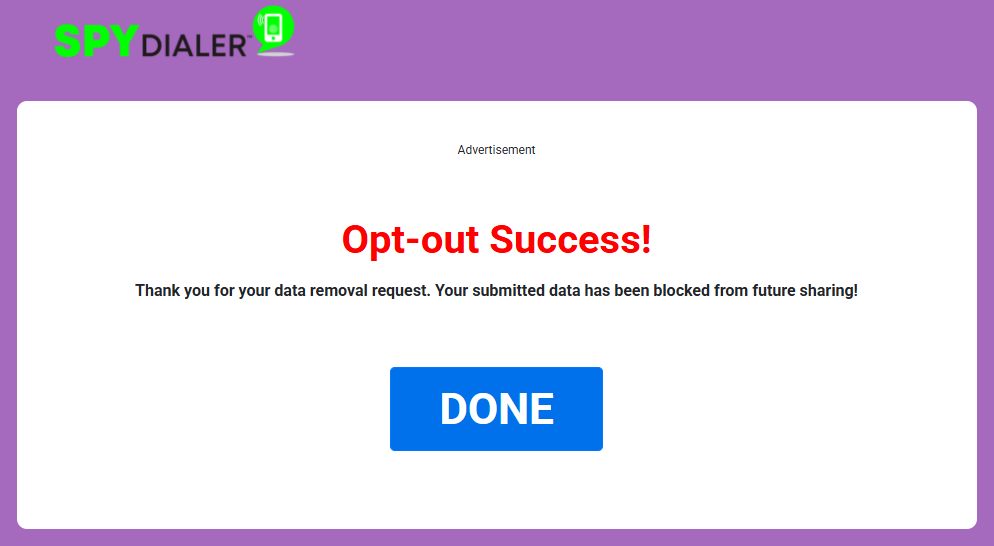
The success screen

"Opt-out Success! Your submitted data has been blocked from future sharing!" is the whole receipt when the wizard works - no email, no code. Per Spy Dialer, whatever it can match in its system is removed even if your state has no privacy law compelling it. A phone request has no equivalent screen, which is why the date and name from the call matter.

Spy Dialer's Opt-out Success screen thanking the user for the data removal request and stating the submitted data has been blocked from future sharing, with a blue DONE button
The success screen from the August walk - the only receipt the wizard gives.

This flow is documented so you can recognise it, not because it removes anything today. Since August 13, 2026 the state screen has refused every CONTINUE. If the grey quota line under the checkbox has gone, the rest of the walk still applies.

Confirm

Confirm it worked

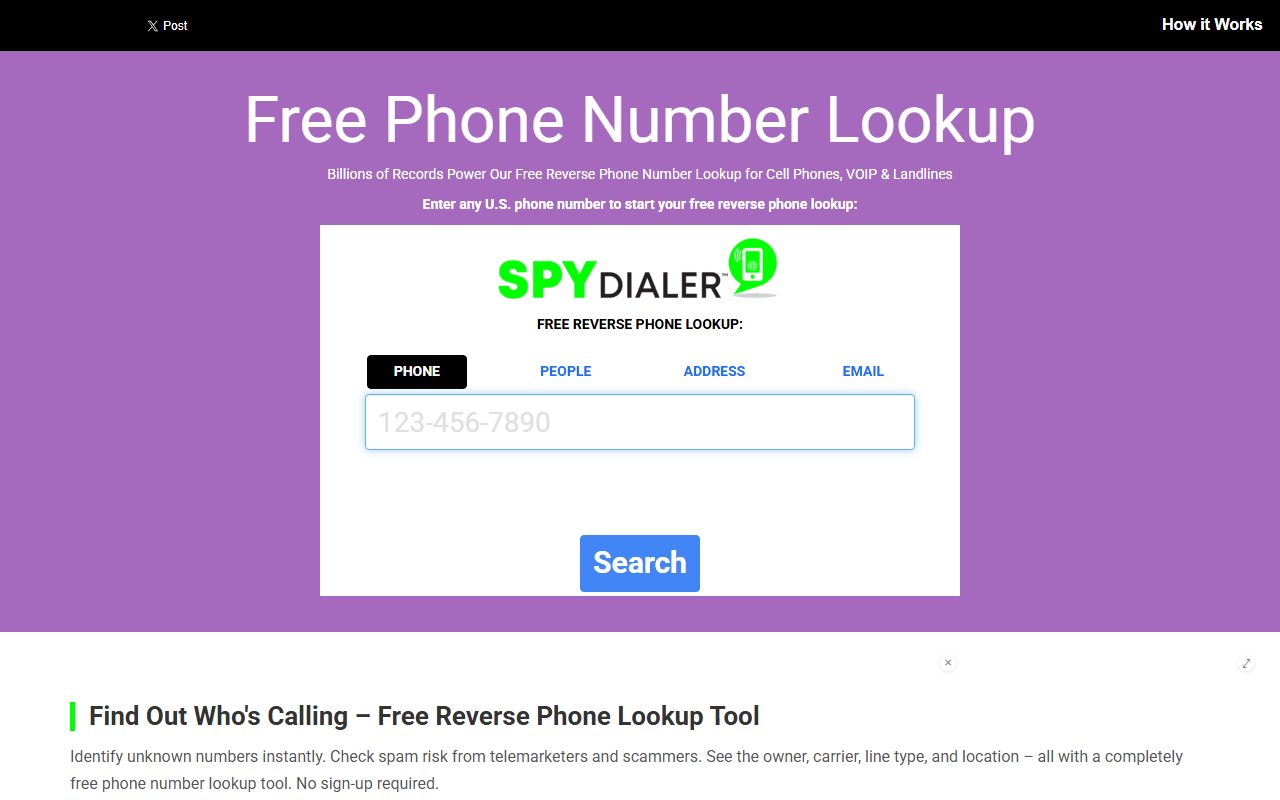
Run your own phone number through the site's reverse lookup a week or two after the call, and search your name too - a block covers both directions, and both should come back empty. Spy Dialer publishes no turnaround, so the lookup is the honest check. If your details still resolve, call again with the date of the first request, and file the DROP request if you're in California and haven't yet.

If it fails

Troubleshooting

  • The wizard says Captcha Failed: that's the quota problem, not a mis-click. Solving the challenge again changes nothing while the grey quota line is showing. Use the phone.

  • The privacy-rights form or contact form fails the same way: they load the same reCAPTCHA key as the wizard, so they fail together. There's no web route around it.

  • Nobody picks up: the privacy notice gives no hours. Try during US business hours, keep a note of each attempt, and send the request to info@spydialer.com as well so the paper trail starts.

  • The quota line has gone: the wizard may be back. Run the four screens above, and screenshot the success screen before you press DONE.

  • The record reappears later: Spy Dialer's own Do Not Sell page says a blocked record can appear in its data products again and recommends refreshing the opt-out periodically. Recheck quarterly.

Stay off

Keep your record off

A new phone number, a move, or a fresh data feed can put you back in the lookup index, and Spy Dialer says as much on its Do Not Sell page. Recheck quarterly with your current number and any old ones still in circulation. Redact's data-broker scan automates that loop.

Take yourself off data broker sites

Redact scans 120+ data broker sites from your device, finds where your details are listed, and submits the removal requests for you. If a broker relists you, it files again.

Last updated:

September 10, 2026 · Rechecked live. The wizard's state screen carries Google's over-quota notice and answers CONTINUE with "Captcha Failed!! Please try again!!". The privacy-rights form at /privacy-rights and the contact form at /contact.aspx load the same reCAPTCHA Enterprise key. Redact's app has completed no Spy Dialer removal since August 13, 2026, and on September 3 every kind of token was refused, including one minted from a hand-solved challenge. Phone, emails and the California registration read from the site's privacy notice, its Do Not Sell page and the registry. The four wizard screens were confirmed by a real walkthrough on August 12, 2026, when the flow still completed.