Free and quick to fill in, with one condition most people-search removals don't set. PeopleWhiz asks for proof of identity before it will finish the job, but its confirmation email doesn't give a fax number or mailing address. Search, confirm an email and click That's Me on your record, then ask support where to send the least identifying document that will satisfy it. The site quotes five business days, the email that arrives says seven, and the sibling site PeopleWhizr needs a request of its own.
Worth reading first. The PeopleWhiz profile covers who runs it, the two BBB files rating it A- and F, and the Social Security number its privacy policy admits to collecting.
Send the least proof that gets the job done. This company's privacy policy already lists a Social Security number among the financial data it collects, and says it buys marketing data to extend its database. If it asks for ID, send a photo with everything but your name, your face and your date of birth covered over. Never send an SSN, a full driver's license number, or an unredacted document.
The steps
Three screens and an email
01
Run the removal search
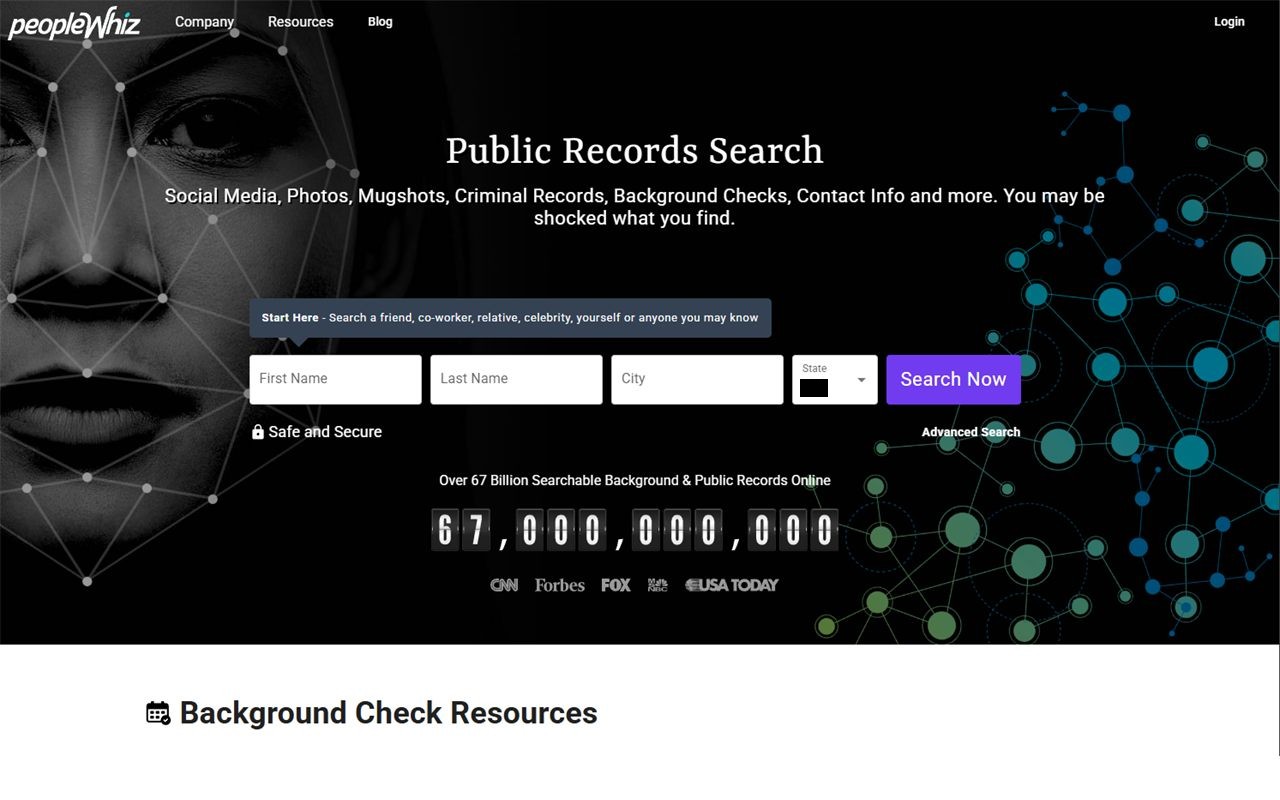
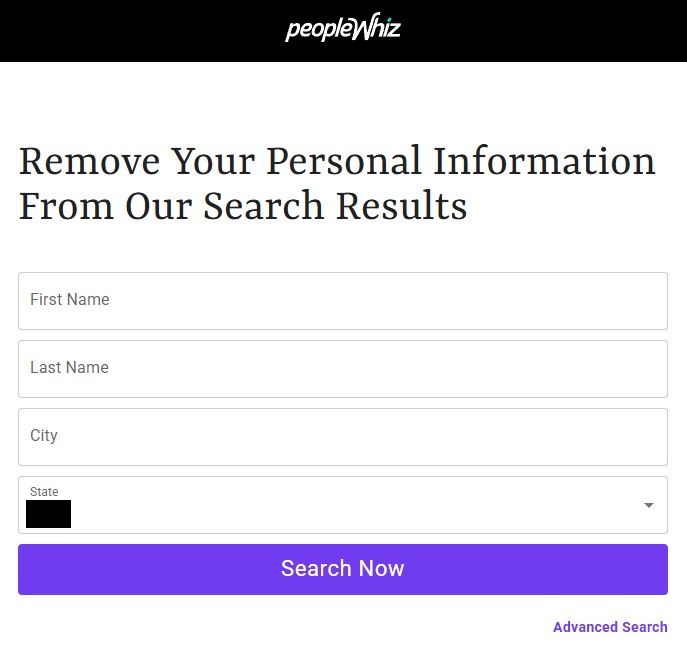
Open peoplewhiz.com/remove-my-info and follow Start By Searching Your Public Records Here, which lands on the removal search at peoplewhiz.com/optout. It's headed Remove Your Personal Information From Our Search Results.
Enter your first name, last name, city and state and press Search Now. An Advanced Search link sits under the button if you need tighter filters. Search on the details the listing shows rather than where you live now.
The removal search, which is a different page from the site's own search.
02
Confirm an email address
The next screen is Enter Your Email Address, and it says plainly that you must click the confirmation link it sends before the request goes anywhere. Put in an address you can open in the same sitting and press NEXT. A masked or secondary inbox is the better choice here.
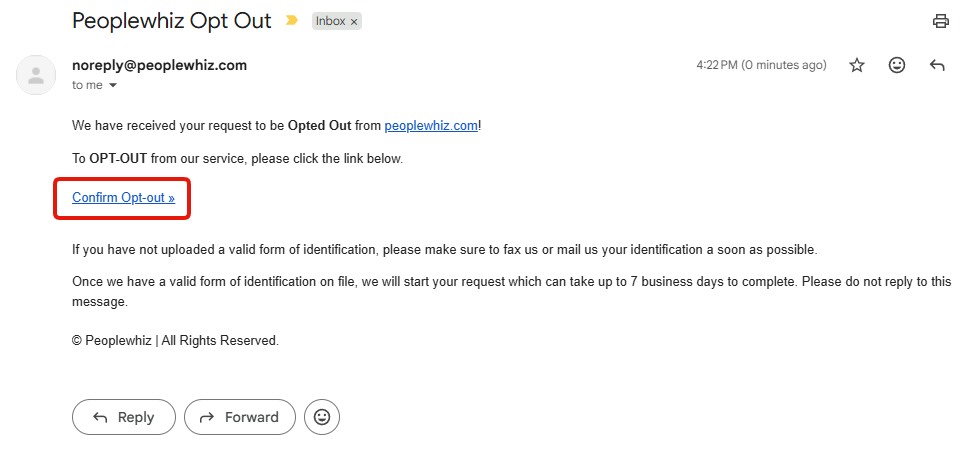
The message comes from noreply@peoplewhiz.com under the subject "Peoplewhiz Opt Out". Open it and click Confirm Opt-out.
Nothing moves until this link is clicked.
The email is where the ID demand appears in full. It says that if you haven't uploaded a valid form of identification you should fax or post one as soon as possible, but the email gives no fax number or mailing address and the captured flow shows no upload link. Ask support@peoplewhiz.com or (833) 276-9449 where to send it, and redact every detail they don't need. The request only starts once the ID is on file, and the email then allows up to 7 business days. The opt-out page itself says five.
03
Click "That's Me" on your own record
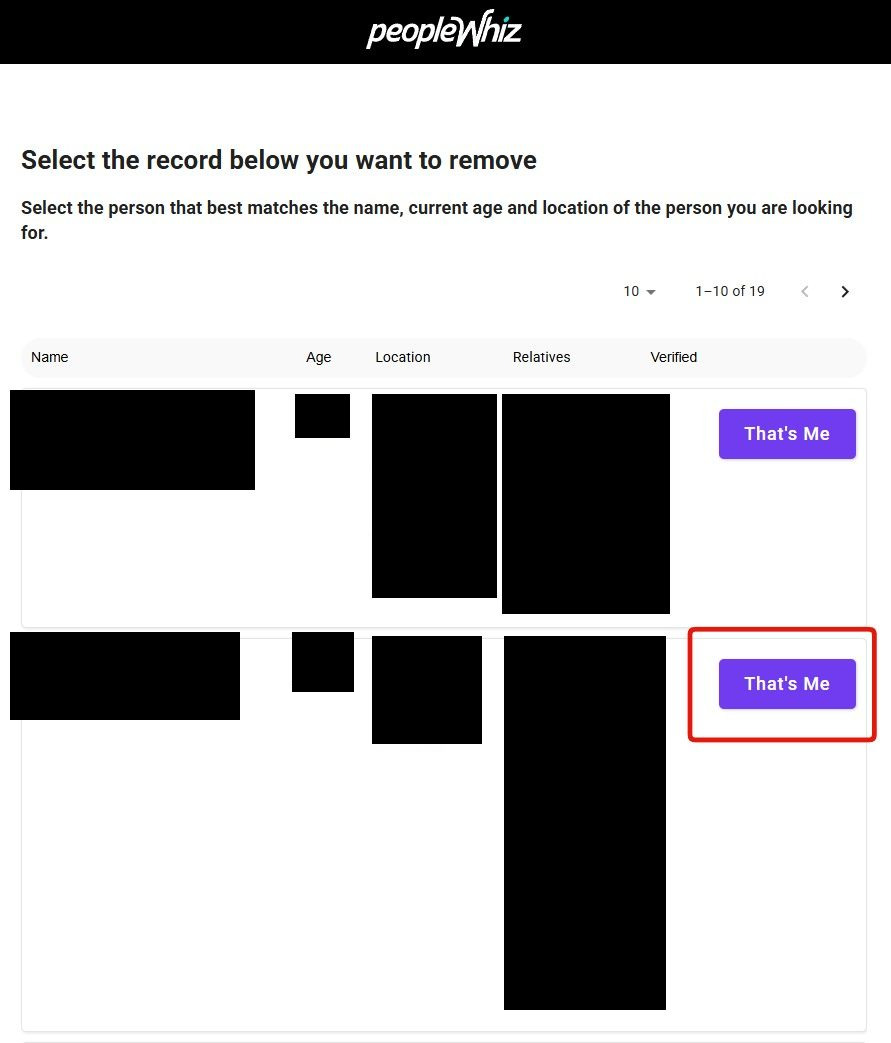
Confirming the email brings up Select the record below you want to remove, a table of candidates carrying names, other names used, ages, places lived and relatives. Check the age, the cities and the relatives before you touch anything, because common names sit together in these lists and taking down a stranger's record leaves yours where it was. Then click That's Me on your row.
If more than one row is you, a maiden name or an old address or a middle initial, each one is its own listing and needs its own submission.
Match the age, the places and the relatives, then click That's Me.
Screenshot the listing before it goes. A dated capture of what was published is what you'll want if the record turns up again, and on a site selling mugshots and DUI entries it's also your only record of what it actually said about you.
The sibling
Then do PeopleWhizr, which is the same product
peoplewhizr.com sells the same thing under a second name, from the same Huntington Beach address, on the same support line. It's a different California corporation, and nothing says a request on one site reaches the other, so assume it doesn't.
Its own removal search is broken. On September 9, 2026 it answered a search with an error page rather than a result, which is a change from August, when it returned nothing at all. Removal there goes by email or phone instead, and the PeopleWhizr removal guide covers both routes.
Check the sibling even if PeopleWhiz says you aren't listed. The two index separately and nothing documents a shared database. Coming up empty on one tells you nothing about the other.
Afterwards
Checking it worked
Wait a week and a half rather than a day. The stated window is five business days on the page and seven in the email, and the site says its servers take another 24 to 48 hours to refresh on top. Then search yourself again, on both domains, after clearing your browser cache, which the site itself suggests because an old result can otherwise come back from your own machine.
Search the wider web too, for your name next to site:peoplewhiz.com and site:peoplewhizr.com. Listing pages get indexed, and a removed record can sit in a search engine's cache after it's gone from the site. Keep the confirmation email, since it's the only proof you filed.
If it fails
When something goes wrong
Nothing has happened after seven business days. Add the day or two of index refresh, then chase it on (833) 276-9449 or at support@peoplewhiz.com. Don't reply to the confirmation email, which says it isn't read. That phone number serves the sibling too, so say which domain you mean.
They're asking for more than you want to hand over. Cover everything except your name, your face and your date of birth. No data broker needs a Social Security number to take you off a list, and this one already says it collects them.
The listing is back a few weeks later. The company says it buys marketing data to extend its database, so a record can return through a purchase you had no part in. File again and keep the dated screenshots.
You're still being billed. Removal and cancellation are separate errands. Call (833) 276-9449. Because the renewal price isn't in the terms, the amount on your statement is the figure to quote, and your card issuer is the fallback if support won't help.
Your complaint goes unanswered. That's a documented pattern here rather than bad luck. Both BBB files carry unanswered complaints, ten of them on the Oregon one, so don't sit waiting for a reply before escalating.
Staying off
Keeping it from coming back
One removal is a snapshot rather than a settled state. This company says outright that it purchases marketing data to add to its database, which means a record can return from a source you never dealt with and never agreed to.
Check PeopleWhiz and PeopleWhizr together every few months. They're separate corporations with separate indexes and separate opt-outs, so a clean result on one proves nothing about the other. A calendar reminder that names both sites saves remembering the second one.
Take yourself off data broker sites
Redact scans data broker sites from your device, finds where your details are listed, and submits the removal requests for you. If a broker relists you, it files again.
September 9, 2026 · Walked on August 7, 2026, which is where the three screenshots come from. The opt-out page, the search and the email screen were rechecked live on September 9, and the five-business-day figure is quoted from the page as it read that day.