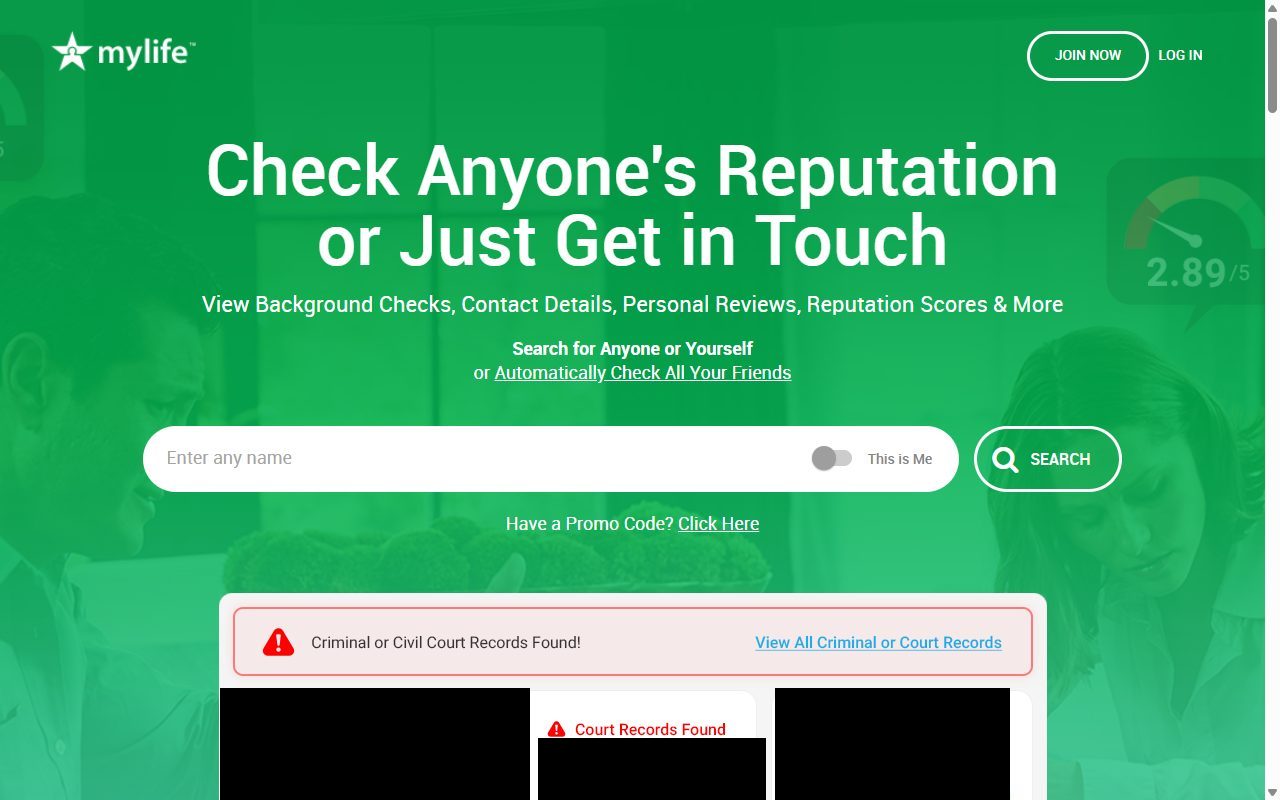
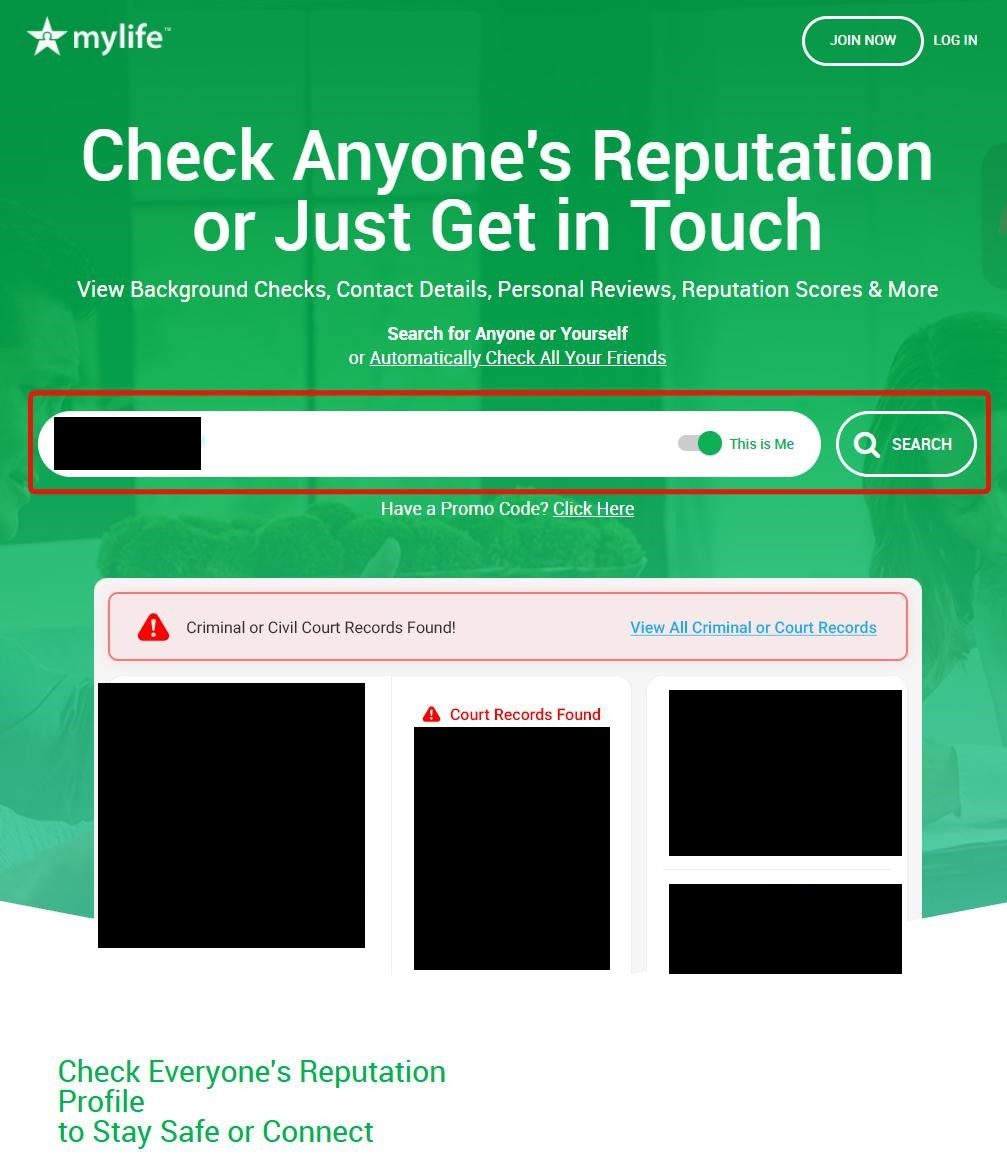
Search MyLife with the "This is Me" toggle on
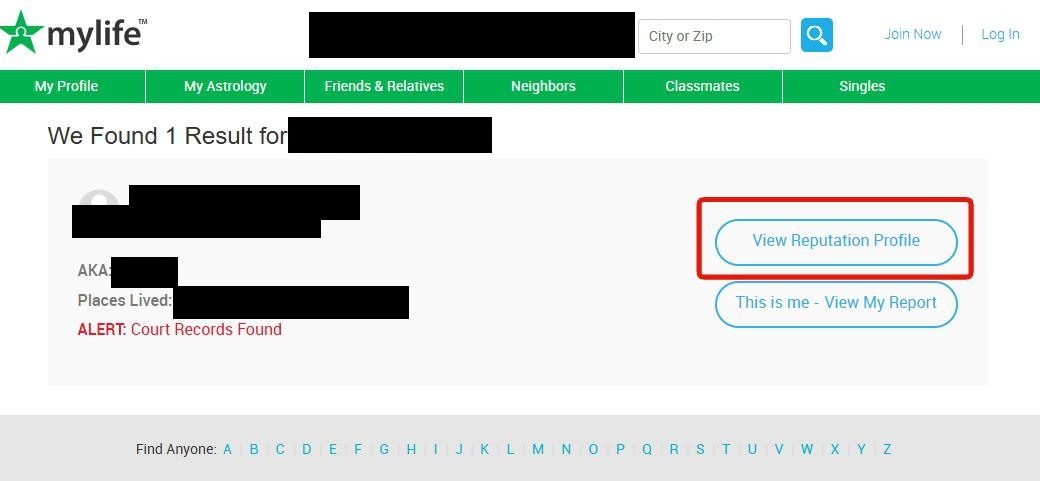
Go to mylife.com. Type your name into the search bar. Before clicking Search, flip the "This is Me" toggle next to the search field so it's green. Then click SEARCH.

Removal guide · MyLife
MyLife's opt-out is unusually involved. You search for yourself with the "This is Me" toggle on, walk through their profile-claim flow including the animated "gathering info" screen, capture the URL of the resulting profile page, then fill out the multi-section form at mylife.com/privacyrequest - which has both an email verification code and a reCAPTCHA. Honestly, I think the animated gate is mostly there to push you toward the paid reputation product; the actual removal still works fine if you sit through it. Plan on 10-15 minutes total because of the animation; processing can take days after submission.
Before you remove your data: See the MyLife data broker profile for ownership, contact details, litigation history, and related sites.
Quick facts
Profile-claim + privacyrequest form
~10-15 minutes
Moderate
No
Email code + reCAPTCHA
Email confirmation; days to process
Yes - URL-based
High · Re-check every 90 days
The opt-out is free. MyLife may push a paid "reputation management" membership during the flow - ignore it. Removal is your right under CCPA / GDPR / similar laws, and in our experience there's no point at which you actually need to pay anything to complete the opt-out.
Prereqs
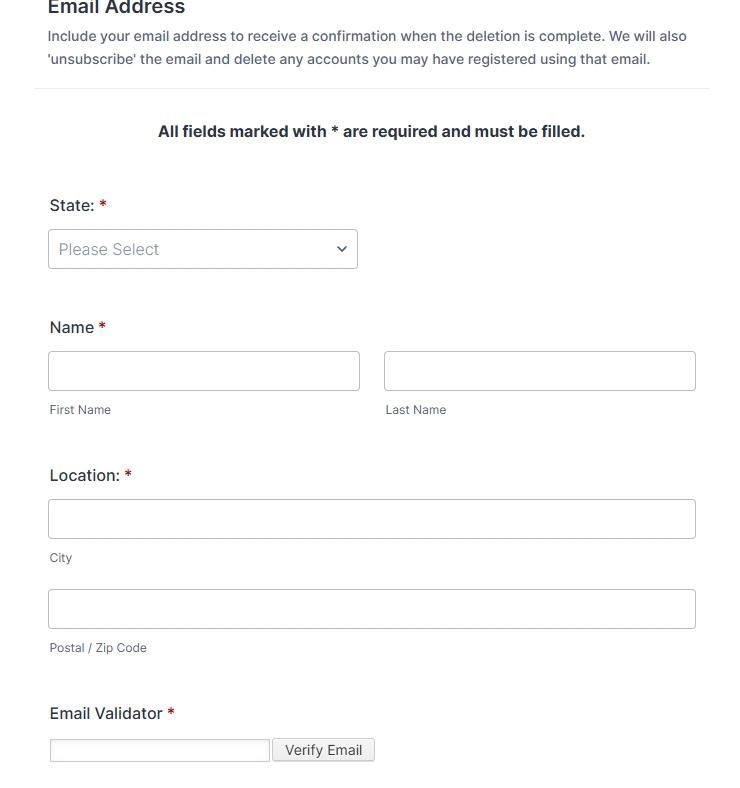
Your name, state, city, and ZIP - the privacy-request form asks for all of these.
A real email inbox you can check. MyLife sends a numeric code that you enter on the form to verify the email - it's not a click-through link. I'd suggest a forwarding address (Apple Hide My Email, Firefox Relay, or similar) instead of your primary inbox since MyLife will keep that address on file.
The ability to copy a URL from the browser address bar and save it somewhere (notepad / clipboard manager) for use a few steps later.
The 8 steps
Go to mylife.com. Type your name into the search bar. Before clicking Search, flip the "This is Me" toggle next to the search field so it's green. Then click SEARCH.

On the results page, find the listing that matches you and click "View Reputation Profile" on that row.

The page "Gathering [Name]'s Information from Multiple Sources" shows two columns of checkboxes - Background Details on the left, Contact & Personal Info on the right. Tick a few of the checkboxes (any combination works).
Then tick the lower checkbox labeled "This is me - Needed to Edit Public Profile" and click the blue Continue to Details button.
![MyLife 'Gathering [name]'s Information from Multiple Sources' page with two columns of data checkboxes (Background Details on left, Contact & Personal Info on right). Court & Arrest Records, Lawsuits/Liens, Current & Past Addresses, and Phone Numbers are ticked. Below is a checkbox 'This is me - Needed to Edit Public Profile' highlighted with a red box, and a blue Continue to Details button.](/images/data-brokers/mylife-com/step-3.jpg)
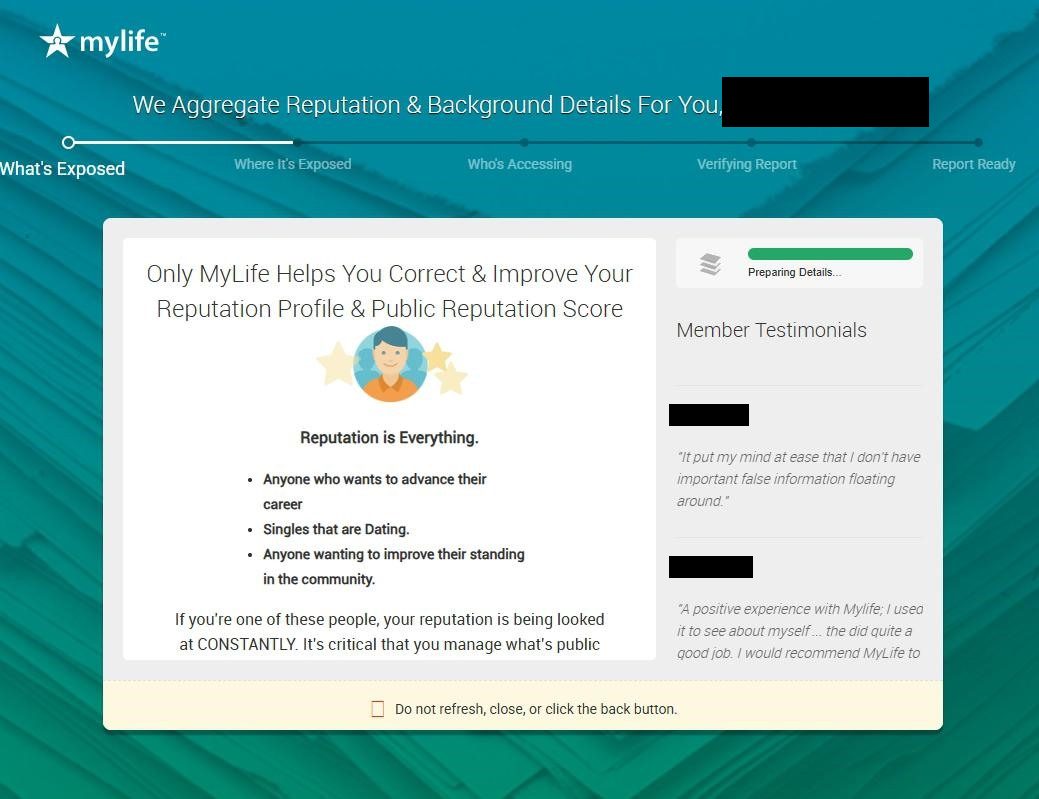
MyLife shows an animated progress screen that simulates building your profile in real time. The animation runs for a few minutes - let it complete. Do not close the tab.

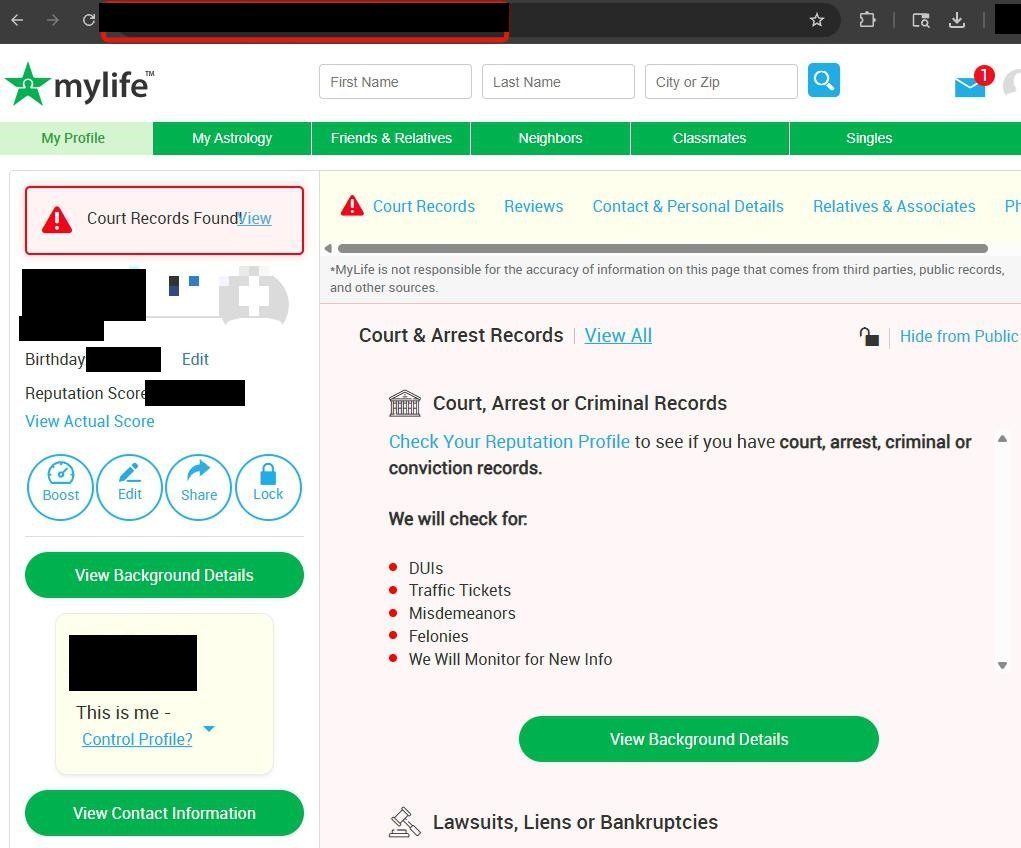
When the animation finishes, MyLife lands you on your full profile page. Click into the browser's address bar and copy the URL. Save it somewhere reachable - a notepad, a clipboard manager, or a sticky note. You'll paste it into the privacy-request form a few steps later.

Go to mylife.com/privacyrequest. Fill in the top fields - only the ones with a red asterisk are required; you can skip the rest.

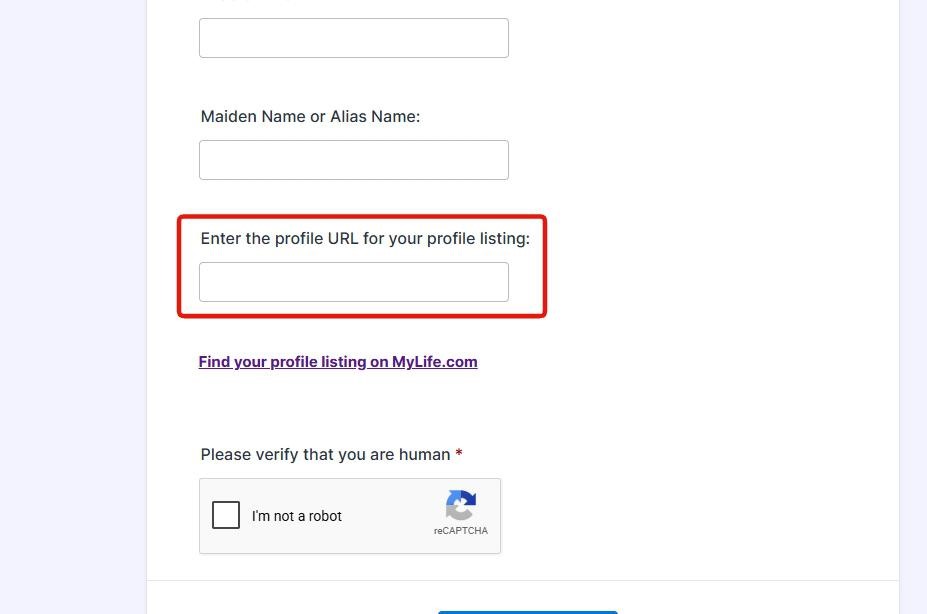
Continue filling the form. Near the bottom you'll find a field labeled "Enter the profile URL for your profile listing" - paste the URL you saved in step 5 here.
Below the URL field, tick the reCAPTCHA "I'm not a robot" checkbox.

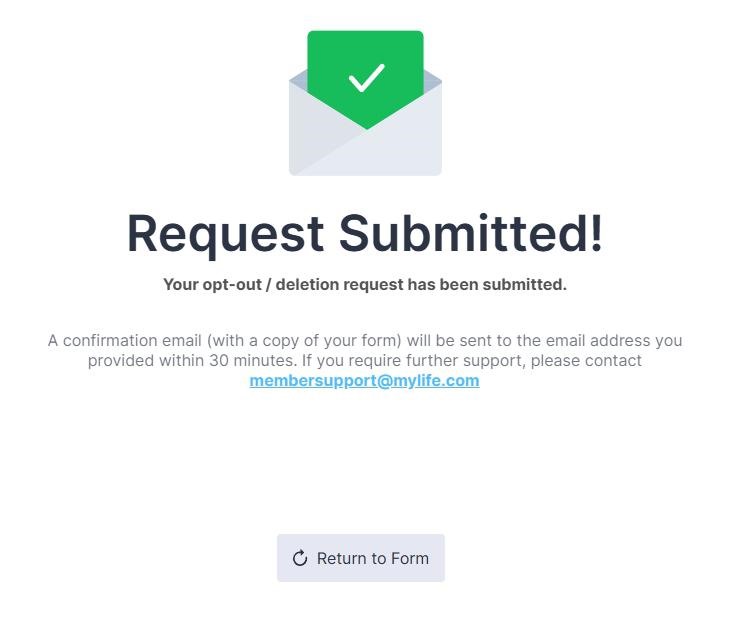
Submit the privacy-request form. MyLife shows a submission confirmation page and sends a confirmation email to the address you verified in step 6. Save the confirmation screen and the email - both are your evidence trail if escalation becomes necessary later.

Confirm it worked
Troubleshooting
"Verify Email" code never arrives. Check spam / promotions. If after 30 minutes nothing arrives, refresh the form and re-enter your email to trigger a new code. If still nothing, try a different email address.
The animation in step 4 stalls. Don't close the tab - reload it and re-run from step 1. The session timing-out before the animation finishes will lose your progress.
"URL not recognized" or rejected at submission. Make sure you saved the URL from the profile page in step 5 (after the animation), not a search-results URL or the privacy-request page URL.
No confirmation email after several days. I'd recommend emailing membersupport@mylife.com or privacy@mylife.com with your name, the listing URL, and the submission date. California residents can also file a CCPA / Delete Act complaint with the CPPA; other states can file with their AG or with the FTC at reportfraud.ftc.gov. Reference the December 2021 FTC consent decree (US v. MyLife.com, Inc. and Jeffrey Tinsley) in any complaint about delayed or ignored removals.
You're being charged. The opt-out is free. If you see a recurring charge from MyLife, you accidentally signed up for the paid membership product (not the opt-out). Cancel and dispute with your card issuer if needed. The 2021 FTC settlement specifically prohibits MyLife from running deceptive negative-option marketing, so the dispute has a documented legal backstop.
Stay off
Re-check every 90 days. MyLife continuously re-scrapes public records and we've watched profiles re-appear once new data surfaces.
Watch for multiple profiles. In our experience MyLife often holds more than one profile per person if you've changed addresses or have a nickname variant. Each profile gets its own URL and needs its own opt-out.
Suppress the upstream sources where possible. Whitepages, Spokeo, BeenVerified, and similar feed the same upstream public-records aggregators that MyLife scrapes. Removing your record from the larger brokers reduces the surface area MyLife's scraper can rediscover.
I'd suggest a forwarding mailbox or PO Box for non-essential mail. New property and voter records associated with a residential address are the biggest re-listing triggers we see.
Redact scans 120+ data broker sites from your device, finds where your details are listed, and submits the removal requests for you. If a broker relists you, it files again.
May 21, 2026