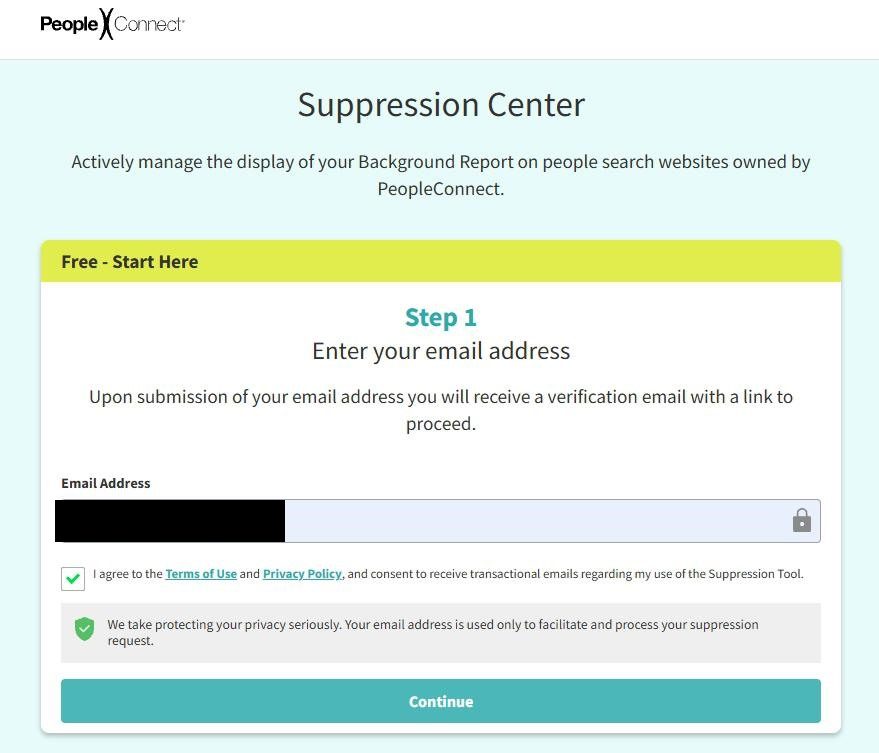
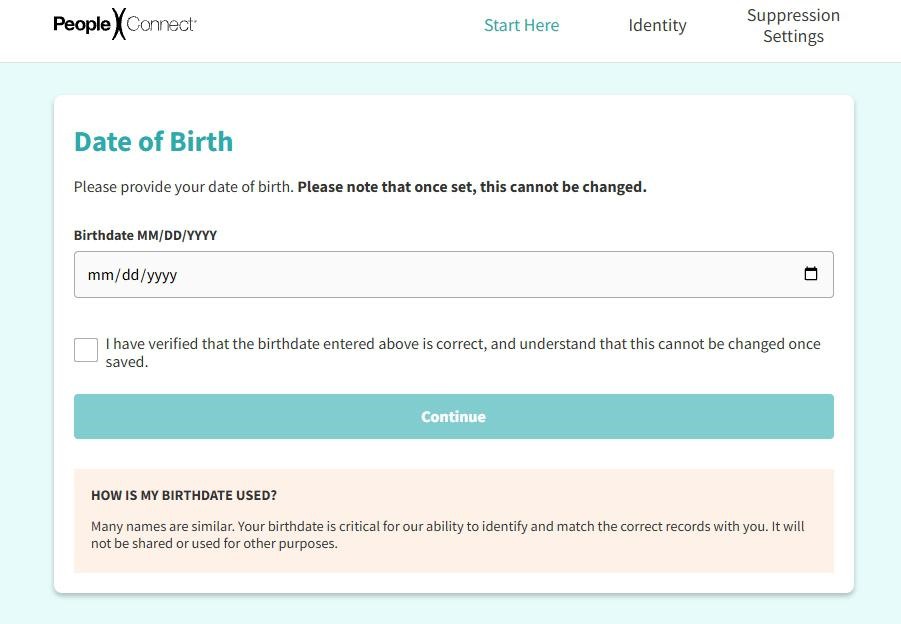
Intelius's opt-out runs through PeopleConnect's identity-suppression portal at suppression.peopleconnect.us - the same portal that serves TruthFinder, Instant Checkmate, and US Search. The flow asks for your email, date of birth, and full legal name; verifies your email via a confirmation link; lets you pick the matching record; then runs a partial-credentials verification where you complete a masked email or phone number from your own record before you can suppress the listing. What I've seen is that the masked-credentials step is the part that trips people up - if your record references an email or phone you don't recognize, the flow stalls there. Plan on about 15 minutes; suppression usually takes effect within 72 hours.
Before you remove your data: See the Intelius data broker profile for ownership, contact details, litigation history, and related sites.
Quick facts
Removal Overview
PeopleConnect portal
Method
Email confirm + DOB + name + partial-credentials
Active time
~15 minutes
Difficulty
Moderate
Account required
No
Verification
Email link + partial-credentials code
Result appears
72 hours typical · up to 10 business days
Portal
suppression.peopleconnect.us
Re-listing risk
Medium · Re-check quarterly
One request covers PeopleConnect people-search sites. PeopleConnect says the portal covers name searches on all of its people-search sites. It specifically names TruthFinder, Instant Checkmate, Intelius, and US Search. Submit one request, then check each site after it takes effect.
Prereqs
What you'll need before you start
4 things
Your full legal name (first, middle, last) - the form asks for all three.
Your date of birth - used to disambiguate your record from other matches.
Memory of a real email or phone number from your past - PeopleConnect shows you a list of partially-masked credentials from your record and asks you to complete one of them. You need to recognize at least one to verify.
~15 minutes of uninterrupted time. The flow has two email round-trips and doesn't let you save progress, so I'd suggest blocking off enough time to push through in one sitting.
The 10 steps
Remove your listing
~15 minutes total
01
Open the PeopleConnect portal, enter your email
Go to suppression.peopleconnect.us/login. Enter your email address and submit. PeopleConnect sends a confirmation email to that address.
Enter your email, submit, then check your inbox.
02
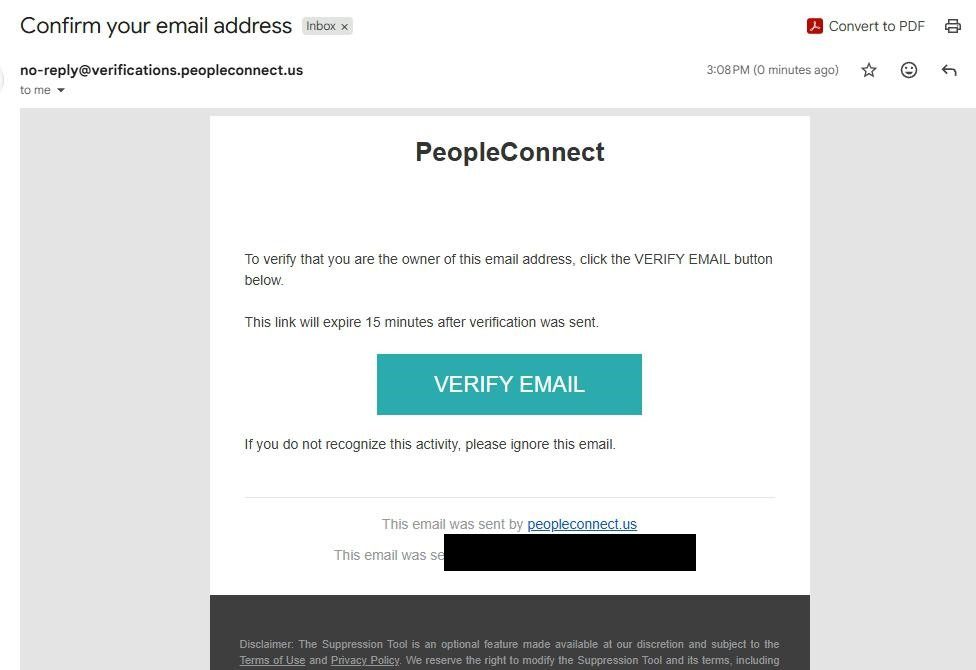
Click the Confirm Email button in the email PeopleConnect sends
Open the email PeopleConnect just sent. Click the Confirm Email button (or link) inside. The link returns you to the portal to continue the opt-out.
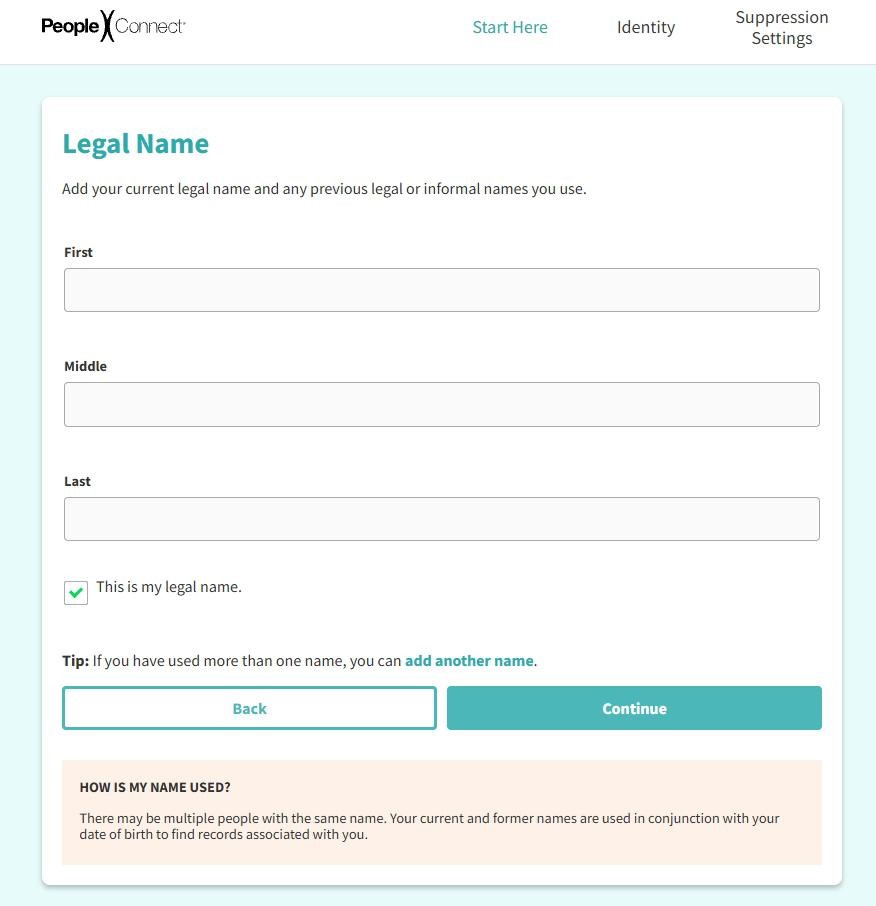
Enter your first name, middle name, and last name exactly as they appear in public records. Tick the verification checkbox and click Continue.
Enter full legal name, tick the box, click Continue.
05
Confirm the profile is yours, click Next
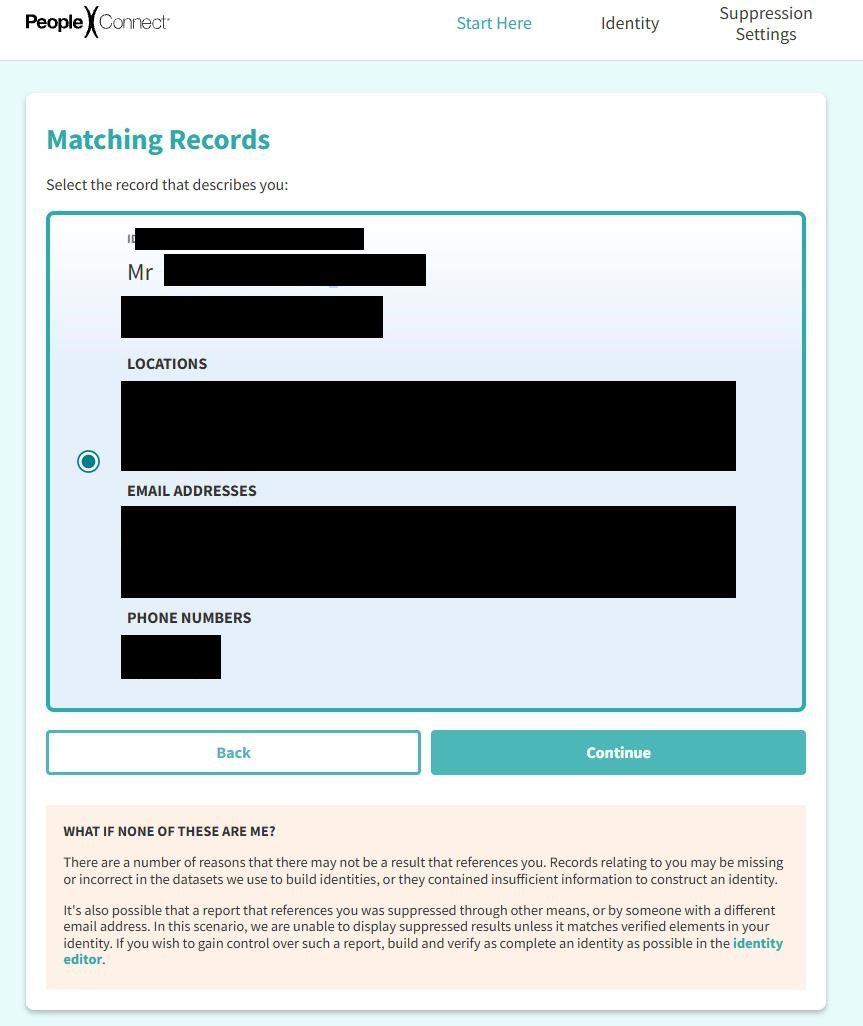
The portal shows the record(s) matching the DOB + name you entered. Confirm the profile that belongs to you and click Next.
Confirm your matching record, click Next.
06
Complete a masked email or phone from your record (partial-credentials check)
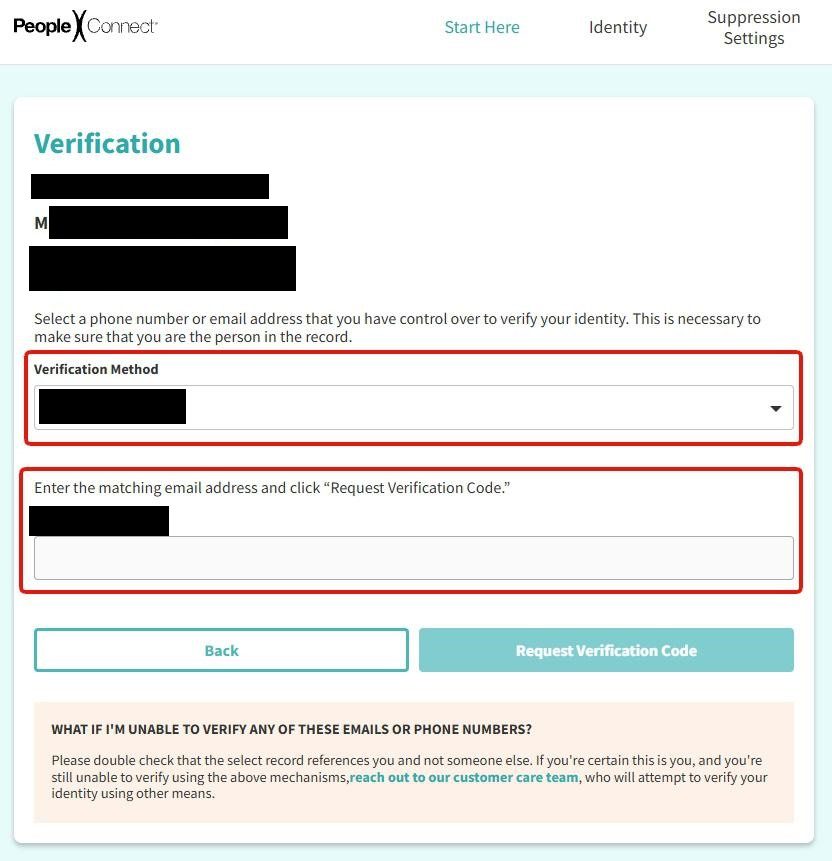
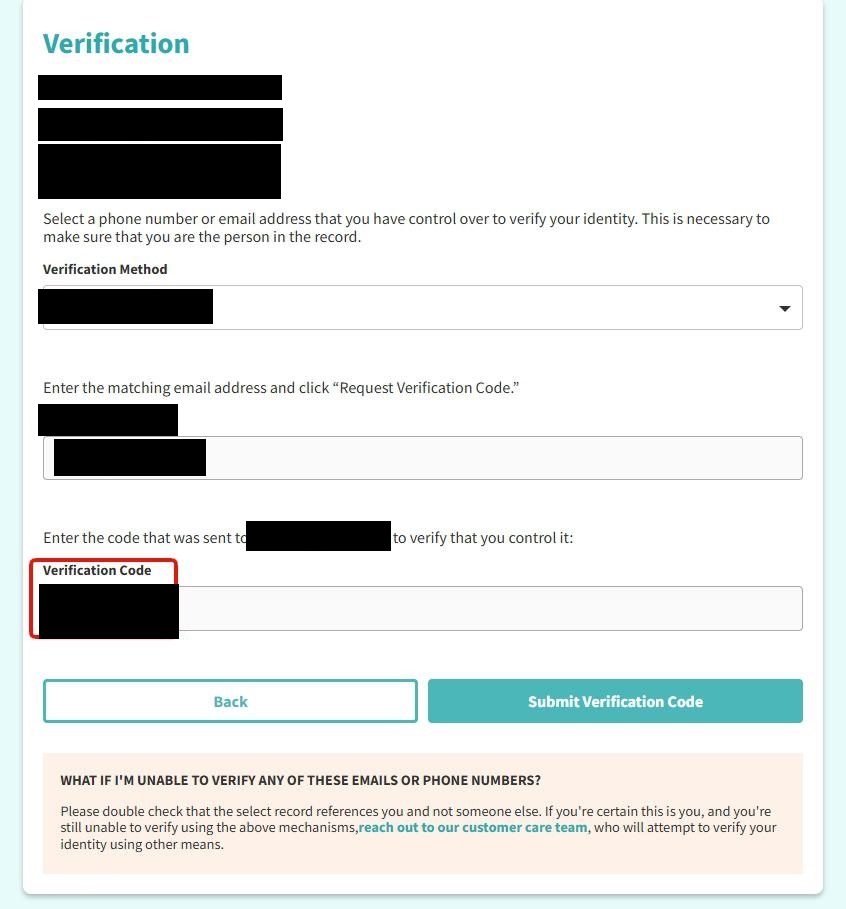
The Verification page reads: "Select a phone number or email address that you have control over to verify your identity. This is necessary to make sure that you are the person in the record."
The Verification Method dropdown lists partially-masked credentials from your record. Pick one you recognize. The form then asks you to type the full email address (or phone number) in the field below to match it against the masked value. Click Request Verification Code.
Pick a masked credential you recognize, type the full version, click Request Verification Code.
07
Open the email, copy the verification code
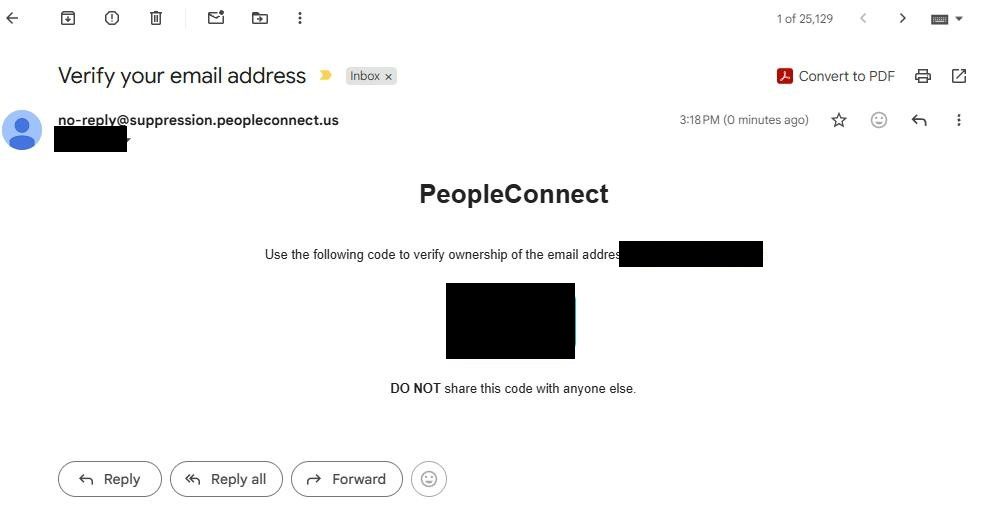
PeopleConnect sends a verification code to the email address (or phone) you matched in step 6. Open the email and copy the numeric code to your clipboard.
Copy the code from the email.
08
Paste the code in the portal, click Submit Verification Code
Return to the verification page and paste the code into the Verification Code box at the bottom. Click Submit Verification Code.
Paste the code, click Submit Verification Code.
09
On the verified screen, click Continue to remove your data
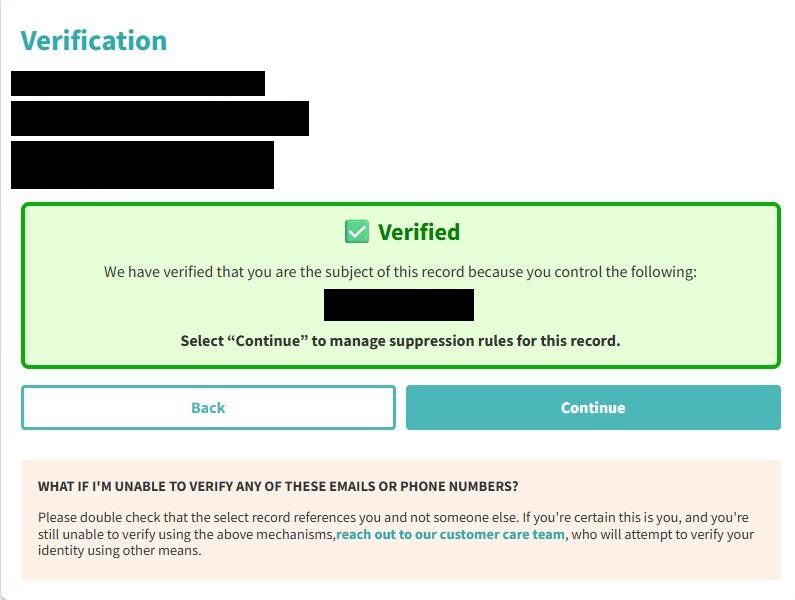
PeopleConnect confirms your identity is verified and surfaces a Continue button to proceed to the suppression settings. Click it.
Identity verified - click Continue.
10
Set Desired Behavior to Suppressed, click Save
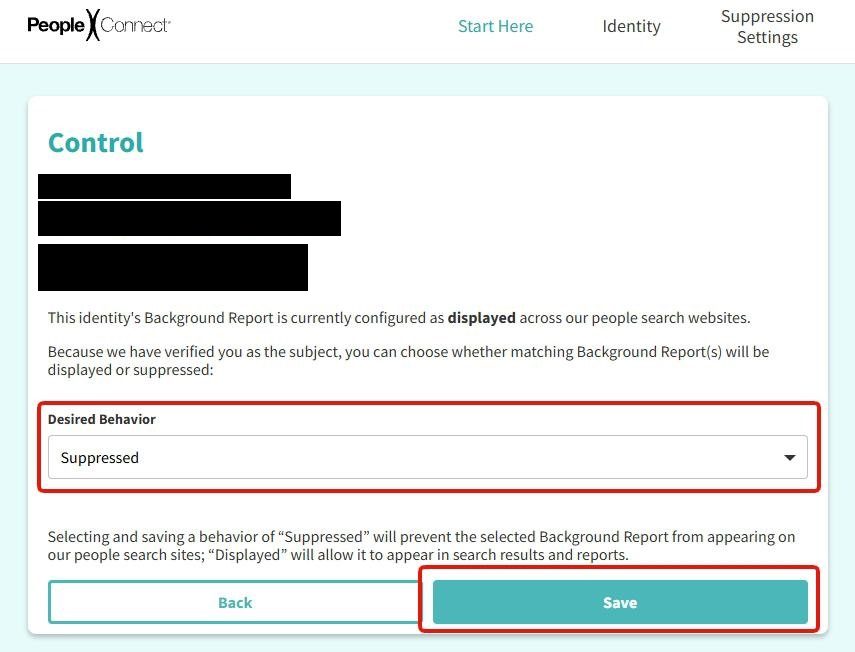
The Control page reads: "This identity's Background Report is currently configured as displayed across our people search websites." Open the Desired Behavior dropdown and pick Suppressed. Click the Save button to finalize.
Pick Suppressed in the dropdown, click Save.
Confirm it worked
Did it actually work?
72 hours typical
Wait at least 72 hours after saving the "Suppressed" setting. Full propagation can take up to 10 business days.
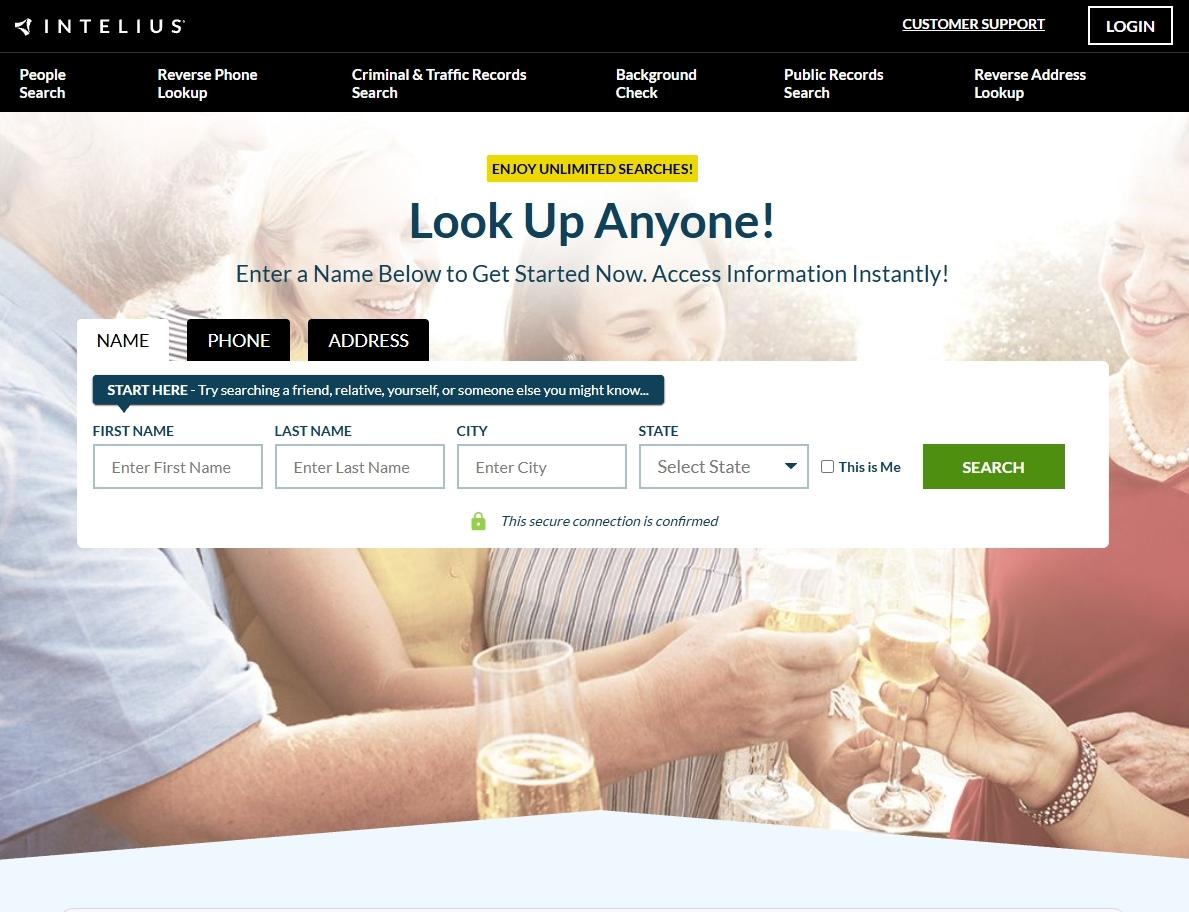
Open a private / incognito window and go to intelius.com.
Search for the same name + state combination you'd used previously.
Your record should no longer appear, or the link to your old profile should resolve to a "Profile not found" page.
Check TruthFinder, Instant Checkmate, and US Search because PeopleConnect specifically names all four sites. Check ZabaSearch and Addresses.com because the broader wording covers name searches on PeopleConnect people-search sites, but neither site is named. Check Peoplelookup, Lookupanyone, and PublicRecords.com because they're also not named. Check Classmates.com separately because PeopleConnect excludes it.
Troubleshooting
If it doesn't work
Common failures
Confirmation email never arrives. Check spam / promotions. If after a few minutes nothing arrives, restart from step 1 with a different email address.
You don't recognize any of the masked credentials in step 6. We've seen this happen when the record matched in step 5 isn't actually yours - go back, re-run from step 4, and verify the name spelling and DOB against your real public records. If you're certain the record is yours but the masked credentials are unfamiliar, I'd recommend the "reach out to our customer care team" link on that page; PeopleConnect will attempt to verify your identity through other means.
The full credential doesn't match the masked value. The text you type has to exactly match the underlying email or phone number that produced the masked display. Watch for capitalization, dots in Gmail addresses, and area-code formatting on phone numbers.
Identity-code verification doesn't arrive. If you picked an email in step 6 and didn't receive the code, restart step 6 with a different masked value (or the phone option if one of yours is listed).
Listing still appears after 10 business days. Email privacy@intelius.com or privacy@peopleconnect.us with your name, the listing URL, the date you submitted, and the request ID shown on the Control page. California residents can escalate via the CPPA; other states can file with the FTC at reportfraud.ftc.gov.
You're being charged. The opt-out is free. If you see a recurring charge from Intelius or PeopleConnect, you accidentally signed up for the paid product (not the opt-out). Cancel via Intelius support and dispute with your card issuer if needed. The 2010 Washington AG settlement specifically addressed post-transaction marketing, so a billing dispute has a documented legal backstop.
Stay off
Keep your record off the site
Re-listing is common
Re-check quarterly. Intelius continuously re-scrapes public records, so a new listing can appear weeks or months after a successful opt-out if new property, voter, or directory data surfaces.
Watch for multiple profiles. Intelius often holds more than one profile per person if you've changed addresses or have a nickname variant. Each profile needs its own opt-out.
Save your PeopleConnect verification info. If you opt out again later for a new profile, you'll need the same masked-credentials matching dance - I'd suggest keeping track of which old emails or phone numbers your record has been associated with so you're not guessing the next time around.
Suppress the upstream sources where possible. Whitepages, Spokeo, BeenVerified, and similar feed the same upstream public-records aggregators Intelius uses. Removing your record from the larger brokers reduces the surface area Intelius's scraper can rediscover.
We'd suggest a forwarding mailbox or PO Box for non-essential mail. New property and voter records associated with a residential address are the biggest re-listing triggers we see.
Take yourself off data broker sites
Redact scans data broker sites from your device, finds where your details are listed, and submits the removal requests for you. If a broker relists you, it files again.