Broker profile
Government Registry
A public-records lookup site trading on an official-sounding name - "Government Registry" is a people-search product, not a government service. Its listings surface names, addresses, phones, and public-records data. The catch is the opt-out. Its search only looks up listings in nineteen states, the ones with consumer-privacy laws, so a record filed under an address anywhere else can't be found or removed through it. Florida is named in the site's own rights notice yet missing from the form's dropdown. For a listing in one of the nineteen, the flow is short. Search it, push Remove my Data, submit with an optional email, and on our walkthrough the request was approved instantly. The scorecard still rates the opt-out friction High, because a listing in any other state has no removal route beyond a contact form that nothing compels the site to act on.
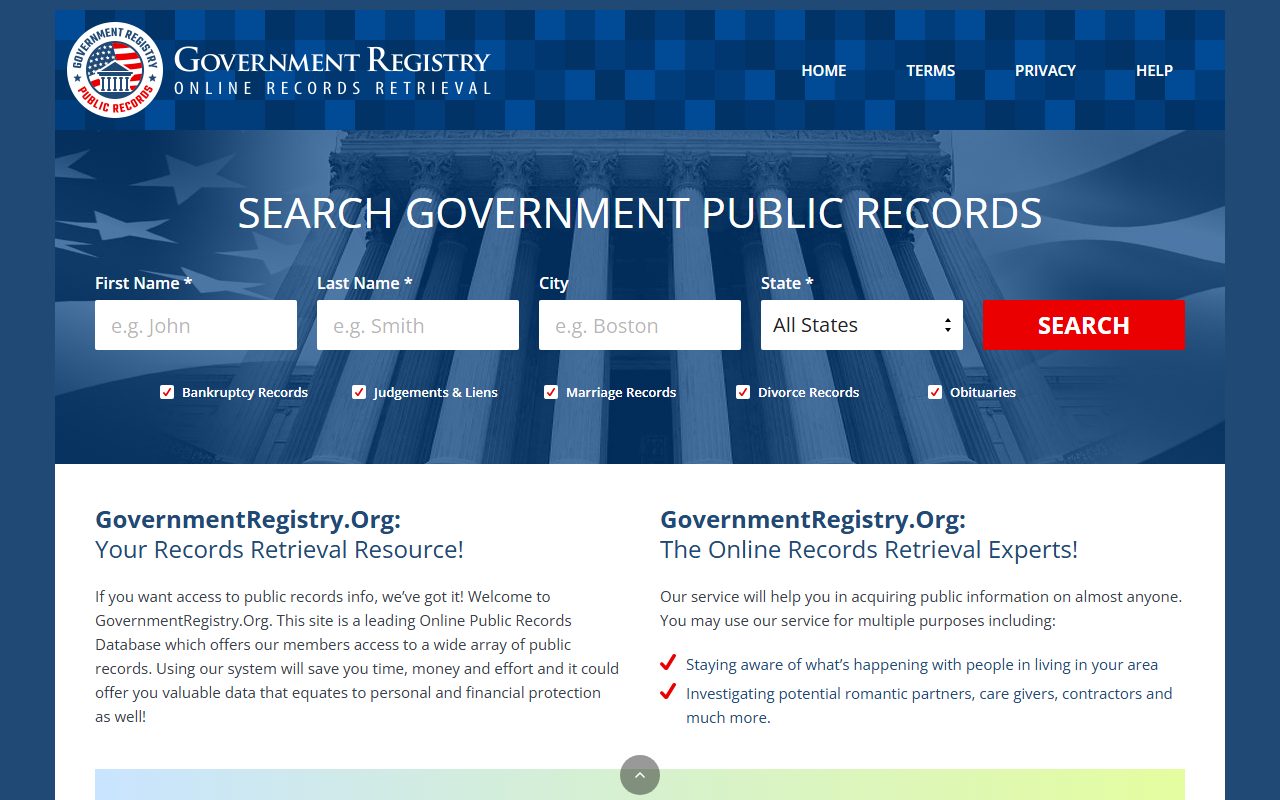
Government Registry overview
At a glance


- Data published
- Substantial
- Re-listing frequency
- Recurring
- Complaint record
- Not established
- Opt-out friction
- High
- Operator opacity
- Hidden
- Prior data incidents
- None documented
Each broker is scored 1 to 4 across the six dimensions above; higher means more exposure, and the overall gauge is their average.
Complaint record isn't established for this broker, so it's left out of the gauge rather than averaged in as a number nobody researched. The figure above is the average of the other five dimensions.
What each dimension means
- Data published: how much and how sensitive the personal data they put out.
- Re-listing frequency: how quickly you reappear after opting out.
- Complaint record: the volume and pattern of complaints across BBB, Trustpilot, and Sitejabber. No listing, or a listing with no reviews, counts against the broker.
- Opt-out friction: how hard the removal process is to complete.
- Operator opacity: how hidden the operating company and its principals are.
- Prior data incidents: history of breaches or leaks of the data they hold.
- Category
Public-records search · people search
- Name check
Not a government site, despite the name
- Opt-out
/opt-out · searches 19 states only
- What it can reach
Listings in 19 privacy-law states · Florida named in the notice, not in the form
- Verification
reCAPTCHA · email optional, confirmation only
- FCRA covered?
No
Background
Background


Most brokers at least pretend their opt-out is for everyone. Government Registry's form only searches listings in states whose privacy laws give residents a legal right to demand removal. A listing under an address in any other state doesn't come up, so there's nothing to remove. It doesn't even match the site's own rights notice, which lists twenty states where the dropdown offers nineteen.
- States the form searches
CA, CO, CT, DE, IN, IA, KY, MD, MN, MT, NE, NH, NJ, OR, RI, TN, TX, UT, VA - the dropdown on September 10, 2026
- The odd one out
Florida · in the site's Your Privacy Rights by State notice, absent from the dropdown
- Listings elsewhere
Can't be searched · the form has no way to reach them
- Operating entity
None named on the site
The page frames the list as the states whose residents have privacy rights, but the form never asks where you live. It asks for the listing's city and state. So what decides whether you can use it is where your record says you are. The form will search a California listing for someone who now lives in New York, since nothing on it checks. It won't search a Florida or Georgia listing for anyone, Californians included.
The list tracks the states with comprehensive consumer-privacy laws, and it changes without notice - on the August walk the dropdown carried twenty states including Florida, and by September 10 Florida had dropped out of it while the rights notice on the same page kept listing it. A state missing today may appear after its legislature acts, or after the site catches up with itself.
The operator behind the site names no company anywhere we can find on it, which puts the operator-opacity score at the top of the scale and leaves the opt-out form and a bare contact form as the only channels.
The name is the product. "Government Registry" with a .org address invites the read that you're on an official records portal. You're on a commercial people-search site - treat its lookups and its emails accordingly.
Data Published
Data types


The site sells public-records lookups by name - the standard aggregation.
Sensitive: elevated identity-theft, doxxing, or safety riskStandard public-record field
- Full names
- Current and past addressesSensitive
- Phone numbers
- Public-records and court dataSensitive
- Email addresses shown in listings
Contact
Contacts & links


- Operating entity
None named
- Contact form
Reputation
Trust signals


Nobody has reviewed Government Registry on the three sites we check. SmartCustomer has an empty page for it, and Trustpilot and the BBB have nothing. That's an unreviewed site rather than a clean one, and a page with no reviews is too thin to call a record either way, so the scorecard leaves the complaint record as not established.
FAQ
Q & A


Is governmentregistry.org a government website?
No. Despite the name and the .org address, it's a commercial people-search site publishing aggregated public-records data. No government operates or endorses it.
How do I remove my information from Government Registry?
If your listing shows an address in one of the nineteen states the form searches (the states with consumer-privacy laws, Florida excepted), go to governmentregistry.org/opt-out, search the name, city, and state on the listing, push the red Remove my Data button on the record that's you, then submit with an optional email and a reCAPTCHA. On our walkthrough the request was approved instantly. Our removal guide shows each screen. If your listing's state isn't offered, the form can't find it - the contact form is the manual route.
My listing's state isn't in the opt-out form's list. What can I do?
The form can't search for it, but you're not entirely without moves. The site has a contact form - a written removal request there is the manual route, though nothing legally compels them to act on it. Beyond that, check back as more states pass privacy laws (the form's list tracks those laws, loosely - Florida is in the site's rights notice but not in the dropdown), and suppress the upstream sources this kind of site aggregates from, since a record that dries up upstream eventually drops out downstream.
Does it matter which state I live in?
Not to the form. It asks for the city and state on the listing and never asks where you live. What matters is where your record says you are. The form will search a listing at an old address in one of the nineteen states even if you've since moved somewhere else, and nothing on the page says a request from outside those states is refused.
Is Government Registry covered by FCRA?
No - it's a people-search aggregation site of the standard non-CRA kind. Its data can't lawfully drive employment, credit, insurance, or tenant-screening decisions, which changes nothing about what a listing exposes.
Take yourself off data broker sites
Redact scans data broker sites from your device, finds where your details are listed, and submits the removal requests for you. If a broker relists you, it files again.
September 10, 2026 · Opt-out page reread live. The form's state dropdown now offers nineteen states, without Florida, while the Your Privacy Rights by State notice on the same page still lists twenty with Florida in it. The form asks for the listing's city and state, not where you live. Review platforms checked the same day in a real browser. The August 12, 2026 walkthrough confirmed the flow itself - a search (name, city, state) → Matching Records → red Remove my Data → optional email + reCAPTCHA, approved instantly - and corrected the drafted confirmation-email dependence. Profile otherwise drafted from the site's own pages and Redact's live testing.