Enformion is the upstream supplier behind several people-search brands, so this is one of the more valuable removals you can do - and one of the least known, because there's no listing page with your name on it to find first. One submission covers Tracers.com and Endato.com as well. The catch is a two-stage flow with an emailed link that dies after 24 hours.
The full picture: See the Enformion data broker profile for what it holds, who it sells to, and why its own filing reports zero deletion requests granted in full.
The portal offers four different requests from one dropdown, and the choice matters more here than at most brokers, because Enformion's own numbers say the two options succeed at very different rates.
Right to Opt-out - stops the sale and sharing of your data. Enformion reported honouring 34,650 of 40,996 of these in full in 2024, with a four-day median. This is the one that works.
Right to Delete - asks for removal of the record itself. Enformion reported zero of 80,683 granted in full, 67,304 granted in part, 13,379 denied, with a 31-day median. Still worth filing, but go in expecting partial.
Right to Know - a copy of what it holds on you. Needs far more detail from you, including date of birth, phone, and full street address.
Right to Correct - for fixing a wrong record rather than removing it.
File the opt-out, then the deletion. They're separate requests on the same portal and nothing stops you submitting both. The opt-out is the one its filing says actually completes in full; the deletion is the one that goes further when it's granted.
Prereqs
What you'll need
An email inbox you can check within 24 hours - the link Enformion sends expires, and after that you have to start over.
Your legal first and last name as it'd appear in public records, plus any middle name.
For the second form: your phone number and full street address (city, state, ZIP) - they're required fields; date of birth is optional.
Nothing else. There's no ID upload and no fee.
Only the subject's email address is used to find the record. Enformion's own note says so. If you're filing through an authorised agent, the agent's address gets a copy of the link and the confirmation, but the lookup runs on yours - so give the address you actually want matched.
The steps
Submit the request
01
Fill out the privacy-portal form
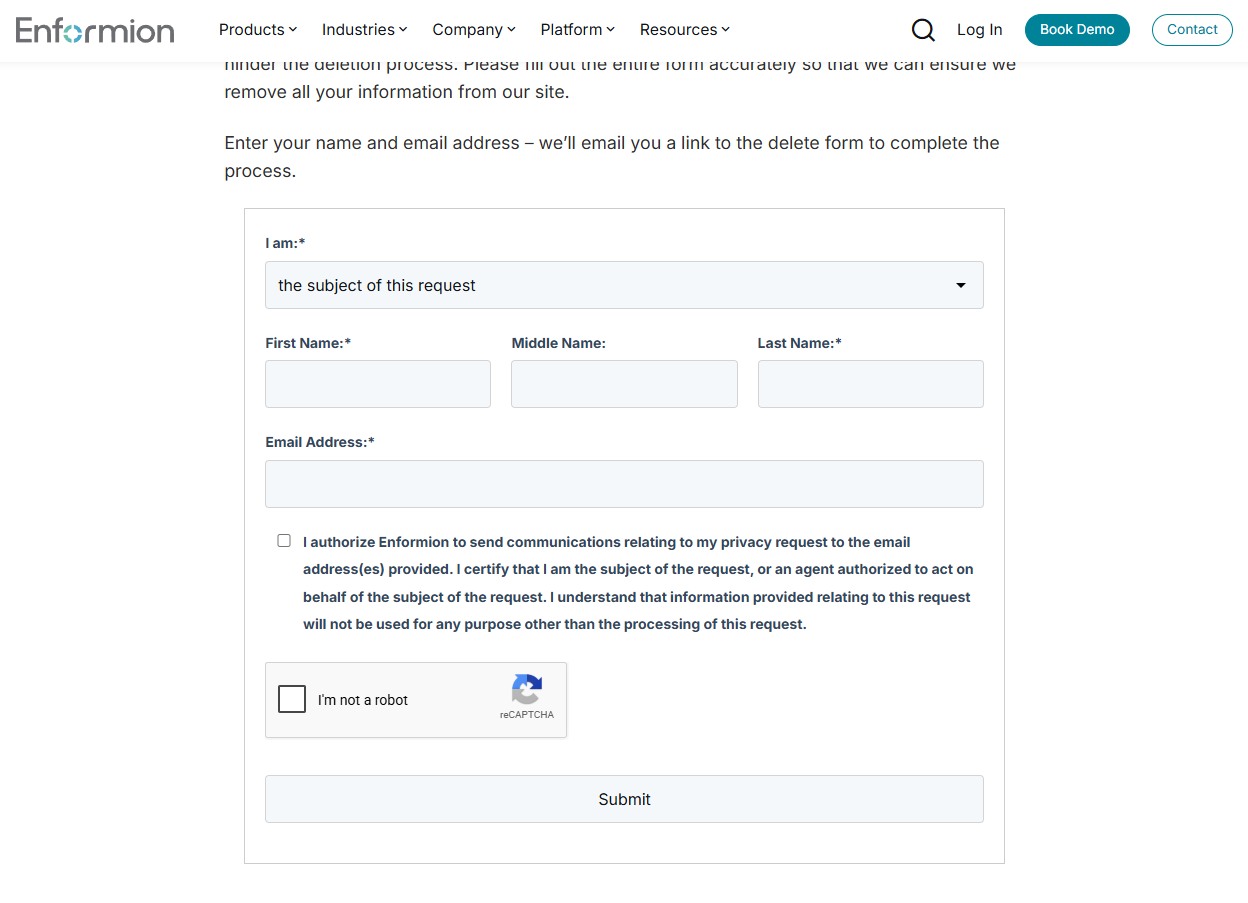
Go to enformion.com/opt-out/, which is also where the Do Not Sell My Personal Information link in the site footer lands - the same page serves Tracers and Endato requests. Pick your request from the dropdown (we walked the delete request; the section above covers which right does what), then choose the subject of this request unless an agent is filing for you. Enter your first name, last name, and email (middle name is optional but worth including if public records carry it), tick the certification checkbox, pass the reCAPTCHA, and hit Submit. The page's own instruction: "Enter your name and email address - we'll email you a link to the delete form to complete the process."
Stage one - name and email get you the link to the real form.
02
Open the emailed link within 24 hours
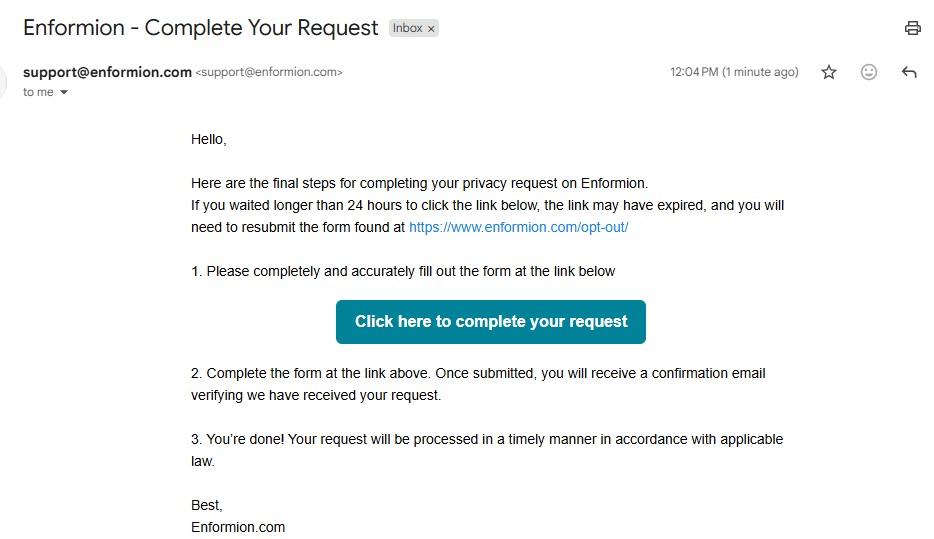
An email from support@enformion.com headed "Enformion - Complete Your Request" carries a Click here to complete your request button. Its own words: wait longer than 24 hours and the link may have expired, which means starting over at the opt-out page. It arrived within a minute on our walk - check spam if it doesn't show.
The emailed link - it dies after 24 hours, so click it promptly.
03
Fill out the second form completely and submit
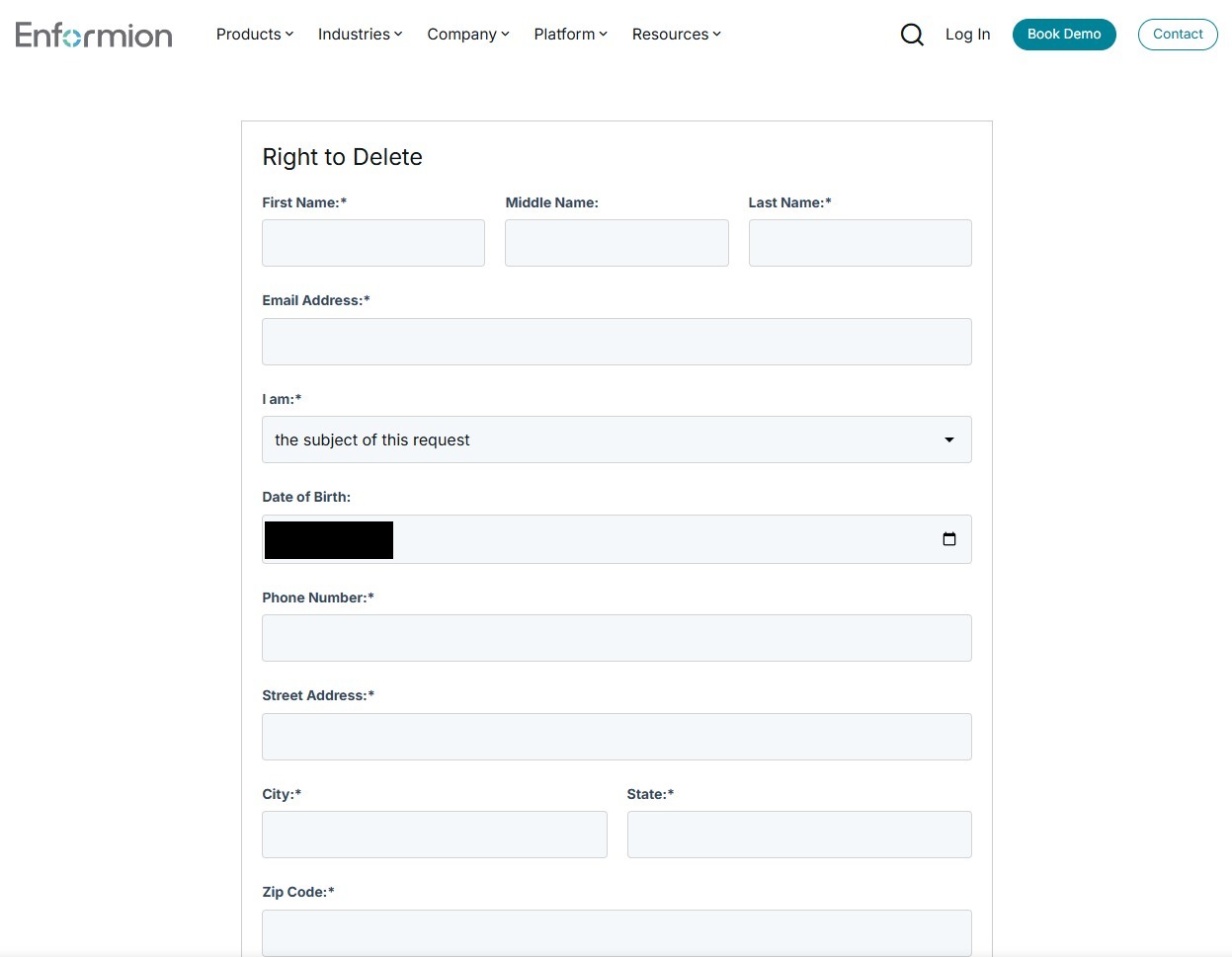
The link lands on the real request form - Right to Delete, on our walk - which asks for your name and email again, then the details used to match your record: an optional date of birth, and required phone number, street address, city, state, and ZIP. Enformion warns that omitting or fudging details "will only hinder the deletion process" - a partial form is a big part of how requests end up partially granted. Fill it to match the record you want removed and submit.
The Right to Delete form - complete and accurate beats fast.
04
Look for the Submission Confirmation, then watch your inbox
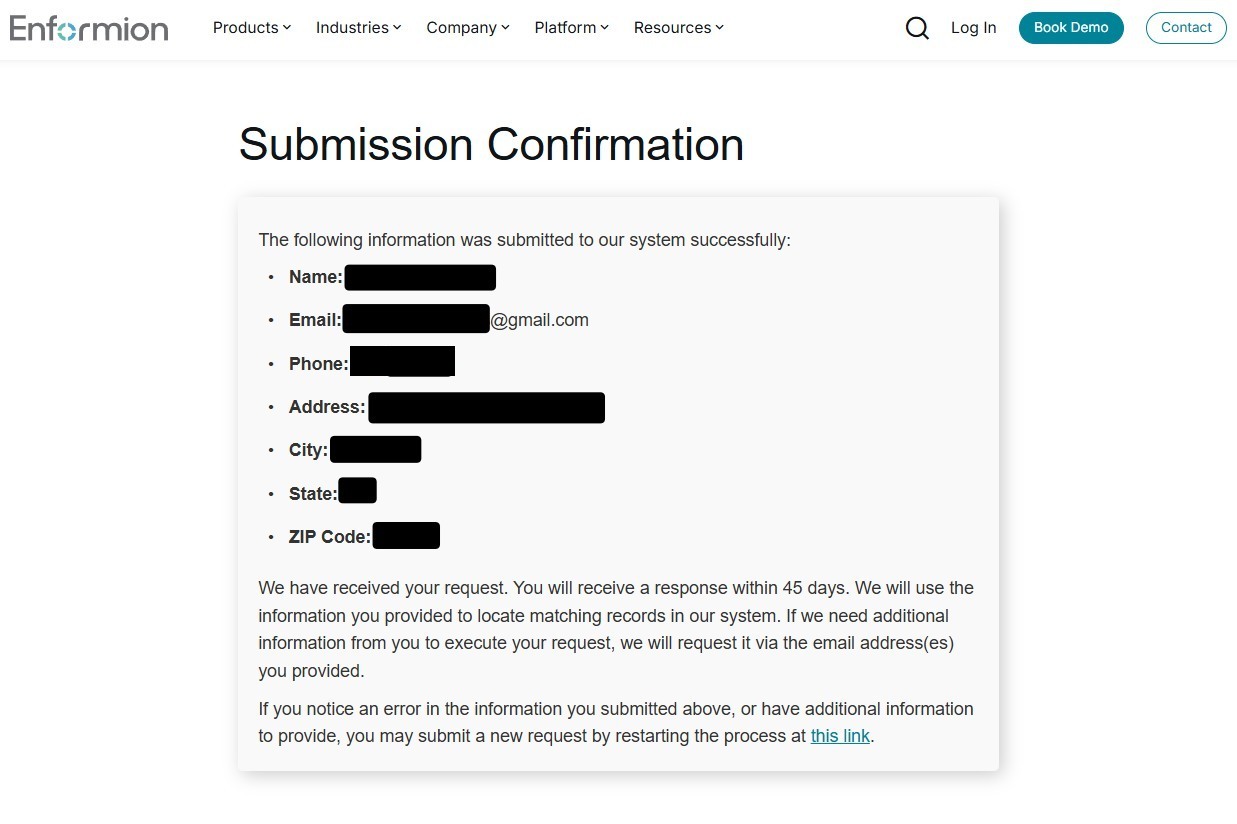
A Submission Confirmation page echoes back everything you submitted and states you'll receive a response within 45 days - and that if they need more information they'll ask via the email address you provided. So the request isn't fire-and-forget. Watch your inbox and spam folder until their response lands. The page also links a restart if you spot an error in what you submitted. Keep the confirmation email; with a 31-day median on deletions and about one in six refused, a dated record is what an escalation stands on.
The confirmation - 45 days, per their own screen. Watch your email.
Confirm
Confirm it worked
Confirming is harder here than at a people-search site, because there's no public listing to re-search. The confirmation screen's own commitment is a response within 45 days; the filing reports a four-day median on opt-outs and 31 days on deletions - so give it a month before treating silence as a refusal, and remember they may email asking for more information before anything moves.
The practical check is a Right to Know request filed a few weeks later. It's the only way to see what's actually left, and it puts the answer in writing.
Tracers and Endato are already done. Both route into this same portal, so there's no second submission to make. That's unusual - most networks in this directory need one removal per brand.
If it fails
Troubleshooting
The emailed link expired: just start the form again. There's no penalty and no limit, and the 24-hour window is the most common way this flow fails.
Refused because of where you live: Enformion turns down requests from residents of states without a consumer privacy law. One filed from South Carolina was refused seconds after it went in. That's a limit of the law where you live, not a mistake in your form.
Told no record matched: Enformion's reply says so when it can't find anyone matching what you sent. Check that the email address and details you gave match what public records hold for you before filing again.
Your deletion came back partial: that's the norm rather than the exception here, on Enformion's own numbers. File a Right to Know to see what was kept, then a Right to Correct if what remains is wrong.
Nothing at all after 30 days: email support@enformion.com or call (855) 281-3915, quoting the confirmation email and its date. Both are the contacts Enformion filed with California, so they carry more weight than a generic support form.
You're covered by Daniel's Law (a New Jersey judge, prosecutor or law-enforcement officer): Enformion has already been sued under it once, so cite the statute explicitly in your request rather than filing an ordinary opt-out.
Stay off
Keep your record off
Enformion rebuilds from public records and 6,000 other feeds, so suppression isn't permanent - a fresh property filing, a new utility account or a change of address can put you back in the graph. Recheck a couple of times a year.
And remember what this removal doesn't touch. The consumer brands that license this data run their own suppression lists, so FastPeopleSearch, SearchPeopleFree, SmartBackgroundChecks, Whitepages and the rest each still need doing. Redact's data-broker scan runs that whole loop for you and refiles when a record comes back.
Take yourself off data broker sites
Redact scans data broker sites from your device, finds where your details are listed, and submits the removal requests for you. If a broker relists you, it files again.
October 9, 2026 · Troubleshooting now covers the two replies Enformion sends on requests Redact has filed: a refusal for residents of states without a consumer privacy law, and a no-record-matched notice. August 11, 2026 · Steps rebuilt from a real end-to-end walkthrough of the delete flow - the emailed link (24-hour expiry per its own text) arrived within a minute, the second form requires phone and full address for deletions too (not just Right to Know as previously drafted), and the confirmation screen commits to a response within 45 days. Four step screenshots wired in.