Removal guide · Classmates.com

How to remove your info from Classmates.com

There is an easy route and a hard route, and the site's own privacy policy only describes the hard one. To clear an alumni listing you find your own page, copy its address, and send it through a support form. That is about ten minutes and needs no page numbers. To remove a photograph from a scanned yearbook you have to email and supply the school, the year, the page you appear on and screenshots. Walked end to end on August 25, 2026.

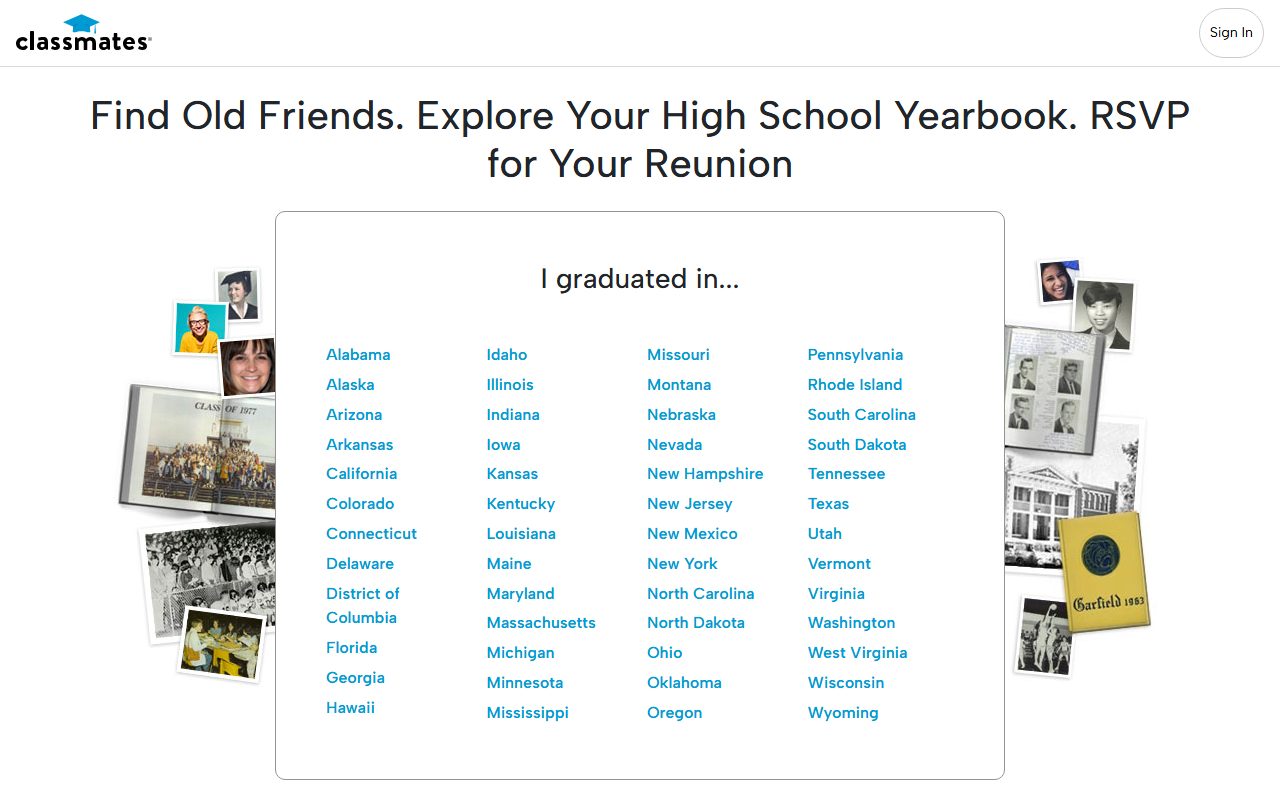
Classmates.com homepage screenshot

Before you start: the Classmates profile covers who runs it, what it publishes, and why the PeopleConnect opt-out does not reach it.

Quick facts

What this takes

Time needed

About ten minutes

Account needed

No, and do not make one

Identity check

None up front, though they may follow up by email

Cost

Free

What you hand over

An email address, your name, and the address of your own listing

Turnaround

Unstated. The policy says "a reasonable time"

Doing the PeopleConnect opt-out does not cover this. That request clears Intelius, TruthFinder, Instant Checkmate and US Search. Classmates is excluded by name and needs the separate request below.

The steps

Remove your alumni listing

01

Start at the state you went to school in

Open classmates.com. The front page asks where you graduated and lists every state. Pick yours. You do not need an account for any of this, and registering only adds your details to a site you are trying to leave.

02

Pick the first letter of your town, then the town

The state page shows the alphabet rather than a search box. Click the first letter of the town your school was in, and the towns beginning with that letter appear underneath. Pick yours.

03

Pick the first letter of the school, then the school

Same again for the school. Click its first letter and the matching schools appear.

Worth knowing before you assume you are not listed: this is not only high schools. Elementary and middle schools are in here too, so a listing can exist for a school you attended as a young child.

04

Find your name in the Alumni List

Scroll to the bottom of the school page to the Alumni List. It runs alphabetically by surname, with a row of letters across the top to jump straight to yours, and each name shows the years that person was at the school.

The whole list is visible without signing in, which is the point worth pausing on. Names and school years, including for elementary schools, are published openly.

05

Open your listing and copy the address

Click your name. The page that opens shows your name, the school, the class year and the town, with the rest held back behind a registration prompt.

Copy the address out of the browser's address bar. It looks like classmates.com/people/... and it is the single most useful thing you can give them, because it identifies exactly one listing and removes any argument about which record you mean.

06

Open the support form and choose Edit Personal Information

Go to help.classmates.com. It is an ordinary support form rather than a privacy portal.

In Please choose your issue below, select Edit Personal Information. Then fill in your email address, your name, and a subject.

07

Paste the address and ask plainly for removal

In the Description box, paste the address of your listing and state what you want. Something like: Please remove this listing and all associated personal information about me from Classmates.com. The listing is at the address above.

Say removal rather than correction. The option you picked is labelled Edit Personal Information, which is about changing details, so the description is where you make clear that you want the listing gone rather than amended.

If you also appear in a scanned yearbook, say so here as well. Name the school and the year. It may not be enough on its own, and the section below covers the fuller route, but it costs one sentence and puts it on the record.

08

Submit, then watch your inbox

Press Submit. Classmates handles these by email afterwards, so expect correspondence, and expect to be asked to confirm your identity or your email address.

Reply to anything that arrives. A request that goes unanswered at the confirmation stage is a request that quietly stops.

The harder one

Removing a photograph from a scanned yearbook

A photograph inside a scanned yearbook is a separate problem from the alumni listing, and the privacy policy sets a higher bar for it. It asks you to email privacy@classmates.com with your name as it appears in the yearbook, the school, the year, the page you appear on, and screenshots of the images where you can manage it.

That means locating and indexing your own photograph before they will act. It is the most demanding removal instruction on any site in this directory, and it is worth being honest that the burden is deliberate.

Send it anyway, and send whatever you have. A request naming the school and year with no page number is still a request, and it still has to be answered.
Do not buy a subscription to find your own page. If the yearbook is not viewable without paying, say exactly that in the email and ask them to locate the image themselves. Paying a company to see what it publishes about you, so that you can ask it to stop, is not a step anyone should have to take.

Confirm

Check it worked

Go back through the same path a couple of weeks later, state, town, school, alumni list, and look for your name. Do it in a private browsing window so you are seeing what a stranger sees.

Also try the address you copied. A listing can vanish from the alumni list while the page itself still loads for anyone holding the link.

Search your name in Google alongside the school name. A removed page can sit in search results and previews for a while after it has gone.

If it fails

If nothing happens

  • No reply after two weeks. Email privacy@classmates.com directly, quoting the support request and the address of your listing. The support form and the privacy address are different queues.

  • They ask you to verify your identity. Expected, and the policy says they may. Answer it. Send the minimum that satisfies the question and no more.

  • They amend the listing instead of removing it. That is the risk of a form whose only relevant option is labelled Edit Personal Information. Reply and use the word removal, and point out that you did not ask for a correction.

  • Your listing is one of two people with the same name. The address you copied identifies one listing exactly, which is why copying it matters more than describing yourself.

  • You are asking on behalf of a child. The alumni lists include elementary schools. Say clearly that the listing concerns a minor and that you are the parent or guardian.

Staying off

Keeping it off

Do not register for an account, including to check whether the removal worked. Registering hands over a current email address and a confirmed link between you and the school, which is more than the listing held in the first place.

The source here is a printed book rather than a records feed, so a removed listing has less reason to return than one on a people-search site. Check again in a few months anyway.

Remember the other four brands are separate. If you have not done PeopleConnect's Suppression Center, our Intelius removal guide covers the flow that clears them.

Take yourself off data broker sites

Redact scans 120+ data broker sites from your device, finds where your details are listed, and submits the removal requests for you. If a broker relists you, it files again.

Last updated:

August 25, 2026 · Walked end to end, from the state list through the alumni list to a listing page, and on to the support form. The yearbook image requirements are quoted from the Classmates privacy policy dated March 3, 2026.