How to remove your info from Public Record Reports
Redact removes listings automatically
Removal here takes five screens and two separate emails, and the last one is on a timer. You describe your listing, prove you can read an inbox, press Remove on your record, and then click a link that the site gives you 60 minutes to use. Skip that click and nothing was filed. Set aside a quarter of an hour with your email in the next tab and it's done in one sitting.
Background first? The Public Record Reports profile covers Digital Safety Products, the SpyFly connection and the three court cases against the operator.
Quick facts
At a glance
Method
Help-center form, an emailed code, then an emailed link
The version of you the site holds. Every box is required, and the search runs on exactly what you type. Give it the city, state, ZIP and age the listing shows rather than where you live today. Searching yourself on the site first settles it.
An inbox you can watch for a quarter of an hour. Two emails arrive during the flow. The first carries a code you type into the page, the second carries a link you click, and only one of them has a deadline. A masked or secondary address works fine, since nothing checks it against the record you're removing.
New Jersey judges, prosecutors, police and their households get a separate route. The form's help center points Daniel's Law covered persons at support rather than the automated flow, so use that channel instead of the form below.
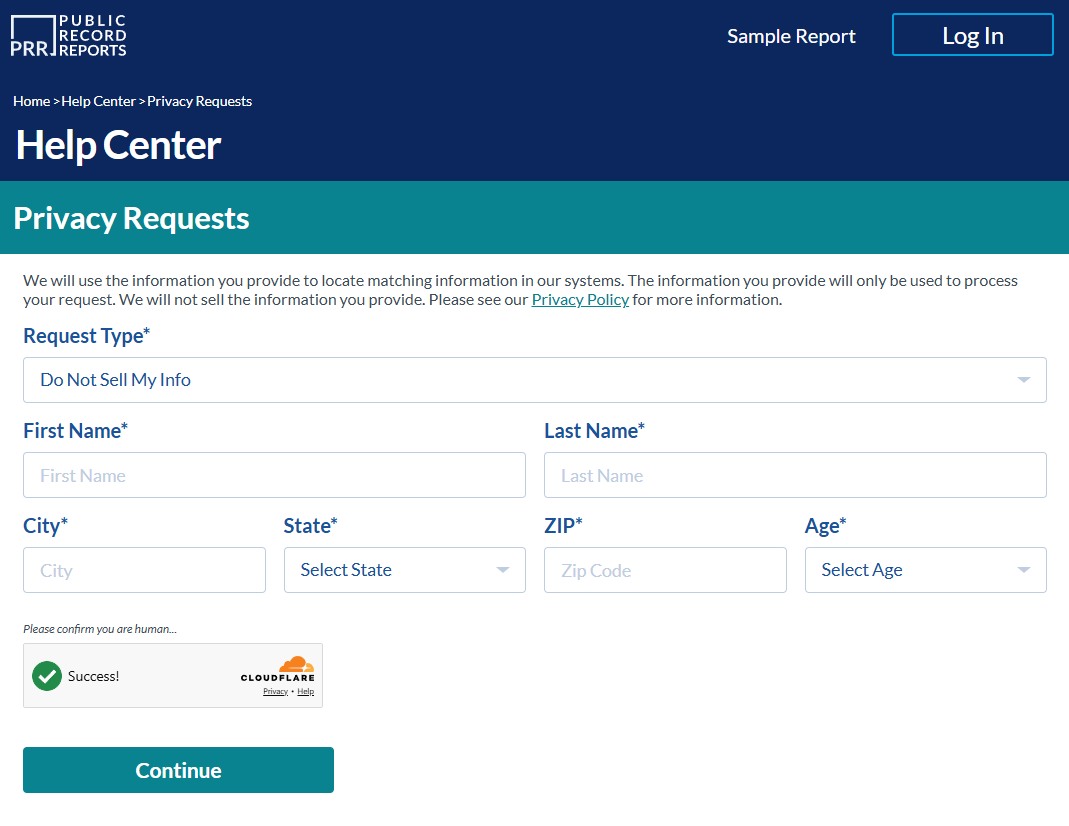
Request Type opens on Do Not Sell My Info, which is the one that pulls a public listing. Leave it alone. Delete My Info is for account holders wanting their customer data erased and does nothing to a listing, and Request a Copy just shows you what's held.
Type your first name, last name, city and ZIP, choose your state and age from the dropdowns, tick the human check and press Continue.
Everything is required, and the request type is already right.
02
Hand over an email address
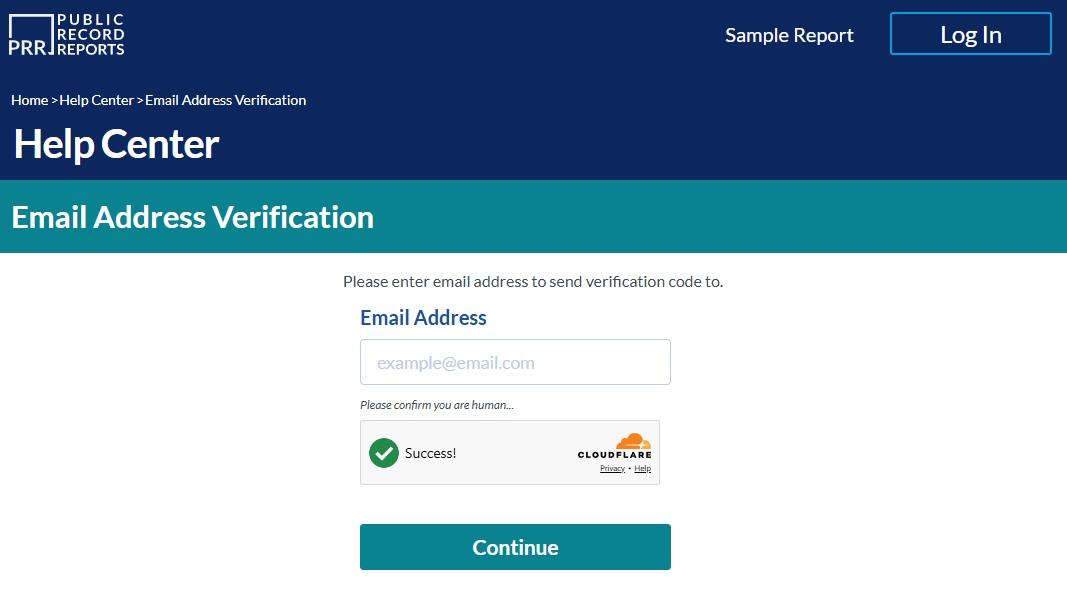
Email Address Verification has a single box. Put in the address you're watching, clear the human check and press Continue. A code goes out immediately. Your record is untouched at this point, so there's nothing to lose by starting again with a different address.
One box, and the code follows straight away.
03
Type the code back into the page
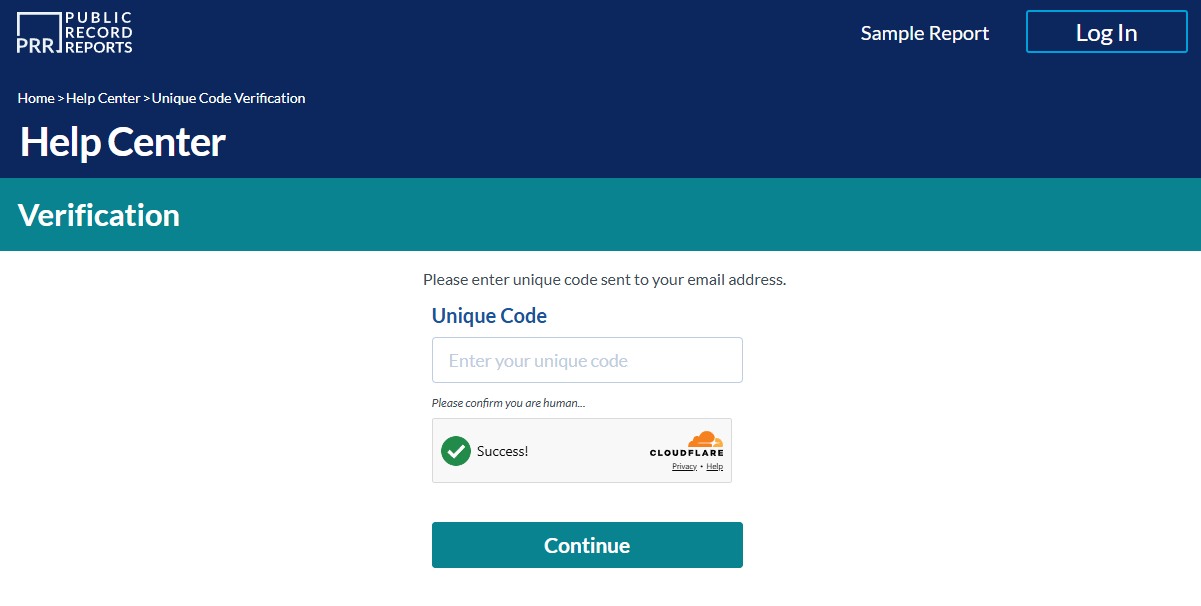
The Verification screen wants the Unique Code from that email. Copy it across, clear the human check again and press Continue.
The first email contains a code to type into the page. The final email contains a link that you must open within 60 minutes. Keep the page open while you wait for each email, so you can finish the request without starting again.
The code gets typed in here. The link comes later.
04
Pick out your record and press Remove
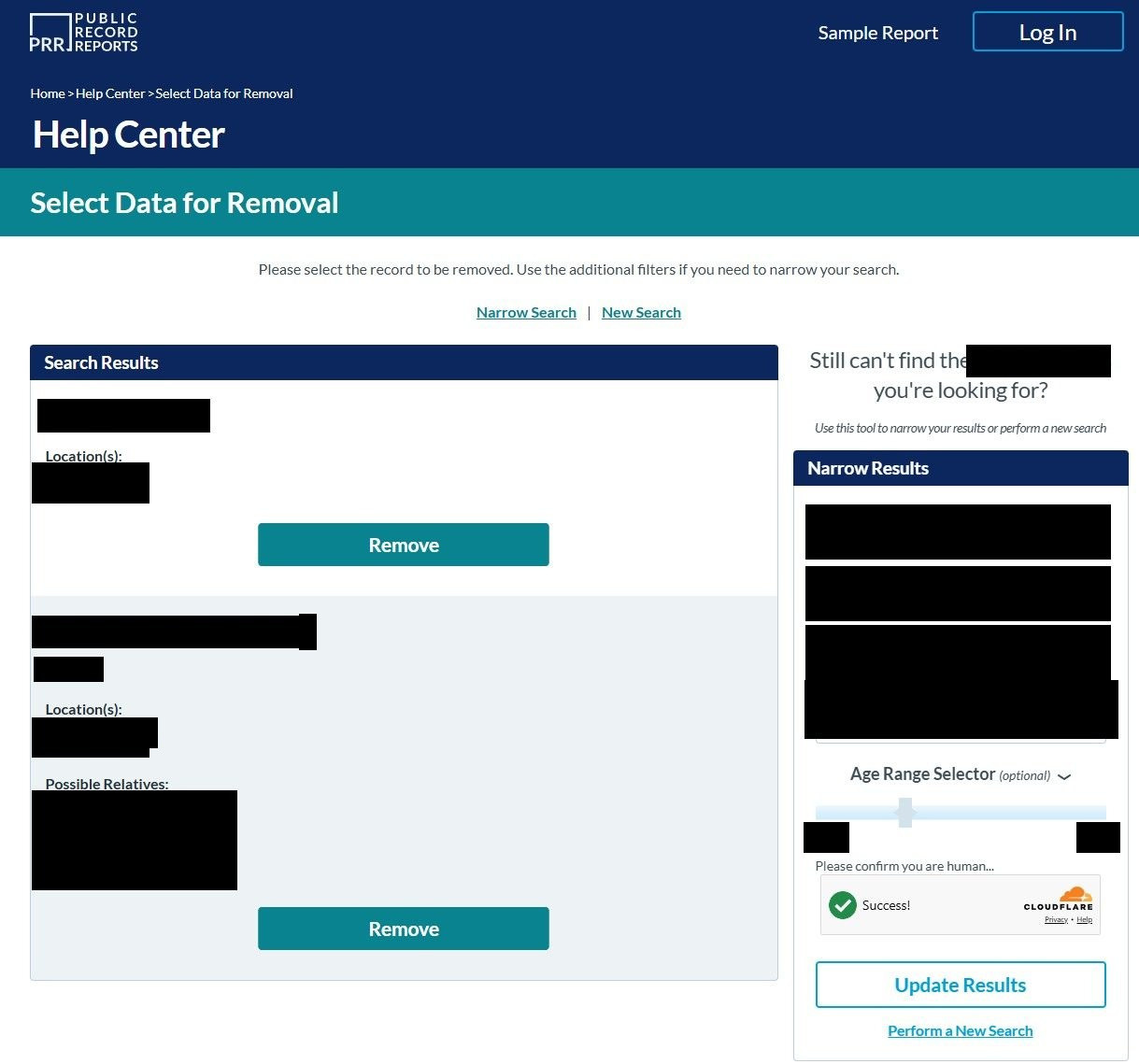
Select Data for Removal shows what the search found, each result carrying an age, a run of locations and a list of possible relatives, with a red Remove button beneath it. Read it before you touch anything. That block is both the listing you're suppressing and a fair preview of what the site sells about you.
If the match is somebody else, leave it. The Narrow Results panel takes a name, city, state and an age range, Update Results reruns with them, and Perform a New Search starts over. Press Remove only on the record that's actually you.
Personal details blacked out. Check the age and the cities before removing.
05
Click the second email's link within the hour
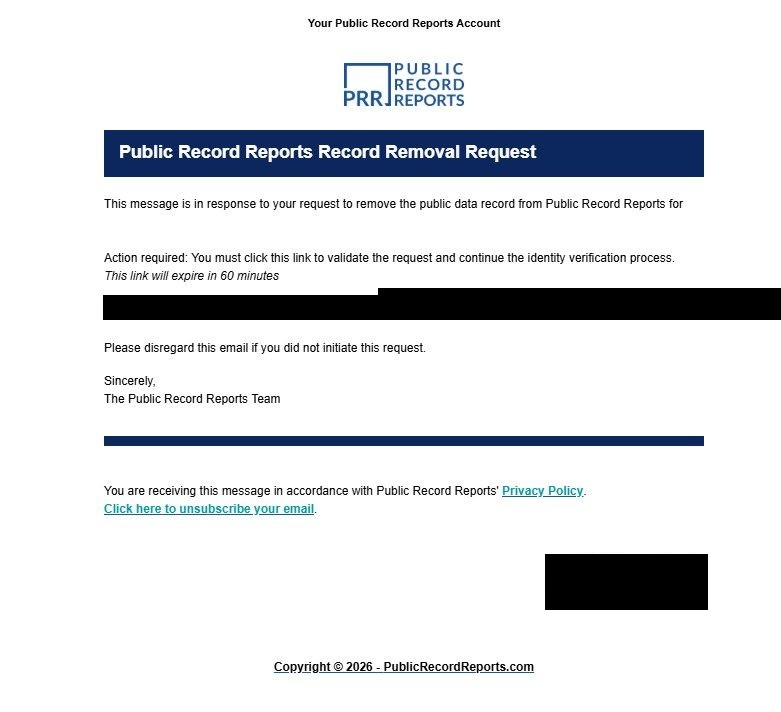
Pressing Remove sends a Record Removal Request email, which quotes the record you picked and carries a link marked action required. Clicking it is what validates the request and starts their identity check. The email gives that link 60 minutes, and once it lapses nothing tells you, so open it the moment it lands.
If it hasn't arrived after a few minutes, look in spam and filtered folders before assuming it failed.
Nothing is filed until this link is clicked.
Afterwards
How you'll know it worked
The help center says most removals land within about 24 hours and tells you to wait a day before looking. Search your own name on the site after that and see whether the record is still there. The operator's California filing reports a two-day median on opt-outs and three days on deletions, so a week without change is a reasonable point to chase it. Call 1-800-326-2283 with the date you clicked the link, or write to privacyinfo@spyfly.com, which is the address the company filed with California for exactly this.
If it fails
When something goes wrong
No code turns up. Wait a few minutes, check spam, then run the form again with a different address. Nothing has been filed at that stage, so a second attempt costs you nothing.
The hour ran out. The request lapsed rather than queued. Start at the form again and a fresh code and link follow.
The results are somebody else. Don't press Remove. Narrow by the listing's city and state, or search again with a different spelling. If nothing matches at all, there may be no listing under that name to suppress.
The form won't work for you. Requests are also taken on 1-800-326-2283 or by post to Digital Safety Products, LLC, 1804 Garnet Ave, Suite 409, San Diego, CA 92109. Someone acting for you needs a signed letter or a power of attorney.
It's the $29.95 you want stopped. That's the trial converting, and it's a cancellation call rather than a privacy request. The form doesn't touch billing.
Stay off
Keeping it off
A suppression covers the record the site held that day. Its own FAQ says the database keeps refreshing from public sources, and a version of you with a different middle initial or an older address arrives as a new listing that the earlier request never described. Look again after a month, then every few months. Search SpyFly while you're at it, since the same company runs it behind its own separate form. Redact's data-broker scan checks both. It refiles on Public Record Reports when a record comes back, but it can't file SpyFly's form for you, so a returning SpyFly listing is one to refile yourself.
Take yourself off data broker sites
Redact scans data broker sites from your device, finds where your details are listed, and submits the removal requests for you. If a broker relists you, it files again.
September 9, 2026 · Walked end to end on August 10, 2026, which is where the five screenshots and the 60-minute link come from. The live form was rechecked on September 9 and matched, and the 24-hour figure is quoted from the site's own help center.