The relaunched site at the industry's most notorious domain clears a listing when you hand it that listing's link, and a real walkthrough on August 12, 2026 showed the process working, and the confirmation email arrived within minutes. Be ready for the design, though. The opt-out page outsources the entire lookup to you, across two windows - search your own name, open your own profile, hand-copy its URL, carry it back - and nothing files until you click the emailed Remove button at the end. The platform's other catch held on this site's twin, where disposable-email domains are rejected, so use a mainstream address.
The full picture: See the National Public Data profile for the breach history, the anonymous relaunch, and the platform-twin evidence.
About 10 minutes across two windows, including the email click
Cost
Free
Flow verified
Real walkthrough of this site, August 12, 2026
Email
Required · disposable domains rejected on this platform
The steps
Remove your listing
Seven screens from the August 12, 2026 walk of this site, captured as they came up. Anything identifying in them is blacked out.
01
Open the opt-out page - and keep it open
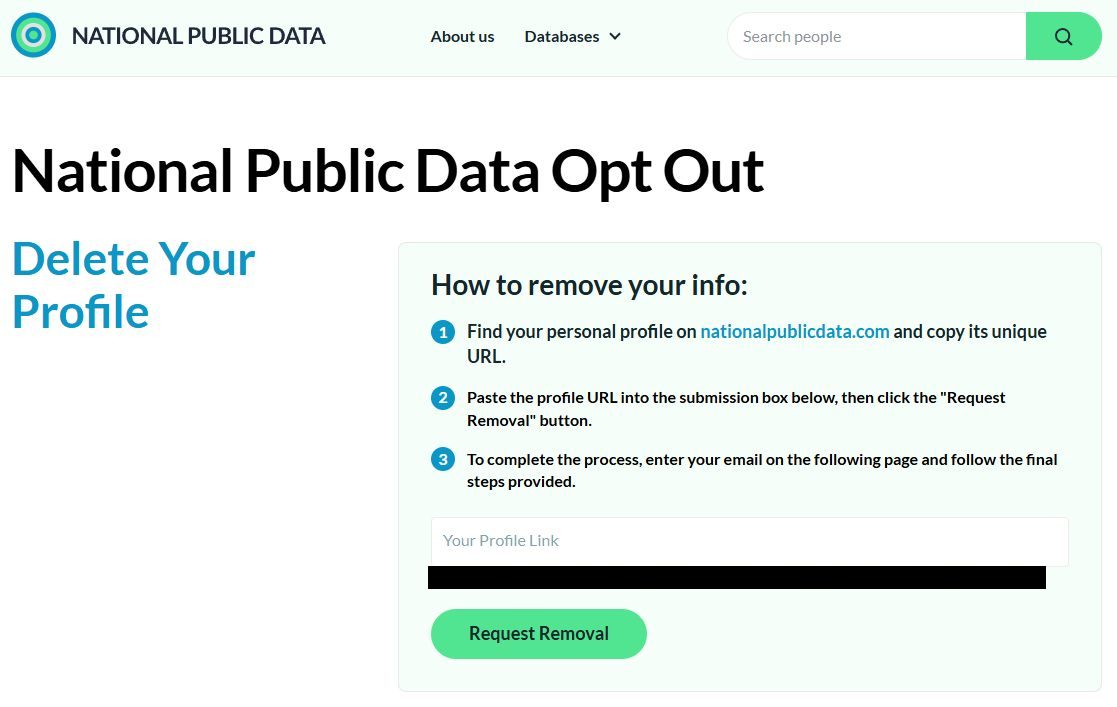
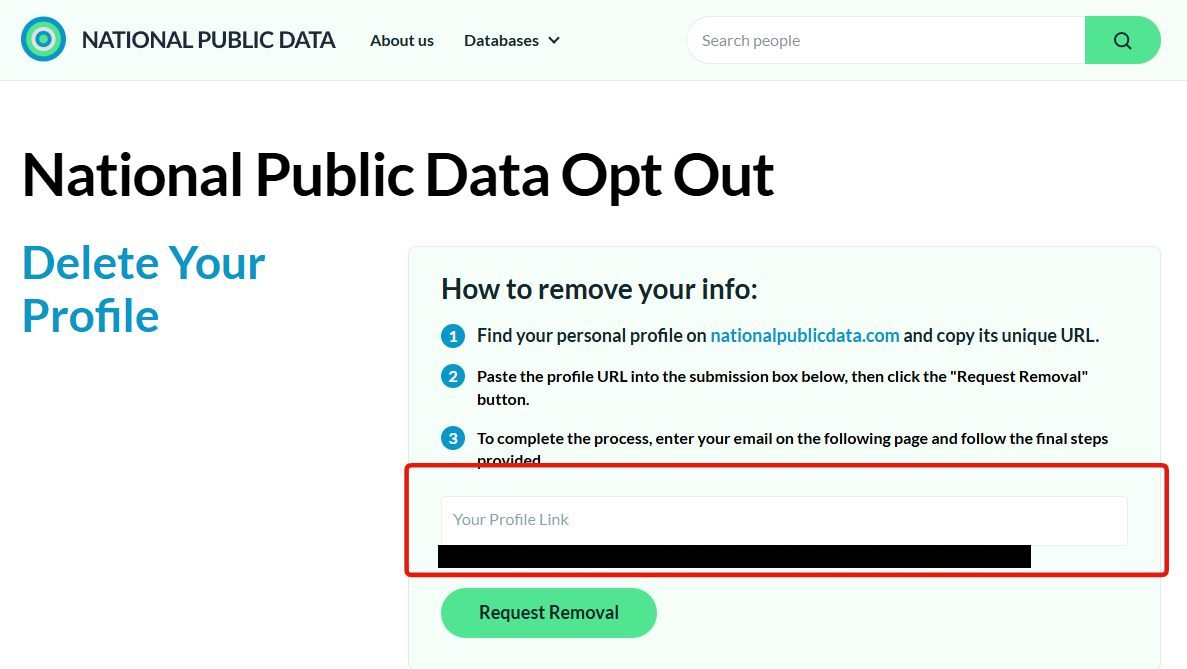
Go to nationalpublicdata.com/optout.html. The page states its own terms. You find your profile and bring back its URL. Click the nationalpublicdata.com link in its first instruction - the search opens in a new window, and this opt-out tab has to stay open, because you'll be pasting into it in step 5.
The opt-out page - it sends you off to do the lookup yourself, so keep this tab open.
02
Search your name
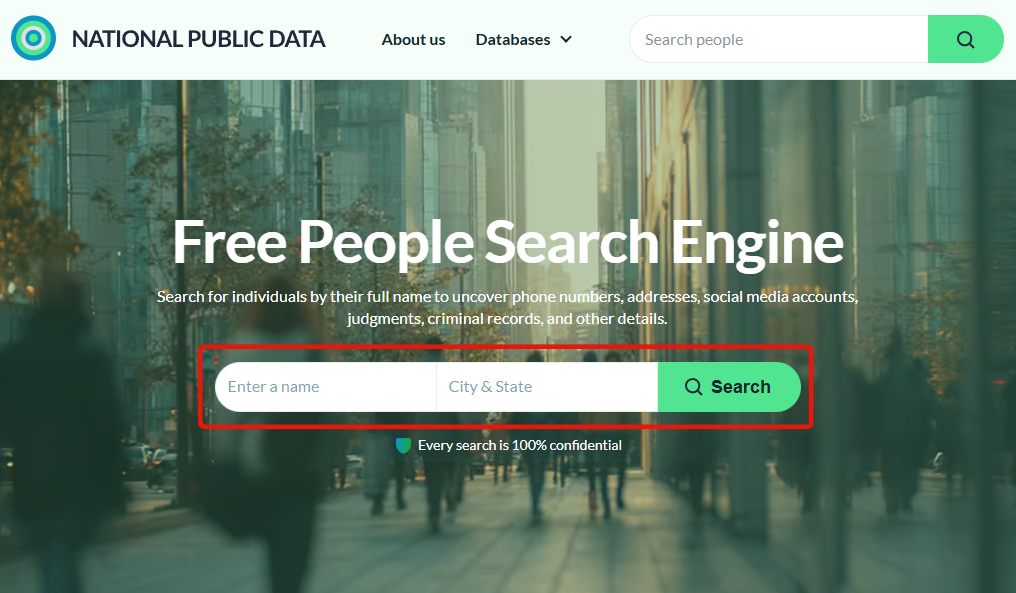
In the new window, enter your name and city & state in the search form and hit Search. Results load in batches as you scroll, so keep scrolling until the list stops growing before deciding a record isn't there.
The search the opt-out page pointed you at - name plus city and state.
03
Pick the card that's you and open its full profile
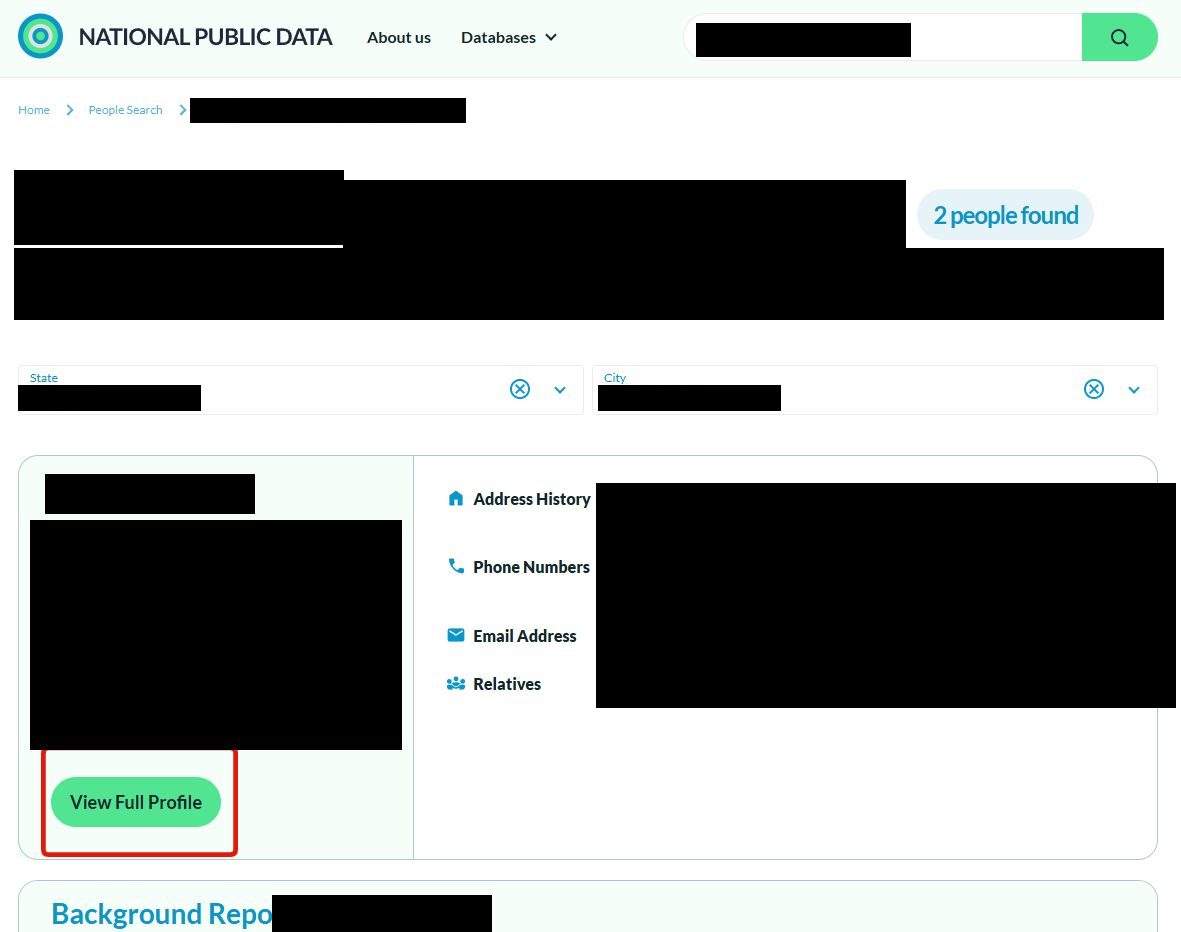
Each result card carries a name, age, address history, phone numbers, an email, and relatives - check those details before deciding a card is you, then click its green View Full Profile button.
Identifying details are blacked out here - the green button under the matching card is the one to click.
04
Take the profile page's address
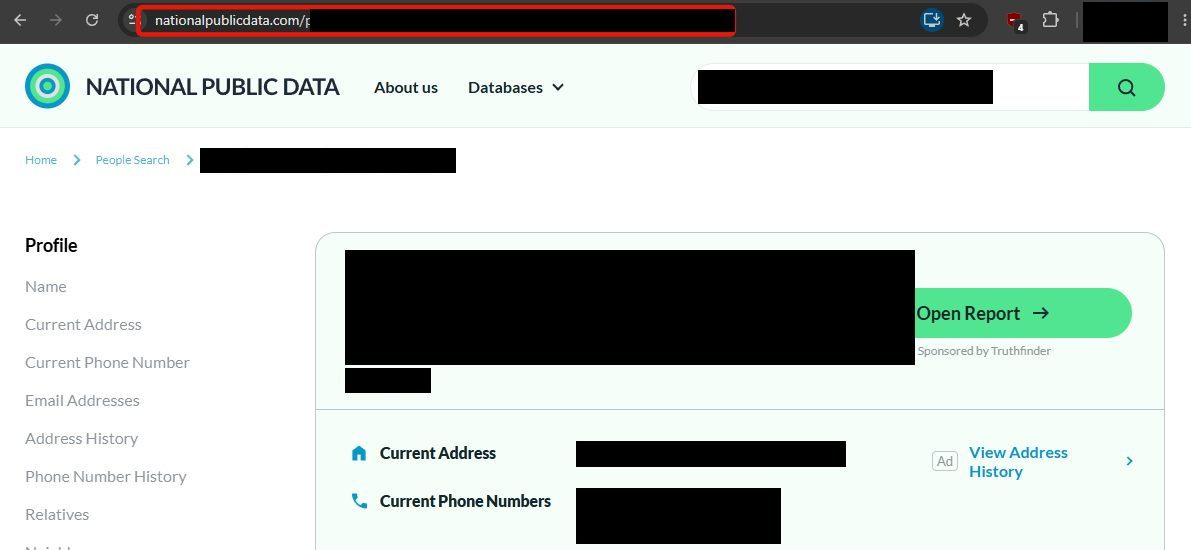
With your profile open, click into the address bar, select everything there and copy it. The long token at the end is what identifies your record, so the whole thing has to travel.
The address-bar URL is what the opt-out form wants - copy all of it.
05
Hand the link to the opt-out page
Switch back to the opt-out tab from step 1, paste the URL into the Your Profile Link box, and click Request Removal. If nothing resolves, you pasted a search URL - go back and copy the profile page's own address.
Back in the first tab - paste the profile URL and Request Removal.
06
Confirm the record and hand over your email
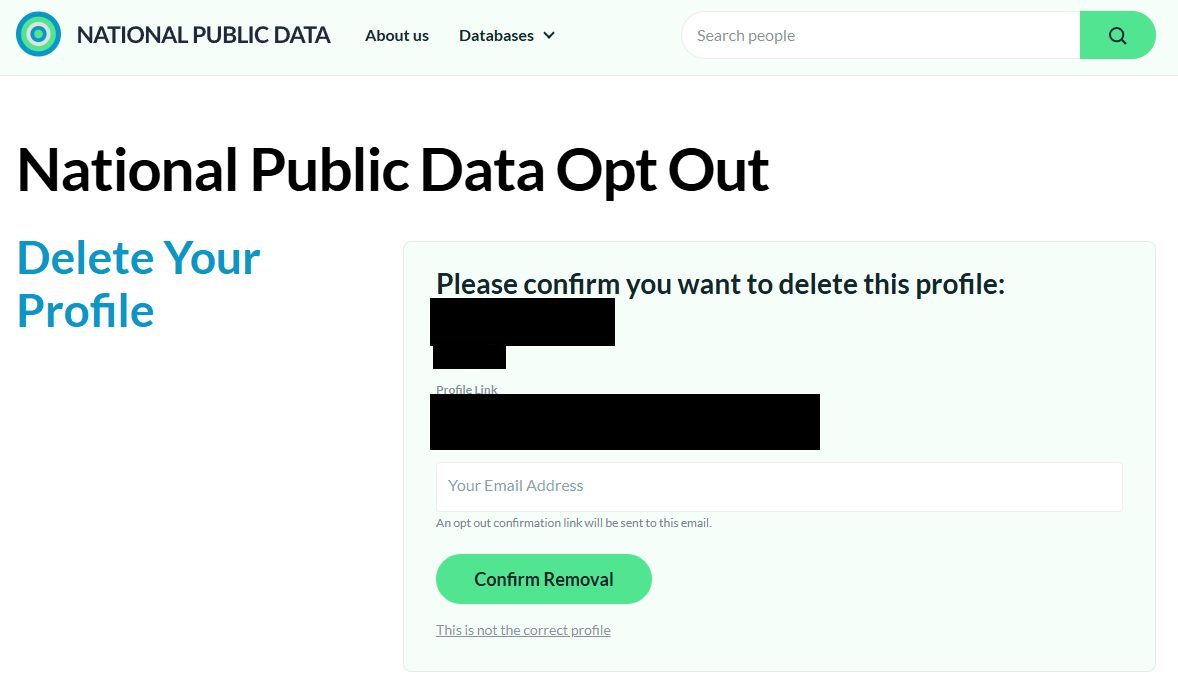
The site echoes the matched profile back - name, city, and the link - above a Your Email Address field whose caption says the opt-out confirmation link goes there. Check the echo (a This isn't the correct profile link backs you out), enter your email, and click Confirm Removal. Disposable-email domains are rejected on this platform - use a mainstream address.
Check the echoed record, give an email, Confirm Removal.
07
Click Remove in the confirmation email
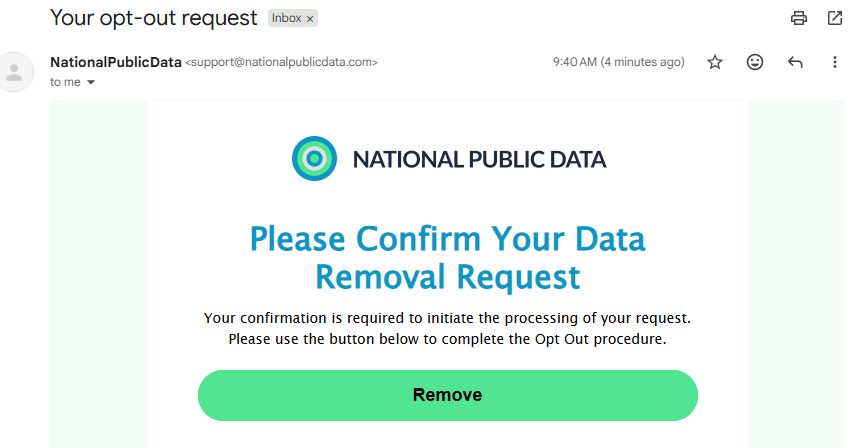
An email from support@nationalpublicdata.com headed "Your opt-out request" lands - within minutes on our walk - saying your confirmation is required to initiate processing. Click the green Remove button; that click is what actually files the request. Keep the email as your receipt.
The green Remove button in the email is what files the request.
Confirm
Confirm it worked
Give it a few days, then look yourself up on the site. National Public Data publishes no turnaround, so a clean search result is the only proof you'll get. Hold on to the confirmation email as evidence of the request. If the listing is still there, run the seven steps again - with no support contact anywhere on the site, a second pass is the whole appeal process.
Then look at the twin. The same code runs menstoppingviolence.org, and nothing documents a removal here carrying over, so a listing there needs its own request.
Stay off
Keep your record off
Recheck quarterly - aggregator platforms rebuild from fresh feeds, and this name of all names deserves the standing check. Nothing an opt-out does recalls the 2024 breach data, so keep the post-breach basics (credit freezes) in place too. Redact's data-broker scan automates the recheck loop.
Take yourself off data broker sites
Redact scans data broker sites from your device, finds where your details are listed, and submits the removal requests for you. If a broker relists you, it files again.
August 12, 2026 · Walked for real on this site the same day, seven step screenshots wired in with third-party record details blacked out. The walk matched the twin's flow and filled in the real shape. The opt-out page sends you to search in a second window (search → View Full Profile → copy the address-bar URL → paste back), the confirm screen echoes the record with a This-is-not-the-correct-profile out, and the confirmation email's green Remove button - which arrived within minutes - is what files the request.