MoneyBot5000's opt-out runs through its own portal: search for yourself, press Proceed to Opt Out on your profile, and enter an email address for the confirmation email - which can take an hour or longer to arrive. Phone and email support are the fallback channels if the portal doesn't work for you.
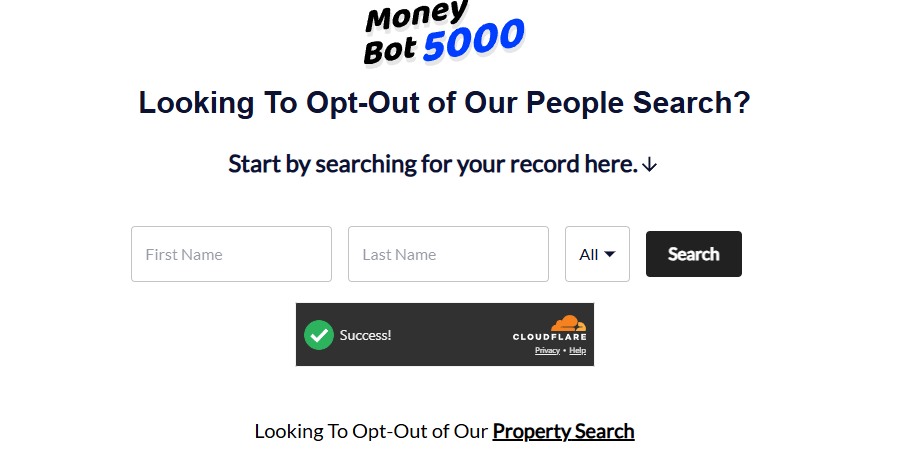
Go to moneybot5000.com/svc/optout/search/optouts. The page is titled "Looking To Opt-Out of Our People Search?" - enter your first and last name, pick your state (or leave it on All), pass the Cloudflare check, and hit Search.
Note the link at the foot of the page: "Looking To Opt-Out of Our Property Search". That's a second, separate opt-out with its own suppression list - if you own property, run it too after finishing this one.
The opt-out portal - and note the separate Property Search opt-out linked at the bottom.
02
Select your profile
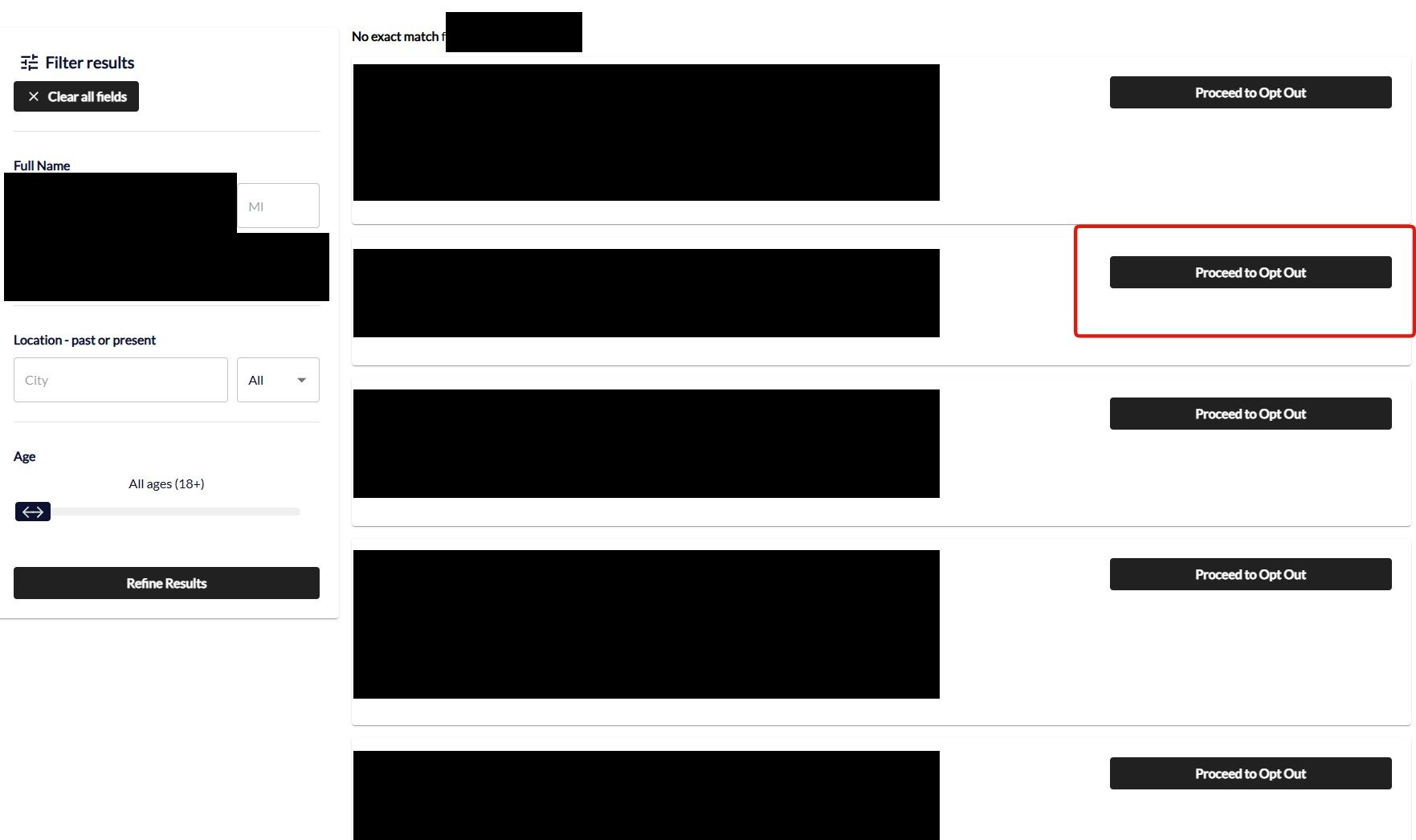
The results list each candidate with locations, aliases, birth month and relatives. Find the listing that's actually you - check the details against your own, and use the Filter results sidebar (name, city, state, age) if the list is long - then press Proceed to Opt Out on that profile.
Pick the profile that's actually you and press Proceed to Opt Out.
03
Enter your email and send the verification email
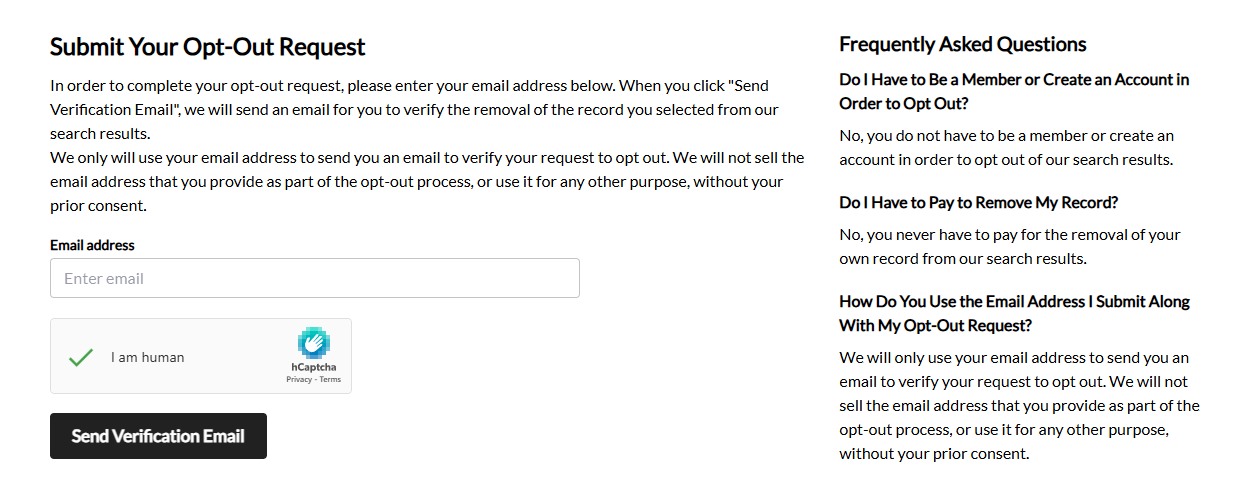
You land on Submit Your Opt-Out Request. Enter an email address, tick the I am human hCaptcha, and click Send Verification Email. Nothing completes until you act on that email, so use an address you can open - a masked or secondary one is fine, and the page's own FAQ confirms no account and no payment are needed, and that the address is used only to verify the request.
Expect the verification email to take an hour or longer to arrive. That's normal for this operator's forms - a quiet inbox means the request is pending, not failed. Give it a full day before assuming anything is broken, and click through whatever the email asks you to confirm.
Email plus captcha, then wait - the verification email is slow to arrive.
If the portal doesn't work for you, two backup channels exist: call 1-855-904-5565 (Monday-Friday, 9am-6pm EST) or email privacy@ltvco.com to request removal directly. The registry also lists BeenVerified's opt-out form, but each brand in the family keeps its own suppression list - a submission there suppresses BeenVerified, not MoneyBot5000 - so treat MoneyBot5000's own portal as the route that counts.
Confirm
Confirm it worked
First, the confirmation email: it can take an hour or longer to land, so don't resubmit just because your inbox is quiet. Once it arrives, keep it - it's your proof of submission.
For the removal itself, MoneyBot5000 doesn't publish its own turnaround time. The family's 2024 California filing shows opt-out requests taking a mean of 12 days and a median of 10 days to resolve, with about 17% denied outright. After a couple of weeks, search your own name on MoneyBot5000 again to confirm the record is gone. If it isn't, follow up by phone or email with your original request details.
If it fails
Troubleshooting
Request denied or no response: call 1-855-904-5565 or email privacy@ltvco.com and reference your original opt-out submission.
Record still shows after a few weeks: resubmit through MoneyBot5000's own portal, then chase it by phone or email. Submitting on BeenVerified's portal instead won't clear this site.
Billing, not privacy: cancel your $19.99/month subscription through support at 1-855-904-5565 or privacy@ltvco.com before your $1.00 trial converts.
Stay off
Keep your record off
Unclaimed-fund and asset records get refreshed as states, companies, and financial institutions report new dormant accounts, so a cleared listing can reappear as new records surface. Recheck periodically, especially after any account closure, job change, or insurance payout in your name.
Take yourself off data broker sites
Redact scans data broker sites from your device, finds where your details are listed, and submits the removal requests for you. If a broker relists you, it files again.