How to remove your info from Michigan Resident Database
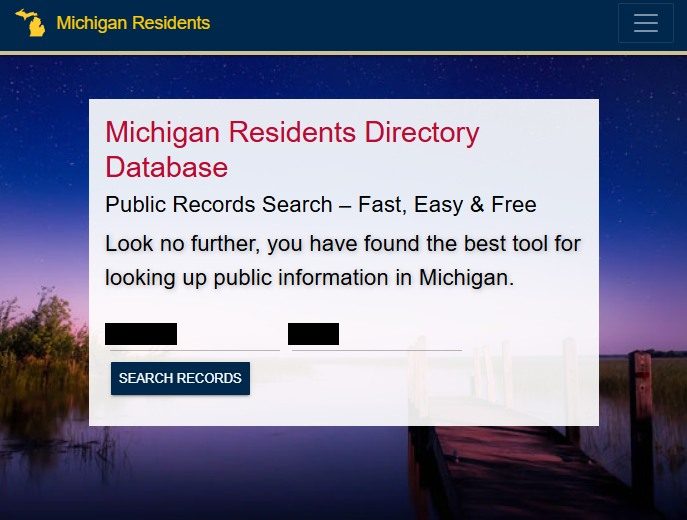
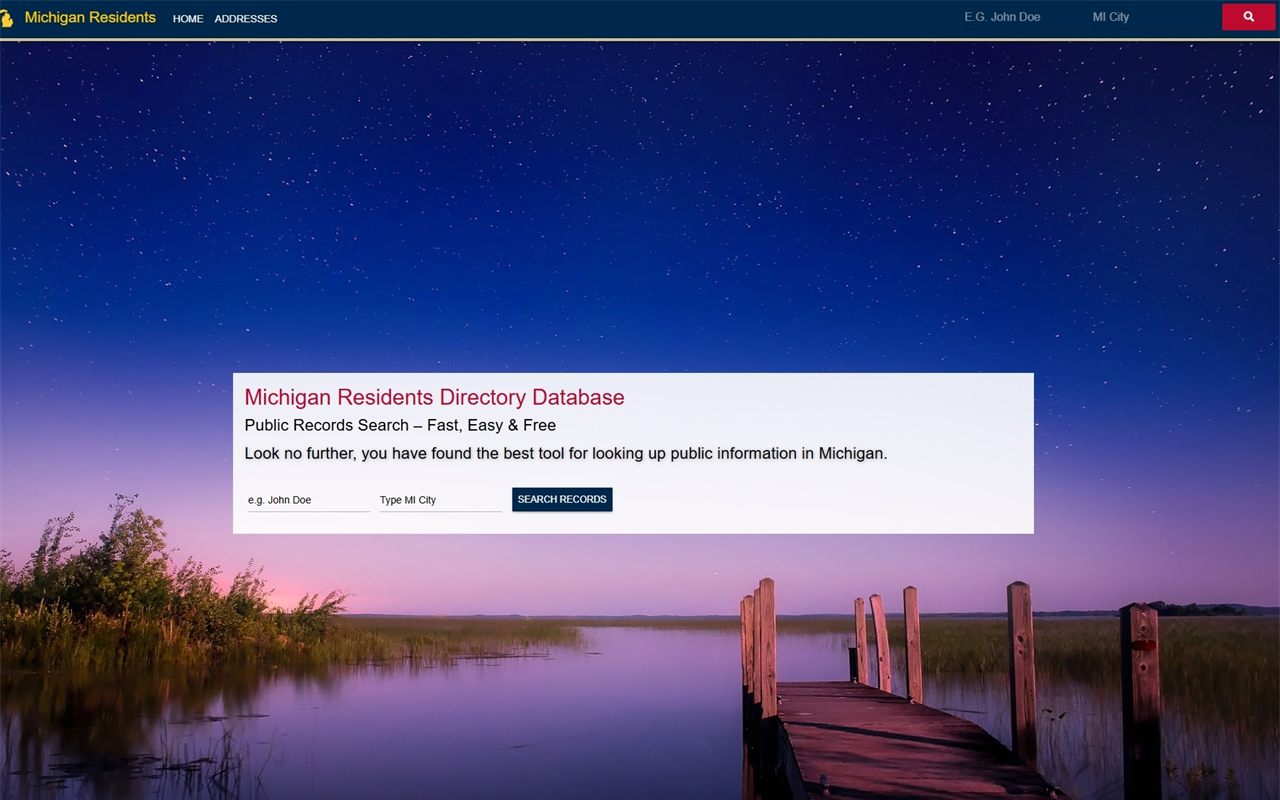
The opt-out itself is one of the lightest in the industry - no ID, no notarization, just your profile URL pasted into two short forms with a spam question each, and a promise of contact within 48 hours. The hard part is staying removed. The site re-ingests Michigan voter rolls on its own schedule, and refreshed data routinely brings listings back.
The full picture: See the Michigan Resident Database profile for what the site publishes, its anonymous operator, and the three-state network.
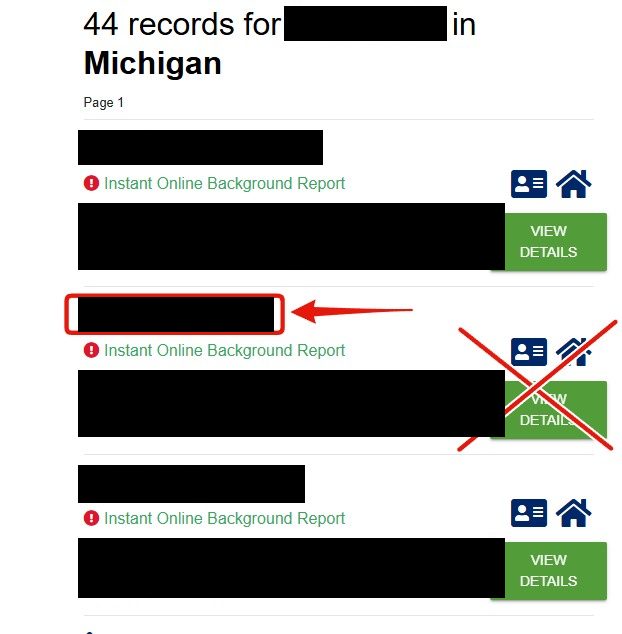
Click your name in the results - not the green button
The results list every matching record. Don't click the big green VIEW DETAILS button - it's an advertisement, funneling you into a paid background-check subscription rather than your record. Click your name instead.
The name link opens your record. VIEW DETAILS is an ad.
03
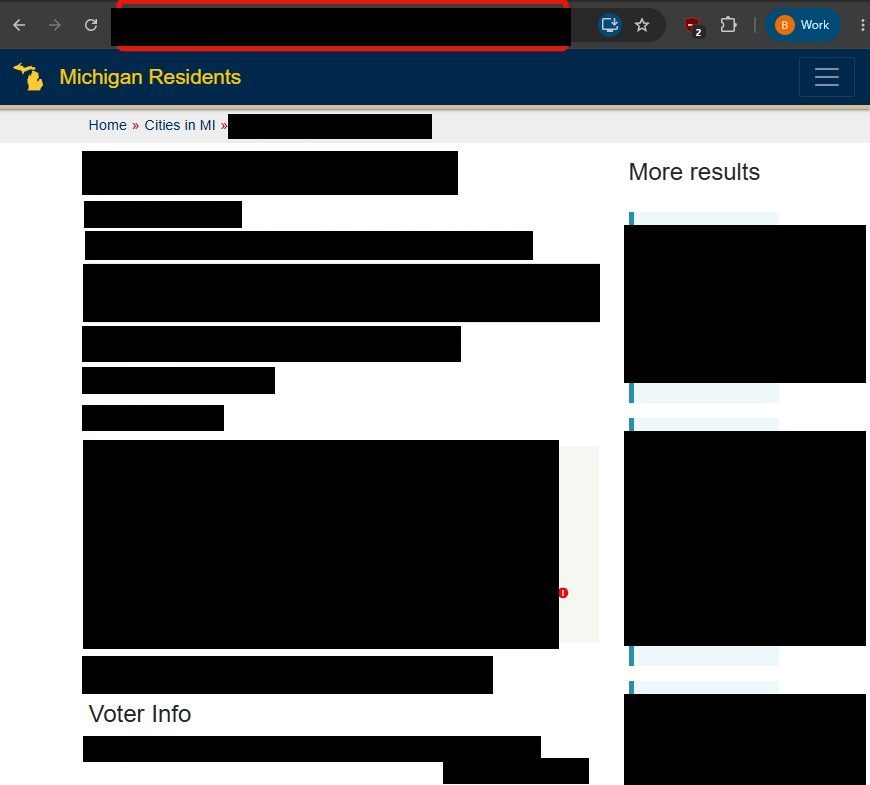
Copy your profile URL
Your profile page's address is what identifies the record. Copy the full URL from the browser's address bar (Ctrl+C) - the opt-out form asks for it.
The address-bar URL is what identifies your record on the form.
04
Paste the URL into the opt-out form
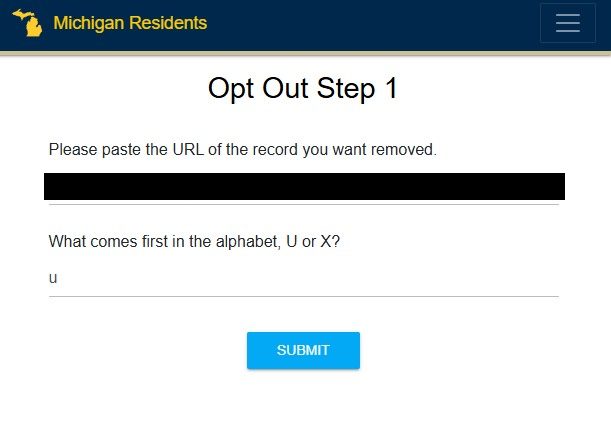
Go to michiganresidentdatabase.com/opt-out (linked in the site footer). The page is headed Opt Out Step 1: paste the profile URL (Ctrl+V), answer the spam question just below it - the walked siblings asked simple arithmetic or which of two letters comes first in the alphabet - and press Submit.
Paste the URL, answer the spam question, Submit.
05
Fill out the final form and submit
The Opt Out Step 2 page shows the record you're removing and takes your full name, email address, and a reason for opting out, plus another spam question and a checkbox certifying you're the person in the listing. Submit - the site promises to contact you within 48 hours about the removal request.
Confirm
Confirm it worked
Recheck the site after 48 hours. If the listing is still up after a week, resubmit the form - there's no support email, phone, or address to escalate to on this site. For the underlying record, go to the Michigan election authorities; ask about confidential-voter or address-confidentiality programs if you qualify (survivors of domestic violence, protected professions).
If it fails
Troubleshooting
Form errors or CAPTCHA loops: try a different browser without extensions - the site sits behind Cloudflare and blocks anything that looks automated.
Listing reappears after a refresh: this is expected behavior on a voter-roll mirror, not a failed opt-out. Refile the form, and consider your state's confidential-voter options for a durable fix.
No response at all: the FTC's report portal takes complaints about the site; an anonymous, unregistered data broker ignoring removal requests is exactly what regulators ask to hear about.
This network re-ingests state voter rolls wholesale, so treat removal as recurring maintenance rather than a one-time fix: recheck every couple of months, especially after elections when the rolls get refreshed. Redact's data-broker scan watches for your details resurfacing across all three state shells and refiles the opt-out when they do.
Take yourself off data broker sites
Redact scans data broker sites from your device, finds where your details are listed, and submits the removal requests for you. If a broker relists you, it files again.
August 10, 2026 · Confirmed by a real walkthrough - the results page's green VIEW DETAILS button is an advertisement and the record link is your name; the opt-out is paste-the-URL plus a spam question. Four step screenshots wired in.