The people-search site squatting the former Men Stopping Violence charity domain runs a paste-your-link opt-out that worked end to end on a real walkthrough on August 11, 2026 - and the confirmation email arrived within a minute of submitting. The flow is free and takes five to ten minutes, but it makes you do the work. Find your own listing, copy its exact link, paste it into their form, hand over an email, then click the emailed COMPLETE REMOVAL button - nothing happens without that final click. Watch out for the Truthfinder ad buttons dressed up as site features along the way.
The full picture: See the profile for the domain's charity history, the anonymous operator, and the nationalpublicdata.com platform twin.
Arrived within a minute on our walkthrough · single-use link
Email
Required · disposable-email domains rejected
Coverage
This site only · the platform twin is a separate removal
Prereqs
What you'll need
A real, checkable email inbox - the form screens out disposable-email domains, and the removal only completes when you click the button in the email it sends.
Your name as the listing shows it, to find your record.
A few quiet minutes - the confirmation link is single-use, so finish the email step when it arrives.
Safety note. If you're a survivor removing your address from this site, use an email account the person you're avoiding can't access - the address you enter here goes to the site's operator.
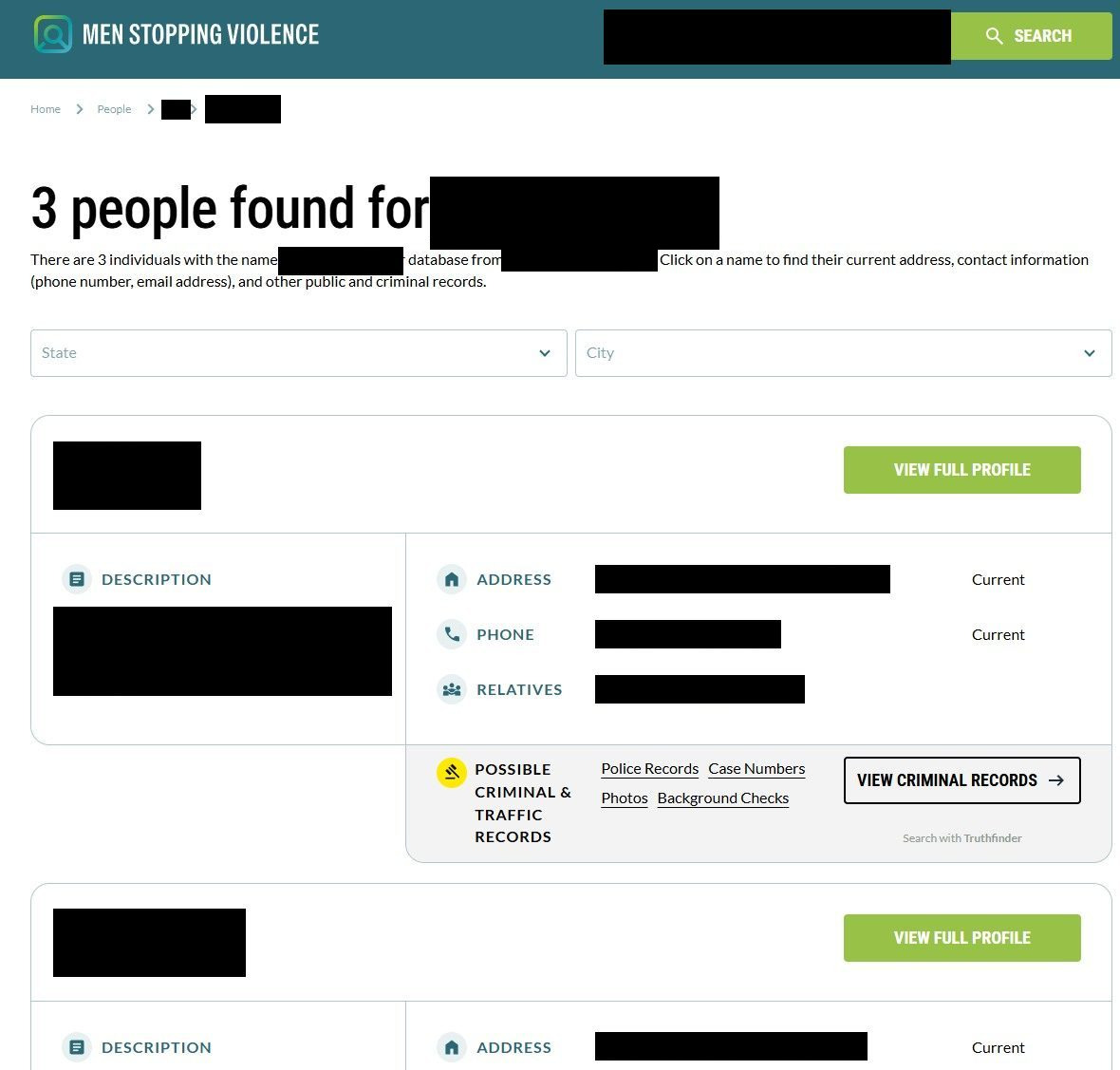
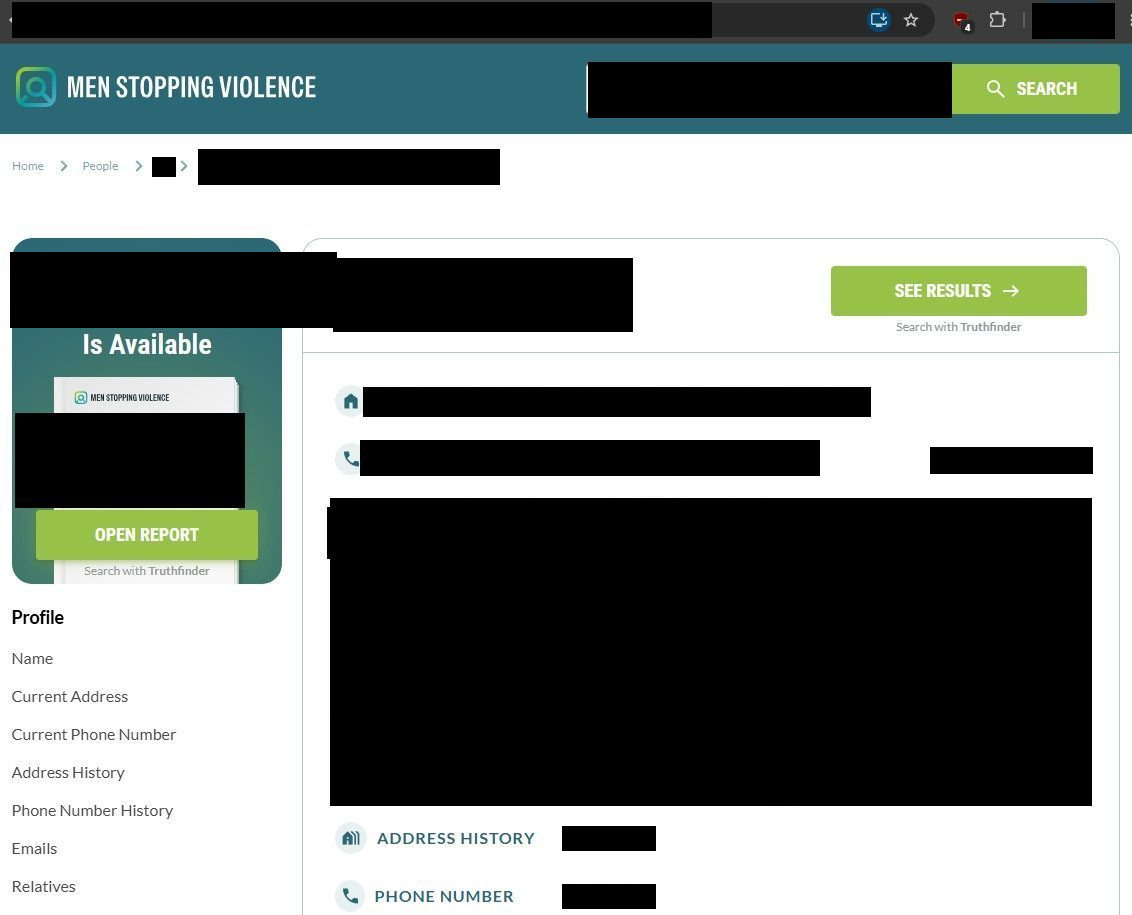
Ignore everything labeled "Search with Truthfinder". The listing pages are studded with green ad buttons - SEE RESULTS, OPEN REPORT, VIEW CRIMINAL RECORDS - that lead to a different broker's paid funnel, not to anything on this site. The real controls are the ones named in the steps below.
The steps
Remove your listing
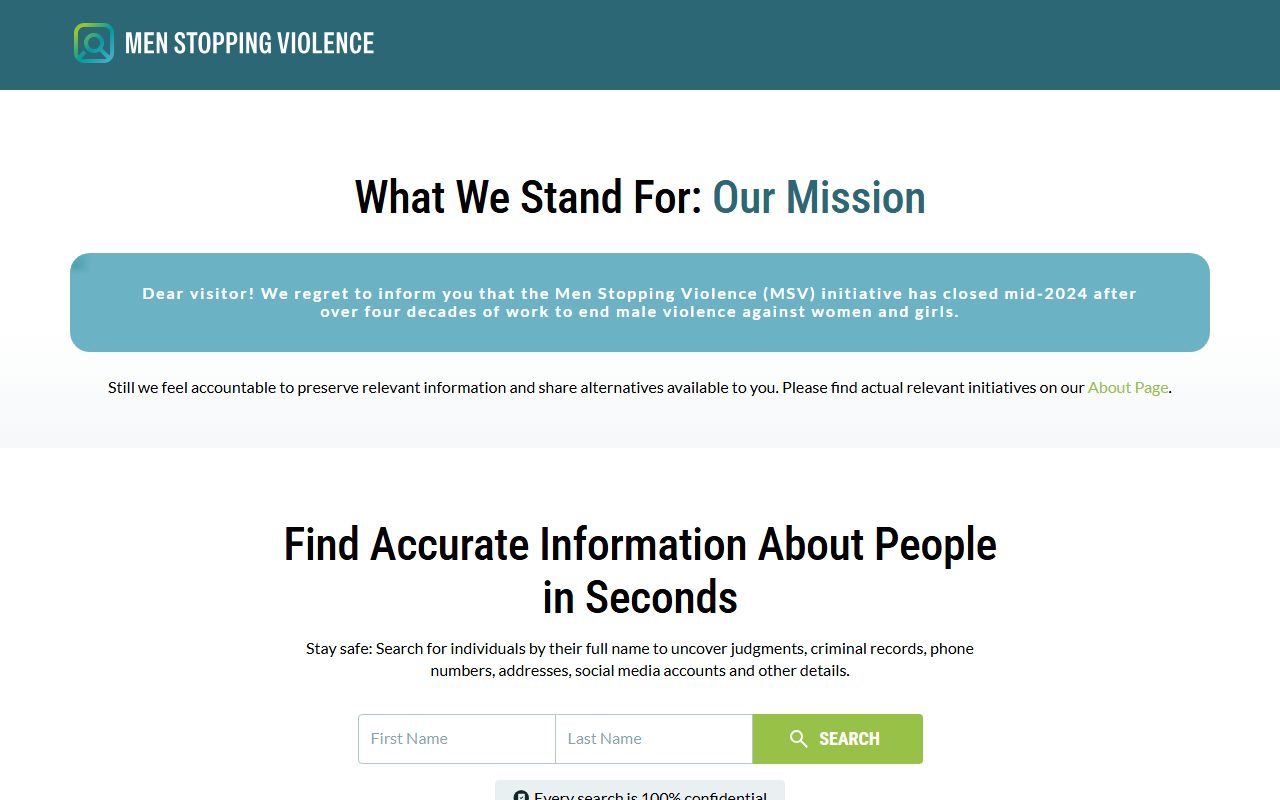
Confirmed by a real walkthrough on August 11, 2026 - the screens below are from that run, apart from the homepage, which was recaptured on September 10.
The results page lists each match with a city, address, phone, and relatives - narrow with the State and City dropdowns if the list is long. On the listing that's you, click the green VIEW FULL PROFILE button. Don't touch the VIEW CRIMINAL RECORDS button on the same card - that one is a Truthfinder ad.
VIEW FULL PROFILE is the real link; the records button beside it is an ad.
03
Copy your profile page's URL from the address bar
With your profile open, click into the browser's address bar and copy the whole URL - it looks like menstoppingviolence.org/people/<your-name>/<long-id>/. That exact link is what the opt-out form resolves your record from.
The profile URL from the address bar - the form needs this exact link.
04
Paste the link into the opt-out form
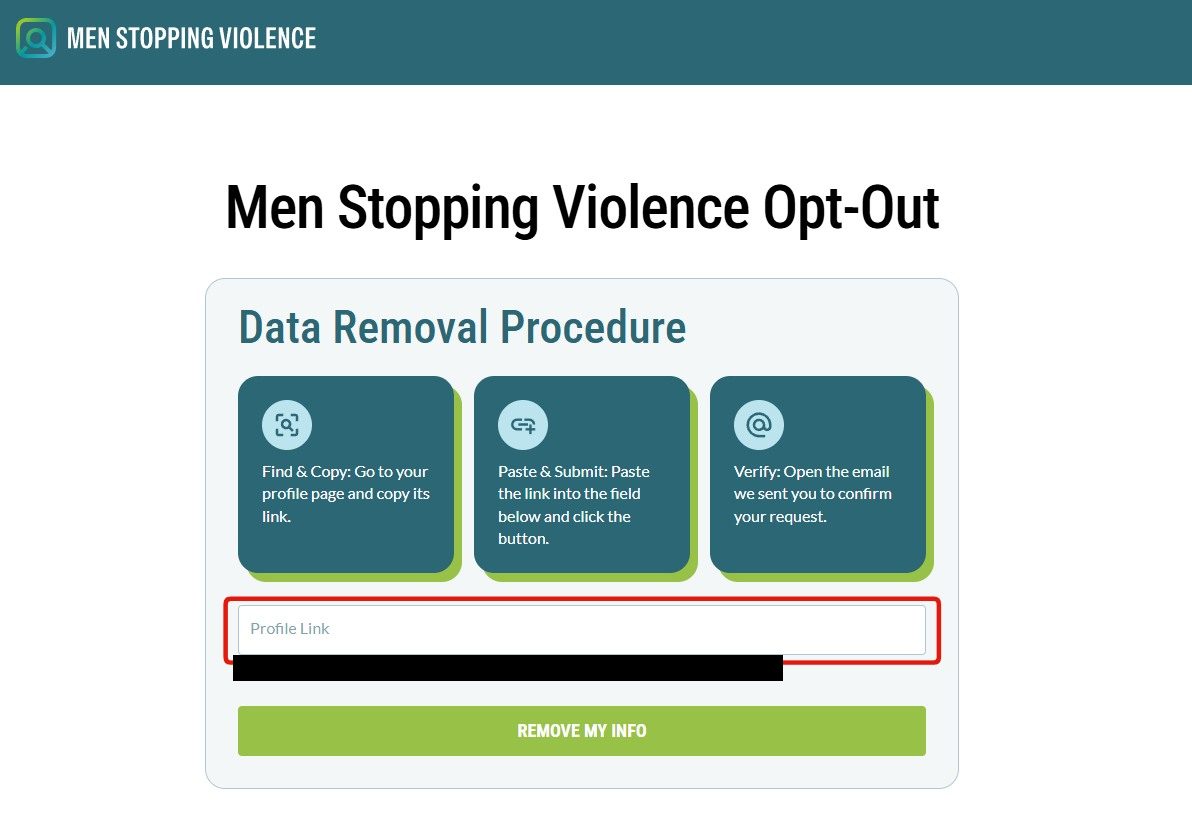
Go to menstoppingviolence.org/opt-out/ - the page is titled Men Stopping Violence Opt-Out with a three-card "Data Removal Procedure" explainer. Paste your profile URL into the Profile Link field and click REMOVE MY INFO.
Paste the profile link, then REMOVE MY INFO.
05
Review the matched record and enter your email
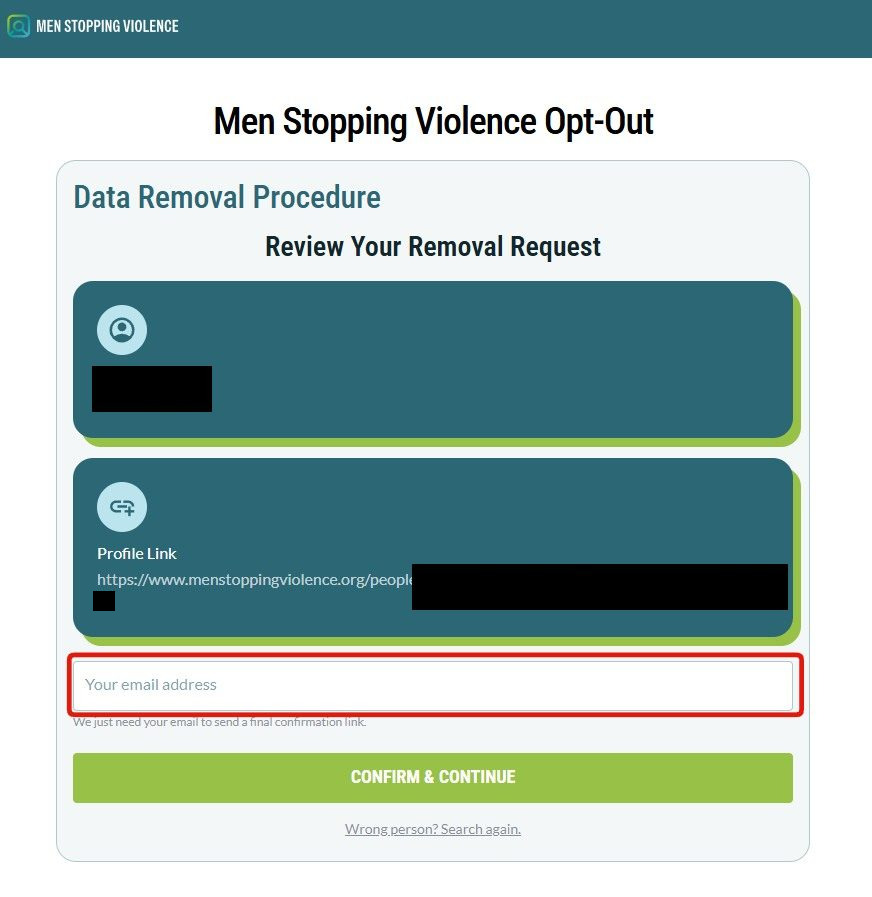
The Review Your Removal Request screen echoes back the record and profile link it matched. Check it's you - there's a "Wrong person? Search again." link if not - then enter your email address (in the page's own words, "We just need your email to send a final confirmation link") and click CONFIRM & CONTINUE. Disposable-email domains are rejected with an inline error.
Confirm the match, give an email, CONFIRM & CONTINUE.
06
Click COMPLETE REMOVAL in the email
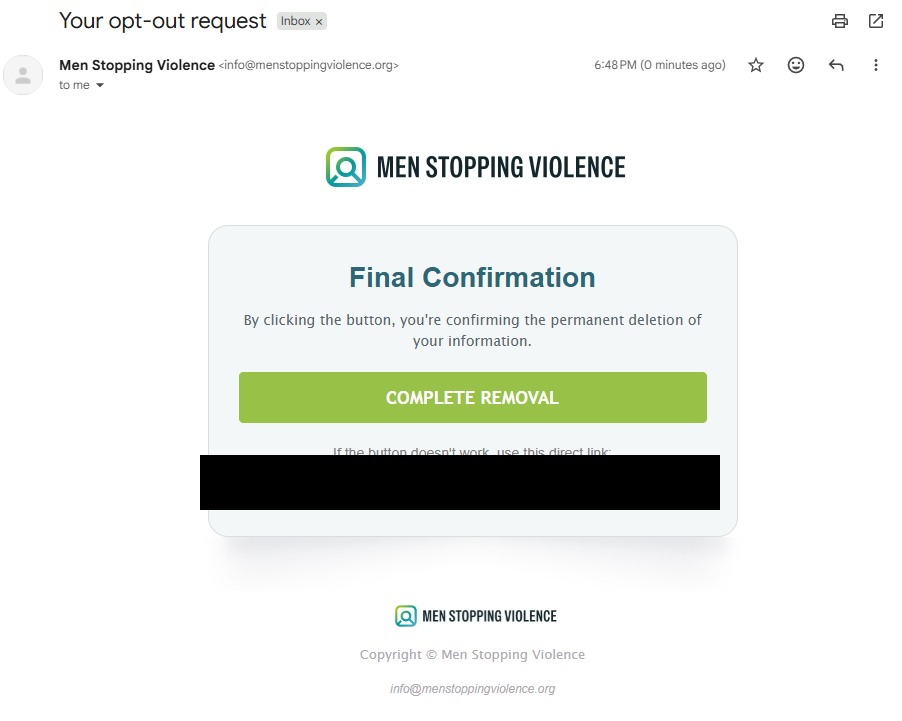
The site mails a Final Confirmation message from info@menstoppingviolence.org - on our walkthrough it arrived within a minute. In its own words, "By clicking the button, you're confirming the permanent deletion of your information." Click COMPLETE REMOVAL (or the direct link below it). The link is single-use - a spent or expired one lands on a screen offering to restart the opt-out.
The emailed COMPLETE REMOVAL click is what finishes the removal.
Confirm
Confirm it worked
Search your name on the site again after a few days - the site publishes no turnaround promise, so the search result is the honest check. Keep the confirmation email as your record of submission. There's no support contact to escalate to - no entity or address is published anywhere - so if the listing survives, rerun the flow and consider the state-level rights routes below.
Done here? Check the twin. This site's platform twin, nationalpublicdata.com, runs an identical form, and nothing documents a removal here carrying over - if it lists you, that's a separate removal on that site.
If it fails
Troubleshooting
The form won't take your email: the site screens addresses against a disposable-domain blocklist. Use a mainstream provider's address - masked-forwarding domains can land on the blocklist too.
Pasting the link shows no record: the form resolves the listing from the URL, so it needs the profile page's own address (/people/<name>/<id>/) - a search-results URL won't resolve. Reopen your listing and copy the address bar exactly.
No confirmation email: ours arrived within a minute, so give it an hour and check spam before rerunning the flow - it can be rerun without penalty.
The confirmation link says it's expired: links are single-use. The screen offers a link back to the opt-out form - run the flow again and click the new email promptly.
The record reappears later: aggregator platforms rebuild from fresh data feeds. Rerun the removal for the new listing.
Stay off
Keep your record off
This site sits on an aggregator platform, so a suppressed listing can resurface as new data feeds in, and a name variant is a fresh record from day one. Recheck quarterly - and its platform twin nationalpublicdata.com on the same schedule, since nothing documents the two sharing a suppression list. Redact's data-broker scan automates that loop, watching for your details resurfacing and refiling removals when they do.
Take yourself off data broker sites
Redact scans data broker sites from your device, finds where your details are listed, and submits the removal requests for you. If a broker relists you, it files again.
August 11, 2026 · Confirmed by a real walkthrough the same evening the guide was drafted - six step screenshots wired in. The flow held as drafted; the walk added the real screen names (REMOVE MY INFO, Review Your Removal Request, CONFIRM & CONTINUE, the Final Confirmation email from info@menstoppingviolence.org), the Truthfinder ad-button warning, and the fact that the confirmation email arrived within a minute. The emailed confirm link is blacked out in step 6 per redaction policy.