Information.com's opt-out is a suppression and not a deletion, so the company keeps your record and stops displaying, selling or sharing it. The form wants three things (an email, a date of birth and a full legal name), then shows you the records that match so you can pick yours. Two of those answers are permanent by the site's own account, so it pays to know the form before you start. We walked it on August 12, 2026. The form found no record for our walker, so the last screen had nothing to list, and that's the screen you'll see too if the site holds nothing under your name and birthdate.
More on the company: The Information.com profile covers what its listing pages show and how its opt-out ties a request to one email address.
The steps
What each screen asks
The first screen was read again on October 5, 2026 and hadn't changed. The others sit behind the email link and are shown as they were in August.
01
Enter your email
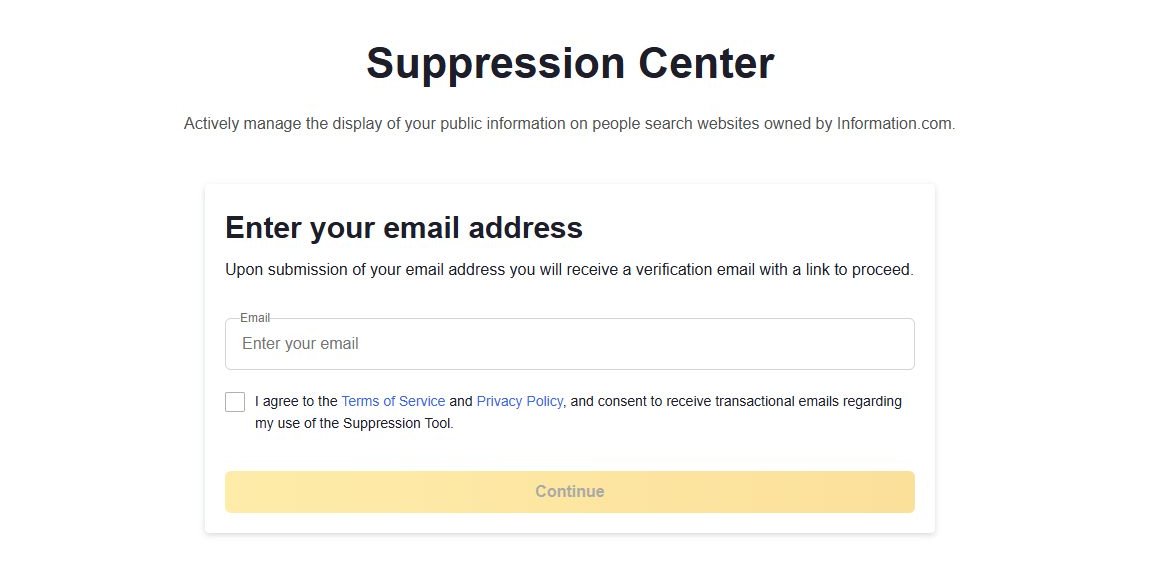
information.com/opt-out opens the Suppression Center with one email box and a terms tick. Continue sends a verification email.
The form starts with an email address.
02
Verify it within 24 hours
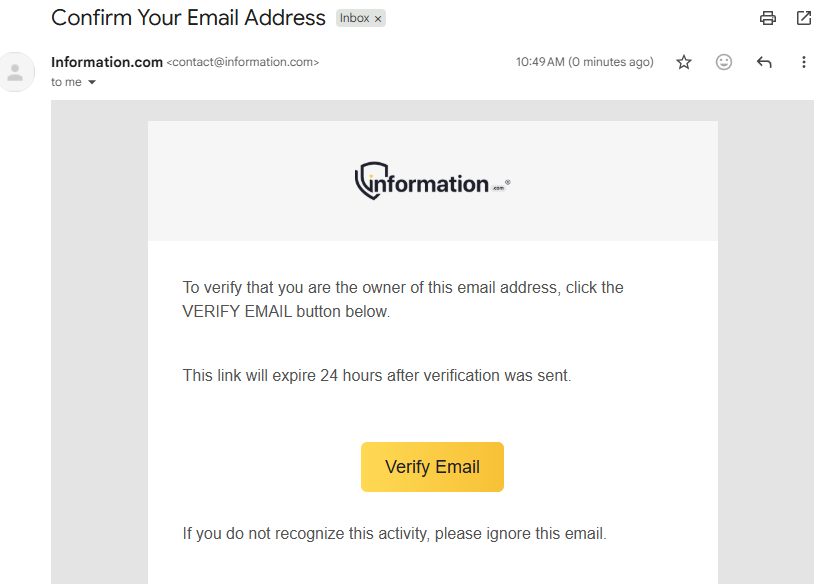
The email comes from Information.com with a yellow Verify Email button. It says the link expires 24 hours after it was sent.
The verification link runs out after a day.
03
Set your birthdate
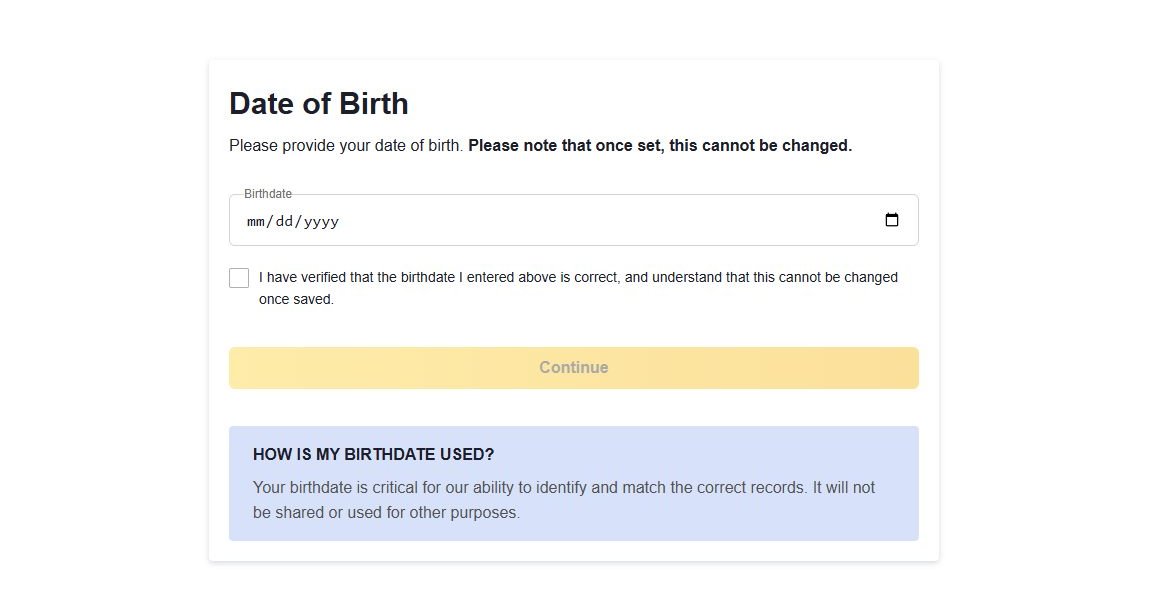
The Date of Birth screen has a single date box and a confirmation tick. Enter your real date and check it, because the site says the answer can't be revisited.
A birthdate entered here can't be edited afterwards.
04
Add your legal name
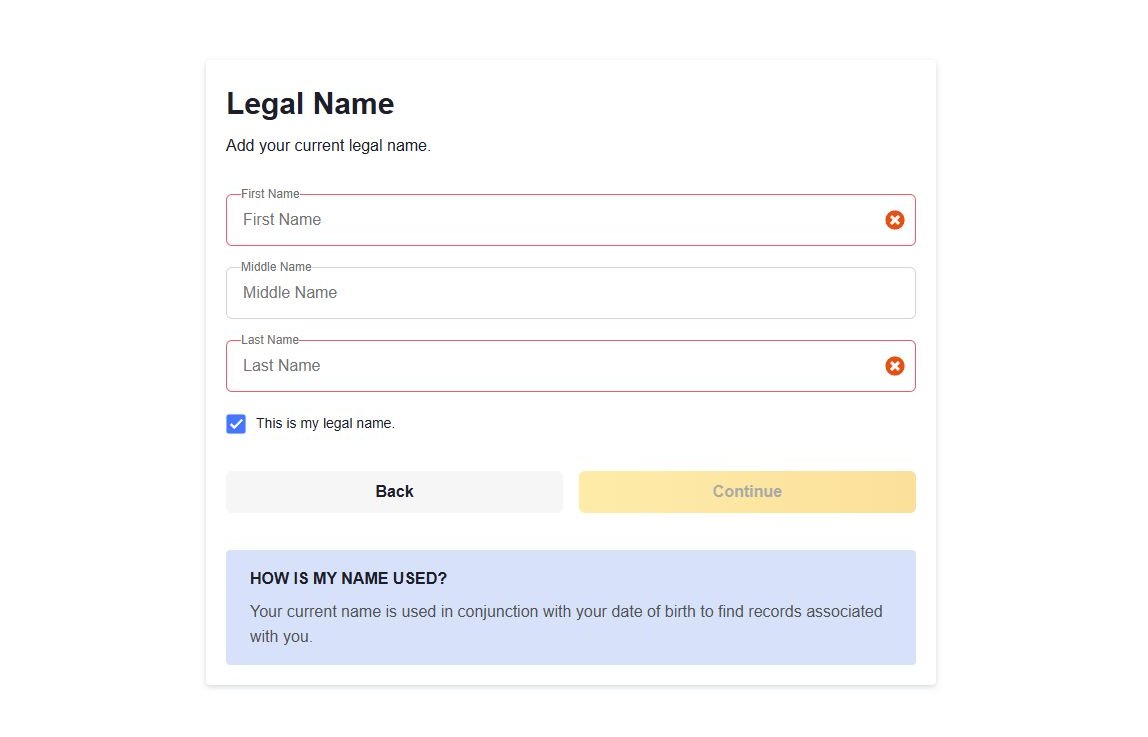
Legal Name asks for first, middle and last, with first and last required, plus a box to confirm it's the name you legally go by.
Name and birthdate together are what the site searches on.
05
Select your record
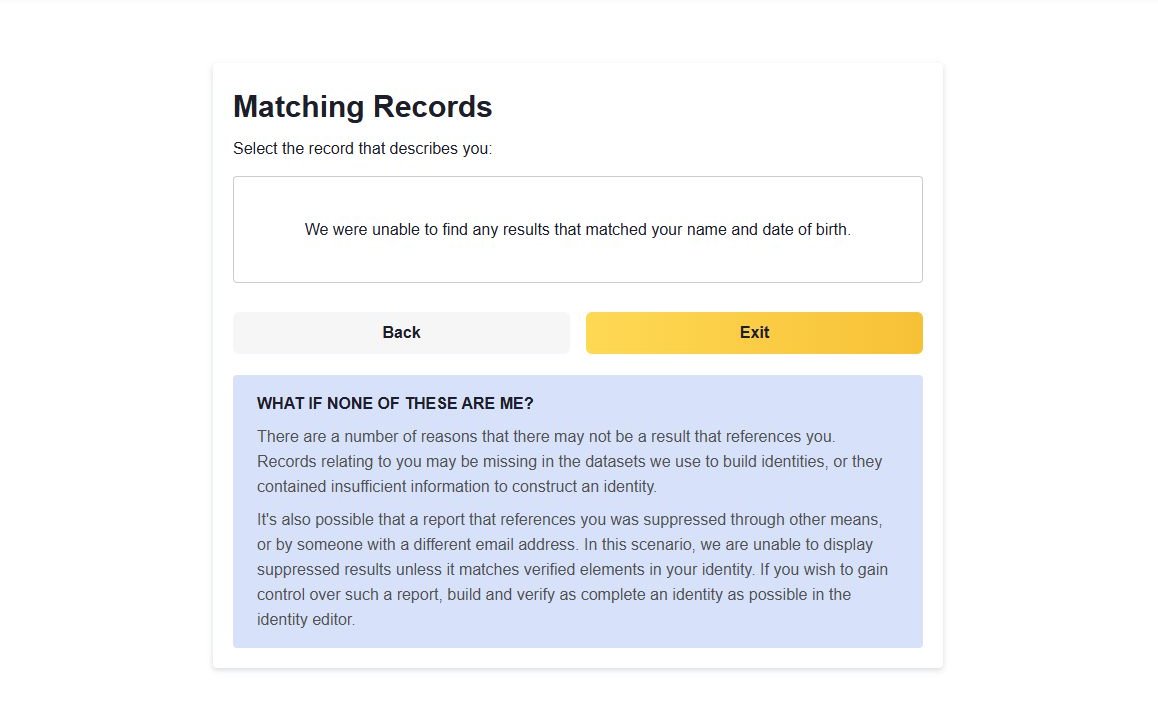
Matching Records lists the reports that fit your name and birthdate under the line "Select the record that describes you". Choose yours and follow the site from there. The screenshot shows the screen with nothing on it, because the form found no record for our walker. The site's own note says that can also happen when a report was already suppressed through a different email address.
What the screen shows when no record matches.
If nothing matches
Listed, but the form can't find you
First check you're listed. Information.com publishes listings as ordinary web pages sorted by name, state and city, so search your name on the site. No page means nothing to opt out of.
If there is a page and the form still came back empty, write to the company. Information.com, LLC is registered as a data broker in California from an address in Tampa, Florida. Its filing gives compliance@information.com as the privacy contact and (561) 462-0092 as the phone number. Email from the address you verified, and include your name, the web address of your listing, and the message the form showed. If you're in California, the state's DROP platform is a second route, and registered brokers have had to honour it since August 1, 2026.
Afterwards
Checking, and keeping the inbox
If the page comes down, look for it on the site and in a search engine a couple of weeks later, since a cached result can outlast the page. Hold on to the email account you used. By the form's own description it's the only one that can manage that suppression.
This is why Redact's app scans Information.com and leaves the opt-out to you. An address we generated would end up owning your suppression.
Take yourself off data broker sites
Redact scans data broker sites from your device, finds where your details are listed, and submits the removal requests for you. If a broker relists you, it files again.
October 5, 2026 · Based on the August 12, 2026 walk and five screenshots taken during it. The walk ended on an empty Matching Records screen because the form found no record for our walker, which isn't a fault in the form, so what follows a successful match isn't described. On October 5 the first Suppression Center screen was read live and matched, and California's data broker registry gave us the operator and its contacts.