Search your name from the homepage
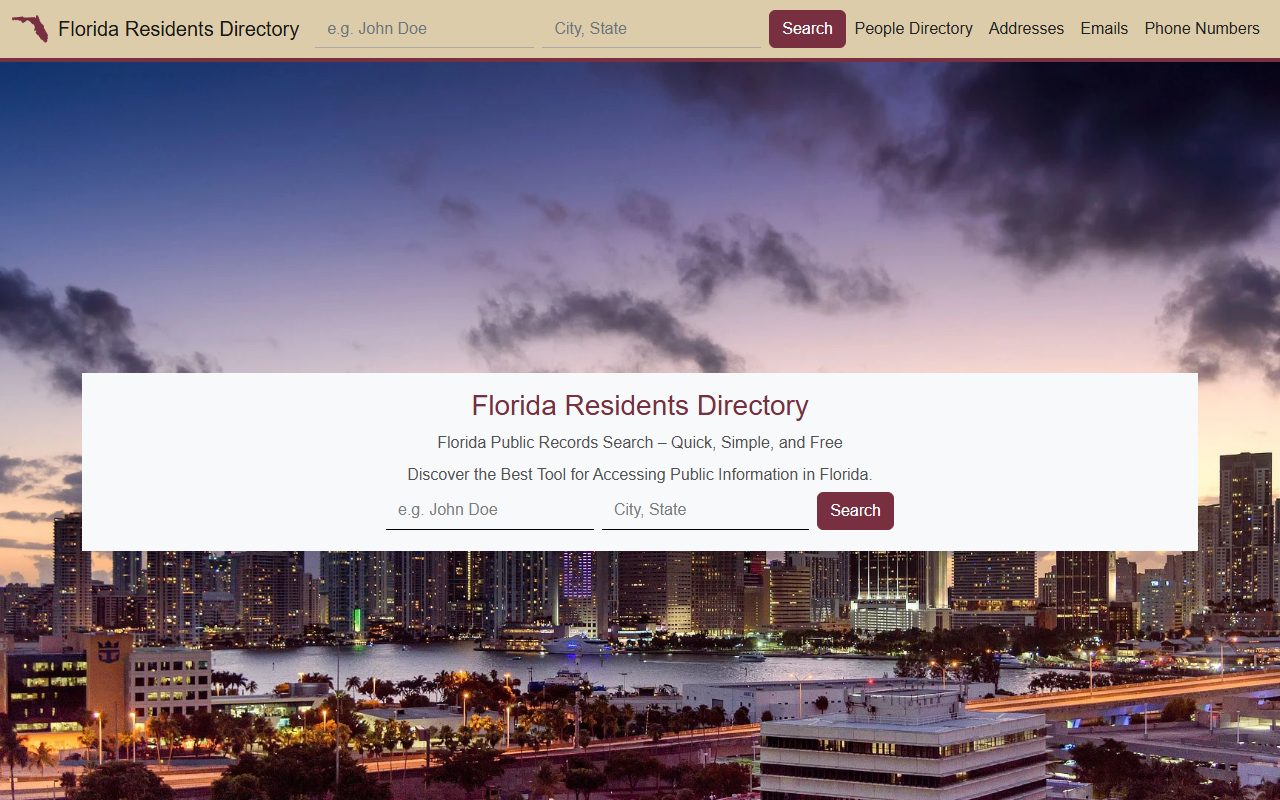
Start at floridaresidentsdirectory.com - the search takes a name and a "City, State". An explicit no-results answer is a legitimate ending, since the site may simply not hold you.

Removal guide · Florida Residents Directory
Confirmed by a real walkthrough on August 12, 2026 - and the real flow is the two-form, paste-your-record-URL shape of the resident-database sites. Find your record, copy its URL, paste it at Opt Out Step 1, then fill a contact form with a spam question and an I-am-this-person certification. The site says it contacts you within 24-48 hours. Expect CAPTCHAs along the way, and bring a mainstream-provider email (gmail.com, yahoo.com, outlook.com) - our testing found the email field rejects masked-forwarding addresses and custom domains.
The full picture: See the Florida Residents Directory profile for what the state-scoped format exposes.
Quick facts
Paste your record's URL + contact form with a spam question
Mainstream provider only - the form's hardcoded allowlist
About 5 minutes
Contact within 24-48 hours - the site's own promise
Free
The steps
Confirmed by a real walkthrough on August 12, 2026 - screenshotted as walked, record details redacted. Expect CAPTCHAs along the way.
Start at floridaresidentsdirectory.com - the search takes a name and a "City, State". An explicit no-results answer is a legitimate ending, since the site may simply not hold you.

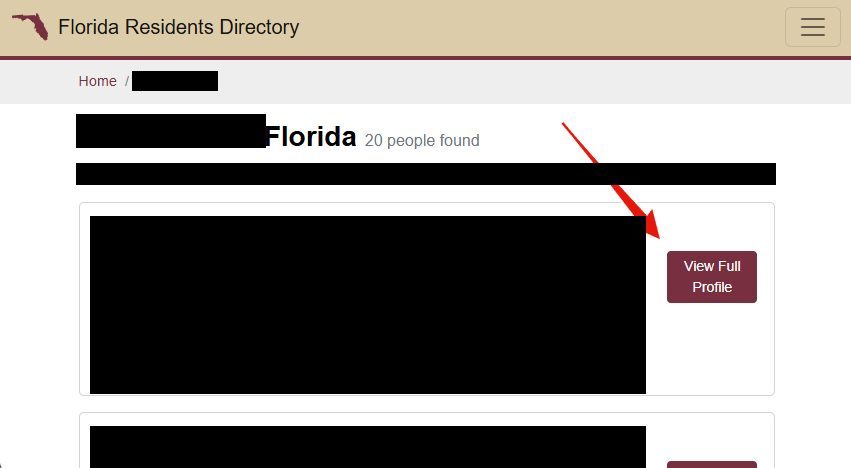
Result cards carry far more than a directory line - age and birth month, voter status, party affiliation, a full street address, and a partially masked phone number. Use those details to pick the right record (one name returned 20 matches on our walk), then click View Full Profile.

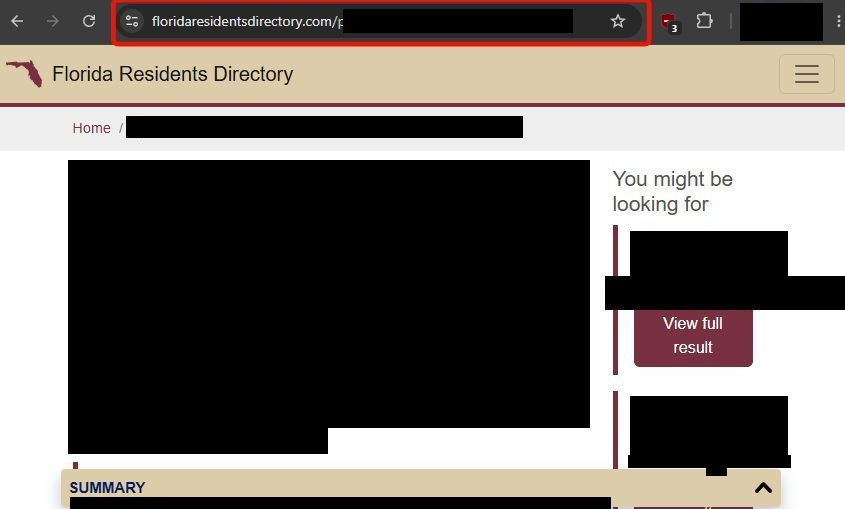
The profile page's address looks like floridaresidentsdirectory.com/person/<id>/<name>. Copy the full URL from the browser's address bar - it's what identifies the record to the opt-out.

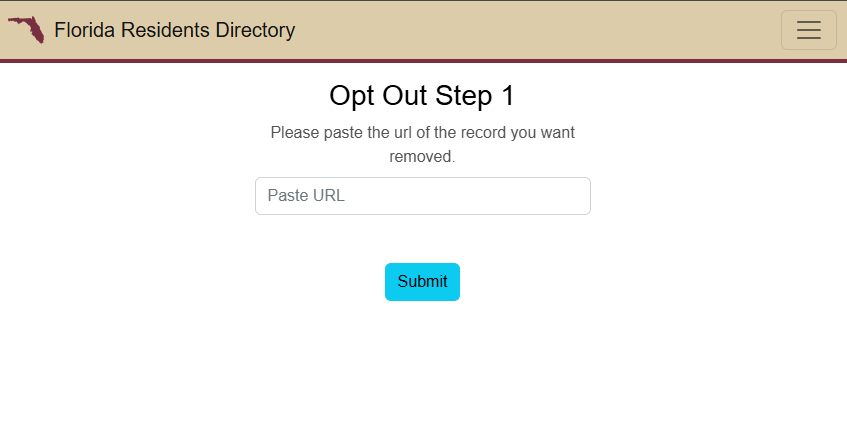
Go to floridaresidentsdirectory.com/opt-out - the page is headed Opt Out Step 1 and asks for the URL of the record you want removed. Paste it and hit Submit.

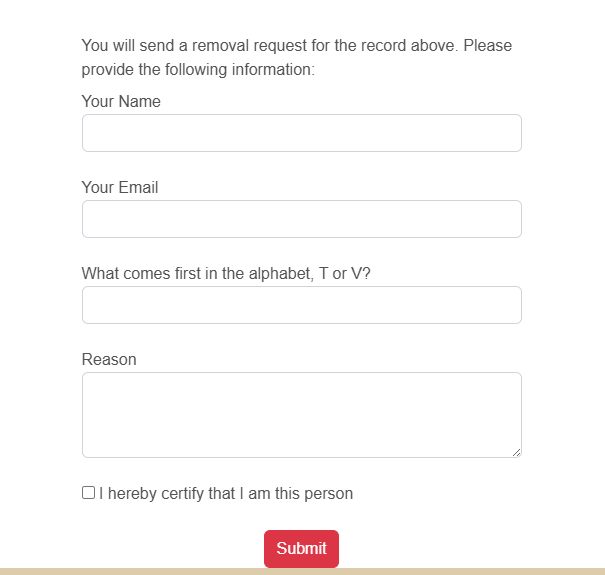
The final form confirms you're sending a removal request for the record above and takes your name, your email, a spam question ("What comes first in the alphabet, T or V?"), and a reason, plus an "I hereby certify that I am this person" checkbox. Use a mainstream-provider email - our testing found the field rejects masked and custom domains. Submit, and the site says it will contact you within 24-48 hours about the request.

Confirm
The site says it contacts you within 24-48 hours - watch the inbox you gave, then search your name on the site again after a few days. With no support channel or entity published, rerunning the flow is the only recourse if the listing survives.
Stay off
State directories rebuild from resident-data feeds, so a move within Florida can mint a fresh listing. Recheck quarterly - and if you've lived in Michigan, North Carolina, or Ohio, the resident-database sites for those states run the same format with their own opt-outs. Redact's data-broker scan automates the loop.
Redact scans 120+ data broker sites from your device, finds where your details are listed, and submits the removal requests for you. If a broker relists you, it files again.
August 12, 2026 · Confirmed by a real walkthrough the same day - five step screenshots wired in, record details redacted. The walk replaced the drafted email-form flow with the real one, the resident-database network's two-form shape (View Full Profile → copy the /person/ URL → paste at Opt Out Step 1 → contact form with a spam question and certification), ending in a 24-48 hour contact promise. The mainstream-email allowlist from our testing still applies at the email field.