How to Mass Delete Twitter Likes. Manual & Automatic Methods.
 Dan Saltman
On this page
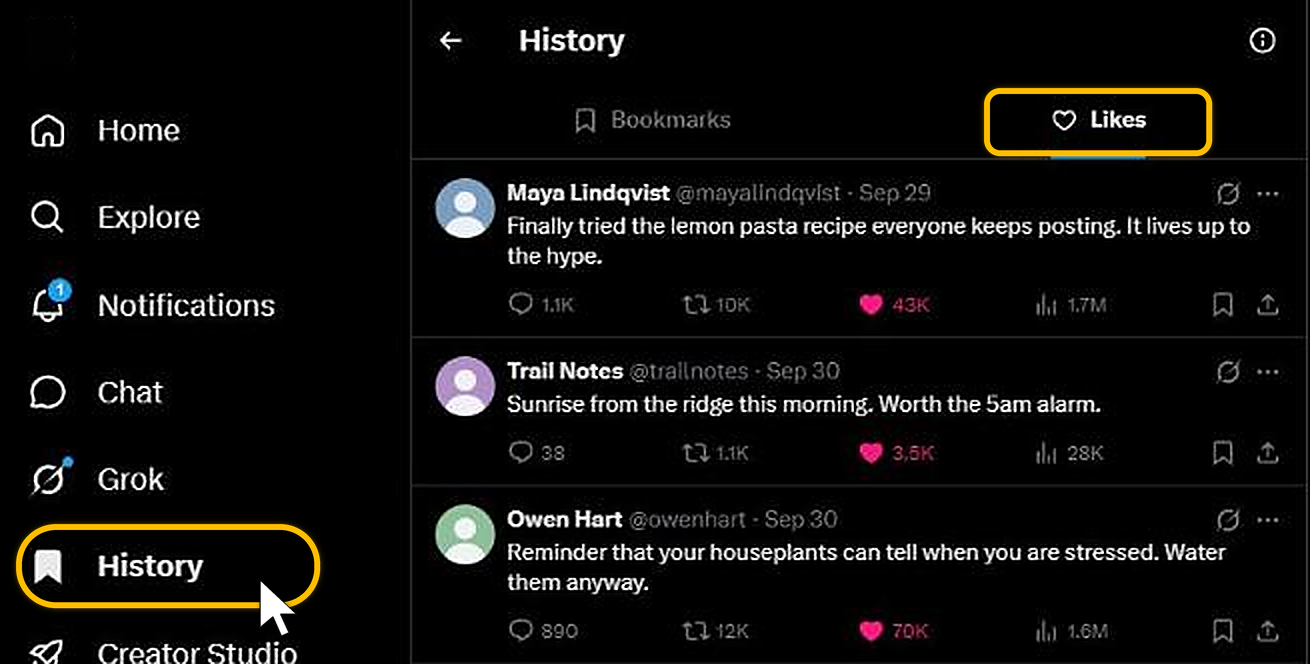
To delete a like on X (Twitter), click History in the left-hand menu, open the Likes tab and click the pink heart on the post. That's the only way X offers, one post at a time, so clearing a few thousand likes means a few thousand taps. Redact does it in bulk, either every like on the account or only the ones that match a filter.
Your likes stack up faster than you'd think. A few years in and you can be sitting on thousands of them, from old hot takes to replies you forgot about and things you tapped at 2am. In June 2024, X made likes private, so other people can't browse what you've liked, but the history still sits on your account and X still uses it to decide what goes in your For You feed.
Manual Slow Option 1: Unlike posts on X by hand
Your likes no longer sit in a tab on your profile. On the X website they're under History.
- 1
Click History, then Likes
On x.com, click History in the left-hand menu. It opens on Bookmarks, so click the Likes tab next to it. That's the list of every post you've liked.
- 2
Click the pink heart
Each post in the list has a filled pink heart under it. Click it and your like comes off that post. Then do the same for the next one, working down the list.
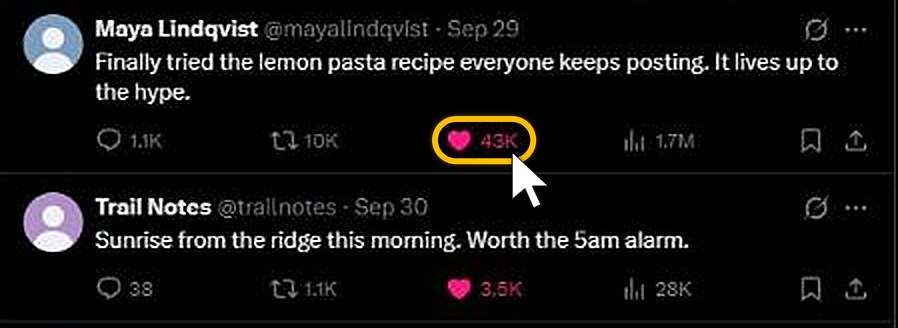
In the X app, tapping the heart on a post you've liked takes the like back the same way.
There's no way to select several posts in the tab. X's help page on likes only covers taking back one like at a time, so a long history means a long afternoon of scrolling.
Automated Fast Option 2: Clear your likes in bulk with Redact
Redact is a desktop app for Windows, macOS and Linux that unlikes posts on X from your own computer. Your login goes straight from your device to X, and your likes never pass through a Redact server.
- 1
Download Redact and connect X
Download Redact and sign in with the one-time code it emails you. Pick Twitter/X from the list of sites and log in to X in the window the app opens.
- 2
Click the Likes tile
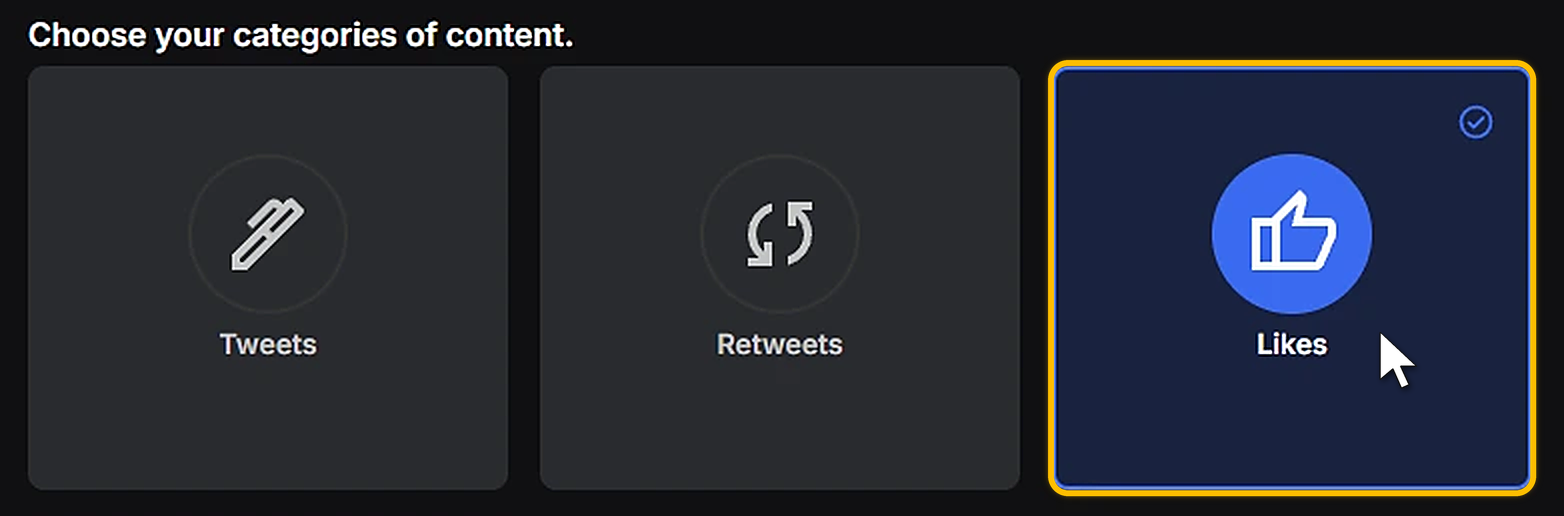
The Twitter/X form opens on Easy. Under Choose your categories of content, click Likes so it's the only tile highlighted. That keeps your own tweets, retweets and messages out of the run.
- 3
Choose how far back to go
Leave the range on All time to now and Redact reaches as far back as your plan allows. To narrow it, pick a starting point and an endpoint.
The dates go by when each liked post was published, not the day you liked it. A range that ends in 2022 clears your likes on posts from 2022 and earlier, including any you only liked last week.

Pick how it runs
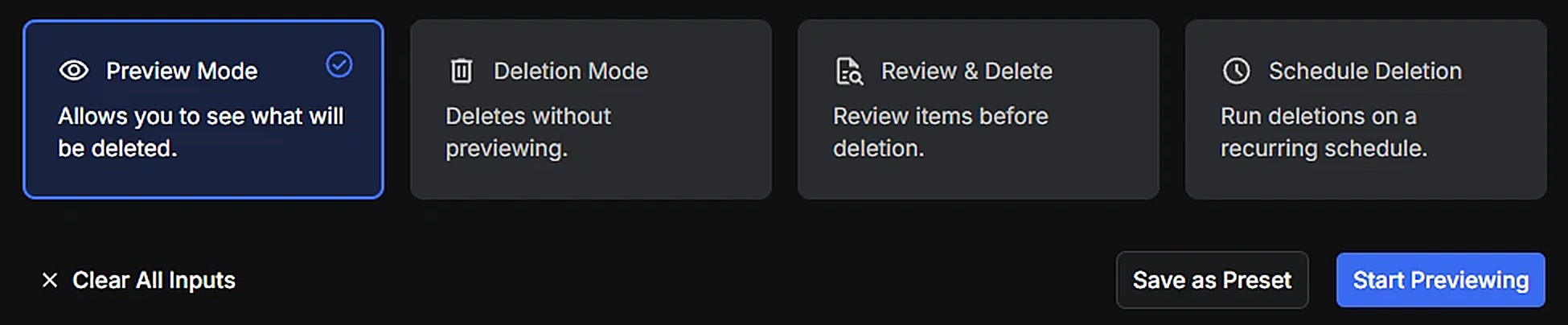
Preview Mode
A dry run. It lists every like the run would take back without changing anything on X. I'd always start here.
Deletion Mode
Unlikes everything that matches in one run. The only way back is to like each post again.
Review & Delete
Shows you the matches so you tick the exact likes you want gone. Slower, but nothing goes without your say.
Schedule Deletion
Repeats the run daily, weekly or monthly, so new likes get cleared without you starting each one. It needs Premium.
Narrow it down in Advanced
Easy only filters by date. For anything finer, click Advanced at the top right of the form.

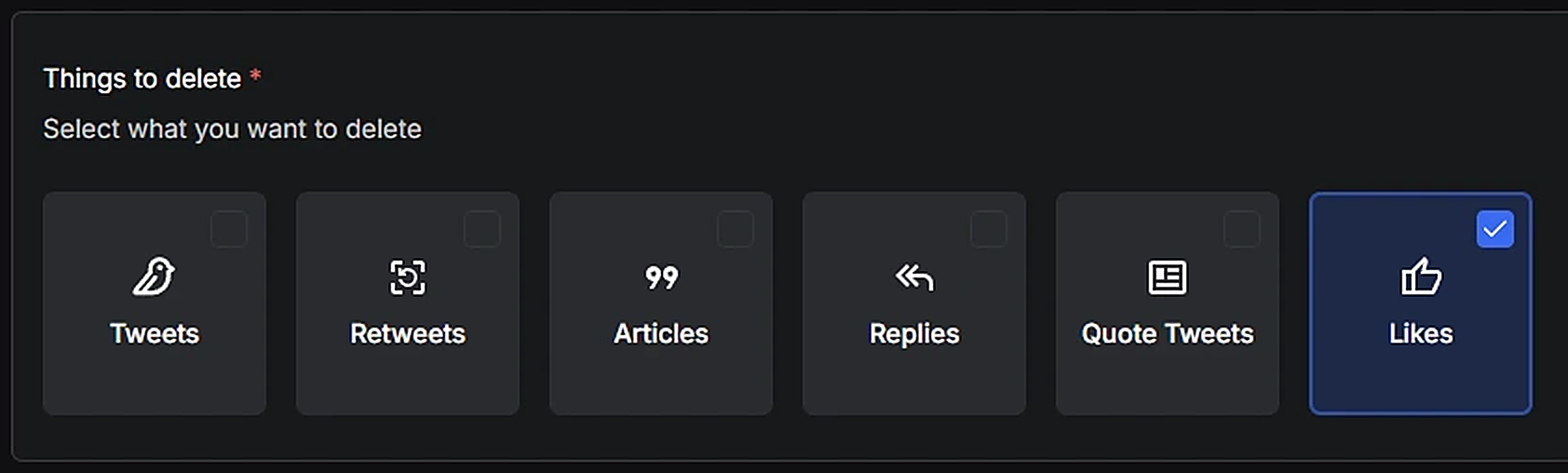
Under Things to delete, every type starts ticked. Untick Tweets, Retweets, Articles, Replies and Quote Tweets so that only Likes is left. Skip this and the run takes your own posts as well.
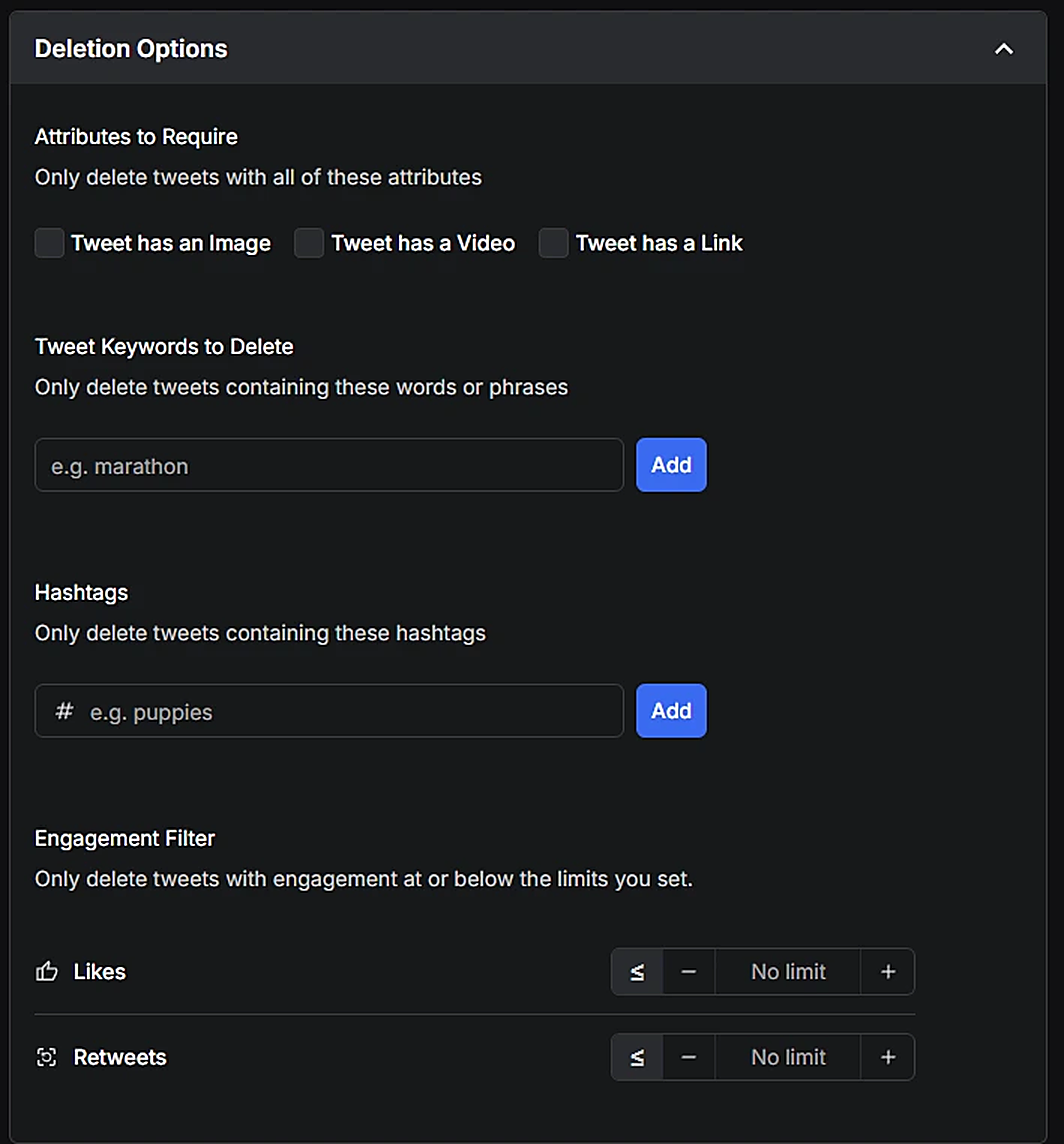
Then open Deletion Options and set the filters you want. The labels say "tweets", and with only Likes ticked they apply to the posts you've liked.
- Attributes to Require limits the run to liked posts with an image, a video or a link.
- Tweet Keywords to Delete catches liked posts containing a word or phrase.
- Hashtags catches liked posts carrying a tag.
- Engagement Filter catches liked posts at or below a number of likes or retweets, the ones that barely got any attention.
Preservation Options, just below, works the other way. Posts with the keywords, hashtags, links or IDs you list there keep your like.
X limits how quickly one account can make changes, so Redact paces the unlikes and waits when X asks it to. A deep history takes a while, and the app needs to stay open until the run finishes. For more than 500 likes, the Easy form suggests turning on Import Data Package and uploading your X data archive. Importing your X data cuts down how much Redact has to fetch first, though the unlikes still go at X's pace. An import only applies the keyword filters and the links or IDs you've listed to keep. It ignores dates, hashtags, the Engagement Filter and the image, video and link boxes for likes, so if you're relying on any of those, stick with the normal Likes run above.
What the free plan covers
The free plan clears your likes on posts published in the last 30 days. It goes by the post's date, so an older post you liked this week isn't covered. Likes on older posts, archive import and scheduled runs need Premium.
Mass deleting X likes, answered
Can I remove all my likes at once inside X (Twitter)?
No. X lets you unlike one post at a time from the Likes tab, and there's no button that clears your whole like history. Clearing them in bulk takes a tool like Redact.
Does the author get notified when I unlike their post?
No. Unliking doesn't send a notification. It takes your like off the post and out of your Likes tab.
What's the difference between unliking and deleting a post on X?
Unliking removes your reaction from someone else's post. Deleting only applies to posts you wrote yourself. You can't delete another account's post, and unliking it doesn't touch the post itself.
Do unlikes change my followers, lists, or settings on X?
No. Removing likes doesn't change your followers, lists, bookmarks or account settings. Those are all separate.
Will clearing my likes change my For You feed?
It can. Likes are one of the signals X uses to pick what goes in For You, so clearing old ones gives it less to go on. It isn't the only signal, though, so don't expect a completely fresh feed.
Can Redact keep new likes from piling up later?
Yes. Save your filters and turn on Schedule Deletion to re-run them daily, weekly or monthly. Scheduling is a Premium feature.
More X cleanups
- Mass delete your tweets if your own posts are going too.
- Clear your X reposts to empty your profile of other people's posts you've shared.
Redact for Twitter/X
Delete old tweets, posts, pictures, and videos for rebranding, spring cleaning, or just plain peace of mind.